1. Танилцуулга
The ANYFAR T1 Wireless CarPlay Android Auto Decoder is designed to integrate advanced smartphone connectivity into compatible 2014-2019 Toyota vehicles equipped with Touch2 & Entune2.0 stereo systems. This device enables wireless CarPlay and Android Auto functionality, Mirror Link for screen mirroring, USB media playback, and supports backup camera input, enhancing your in-car experience while retaining original vehicle controls.
2. Аюулгүй байдлын мэдээлэл
Please read and understand all safety instructions before installation and operation. Improper installation or use may result in damage to the product or vehicle, and could void the warranty.
- Ensure the vehicle's ignition is off and the battery is disconnected before beginning installation to prevent electrical shorts or damage.
- Verify compatibility with your specific Toyota model and stereo system (Touch2 & Entune2.0) to avoid functionality issues.
- Do not attempt to modify the device or its components.
- Хэрэв та суулгах процессын аль нэг хэсэгт эргэлзэж байвал мэргэжлийн суулгагчтай зөвлөлд.
3. Багцын агуулга
Доор жагсаасан бүх зүйл таны багцад байгаа эсэхийг шалгаарай.
- ANYFAR T1 Decoder Unit
- Цахилгааны кабелийн бэхэлгээ
- Видео кабель
- Антен
- Хэрэглэгчийн гарын авлага

4. Тохиромжтой байдал
The ANYFAR T1 Decoder is specifically designed for 2014-2019 Toyota vehicles тоноглогдсон Touch2 & Entune2.0 Stereo systems. The original stereo must be from Panasonic, Fujitsu, or Pioneer. Compatible screen sizes are 6", 7", or 8".
Тоёотагийн нийцтэй загварууд:
- 2014-2019 Toyota Corolla
- 2014-2019 оны Toyota Tacoma
- 2014-2019 Toyota Avensis
- 2014-2019 Toyota Tundra
- 2014-2019 Toyota Auris
- 2014-2018 Toyota Yaris
- 2014-2017 Toyota Camry
- 2017-2019 Toyota 86
- 2015-2018 оны Тоёота Авалон
- 2018 Toyota C-HR
- 2016-2019 Toyota Prius c
- 2014-2019 Toyota Verso
- 2016-2017 Toyota Prius v
- 2014-2019 Toyota Verso s
- 2014-2019 оны Toyota Sequoia
- 2015-2017 Toyota Alphard
- 2015-2017 Toyota Sienna
- 2014-2019 оны Toyota Land Cruiser
- 2014-2019 оны Toyota 4Runner
- 2014-2019 Toyota Land Cruiser Prado
- 2014-2019 Toyota Highlander
- 2016-2019 Toyota Prius
- 2014-2018 Toyota RAV4

5. Бүтээгдэхүүн дууссанview
ANYFAR T1 Decoder Unit
The main decoder unit processes signals to enable CarPlay, Android Auto, and other features on your vehicle's display.

Хэмжээ ба портууд

6. Суулгах заавар
Энэ хэсэгт ерөнхий мэдээлэл өгдөгview of the installation process. Refer to the detailed diagrams and your vehicle's specific wiring for precise connections.
Алхам 1: Суулгахад бэлтгэ
- Машинаа тэгш гадаргуу дээр байрлуулж, зогсоолын тоормосыг дарна уу.
- Хөдөлгүүрийг унтраагаад түлхүүрийг гал асаахаас салга.
- Тээврийн хэрэгслийнхээ батерейны сөрөг терминалыг салга.
- Carefully remove the vehicle's head unit (stereo) from the dashboard. Refer to your vehicle's service manual for specific instructions on head unit removal.
Step 2: Connect the Decoder Unit
The ANYFAR T1 decoder connects between your vehicle's original head unit and the factory wiring harness. This is typically a plug-and-play process using the provided power cable harness.

- Disconnect the original wiring harness from the back of your OEM head unit.
- Connect the provided ANYFAR power cable harness to the OEM head unit.
- Connect the other end of the ANYFAR power cable harness to the vehicle's original wiring harness.
- Connect the ANYFAR T1 decoder unit to the ANYFAR power cable harness.
- Attach the Wi-Fi antenna to the designated port on the decoder unit.
Step 3: Optional Connections (Backup Camera, USB)
- If installing an aftermarket backup camera or front camera, connect its video output to the designated video input on the ANYFAR T1 decoder using the provided video cable.
- The USB port on the decoder can be used for media playback from a USB drive or for charging a mobile device.

Алхам 4: Дахин угсрах, турших
- Carefully route all cables to avoid pinching or interference.
- Тээврийн хэрэгслийн батарейг дахин холбоно уу.
- Turn on the vehicle's ignition and test the functionality of the decoder before fully reassembling the dashboard.
- Once confirmed working, reassemble the head unit and dashboard components.
7. Ашиглалтын заавар
7.1 Утасгүй CarPlay & Android Auto
The ANYFAR T1 enables seamless wireless connection to Apple CarPlay and Android Auto. After initial pairing, your phone will automatically connect when you start the vehicle.
- Анхны хослол: On your vehicle's screen, navigate to the CarPlay/Android Auto interface. Enable Bluetooth and Wi-Fi on your smartphone. хайх the decoder's Bluetooth signal and pair your phone. Follow the on-screen prompts to complete the setup.
- Үйл ажиллагаа: Once connected, you can access navigation, music, calls, messaging, and voice assistant features directly from your car's display.

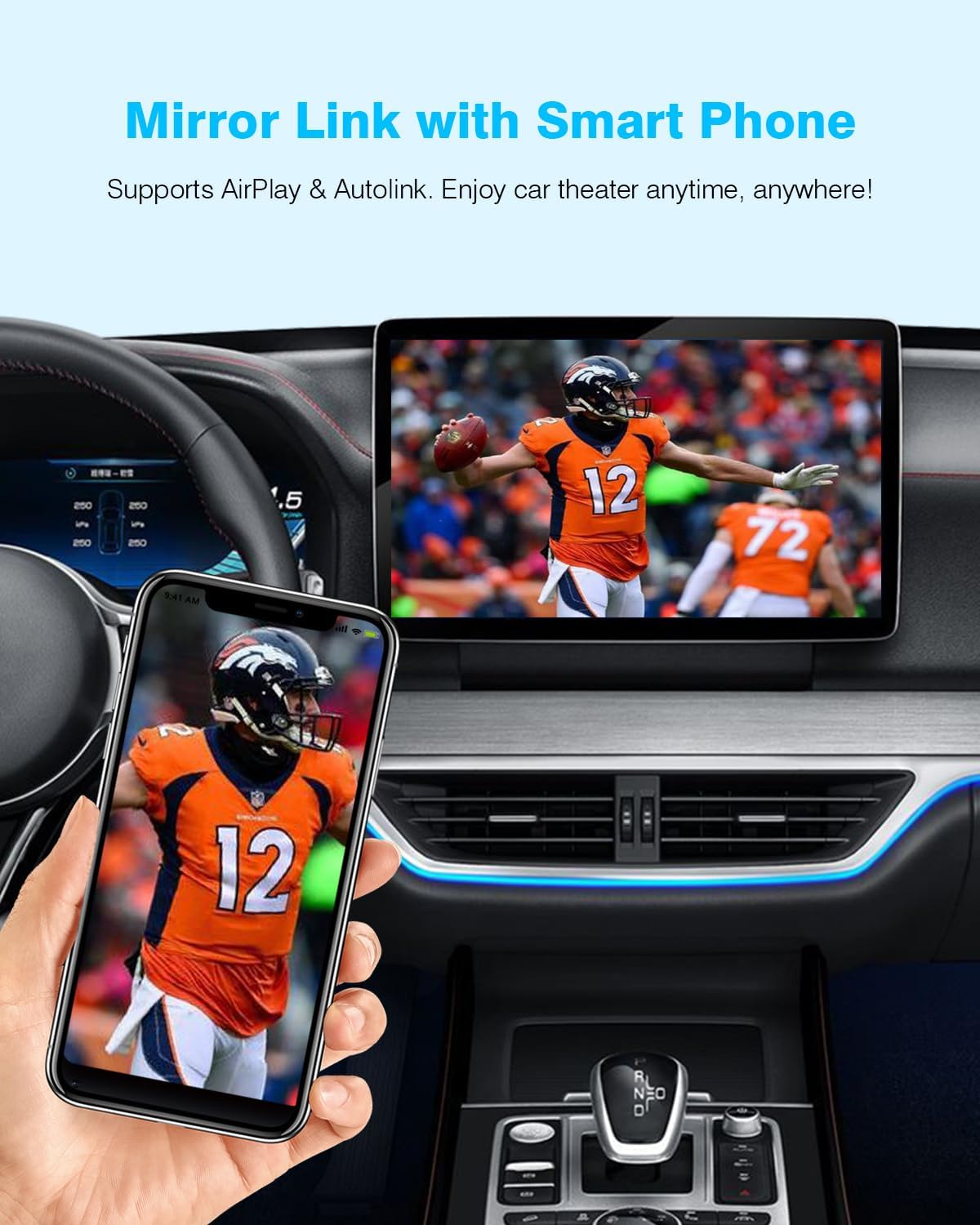
7.2 Mirror Link (AirPlay & Autolink)
Mirror Link allows you to display your smartphone's screen directly onto your car's display, supporting both AirPlay for iOS and Autolink for Android devices.
- Идэвхжүүлэх: Select the Mirror Link option on the decoder's interface.
- Холболт: For iOS, use AirPlay. For Android, use the Autolink feature (may require a specific app on your phone). Follow the on-screen instructions for connection.
- Хэрэглээ: Enjoy video playback from apps like YouTube, Netflix, or Disney+ directly on your car's screen.
7.3 USB дискийг тоглуулах
The decoder includes a USB port for playing videos or music directly from a USB drive. It can also be used to charge your phone.
- Медиа тоглуулах: Insert a USB drive containing compatible audio or video files into the USB port on the decoder. Select the USB Play option from the decoder's interface to browse and play media.
- Цэнэглэж байна: Connect your smartphone to the USB port using a compatible cable for charging.
7.4 Нөөц камерын оролтын дэмжлэг
The decoder supports connecting an aftermarket backup camera or front camera. The camera feed will automatically display on the car screen when shifting into reverse.
- Холболт: Connect the camera's video output to the designated input on the decoder unit.
- Автомат дэлгэц: When the vehicle is shifted into reverse, the camera feed will automatically appear on the car's screen.

7.5 Анхны машины удирдлагыг хадгалах
After installation, the ANYFAR T1 decoder allows you to retain full access to your car's original controls, including the touchscreen, voice control, physical buttons, and knobs.

8. Засвар үйлчилгээ
The ANYFAR T1 decoder requires minimal maintenance. Follow these guidelines to ensure optimal performance and longevity:
- Keep the decoder unit and its connections free from dust and moisture.
- Төхөөрөмжийг хэт өндөр температурт байлгахаас зайлсхий.
- Do not use harsh chemicals or abrasive cleaners on the unit. A soft, dry cloth is sufficient for cleaning.
- Бүх кабелийн холболтууд найдвартай байгаа эсэхийг шалгаарай.
9. Алдаа засах
If you encounter issues with your ANYFAR T1 decoder, refer to the following common problems and solutions:
- Цахилгаан байхгүй/Төхөөрөмж асахгүй байна:
- Check all power cable connections to ensure they are securely plugged in.
- Verify that the vehicle's battery is properly connected and charged.
- Ensure the vehicle's ignition is on. - Wireless CarPlay/Android Auto Disconnecting or Not Connecting:
- Ensure your phone's Bluetooth and Wi-Fi are enabled.
- Try forgetting the device in your phone's Bluetooth settings and re-pairing.
- Restart your smartphone and the vehicle's infotainment system.
- Ensure the decoder's Wi-Fi antenna is securely attached. - Poor Audio Quality or Reduced Volume:
- Check the audio settings on both your smartphone and the vehicle's stereo.
- Ensure the volume levels are appropriately adjusted.
- Some vehicles may experience slight audio differences; ensure all connections are firm. - Microphone Issues (Echo/Low Volume):
- The decoder utilizes the vehicle's original microphone. Ensure the microphone is not obstructed.
- Adjust microphone sensitivity settings if available in your vehicle's stereo menu. - Screen Display Issues (Poor Resolution/Flickering):
- The display quality is dependent on your vehicle's original screen resolution. The decoder outputs the best possible signal for the existing screen.
- Check video cable connections for looseness. - Нөөц камер харагдахгүй байна:
- Verify the backup camera is properly connected to the decoder's video input.
- Ensure the camera is receiving power.
- Test the camera independently if possible.
10. Техникийн үзүүлэлтүүд
| Загварын дугаар | T1 |
| Брэнд | АЛЬ НЬ |
| Тохиромжтой байдал | 2014-2019 Toyota with Touch2 & Entune2.0 Stereo |
| Холболтын технологи | Wireless (Wi-Fi, Bluetooth), USB |
| Онцлог шинж чанарууд | Wireless CarPlay, Wireless Android Auto, Mirror Link, Backup Camera Input, USB Playback, Built-In Microphone support |
| Эрчим хүчний эх үүсвэр | Corded Electric (Vehicle Power) |
| Зүйлийн жин | 1.87 фунт (0.85 килограмм) |
| Багцын хэмжээ | 7.44 x 4.76 x 3.7 инч |
11. Баталгаат хугацаа ба дэмжлэг
ANYFAR products are designed for reliability and performance. For warranty information, technical support, or assistance with installation and troubleshooting, please refer to the contact information provided with your purchase or visit the official ANYFAR webсайт. Баталгаат нэхэмжлэл гаргахын тулд худалдан авалтаа нотлох баримтаа хадгалаарай.


