1. Танилцуулга
Thank you for choosing the Hayve DM7 Digital Microscope. This device is designed for detailed observation and analysis of various objects, offering up to 1000X magnification and a clear 4.3-inch IPS display. It is suitable for applications such as coin inspection, PCB board examination, insect and plant observation, and jewelry appraisal. This manual provides essential information for the safe and effective use of your microscope.

Figure 1: Hayve DM7 Digital Microscope with 32GB TF Card
2. Аюулгүй байдлын мэдээлэл
Please read all safety instructions carefully before using the Hayve DM7 Digital Microscope to prevent injury or damage to the device.
- Төхөөрөмжийг ус, чийгээс хол байлга.
- Do not attempt to disassemble or modify the microscope. Repairs should only be performed by authorized personnel.
- Төхөөрөмжийг хэт өндөр температур эсвэл нарны шууд тусгалд оруулахаас зайлсхий.
- Зөвхөн өгсөн цэнэглэгч кабель болон адаптерийг ашиглана уу.
- Ensure the microscope is placed on a stable, level surface during operation.
- Жижиг хэсгүүдийг санамсаргүйгээр залгихаас сэргийлж, бага насны хүүхдээс хол байлга.
3. Багцын агуулга
Таны багцад бүх зүйл байгаа эсэхийг шалгана уу:
- Hayve DM7 Digital Microscope (with 4.3-inch IPS screen)
- Тохируулах боломжтой индэр
- 32 ГБ TF карт (урьдчилан суулгасан эсвэл тусад нь оруулсан)
- Type-C USB кабель
- Хэрэглэгчийн гарын авлага (энэ баримт бичиг)
4. Бүтээгдэхүүн дууссанview
Familiarize yourself with the main components of your Hayve DM7 Digital Microscope.

Figure 2: Flexible Stand and Screen Adjustments
- 4.3 инчийн IPS дэлгэц: High-resolution screen for live viewing болон тоглуулах.
- Фокус дугуй: Adjusts magnification and focus.
- LED гэрэлтүүлэг: 8 adjustable LEDs for optimal lighting of the specimen.
- Microscope Lens: Captures magnified images.
- Тохируулах тавиур: Provides stability and allows for height and angle adjustments.
- Base with Scale: Features measurement markings for precise positioning.
- Хяналтын товчлуурууд: Power, Menu, Capture/Record, Up/Down navigation.
- TF картын оролт: For storage of captured images and videos.
- Type-C USB порт: Цэнэглэх болон компьютерт холбогдох зориулалттай.
5. Тохиргоо
Follow these steps to assemble and prepare your microscope for first use:
- Тавиурыг угсрах:
- Insert the vertical pole into the base.
- Хаалтыг шон дээр холбоно.
- Secure the microscope unit onto the bracket.
- Tighten all knobs to ensure stability.
- TF карт оруулах: If not pre-installed, gently insert the provided 32GB TF card into the TF card slot on the side of the display unit until it clicks into place.
- Төхөөрөмжийг цэнэглэх: Connect the Type-C USB cable to the microscope and a suitable USB power adapter (not included) or computer USB port. The charging indicator will illuminate. A full charge provides approximately 5 hours of working time.
- Асаах: Press and hold the Power button (usually located on the display unit) for a few seconds until the screen illuminates.

Зураг 3: Угсрах алхамууд

Figure 4: TF Card Insertion
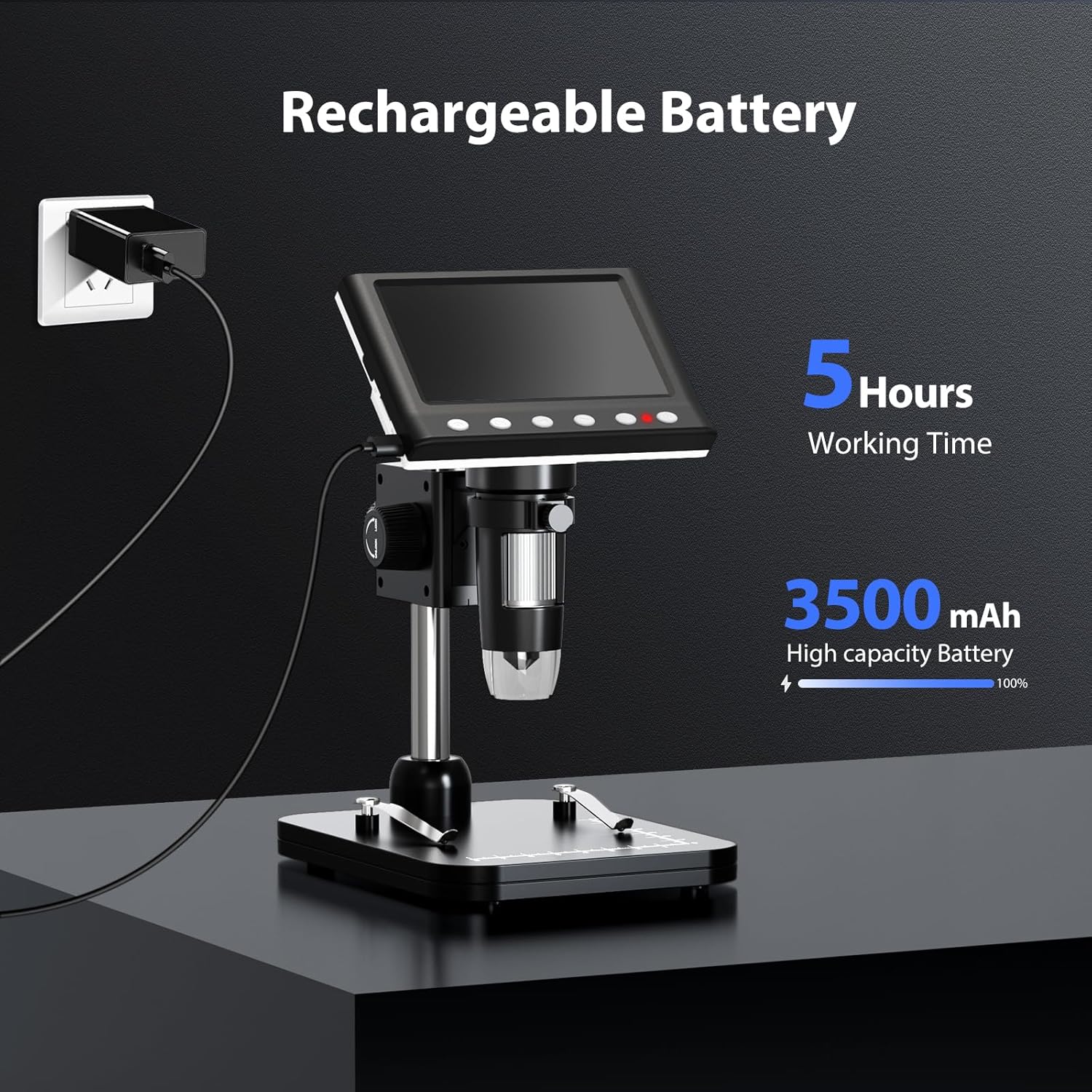
Figure 5: Charging the Microscope
6. Ашиглалтын заавар
6.1 Basic Observation
- Place the object you wish to observe on the microscope's base.
- Adjust the distance between the microscope lens and the object using the stand's adjustment knobs.
- Rotate the focus wheel to achieve a clear image on the IPS screen.
- Adjust the LED illumination as needed (see Section 6.4).

Figure 6: Basic Operation Steps
6.2 Томруулалт болон фокусыг тохируулах
The Hayve DM7 offers 50X to 1000X magnification. Magnification is adjusted by changing the distance between the lens and the object, and then fine-tuning with the focus wheel.
- To increase magnification, lower the microscope lens closer to the object.
- To decrease magnification, raise the microscope lens further from the object.
- After adjusting the height, rotate the Фокус дугуй (typically on the side of the lens barrel) until the image on the screen is sharp and clear.
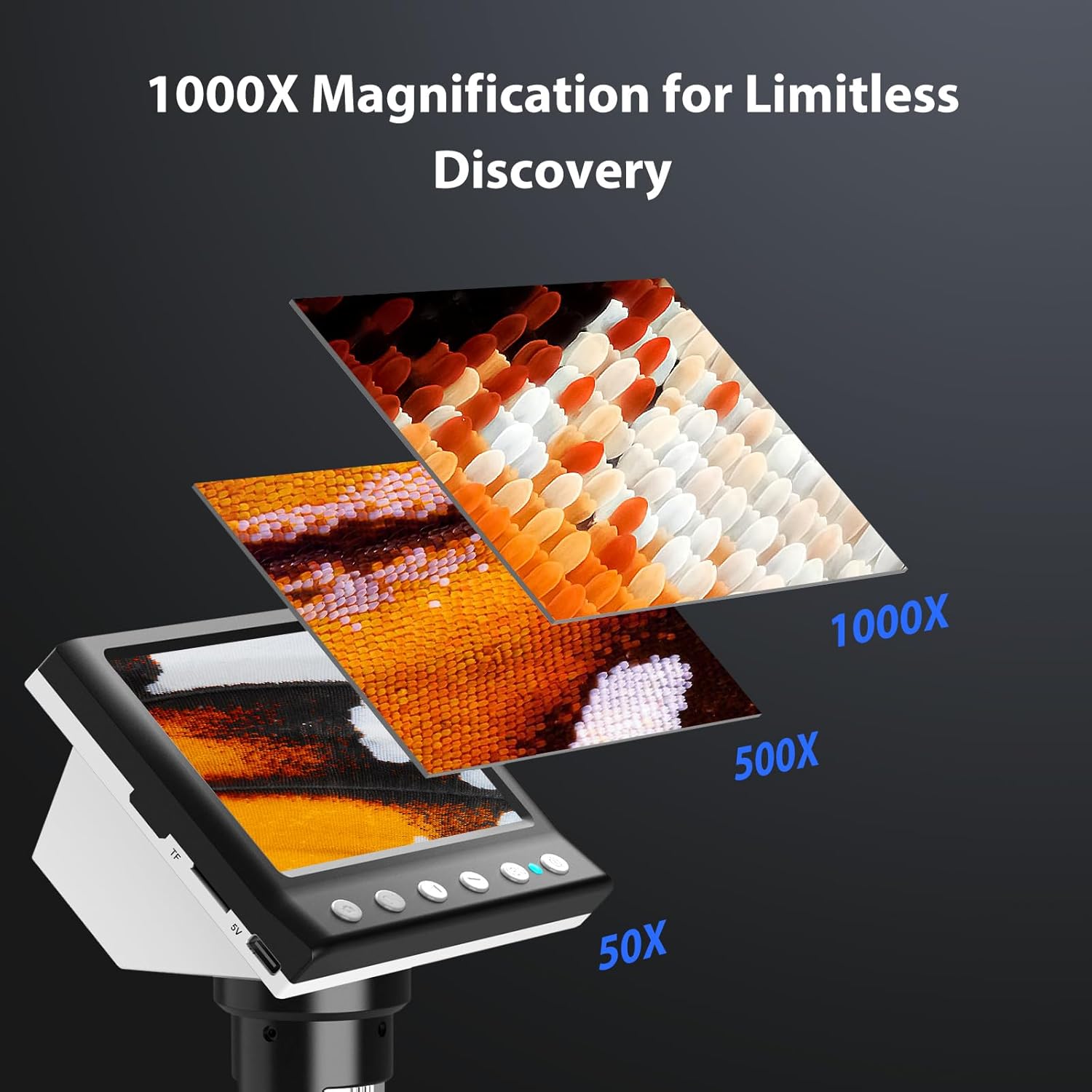
Figure 7: Magnification Levels
6.3 Зураг, видео авах
The microscope allows you to capture high-quality photos and record videos directly to the installed TF card.
- Зураг авахын тулд: While observing, press the 'Capture' button (often marked with a camera icon). The image will be saved to the TF card.
- Видео бичихийн тулд: Press the 'Record' button (often marked with a video camera icon) once to start recording. Press it again to stop. The video will be saved to the TF card.
- Access saved files through the 'Playback' or 'Gallery' option in the microscope's menu.
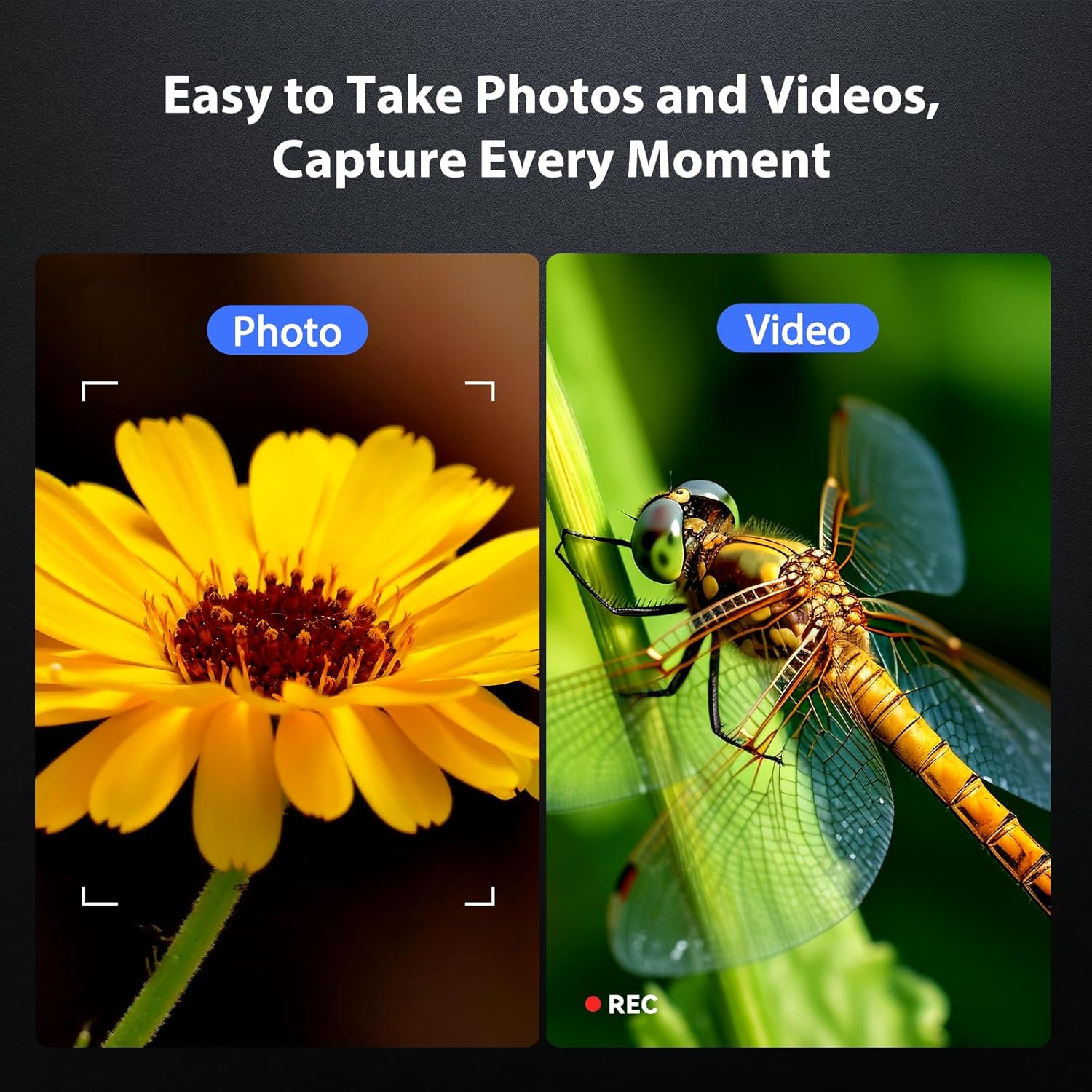
Figure 8: Photo and Video Capture
6.4 Adjusting LED Illumination
The 8 adjustable LED lights provide optimal illumination for various specimens. You can control their brightness from 0% to 100%.
- Locate the LED control button or dial on the microscope unit.
- Rotate the dial or press the button to increase or decrease the brightness.
- Adjust until the object is evenly lit without glare or shadows.

Figure 9: LED Brightness Adjustment
6.5 Connecting to a Computer (PC Mode)
Томоор нь viewing, precise measurements, or sharing, you can connect the microscope to a Windows-compatible computer.
- Ensure the microscope is powered on.
- Connect the microscope to your computer using the provided Type-C USB cable.
- The microscope screen may display "PC Cam" or prompt you to select a mode. Choose "PC Camera" or "UVC" mode.
- On your computer, open a camera application (e.g., Windows Camera app) or a dedicated microscope software (if provided or downloaded) to view амьд тэжээл.
- Some software may allow for measurement functions.

Figure 10: PC Connection for Measurement
7. Засвар үйлчилгээ
Proper maintenance ensures the longevity and optimal performance of your microscope.
- Линз цэвэрлэх: Use a soft, lint-free cloth specifically designed for optical lenses. For stubborn smudges, a small amount of lens cleaning solution can be applied to the cloth (not directly to the lens).
- Cleaning the Screen and Body: Wipe the screen and body with a soft, dry cloth. Avoid abrasive cleaners or solvents.
- Хадгалах: When not in use, store the microscope in a clean, dry, dust-free environment. Consider using a protective cover.
- Батерейны арчилгаа: For long-term storage, charge the battery to about 50% every few months to maintain battery health.
8. Алдаа засах
Нийтлэг асуудлын шийдлийг энэ хэсгээс үзнэ үү.
| Асуудал | Боломжит шалтгаан | Шийдэл |
|---|---|---|
| Microscope does not power on. | Батерей бага; Цахилгаан товчийг зөв дараагүй байна. | Charge the microscope fully. Press and hold the power button for 3-5 seconds. |
| Зураг бүдэг байна. | Incorrect focus; Object too far/close to lens. | Adjust the focus wheel. Adjust the height of the microscope unit on the stand. |
| Screen is too dark/bright. | LED illumination not adjusted. | Adjust the LED brightness using the control dial/button. |
| Зураг/видео хадгалах боломжгүй. | TF card full or not inserted correctly; TF card error. | Check TF card insertion. Delete old files or replace TF card. Format TF card (backup data first). |
| PC connection not working. | Incorrect mode selected; Driver issue; Cable fault. | Ensure "PC Camera" mode is selected on the microscope. Try a different USB port or cable. Check computer's device manager for driver issues. |
9. Техникийн үзүүлэлтүүд
Technical specifications for the Hayve DM7 Digital Microscope:
| Онцлог | Дэлгэрэнгүй |
|---|---|
| Загвар | DM7 |
| Дэлгэцийг харуулах | 4.3 инчийн IPS |
| Томруулах | 50X-аас 1000X хүртэл |
| Гэрлийн эх үүсвэр | 8 Тохируулах LED |
| Хадгалах | 32 ГБ TF карт (дагсан) |
| Батерей | 1 лити ион батерей (дагсан) |
| Ажлын цаг | Ойролцоогоор 5 цаг |
| Холболт | Type-C USB (for charging and PC connection) |
| Тохиромжтой үйлдлийн систем | Windows (PC connection) |
| Материал | Хуванцар |
| Өнгө | Хар |
| Зүйлийн жин | 1.3 фунт (0.59 кг) |
| Багцын хэмжээ | 7.91 x 7.44 x 3.78 инч |
10. Баталгаат хугацаа ба дэмжлэг
Hayve provides customer support for its products. If you encounter any issues or have questions regarding your DM7 Digital Microscope, please contact our customer service team.
- Харилцагчийн үйлчилгээ: Hayve offers 24-hour professional and kind after-sales service.
- Холбоо барих мэдээлэл: Refer to the product packaging or the official Hayve webхамгийн сүүлийн үеийн холбоо барих мэдээллийг авах сайт.
- Баталгаат хугацаа: Specific warranty terms and conditions may apply. Please retain your proof of purchase for warranty claims.
11. Бүтээгдэхүүний видео
No official product videos were provided in the input data for embedding in this manual.


