1. Танилцуулга
This manual provides essential information for the proper setup, operation, and maintenance of your TECLAST T40HD 10.4-inch Android 13 Tablet. Please read this manual thoroughly before using the device to ensure optimal performance and longevity. Keep this manual for future reference.

Зураг 1.1: Урд ба хойд view of the TECLAST T40HD tablet, showcasing its slim design and camera module.
2. Багцын агуулга
Таны бүтээгдэхүүний савлагаанд доор жагсаасан бүх зүйл байгаа эсэхийг шалгаарай.
- TECLAST T40HD Tablet
- Цахилгаан хувиргагч (бүс нутгаас хамаарч өөр өөр байж болно)
- Өгөгдлийн кабель (USB Type-C)
- Drive Out Pin (for SIM/Micro SD tray)
- Засвар үйлчилгээний карт
- Хэрэглэгчийн гарын авлага (энэ баримт бичиг)
- Дэлгэц хамгаалагч (урьдчилан хэрэглэх эсвэл тусад нь дагалдах)

Image 2.1: Illustration of the TECLAST T40HD tablet and its standard accessories included in the box.
3. Анхны тохиргоо
3.1 Таблетыг цэнэглэх
Before first use, fully charge the tablet using the provided power adapter and USB Type-C cable. Connect the cable to the tablet's USB-C port and the adapter to a power outlet. The charging indicator will typically show progress on the screen.

Image 3.1: The tablet connected to a charger, indicating battery status, and a user operating the tablet while traveling.
3.2 Асаах/унтраах
- Асаахын тулд: Press and hold the Power button (located on the side) until the TECLAST logo appears on the screen.
- Унтраахын тулд: Press and hold the Power button until the power options menu appears. Select 'Power off'.
- Дахин эхлүүлэхийн тулд: Цахилгааны сонголтын цэснээс 'Дахин асаах' гэснийг сонгоно уу.
3.3 SIM болон Micro SD карт оруулах
The TECLAST T40HD supports dual SIM cards and a Micro SD card for expanded storage. Use the provided drive out pin to open the card tray.
- Locate the SIM/Micro SD card tray on the side of the tablet.
- Insert the drive out pin into the small hole next to the tray and press gently until the tray ejects.
- Тавиурыг болгоомжтой татаж аваарай.
- Нано-SIM картууд болон/эсвэл Микро SD картаа тавиур дээрх зориулалтын үүрэнд хийж, зөв байрлалыг нь шалгаарай.
- Тавиурыг таблет руу зөөлөн буцааж оруулж, байрандаа товших чимээ гартал нь түлхэнэ.

Image 3.2: The SIM/Micro SD card tray, illustrating the placement of SIM cards.
3.4 Андройдын анхны тохиргоо
Upon first power-on, the tablet will guide you through the Android 13 setup process. This includes selecting your language, connecting to Wi-Fi, setting up your Google account, and configuring security options like face unlock.
4. Таблетыг ажиллуулах
4.1 Навигаци ба дохио зангаа
The TECLAST T40HD runs on Android 13, offering intuitive navigation through gestures and on-screen buttons. Common gestures include:
- Товш: Нэг зүйлийг сонгох эсвэл програмыг нээнэ үү.
- Шудрах: Хуудас эсвэл жагсаалтаар гүйлгэх.
- Томруулахын тулд чимхэх: Дэлгэц дээрх агуулгыг томруулж эсвэл багасгах.
- Swipe up from bottom: Go to Home screen or open app drawer.
- Swipe from left/right edge: Буцах.
4.2 Сүлжээнд холбогдох
- Wi-Fi: Go to Settings > Network & internet > Wi-Fi. Select your network and enter the password.
- Мобайл өгөгдөл (4G LTE): If a SIM card is inserted, enable mobile data in Settings > Network & internet > Mobile network.
- Bluetooth: Pair with Bluetooth devices (e.g., headphones, keyboards) via Settings > Connected devices > Bluetooth.
4.3 Multimedia and Gaming
The tablet's 2K HD display and Unisoc T606 Octa-core processor provide a smooth experience for media consumption and gaming.
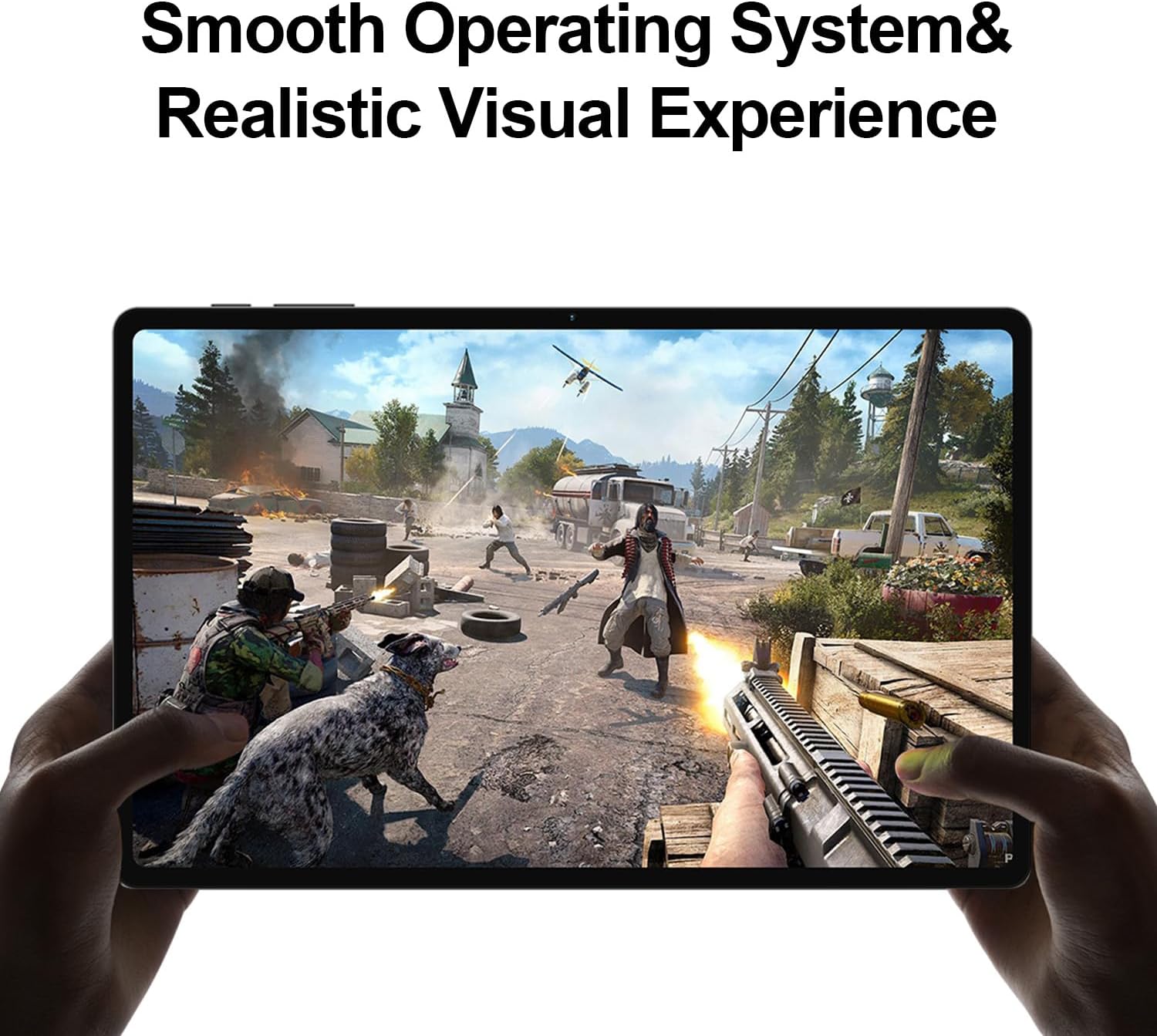
Image 4.1: The tablet displaying a high-fidelity video game, demonstrating its graphical capabilities.

Image 4.2: The tablet showcasing its battery performance for different usage scenarios.
4.4 Олон үйлдэл хийх
Android 13 supports split-screen mode, allowing you to use two apps simultaneously. To activate, open an app, then swipe up slightly from the bottom of the screen to reveal the recent apps. Tap the app icon at the top of the window and select 'Split top'. Choose another app to fill the second half of the screen.

Image 4.3: The tablet demonstrating split-screen functionality for enhanced productivity.
4.5 Эцэг эхийн хяналт
Utilize Android's built-in parental control features to manage screen time, restrict app access, and filter content. Access these settings through the Google Family Link app or directly in the tablet's Settings menu under 'Digital Wellbeing & parental controls'.

Image 4.4: Parental control features displayed on the tablet, enabling management of usage for children.
4.6 GPS навигаци
The integrated GPS functionality allows for precise location tracking and navigation. Use pre-installed map applications or download your preferred navigation apps from the Google Play Store.

Image 4.5: The tablet used for GPS navigation in a vehicle.
4.7 Android 13 Features Overview
The TECLAST T40HD operates on Android 13, offering enhanced privacy controls, improved battery efficiency, smoother overall operation, and various user interface improvements. It also expands compatibility with a wide range of devices and applications.

Image 4.6: Visual representation of the Android 13 operating system interface on the tablet.
4.8 Бүтээгдэхүүний албан ёсны видео
Video 4.1: An official product video from Teclast USA Official Store, showcasing the key features and design of the TECLAST T40HD Android 13 Tablet.
5. Засвар үйлчилгээ
- Цэвэрлэгээ: Дэлгэц болон их биеийг цэвэрлэхийн тулд зөөлөн, хөвөнгүй даавуу ашиглана уу. Зүлгүүрийн материал эсвэл хатуу химийн бодисоос зайлсхий.
- Програм хангамжийн шинэчлэлтүүд: Тохиромжтой гүйцэтгэл, аюулгүй байдлыг хангахын тулд системийн шинэчлэлтүүдийг тогтмол шалгаж, суулгаарай. Тохиргоо > Систем > Системийн шинэчлэлт рүү очно уу.
- Батерейны арчилгаа: To prolong battery life, avoid extreme temperatures and do not let the battery fully discharge frequently.
- Хадгалах менежмент: Үе үе тодорхой шаардлагагүй files болон хадгалах зайг чөлөөлөхийн тулд ашиглагдаагүй програмуудыг устгана уу.
6. Алдаа засах
| Асуудал | Боломжит шийдэл |
|---|---|
| Таблет асахгүй байна | Ensure the tablet is charged. Connect to the charger for at least 30 minutes before attempting to power on again. |
| Дэлгэц хариу өгөхгүй байна | Perform a force restart by holding the Power button for approximately 10-15 seconds. If the issue persists, contact support. |
| Wi-Fi холболтын асуудал | Restart the tablet and your Wi-Fi router. Forget the network in Wi-Fi settings and reconnect. Ensure you are within range. |
| Аппликейшнүүд гацаж эсвэл хөлддөг | Clear the cache for the problematic app (Settings > Apps > [App Name] > Storage & cache > Clear cache). Update the app or uninstall and reinstall it. Ensure sufficient free storage. |
| Удаан гүйцэтгэл | Close unused background apps. Clear cache and temporary files. Consider a factory reset if performance issues are severe and persistent (back up data first). |
| SIM карт илрээгүй | Ensure the SIM card is correctly inserted into the tray. Restart the tablet. Verify that mobile data is enabled in settings. |
7. Техникийн үзүүлэлтүүд

Зураг 7.1: Дууслааview of the TECLAST T40HD tablet's key technical specifications.
| Онцлог | Дэлгэрэнгүй |
|---|---|
| Загвар | T40HD |
| Үйлдлийн систем | Android 13 (GMS баталгаажуулсан) |
| Дэлгэц | 10.4-inch 2K (2000x1200) TDDI IPS, TÜV Rheinland Certified |
| Процессор | Unisoc T606 найман цөмт (1.6 GHz) |
| RAM | 16 ГБ (8 ГБ физик + 8 ГБ өргөтгөсөн) |
| Дотоод санах ой | 128GB UMCP |
| Өргөтгөх боломжтой хадгалах сан | Micro SD card up to 1TB |
| Арын камер | 13MP + 30W auxiliary camera |
| Урд камер | 8 МП |
| Батерей | 7200 мАч лити полимер |
| Холболт | 4G LTE (Dual SIM), 5G WiFi (2.4/5GHz), Bluetooth 5.0, GPS |
| Портууд | USB Type-C, 3.5 мм чихэвчний залгуур |
| Хэмжээ (LxWxH) | 10.4 x 6 x 0.6 инч |
| Жин | 1.9 фунт |
8. Баталгаат хугацаа ба дэмжлэг
8.1 Баталгаат хугацааны мэдээлэл
TECLAST products typically come with a 1-year warranty from the date of purchase. This warranty covers manufacturing defects. Please refer to the 'Maintenance Card' included in your package for specific warranty terms and conditions. Keep your proof of purchase for warranty claims.
8.2 Хэрэглэгчийн дэмжлэг
For technical assistance, troubleshooting, or warranty inquiries, please contact TECLAST customer support. You can typically find contact information on the official TECLAST website or through the retailer where you purchased the device. TECLAST aims to respond to inquiries within one working day and offers a 1-year unconditional replacement service for eligible issues.
Чухал тэмдэглэл: It is recommended to charge the product for more than 30 minutes before turning it on for the first time.


