Танилцуулга
This manual provides detailed instructions for the safe and efficient operation of your Phomemo M08F Portable Thermal Printer. Please read this manual thoroughly before using the device and retain it for future reference. The Phomemo M08F is designed for convenient, inkless printing of documents up to 8.5" x 11" on thermal paper, compatible with various devices via Bluetooth and USB.
Бүтээгдэхүүн дууссанview
Багцын агуулга
- M08F-Letter Portable Printer
- 10 Sheets Letter Thermal Paper
- USB-A to USB-C Charging Cable (80cm)
- Зөөлөн хадгалах уут
- Instructions, Quick Start Guide
Гол онцлогууд
- Зөөврийн дизайн: Lightweight (1.58 lbs) and compact (12.2" x 2.6" x 1.6") for easy transport.
- Бэхгүй дулааны хэвлэлт: Utilizes advanced thermal technology, eliminating the need for ink cartridges, toners, or ribbons.
- Өргөн нийцтэй байдал: Connects via Bluetooth to iOS and Android devices, and via USB to Laptops (PC, Mac, ChromeOS, Linux).
- US Letter Size Support: Prints on 8.5" x 11" thermal paper.
- Өндөр нягтрал: 203 DPI for clear black and white printing.
- Олон зориулалттай: Supports various document types including PDF, Word, Excel, TXT, images, and web хуудаснууд.

Image: The Phomemo M08F printer shown with its accessories: 10 sheets of US Letter thermal paper, a USB-C charging cable, a soft storage pouch, and a quick start guide.
Тохиргоо
1. Принтерийг цэнэглэж байна
Before initial use, fully charge the printer. Connect the provided USB-A to USB-C charging cable to the printer's USB-C port and a compatible USB power adapter (not included). The indicator light will show charging status.
2. Дулааны цаас ачаалах
- Gently press the "PUSH" buttons on both sides of the printer to open the paper cover.
- Insert the 8.5" x 11" thermal paper with the printable side facing up. Ensure the paper is aligned straight.
- Close the paper cover until it clicks into place.

Image: The Phomemo M08F printer with US Letter thermal paper being fed into the paper slot, demonstrating the loading process.
3. Апп суулгах (гар утасны төхөөрөмжүүдэд)
- Download the "Phomemo" app from the Apple App Store (for iOS) or Google Play Store (for Android).
- Програмыг ухаалаг гар утас эсвэл таблет дээрээ суулгана уу.

Image: A visual guide showing how to download the Phomemo app from app stores and connect the printer via Bluetooth for mobile printing.
4. Драйвер суулгах (PC/зөөврийн компьютерт зориулсан)
For printing from a computer, you need to install the appropriate driver.
- Visit the official Phomemo driver download page: m08f.phomemo.com
- Download the driver compatible with your operating system (Windows, macOS, Linux).
- Драйверын суулгацыг дуусгахын тулд дэлгэцэн дээрх зааврыг дагана уу.

Image: A screenshot showing the Phomemo driver download page for the M08F printer, with options for Windows, Mac, and other operating systems.
Ашиглалтын заавар
1. Асаах/унтраах
- To power on, press and hold the power button until the indicator light illuminates.
- Унтраахын тулд асаах товчийг дахин дарж, заагч гэрэл унтрах хүртэл удаан дарна уу.
2. Connecting via Bluetooth (Mobile Devices)
- Принтер асаалттай байгаа бөгөөд таны мобайл төхөөрөмжийн Bluetooth хүрээнд байгаа эсэхийг шалгаарай.
- Open the "Phomemo" app on your device.
- Within the app, navigate to the device connection section and select your M08F printer from the list of available devices. The app will guide you through the pairing process.
3. Connecting via USB (PC/Laptop)
- Принтер асаалттай байгаа эсэхийг шалгаарай.
- Connect the printer to your PC or laptop using the provided USB-A to USB-C cable.
- Your computer should recognize the printer after the drivers are installed.
4. Printing from the Phomemo App
- After connecting the printer via Bluetooth, open the document or image you wish to print within the Phomemo app.
- Adjust print settings such as density, size, and orientation as needed.
- Tap the print button to initiate printing.
5. Printing from PC/Laptop
- Ensure the printer is connected via USB and drivers are installed.
- Open the document you wish to print in your preferred application (e.g., Word, PDF viewэ).
- Програмын цэснээс "Хэвлэх" гэснийг сонгоно уу.
- Choose "Phomemo M08F" as your printer.
- Adjust any necessary print settings and click "Print".
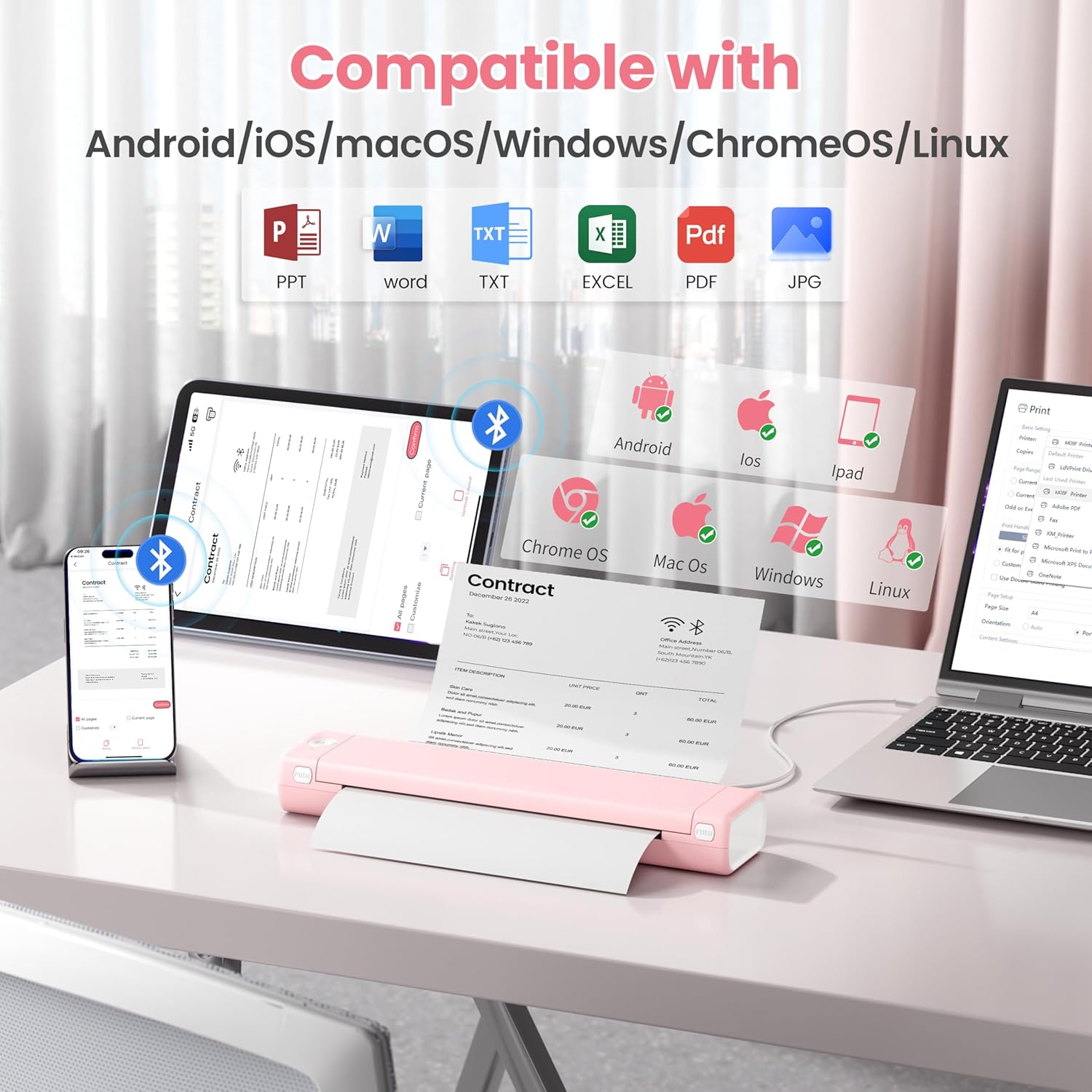
Image: An illustration showing the Phomemo M08F printer connected to various devices like smartphones, tablets, and laptops, highlighting its compatibility with Android, iOS, macOS, Windows, ChromeOS, and Linux.
Засвар үйлчилгээ
Хэвлэх толгойг цэвэрлэх
Хэвлэх чанарыг оновчтой байлгахын тулд хэвлэх толгойг тогтмол цэвэрлээрэй. Зөөлөн, хөвөнгүй даавуугаар бага зэрэг цэвэрлэнэ үү.ampИзопропилийн спиртээр арчина. Хэвлэх толгойн гадаргууг зөөлөн арчина. Хэрэглэхийн өмнө бүрэн хаттал хүлээнэ үү.
Цаас хадгалах
Store thermal paper in a cool, dry place away from direct sunlight and heat to prevent discoloration and maintain print quality.
Алдааг олж засварлах
| Асуудал | Боломжит шалтгаан | Шийдэл |
|---|---|---|
| Printer not powering on. | Батерей бага эсвэл тэжээлийн асуудал. | Charge the printer using the provided USB cable. Ensure the power adapter is working. |
| Bluetooth-ээр холбогдож чадахгүй байна. | Bluetooth is off, printer is out of range, or not in pairing mode. | Ensure Bluetooth is enabled on your device. Move the printer closer. Restart both the printer and your device. Re-pair through the Phomemo app. |
| Poor print quality / Faded prints. | Print head is dirty, incorrect paper type, or low battery. | Clean the print head. Ensure you are using genuine thermal paper. Charge the printer. |
| Цаасан саатал. | Цаас буруу ачаалагдсан эсвэл гадны биет байна. | Open the paper cover, carefully remove any jammed paper. Ensure paper is loaded straight. |
| Printer not recognized by PC. | Drivers not installed or USB cable issue. | Install drivers from m08f.phomemo.com. Try a different USB port or cable. |
Үзүүлэлтүүд
| Онцлог | Дэлгэрэнгүй |
|---|---|
| Загварын нэр | M08F-Letter Portable Printer |
| Хэвлэлийн технологи | Дулааны |
| Холболт | Блютүүт, USB C төрөл |
| Хамгийн их медиа хэмжээ | 8.5 x 11 inches (US Letter) |
| Хэвлэлийн нягтрал | 203 dpi (Black & White) |
| Хамгийн их хэвлэх хурд (Цанг өнгөтэй) | 3 ppm |
| Тохиромжтой төхөөрөмжүүд | Laptops, PC, Smartphones, Tablets (iOS, Android, macOS, Windows, ChromeOS, Linux) |
| Зүйлийн жин | 1.58 фунт |
| Бүтээгдэхүүний хэмжээс | 12.2 x 2.6 x 1.6 инч |
| Батерей | 1 лити ион батерей (дагсан) |
| Санах ойн хадгалах багтаамж | 64 MB |
Баталгаат болон дэмжлэг
For warranty information, technical support, or further assistance, please refer to the official Phomemo website or contact Phomemo customer service. Details can typically be found in the Quick Start Guide included with your product or on the manufacturer's webсайт.
Official Phomemo Webсайт: www.phomemo.com