1. Танилцуулга
This user manual provides comprehensive instructions for the installation, operation, and maintenance of your COCOCAM Solar Camera Outdoor Wireless. This 2K PTZ camera is designed for home security, featuring AI motion detection, color night vision, and two-way audio. Please read this manual thoroughly before using the product to ensure proper functionality and safety.
2. Багцын агуулга
Доор жагсаасан бүх зүйл таны багцад байгаа эсэхийг шалгана уу. Хэрэв ямар нэгэн зүйл дутуу эсвэл эвдэрсэн бол хэрэглэгчийн дэмжлэгтэй холбоо барина уу.
- 1x COCOCAM Solar Security Camera
- 1х нарны хавтан
- 1х нарны хавтангийн хаалт
- 1x 3.3ft USB Charging Cable
- 1x хэрэглэгчийн гарын авлага
- 1x Positioning Sheet
- 2x Screw Packages (for camera and solar panel mounting)
3. Бүтээгдэхүүн дууссанview
The COCOCAM Solar Camera is a versatile outdoor security solution. Below are the key components and features:
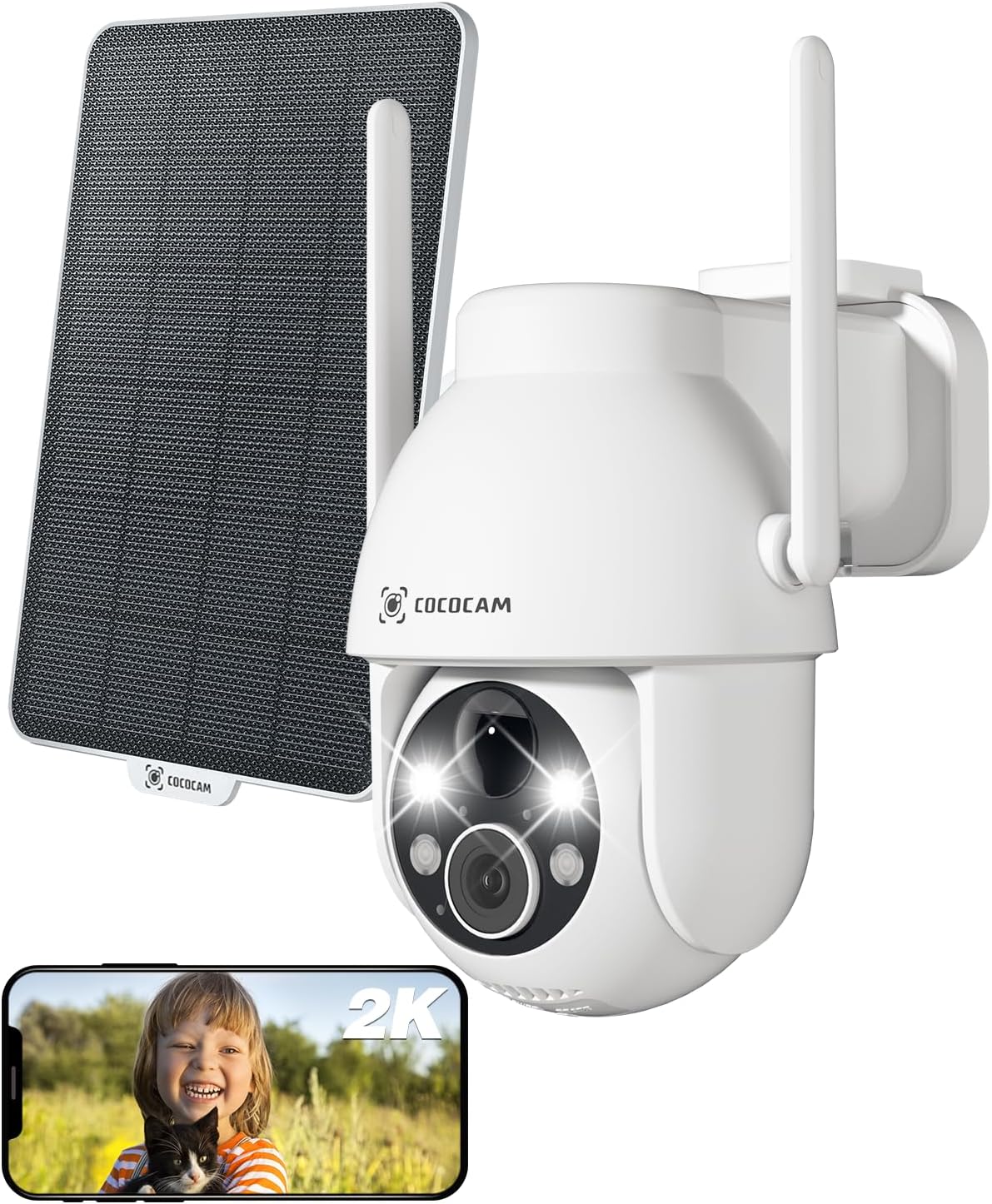
Figure 3.1: Camera and Solar Panel Overview. This image displays the main camera unit alongside its accompanying solar panel, illustrating the complete system for outdoor surveillance.
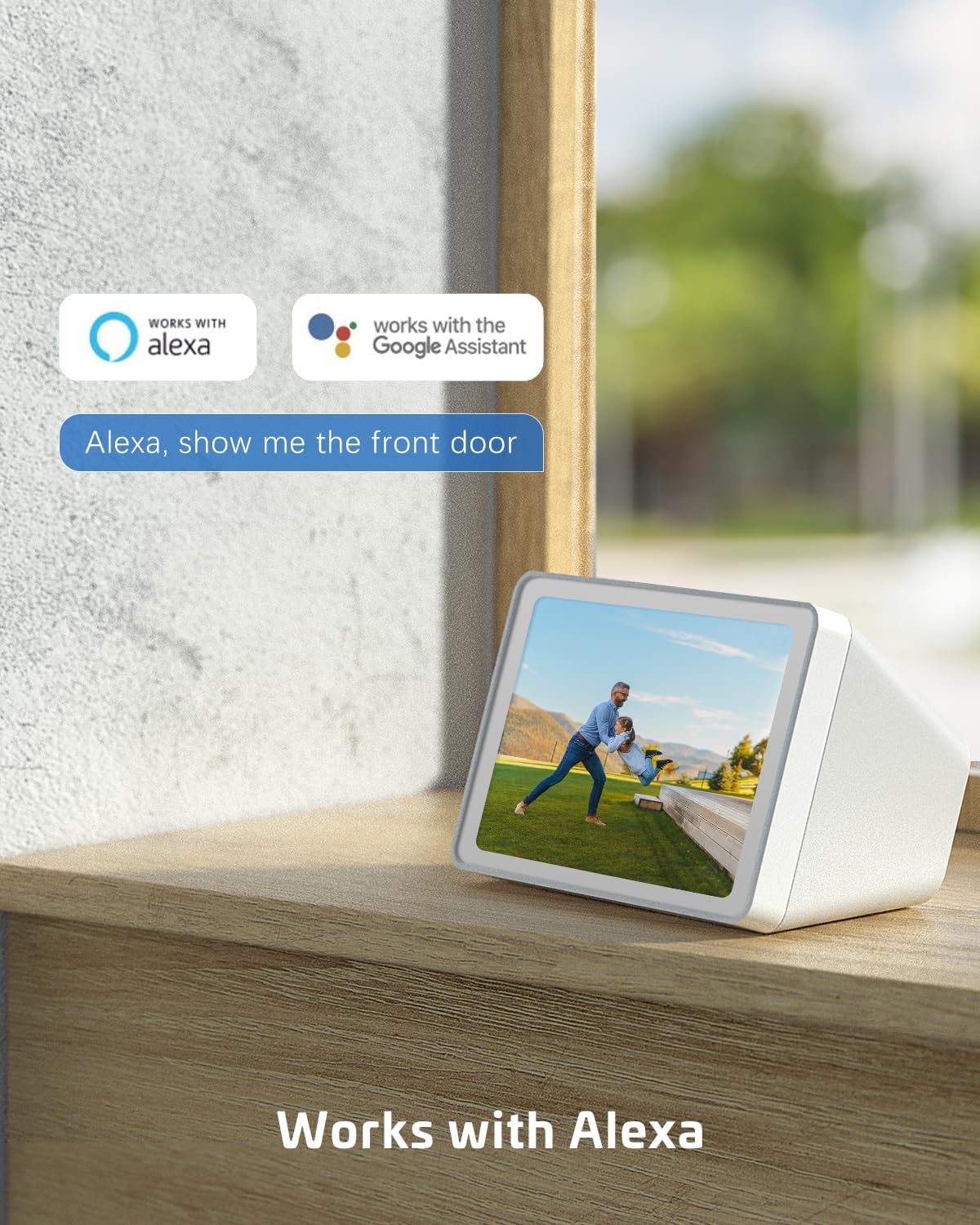
Figure 3.2: Pan and Tilt Functionality. The camera offers 355° pan and 120° tilt rotation, providing extensive coverage without blind spots. This allows for remote adjustment of the viewing angle via the mobile application.

Figure 3.3: 2K Super HD Color Night Vision. This image demonstrates the camera's ability to capture clear, high-definition video even in low-light conditions, offering both color and infrared night vision options for enhanced visibility.

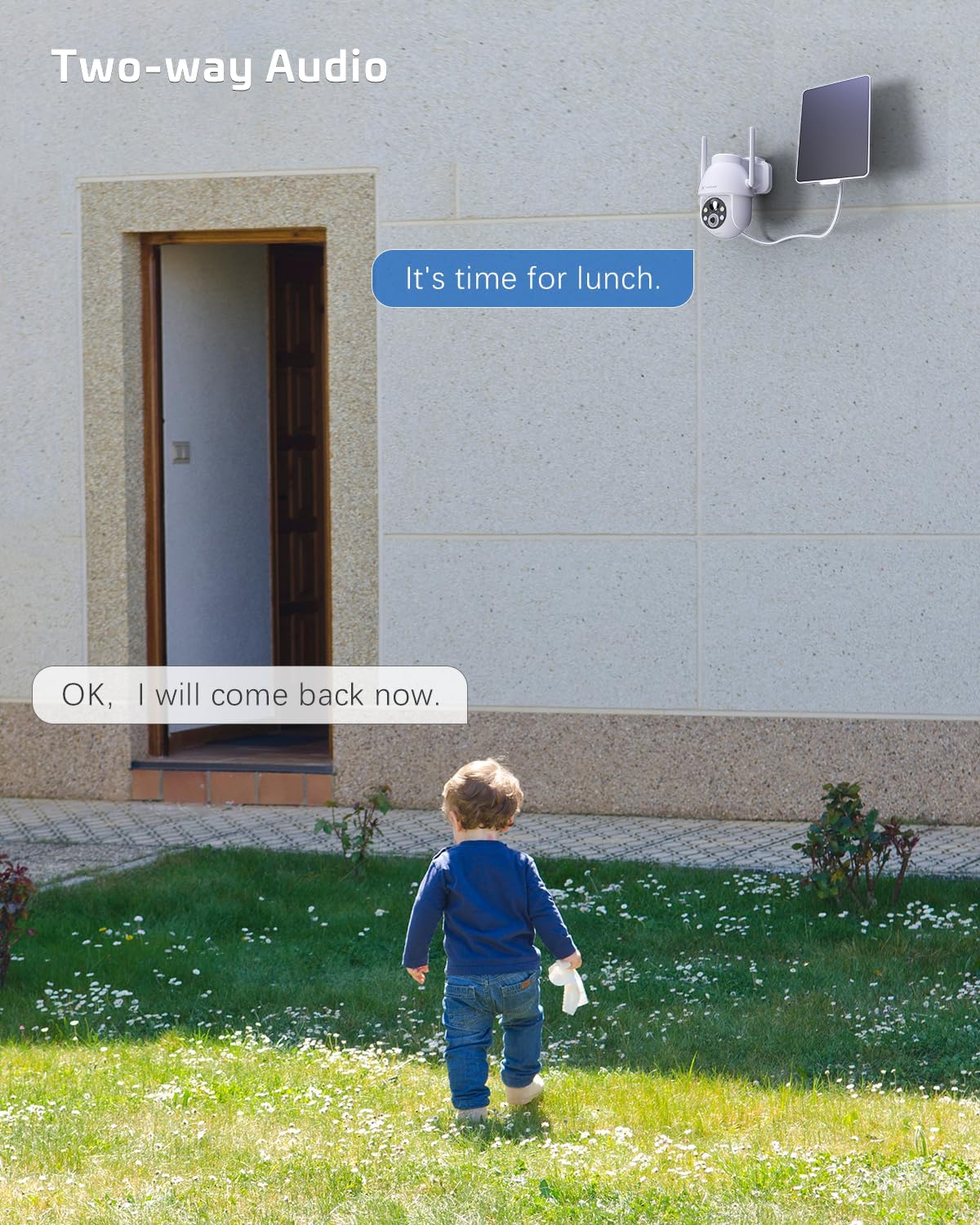
Figure 3.4: Two-Way Audio Communication. The camera supports two-way audio, enabling real-time communication through the camera's built-in speaker and microphone. This feature is useful for interacting with visitors or deterring intruders.
Гол онцлогууд:
- 2K QHD нягтрал: Provides high-resolution 3MP image quality for clear video monitoring.
- PTZ функц: 355° pan and 120° tilt rotation with 4x digital zoom, controllable via the Cloudage or Cococam app.
- Нарны эрчим хүчээр ажилладаг ба утасгүй: Equipped with a solar panel and 5200mAh rechargeable batteries for continuous power without wiring.
- AI хөдөлгөөн илрүүлэх: Optimized algorithms for human-like recognition, reducing false alarms. Supports optional recognition of pets, cars, and packages (paid features).
- Өнгөт шөнийн хараа: Offers clear night vision up to 100ft.
- Хоёр талын аудио: Камераар дамжуулан бодит цагийн харилцаа холбоог зөвшөөрдөг.
- IP66 цаг агаарт тэсвэртэй: Designed to withstand various weather conditions, operating from -25°C to 60°C (-13°F to 140°F).
- Хос хадгалах сонголтууд: Supports TF card (up to 128GB, not included) and cloud storage service (paid feature).
- Олон хэрэглэгчийн хуваалцах: Easily share camera access with family and friends via QR scan.
- Ухаалаг гэрийн интеграци: Compatible with Amazon Alexa.
4. Тохиргоо
Follow these steps to set up your COCOCAM Solar Camera:
- Камерыг цэнэглэх: Before initial use, ensure the camera's internal battery is fully charged using the provided USB cable.
- Апп татаж авах: Download the "Cloudage" or "Cococam" app from your smartphone's app store (iOS App Store or Google Play Store).
- Бүртгэл үүсгэх: Аппликейшнийг нээгээд дэлгэцэн дээрх зааврыг дагаж шинэ хэрэглэгчийн бүртгэл үүсгэнэ үү.
- Төхөөрөмж нэмэх: In the app, select "Add Device" or the "+" icon. Choose your camera model from the list.
- Wi-Fi-д холбогдох: Камерыг 2.4GHz Wi-Fi сүлжээнд холбохын тулд аппликейшны зааврыг дагана уу. Чухал: The camera only supports 2.4GHz Wi-Fi, not 5GHz. Ensure your router is configured for 2.4GHz or that you are connecting to the 2.4GHz band.
- Mount the Camera and Solar Panel:
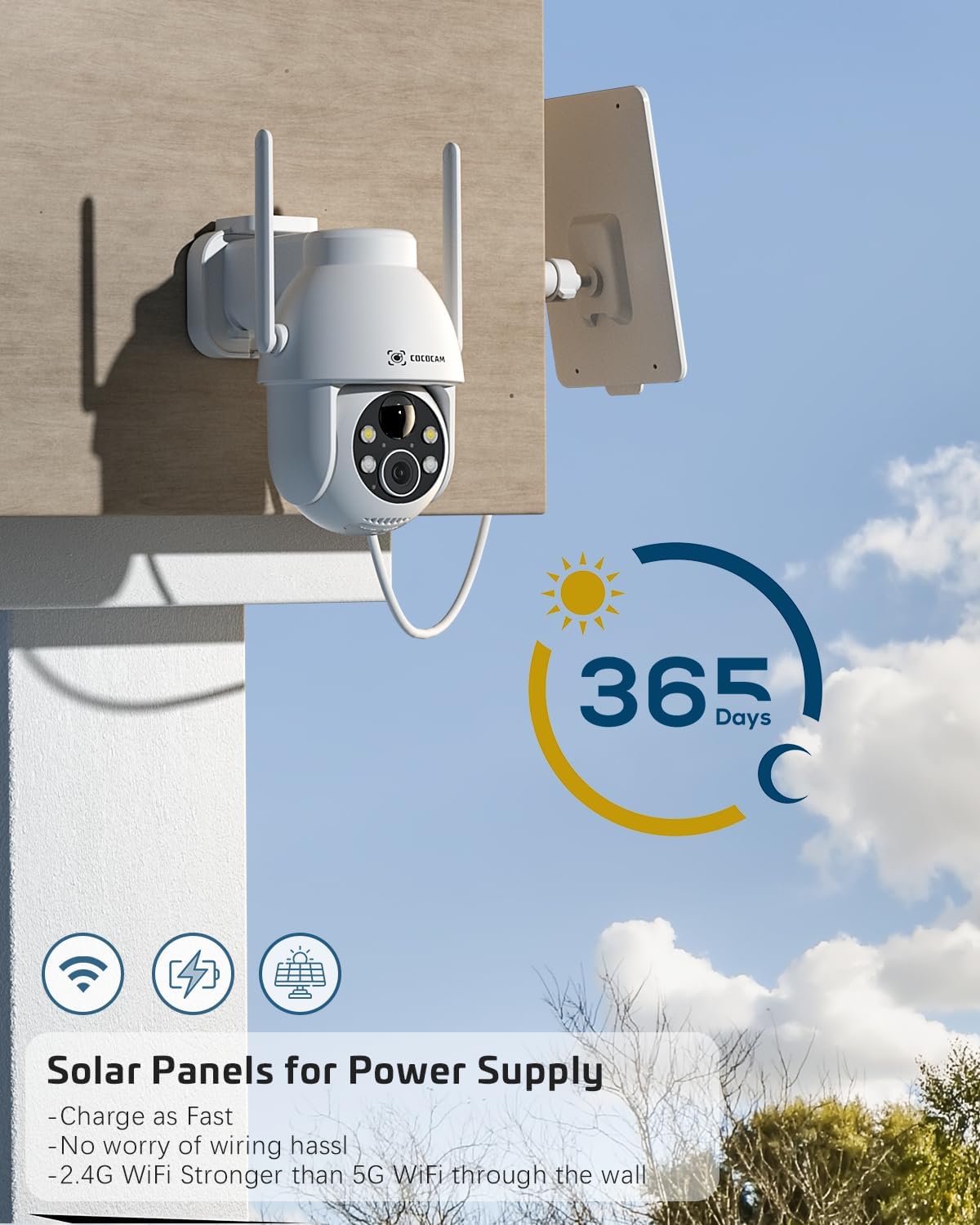
Figure 4.1: Camera and Solar Panel Installation. The camera and solar panel are designed for easy wall mounting. Position the solar panel in an area that receives direct sunlight for optimal charging.
Select a suitable outdoor location for installation. Use the included screws and positioning sheet to securely mount the camera and the solar panel. The solar panel should be positioned to receive maximum direct sunlight throughout the day for continuous power supply. Installation typically takes about 10 minutes.
- Эцсийн тохируулга: Once mounted, use the app to adjust the camera's pan and tilt angles to achieve the desired viewing талбай.
5. Камерыг ажиллуулах
Your COCOCAM camera offers a range of features accessible through the mobile application:
5.1 Амьд View болон PTZ хяналт
Access the live video feed from your camera via the app. Use the on-screen controls to pan (355°), tilt (120°), and digitally zoom (4x) the camera to monitor different areas.
5.2 Хөдөлгөөн илрүүлэх ба дохиолол
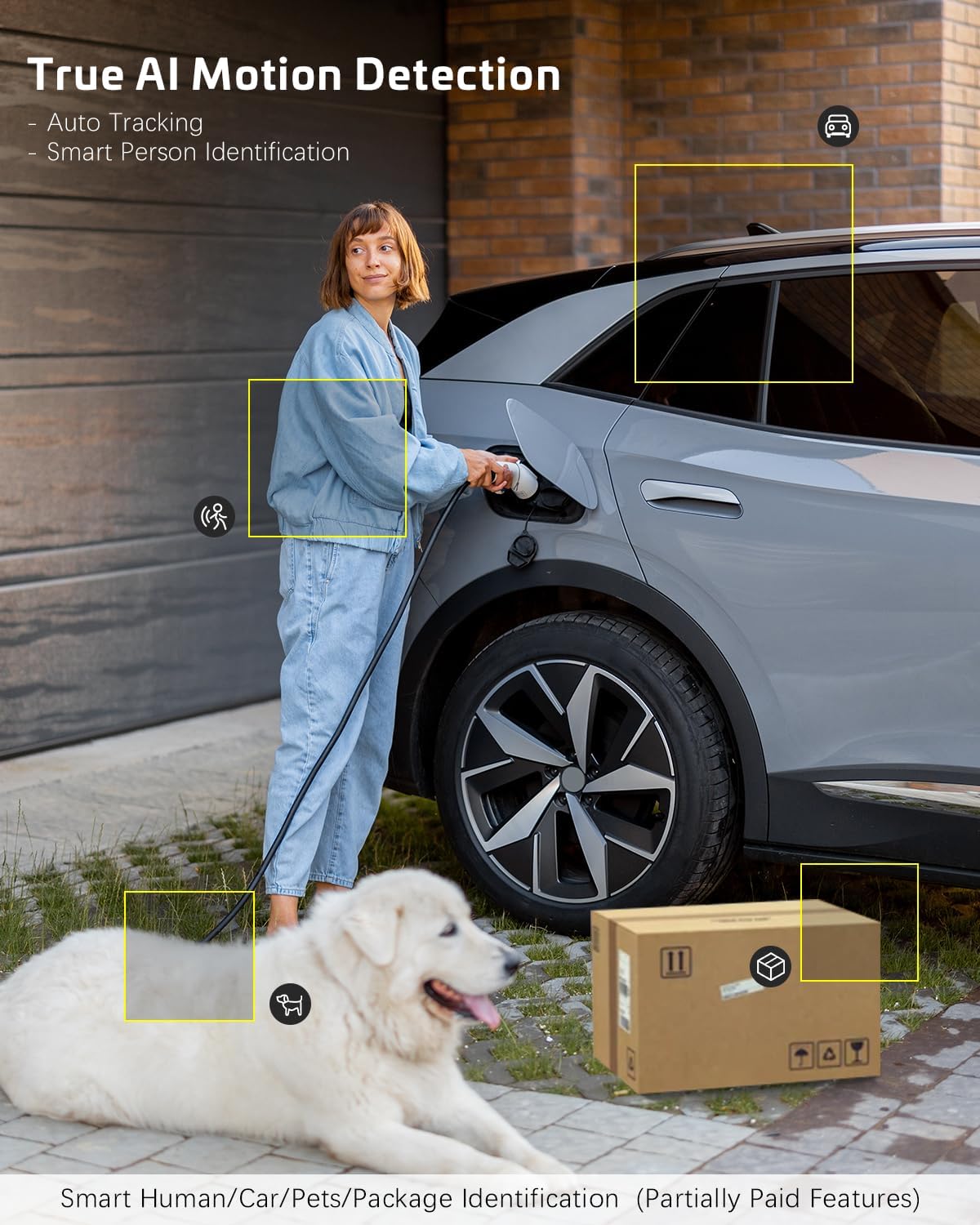
Figure 5.1: AI Motion Detection. The camera's advanced AI algorithms can differentiate between humans, pets, cars, and packages, reducing false alarms and providing more accurate alerts.
The camera features advanced AI motion detection. When motion is detected, you will receive instant alerts on your smartphone. You can customize detection sensitivity and enable/disable AI human detection in the app settings. Optional paid features include recognition for pets, cars, and packages.
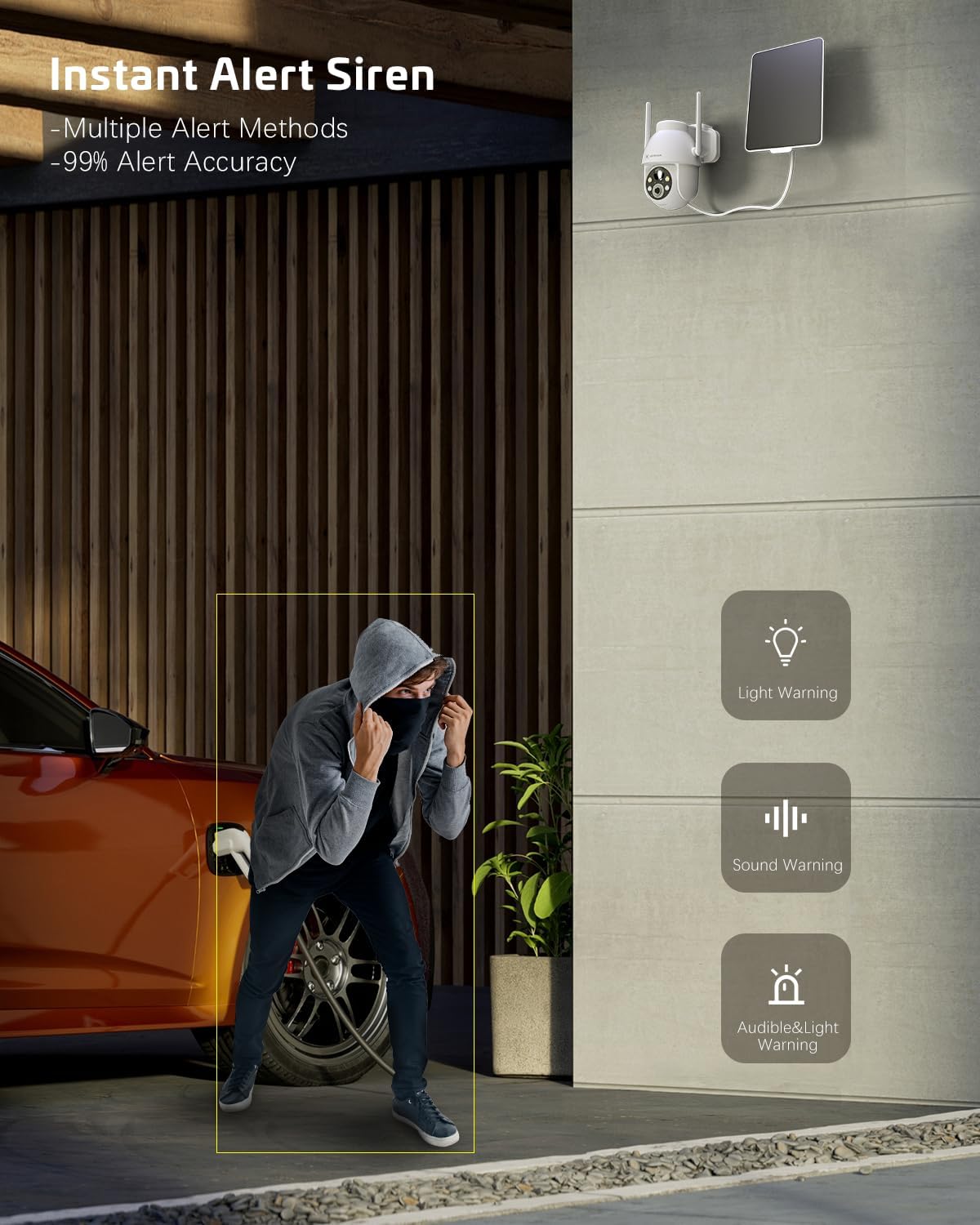
Figure 5.2: Instant Alert Siren. Upon detecting suspicious activity, the camera can activate a siren and flashing lights to deter intruders, providing multiple warning methods.
5.3 Шөнийн хараа
The camera automatically switches to night vision mode in low light. It offers both infrared night vision for clear black-and-white images and a 2K Super HD color night vision mode for enhanced detail in color.
5.4 Хоёр талын аудио
Use the two-way audio feature to communicate with individuals near the camera. Simply tap the microphone icon in the app to speak, and listen through the camera's speaker.
5.5 видео хадгалах
Бичлэгийг хоёр аргаар хадгалж болно:
- TF карт: Insert a TF (microSD) card (up to 128GB, not included) into the camera's designated slot for local storage.
- Үүл хадгалах сан: Subscribe to the optional cloud storage service (paid feature) for secure, remote storage of your video recordings. All video data is encrypted for privacy.
5.6 Олон хэрэглэгчтэй хуваалцах
Share access to your camera with family members or trusted individuals. This can be done easily by generating a QR code within the app for them to scan.
5.7 Ухаалаг гэрийн интеграци
Зураг 5.3: Alexa интеграци. The camera is compatible with Amazon Alexa, allowing for voice control and viewing the camera feed on compatible smart displays.
The COCOCAM camera can be integrated with Amazon Alexa. Follow the instructions in the Alexa app to link your COCOCAM account and enable voice commands for viewing your camera feed on compatible devices.
6. Засвар үйлчилгээ
Proper maintenance ensures the longevity and optimal performance of your COCOCAM Solar Camera:
- Нарны хавтанг цэвэрлэх: Нарны хавтангийн гадаргууг зөөлөн, d-ээр тогтмол арчинаamp cloth to remove dust, dirt, or debris that may hinder its charging efficiency.
- Камерын линз цэвэрлэх: Зургийн чанарыг сайжруулахын тулд камерын линзийг микрофибер даавуугаар зөөлөн цэвэрлээрэй. Линзийг зурж болох зүлгүүрийн материалаас зайлсхий.
- Цаг агаарын хамгаалалт: The camera is IP66 weatherproof, designed to withstand rain and dust. However, avoid submerging the camera in water.

Зураг 6.1: IP66 Цаг агаарын хамгаалалттай дизайн. The camera is built to withstand various outdoor elements, ensuring reliable operation in diverse weather conditions.
- Ашиглалтын температур: Ensure the camera operates within its specified temperature range of -25°C to 60°C (-13°F to 140°F).
- Програм хангамжийн шинэчлэлтүүд: Check the app periodically for firmware updates to ensure your camera has the latest features and security enhancements.
7. Алдаа засах
If you encounter issues with your COCOCAM Solar Camera, refer to the following common problems and solutions:
| Асуудал | Боломжит шалтгаан / шийдэл |
|---|---|
| Камер Wi-Fi-д холбогдоогүй байна |
|
| Battery not charging or low battery |
|
| Байнга хуурамч дохиолол |
|
| Видеоны чанар муу эсвэл бүдэг зураг |
|
| Хоёр талын аудио ажиллахгүй байна |
|
If the problem persists, please refer to the support section or contact COCOCAM customer service.
8. Техникийн үзүүлэлтүүд
| Онцлог | Дэлгэрэнгүй |
|---|---|
| Загварын дугаар | ZY-C2 |
| Видео бичлэгийн нягтрал | 2K (1440p), 3MP |
| Тойрог/Найлтын муж | 355° Пан, 120° Налуу |
| Дижитал томруулах | 4x |
| Эрчим хүчний эх үүсвэр | Нарны эрчим хүчээр ажилладаг, 5200mAh цэнэглэдэг батерей |
| Холболтын протокол | Wi-Fi (зөвхөн 2.4 GHz) |
| Утасгүй холбооны технологи | Wi-Fi |
| Цаг агаарын хамгаалалттай үнэлгээ | IP66 |
| Ашиглалтын температур | -25°C - 60°C (-13°F - 140°F) |
| Шөнийн харааны хүрээ | 20 Meters (approx. 65 feet), up to 100ft mentioned in feature bullets |
| Хадгалах сонголтууд | TF Card (up to 128GB), Cloud Storage (paid) |
| Аудио | 2 талын аудио |
| Тохиромжтой төхөөрөмжүүд | Ухаалаг утас, Амазон Алекса |
| Суурилуулах төрөл | Wall Mount, Screw In |
| Зүйлийн жин | 650 гр |
| Өнгө | Цагаан |
| Материал | Хуванцар |
9. Баталгаат хугацаа ба дэмжлэг
Баталгаат хугацаа: COCOCAM provides a 2-year warranty for this camera. Please retain your proof of purchase for warranty claims.
Хэрэглэгчийн дэмжлэг: If you encounter any problems using your COCOCAM Solar Camera or require technical assistance, please contact COCOCAM customer support. You can typically find contact information on the COCOCAM official webсайт эсвэл бүтээгдэхүүнээ худалдаж авсан жижиглэн худалдаачнаар дамжуулан. Amazon-оос худалдан авалт хийх бол та дараах хаягаар зочилж болно COCOCAM Store on Amazon дэмжлэгийн сонголтуудын хувьд.


