1. Танилцуулга
This manual provides detailed instructions for the installation, operation, and maintenance of your WESECUU Light Bulb Security Camera Model 8050. Please read this manual thoroughly before using the product to ensure proper function and safety.

Image 1.1: WESECUU Light Bulb Security Camera Model 8050 (Two Pack) and smartphone interface.
2. Аюулгүй байдлын мэдээлэл
- Суулгах эсвэл засвар үйлчилгээ хийхээс өмнө цахилгаан тэжээлийг салгасан эсэхийг шалгаарай.
- The camera is designed for E27 light sockets (100V~240V). Use only with compatible sockets.
- Avoid exposing the camera to extreme temperatures, humidity, or direct water spray. While rated IP65 for outdoor use, proper placement is crucial to prevent water ingress into the socket.
- Камерыг өөрөө задлах эсвэл засах гэж бүү оролдоорой. Тусламж авахын тулд хэрэглэгчийн дэмжлэгтэй холбогдоно уу.
- Хүүхдийн гар хүрэхгүй газар хадгална.
3. Багцын агуулга
Таны багцад бүх зүйл байгаа эсэхийг шалгана уу:
- WESECUU Light Bulb Security Camera(s)
- E27 Light Socket Adapter
- Хэрэглэх заавар (энэ баримт бичиг)
4. Бүтээгдэхүүн дууссанview
The WESECUU Light Bulb Security Camera Model 8050 offers comprehensive surveillance features in a discreet light bulb form factor. Key features include:
- 2K FHD Resolution: Тодорхой, нарийвчилсан видео бичлэгийг өгдөгtage.
- Хос зурвасын WiFi: Supports both 2.4GHz and 5GHz wireless networks for flexible connectivity.
- 360° Хамрах хүрээ: Pan 355° and Tilt 90° for a wide viewing талбай.
- Өнгөт шөнийн хараа: Equipped with floodlights and IR lights for clear, colored images in low-light conditions.
- Хоёр талын яриа: Бодит цагийн харилцаа холбооны зориулалттай суурилуулсан микрофон болон чанга яригч.
- Ухаалаг хүн илрүүлэлт: Хүний дүрс дээр анхаарлаа төвлөрүүлснээр хуурамч дохиоллыг бууруулдаг.
- Хөдөлгөөнийг хянах: Automatically follows detected objects.
- 24/7 бичлэг: Supports cloud storage and local TF card storage (up to 128GB, not included).
- Alexa нийцтэй байдал: Дуут удирдлага болон бусад зорилгоор Amazon Alexa-тай нэгтгэх viewing.


Зураг 4.1: Төрөл бүрийн views of the WESECUU Light Bulb Security Camera.
5. Тохируулах заавар
5.1 Физик суурилуулалт
- Унтраах: Ensure the power to the light socket is turned off at the circuit breaker before beginning installation.
- Шургуу: Carefully screw the WESECUU Light Bulb Security Camera into a standard E27 light socket. If your existing socket is not E27, use the provided E27 light socket adapter.
- Асаах: Restore power to the light socket. The camera will power on and initiate its self-test.

Image 5.1: Easy installation into an E27 light socket.
5.2 Програм татаж авах ба холболт
- Апп татаж авах: хайх the 'Eseecloud' app in your smartphone's app store (iOS or Android) and download it.
- Бүртгэл бүртгүүлэх: Open the Eseecloud app and follow the on-screen instructions to register a new account or log in if you already have one.
- Төхөөрөмж нэмэх: Аппликейшнд шинэ төхөөрөмж нэмэхийн тулд '+' дүрс тэмдгийг товшино уу.
- Bluetooth Quick Connection: Enable Bluetooth on your smartphone. The app will guide you through the Bluetooth quick connection process to detect and pair with the camera.
- WiFi тохиргоо: Select your 2.4GHz or 5GHz WiFi network and enter the password. Ensure your phone is connected to the same WiFi network during this step.
- Дуусгах: Холбогдсоны дараа та камертаа нэр өгөөд шууд дамжуулалтыг эхлүүлж болно viewing.

Image 5.2: The camera supports both 2.4GHz and 5GHz WiFi networks.
6. Ашиглалтын заавар
6.1 Амьд View болон тоглуулах
- Open the Eseecloud app and select your camera from the device list to access the live view.
- Дахин тоглуулах функцийг ашиглана ууview foo бүртгэгдсэнtage from your cloud storage or TF card.
6.2 Пан, хазайлт, томруулах (PTZ) хяналт
The camera offers a 355° horizontal pan and 90° vertical tilt. Use the controls within the Eseecloud app to adjust the camera's viewөнцөг.

Image 6.1: Camera demonstrating auto-tracking and PTZ capabilities.
6.3 Хоёр талын яриа
To use the two-way talk feature, tap the microphone icon in the live view interface of the Eseecloud app. You can speak through your phone, and your voice will be projected through the camera's speaker. Similarly, you can hear audio from the camera's location through your phone.

Image 6.2: Illustration of the two-way voice communication feature.
6.4 Хөдөлгөөн илрүүлэх ба дохиолол
- Илрүүлэлтийг идэвхжүүлэх: In the app settings, enable motion detection and smart human detection. This will filter alerts to primarily notify you of human presence.
- Анхааруулга: When motion or a human is detected, the camera will send real-time notifications to your smartphone.
- Хөдөлгөөнийг хянах: If enabled, the camera will automatically track the detected object within its field of view.
- Сирена: An audible siren can be activated via the app to deter intruders.

Image 6.3: Human detection and real-time alert functionality.
6.5 Шөнийн хараа
The camera automatically switches between day and night vision modes. It utilizes six floodlights and six IR lights to provide clear, colored images even in complete darkness.
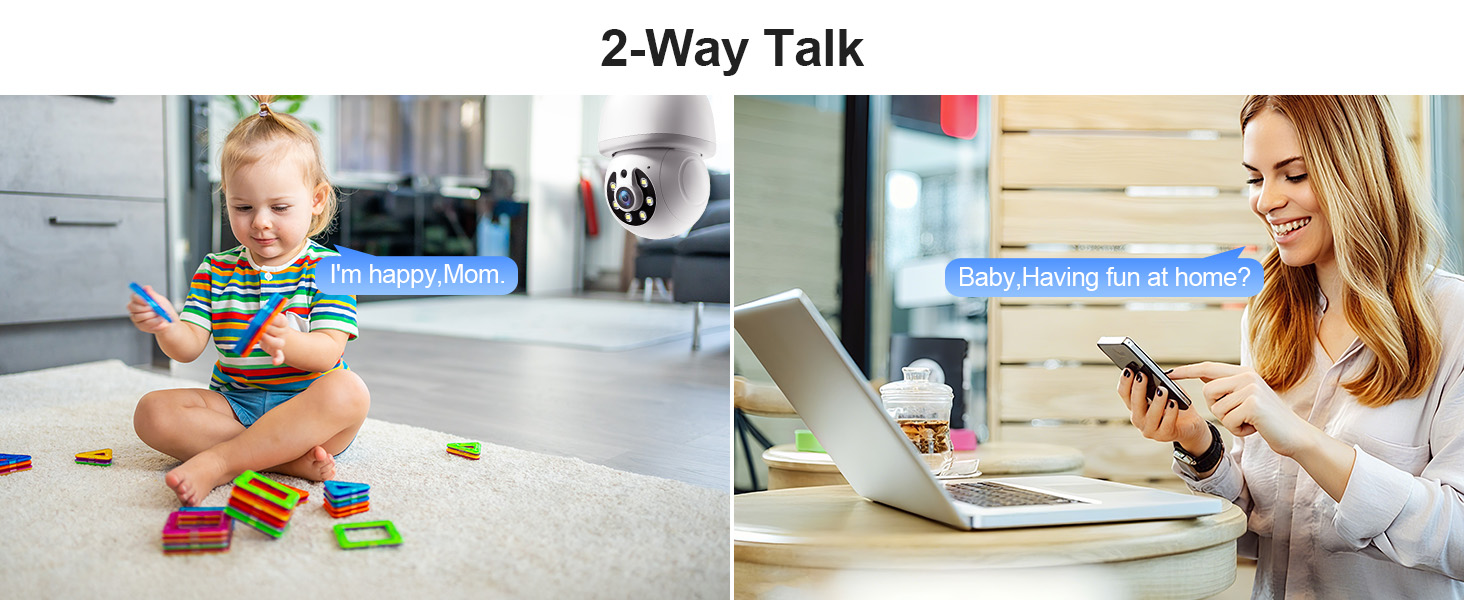
Image 6.4: Comparison of infrared and 2K full-color night vision.
6.6 Бичлэг ба хадгалах
The camera supports continuous 24/7 recording. You have two storage options:
- Үүл хадгалах сан: Subscribe to the Eseecloud app's cloud storage service for remote access to your recordings.
- TF картыг хадгалах: Insert a TF (microSD) card (up to 128GB, not included) into the camera's slot for local recording.

Image 6.5: 24/7 recording options with cloud and SD card storage.
6.7 Alexa интеграци
The WESECUU camera is compatible with Amazon Alexa. To connect:
- Ухаалаг утсан дээрээ Alexa програмыг нээнэ үү.
- Go to 'Skills & Games' and search for 'Eseecloud'.
- Enable the Eseecloud skill and link your Eseecloud account.
- Discover devices. You can then use voice commands like "Alexa, show me the [camera name]" on compatible Alexa devices with screens.

Image 6.6: Camera integration with Amazon Alexa.
6.8 Patrol Guard Mode
The Patrol Guard mode allows you to set multiple distinct viewpoints (presets). The camera will automatically cycle through these preset positions at custom intervals, providing continuous monitoring of different areas.

Image 6.7: Visualization of the Patrol Guard mode with multiple presets.
7. Засвар үйлчилгээ
- Цэвэрлэгээ: Камерын линз болон их биеийг зөөлөн, хуурай даавуугаар зөөлөн арчина. Химийн хүчтэй бодис, зүлгүүрийн цэвэрлэгч хэрэглэж болохгүй.
- Програм хангамжийн шинэчлэлтүүд: Regularly check the Eseecloud app for available firmware updates to ensure optimal performance and security.
- Хадгалах: Хэрэв камерыг удаан хугацаагаар хадгалах юм бол цахилгаанаас нь салгаад сэрүүн, хуурай газар хадгална уу.
8. Алдаа засах
| Асуудал | Боломжит шалтгаан | Шийдэл |
|---|---|---|
| Камер WiFi-д холбогдоогүй байна | Incorrect WiFi password; camera too far from router; incorrect WiFi band selected. | Verify WiFi password. Move camera closer to router. Ensure you are connecting to a 2.4GHz or 5GHz network as supported. Restart camera and router. |
| Зургийн чанар муу байна | Бохир линз; гэрэлтүүлэг хангалтгүй; сүлжээний зурвасын өргөнтэй холбоотой асуудлууд. | Clean the camera lens. Ensure adequate lighting for optimal color night vision. Check your internet speed. |
| Хөдөлгөөн илрүүлэх дохио байхгүй | Motion detection disabled; sensitivity too low; app notifications blocked. | Enable motion detection and human detection in the app. Adjust sensitivity settings. Check your phone's notification settings for the Eseecloud app. |
| Хоёр талын яриа ажиллахгүй байна | Microphone/speaker permissions not granted; volume too low. | Check app permissions on your phone. Adjust volume settings in the app and on your phone. |
| TF card not recording | TF card full or corrupted; not inserted correctly. | Format the TF card in the app. Reinsert the TF card. Replace with a new TF card if corrupted. |
9. Техникийн үзүүлэлтүүд
| Онцлог | Тодорхойлолт |
|---|---|
| Загварын нэр | 8050 |
| Дотор/гадаа ашиглах | Indoor, Outdoor (IP65 rated) |
| Видео бичлэгийн нягтрал | 2K (3 MP Maximum Webкамерын зургийн нягтрал) |
| Холболтын технологи | Wireless (Wi-Fi 2.4G/5G) |
| Эрчим хүчний эх үүсвэр | Corded Electric (E27 light socket, 100V~240V) |
| Хянагчийн төрөл | Amazon Alexa |
| Суурилуулах төрөл | Таазны бэхэлгээ |
| Онцлог шинж чанарууд | 2-Way Audio, Image Sensor, Color Night Vision, Human Detection, Motion Tracking |
| Хадгалах сонголтууд | Cloud Storage, TF Card (up to 128GB, not included) |
| Бүтээгдэхүүний хэмжээс | 1 x 1 x 1 инч |
| Зүйлийн жин | 1.1 фунт |
10. Хэрэглэгчийн дэмжлэг
For technical assistance, troubleshooting not covered in this manual, or warranty inquiries, please contact WESECUU customer support through the contact information provided with your purchase or on the official WESECUU webсайт.


