Танилцуулга
Thank you for choosing the Dlyfull DL4 4-Bay Lithium Battery Charger. This intelligent charger is designed to provide efficient and safe charging for a wide range of rechargeable lithium-ion batteries. With its independent charging slots, LCD display, and multiple protection features, the DL4 ensures optimal battery performance and longevity. Please read this manual thoroughly before use to ensure proper operation and to maximize the lifespan of your charger and batteries.
Аюулгүй байдлын мэдээлэл
Always observe the following safety precautions to prevent injury or damage to the charger and batteries:
- Use this charger only for 3.7V Li-ion rechargeable batteries. Do not attempt to charge other battery types, such as Ni-MH, Ni-Cd, alkaline, or primary lithium batteries, as this may cause explosion, rupture, or leakage, leading to property damage or personal injury.
- Do not disassemble, modify, or repair the charger. Unauthorized modifications may cause electric shock, fire, or damage to the charger.
- Keep the charger away from water, moisture, and high temperatures. Operate it in a dry, well-ventilated area.
- Ensure proper battery polarity (+/-) when inserting batteries into the charger slots. Incorrect insertion can damage the charger and battery.
- Цэнэглэгчийг ашиглаагүй үедээ эсвэл цэвэрлэхийн өмнө тэжээлийн эх үүсвэрээс салга.
- Цэнэглэгчийн агааржуулалтын нүхийг хааж болохгүй.
- Хүүхдийн гар хүрэхгүй газар хадгална.
- If the charger emits smoke, unusual odors, or makes abnormal noises, immediately unplug it and contact customer service.

Зураг: Дууслааview of the Dlyfull DL4 charger's safety features, including reverse polarity, short circuit, automatic stop charging, overcurrent/voltage, overheat, and overcharge protection.
Багцын агуулга
Нээх үед багцын агуулгыг шалгана уу:
- Dlyfull DL4 18650 Battery Charger x 1
- USB-A to USB-C Data Cable x 1
- Хэрэглэгчийн гарын авлага x 1

Image: The Dlyfull DL4 4-bay battery charger shown with its accompanying USB-A to USB-C charging cable.
Бүтээгдэхүүн дууссанview
The Dlyfull DL4 charger features four independent charging slots and an intuitive LCD display for monitoring charging status. It is designed for ease of use and durability.
- Independent Slots: Each of the four slots operates independently, allowing you to charge different battery types or capacities simultaneously without interference.
- LCD дэлгэц: A clear LCD screen provides real-time information on the charging status of each battery.
- Robust USB-C Port: Equipped with a durable USB-C input for versatile power connection.
- Thickened Slider: The battery slot sliders are designed for enhanced durability, withstanding over 50,000 uses.
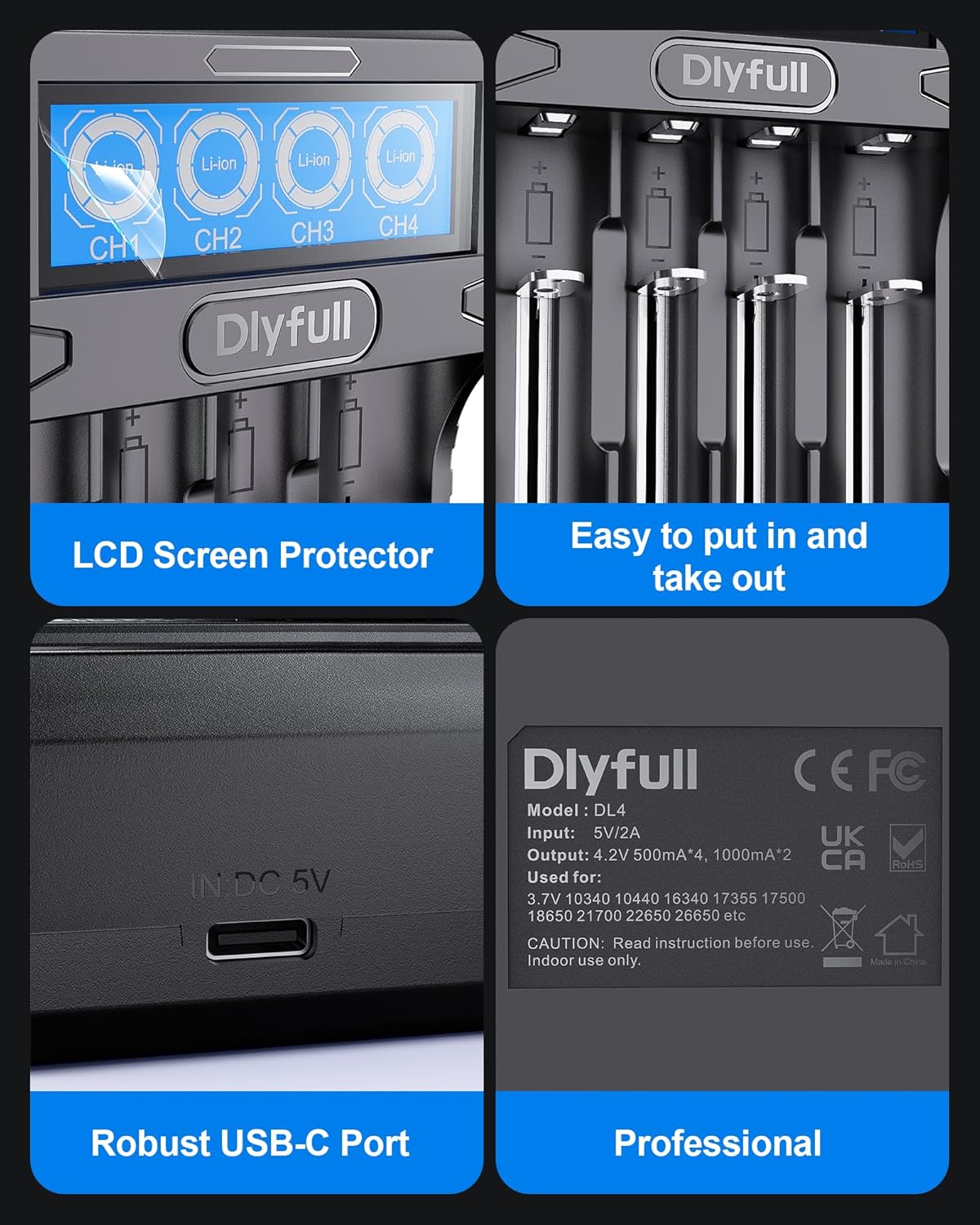
Зураг: Нарийвчилсан views highlighting the LCD screen, easy-to-use battery slots, robust USB-C input port, and the professional product information label on the Dlyfull DL4 charger.
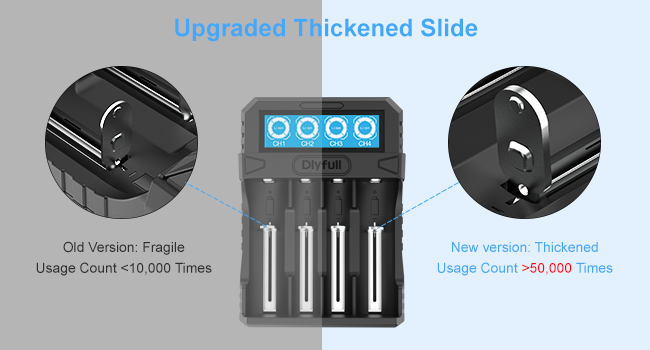
Image: A visual comparison illustrating the upgraded, thickened slide mechanism in the new version of the Dlyfull DL4 charger, designed for increased durability compared to older, more fragile versions.
Тохиргоо
To set up your Dlyfull DL4 charger:
- Place the charger on a stable, flat, and well-ventilated surface.
- Connect the provided USB-A to USB-C data cable to the USB-C input port on the back of the charger.
- Plug the USB-A end of the cable into a compatible USB power adapter (e.g., 5V/2A or higher recommended for optimal charging speed). The charger will power on, and the LCD display will illuminate.
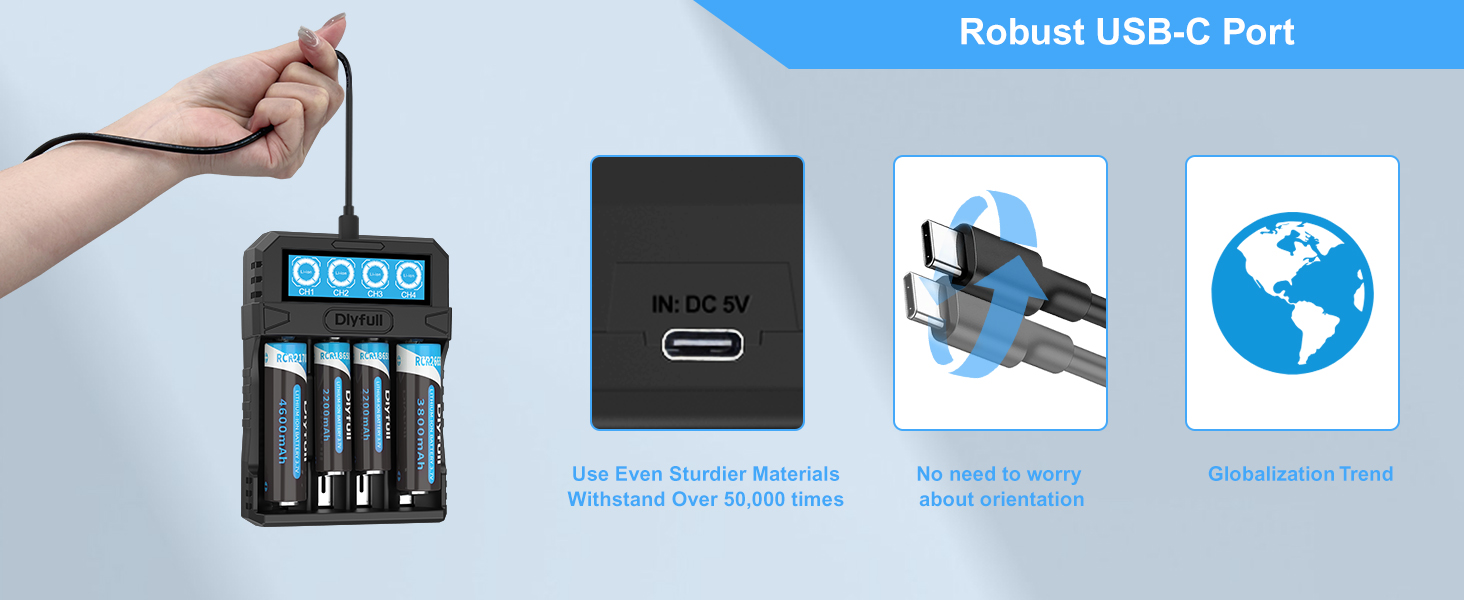
Image: A hand demonstrating the connection of a USB-C cable to the Dlyfull DL4 charger, emphasizing the robust design of the USB-C port and its ease of use.
Ашиглалтын заавар
Батерей оруулах
Carefully insert the rechargeable Li-ion batteries into the charging slots, ensuring the correct polarity (+ and -) matches the markings on the charger. The charger supports various battery sizes:
- 3.7V Li-ion: 10340, 10440, 16340, 17335, 17500, 18650, 21700, 22650, 26650.

Image: The Dlyfull DL4 charger shown with multiple types of rechargeable lithium-ion batteries, including 18650, 21700, and 26650, highlighting its "All in One" compatibility.

Image: A diagram illustrating the diverse slot design of the Dlyfull DL4 charger, showing its compatibility with both button-top and flat-top battery types like RCR21700 and RCR18650.
LCD дэлгэцийн тухай ойлголт
The LCD screen provides visual feedback on the charging status for each independent channel (CH1, CH2, CH3, CH4):
- Цэнэглэх үзүүлэлт: Displays the approximate charge level (0-25%, 25-50%, 50-75%, 75-100%).
- Бүрэн цэнэглэгдсэн: When a battery is fully charged, the display for that channel will show 100% or a full battery icon.
- Хэвийн бус цэнэглэлт: If an issue occurs (e.g., incorrect battery type, short circuit, reverse polarity), the indicator for that channel will flash, indicating an error.

Image: The LCD screen of the Dlyfull DL4 charger displaying charging indicators for each channel, showing battery level percentages and an abnormal charging warning (flashing icon).

Image: A detailed graphic explaining the simple and intuitive LCD display of the Dlyfull DL4 charger, showing how charge levels (0-25% to 100%) are indicated and the visual cue for battery failure.
Цэнэглэх үйл явц
Once batteries are correctly inserted, the charger will automatically detect them and begin the charging process. The LCD display will show the progress for each slot.
- Хурдан цэнэглэх: The charger supports 0.5A or 1A fast charging. For example, an 18650-2500mAh battery can be charged in approximately 3 hours, and a 21700-5000mAh battery in about 6 hours.
- Automatic Termination: Charging automatically stops when batteries reach full capacity to prevent overcharging.
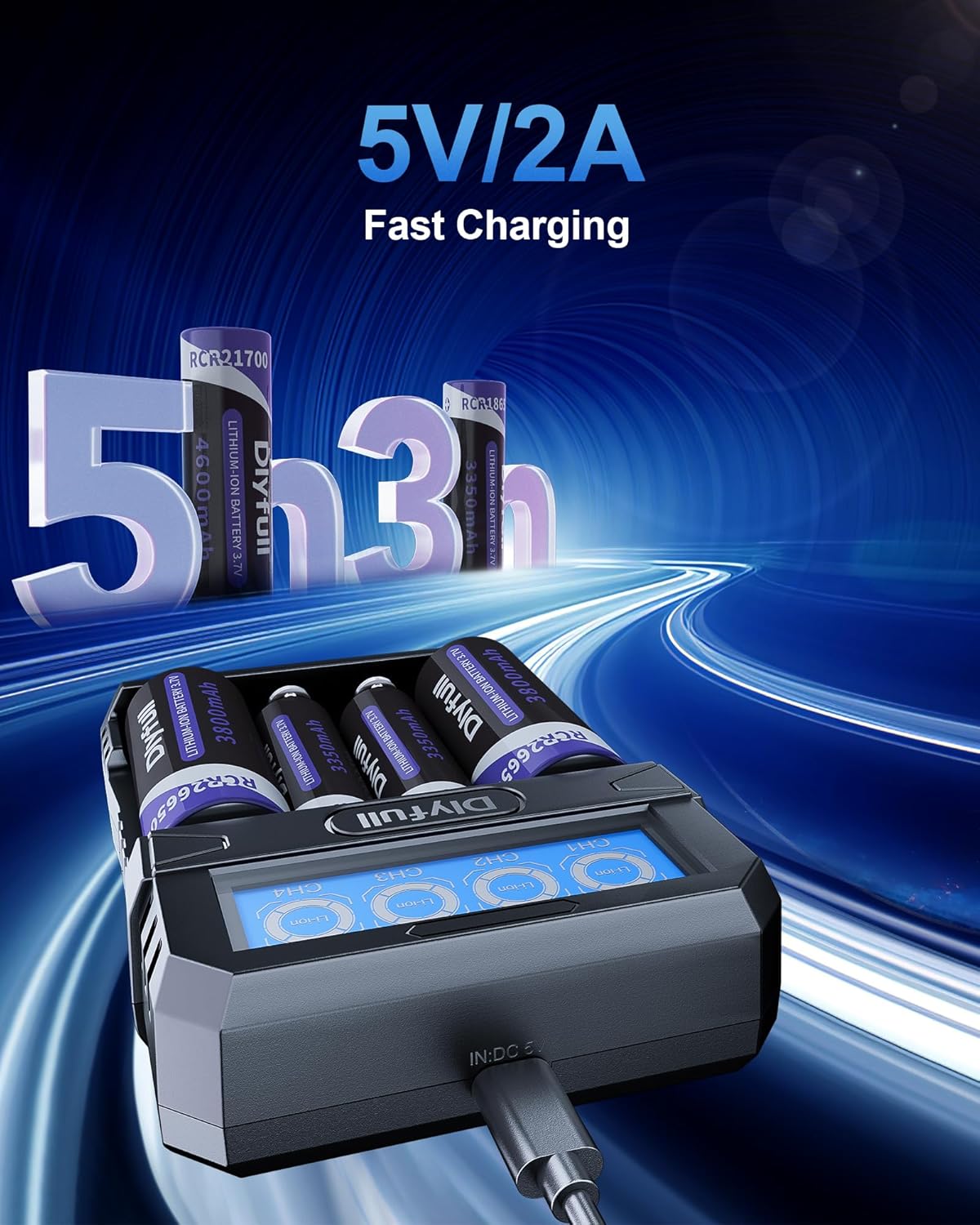
Image: The Dlyfull DL4 charger in use, demonstrating its 5V/2A fast charging capability with batteries inserted, and indicating approximate charging times for different battery capacities.

Image: A graphic illustrating the 0.5A or 1A fast charging capabilities of the Dlyfull DL4 charger, with examples of charging times for 18650-2500mAh and 21700-5000mAh single cells.
0V/Low-Voltage Идэвхжүүлэлт
The DL4 charger features a 0V and low-voltage activation function. It can activate batteries with voltages between 1.9V and 2.8V (±0.1V tolerance). This helps to restore over-discharged batteries, extending their lifespan. Note: Activation function is only applicable to lithium batteries with protection boards.

Image: A visual representation of the 0V/Low-Voltage Activation process, showing how the charger can activate and charge deeply discharged batteries to restore them for use.
Засвар үйлчилгээ
To ensure the longevity and optimal performance of your Dlyfull DL4 charger:
- Clean the charger regularly with a soft, dry cloth. Do not use abrasive cleaners or solvents.
- Keep the charging slots free from dust and debris.
- Цэнэглэгчийг ашиглаагүй үед сэрүүн, хуурай газар хадгална.
- Цэнэглэгчийг унагах эсвэл хүчтэй цохилтонд оруулахаас зайлсхий.
Алдааг олж засварлах
| Асуудал | Боломжит шалтгаан | Шийдэл |
|---|---|---|
| Цэнэглэгч асахгүй байна. | Цахилгааны холболт байхгүй эсвэл кабель/адаптер буруу байна. | Ensure the USB-C cable is securely connected to both the charger and a working USB power source. Try a different USB cable or power adapter. |
| Battery not charging / LCD flashing. | Incorrect battery type, reversed polarity, short circuit, or damaged battery. | Verify battery type is 3.7V Li-ion. Check battery polarity. Remove and reinsert the battery. If the issue persists, the battery may be faulty. |
| Удаан цэнэглэх хурд. | Low power input from USB adapter. | Use a 5V/2A or higher output USB power adapter for optimal charging speed. |
| Charger or battery gets hot during charging. | Normal operation (slight warmth), or potential issue with battery/charger. | Slight warmth is normal. If it becomes excessively hot, immediately remove the battery and unplug the charger. Ensure proper ventilation. Do not use damaged batteries. |
Үзүүлэлтүүд
| Онцлог | Дэлгэрэнгүй |
|---|---|
| Загвар | DL4 |
| Оролтын хэмжээtage | DC 5V |
| Гаралтын ботьtage | DC 4.2V |
| Гаралтын гүйдэл | 1000mA*2 or 500mA*4 (±10%) |
| Тохиромжтой батерейны төрлүүд | 3.7V Li-ion: 10340, 10440, 16340, 17335, 17500, 18650, 21700, 22650, 26650 |
| Бүтээгдэхүүний хэмжээс | 1.39"D x 3.97"W x 5.5"H (3.53 x 10.08 x 13.97 см) |
| Зүйлийн жин | 5.6 унц (158.76 грамм) |
| Ашиглалтын температур | 0°C - 40°C (32°F - 104°F) |
Баталгаат болон дэмжлэг
Dlyfull provides a 1 жилийн баталгаат хугацаа for the DL4 battery charger from the date of purchase. This warranty covers manufacturing defects and workmanship under normal use.
Баталгаат үйлчилгээнд хамаарахгүй:
- Damage caused by misuse, abuse, accident, or negligence.
- Зөвшөөрөлгүй өөрчлөлт, засварын улмаас учирсан гэмтэл.
- Хэвийн элэгдэл.
For technical support, warranty claims, or any questions regarding your Dlyfull DL4 charger, please contact our customer service team. We offer 24-hour attentive customer service.
You can typically find contact information on the product packaging or the official Dlyfull website. Please have your purchase receipt and product model number (DL4) ready when contacting support.