Танилцуулга
Thank you for choosing the Rapoo V10RGB Wireless Charging Mouse Mat. This manual provides detailed instructions for setting up, operating, and maintaining your new mouse mat. Please read this manual carefully before use to ensure optimal performance and longevity of your device.
Багцын агуулга
Бүх зүйл багцад байгаа эсэхийг шалгаарай:
- 1 x Rapoo V10RGB Wireless Charging Mouse Mat
- 1 x USB Cable (6ft / 1.8m)
Тохиргоо
- Unpack the Mouse Mat: Carefully remove the Rapoo V10RGB Wireless Charging Mouse Mat from its packaging.
- Дэвсгэрийг байрлуулах: Place the mouse mat on a flat, stable surface on your desk. Ensure there is enough space for comfortable mouse movement.

Image: The Rapoo V10RGB Wireless Charging Mouse Mat laid flat on a desk, showing its overall design and RGB lighting.
- Эрчим хүчийг холбох: Connect the provided USB cable to the USB-C port on the mouse mat and plug the other end into a compatible USB power source (e.g., computer USB port, USB wall adapter). The RGB lighting will illuminate upon successful connection.
Ашиглалтын заавар
1. RGB гэрэлтүүлгийн удирдлага
The Rapoo V10RGB mouse mat features customizable RGB lighting with multiple modes and adjustable brightness levels.
- RGB горимыг өөрчлөх: Press the "RGB Modes" button (usually marked with a refresh or cycle icon) to cycle through various multi-color and solid color backlit modes.
- Гэрэлтүүлгийг тохируулах: Press the "Brightness +/-" button (usually marked with a sun icon) to adjust the lighting brightness. Options include high, medium, low, and off.

Зураг: Ойрын зураг view of the control buttons on the mouse mat, indicating the RGB Modes button and the Brightness +/- button.
2. Утасгүй цэнэглэх функц
The mouse mat includes a wireless charging pad compatible with Qi-enabled devices.
- Төхөөрөмжийг байрлуулах: Place your Qi-enabled device (e.g., wireless charging mouse, smartphone, earbuds) onto the designated charging area on the mouse mat. This area is typically marked with a lightning bolt icon.
- Цэнэглэх заалт: The device should begin charging automatically. The mouse mat supports 5W, 7.5W, and 10W output, adjusting automatically based on the device's battery levels to protect your device and extend battery life.
- Объект илрүүлэх: The charging pad features object detection to prevent charging foreign metallic objects.
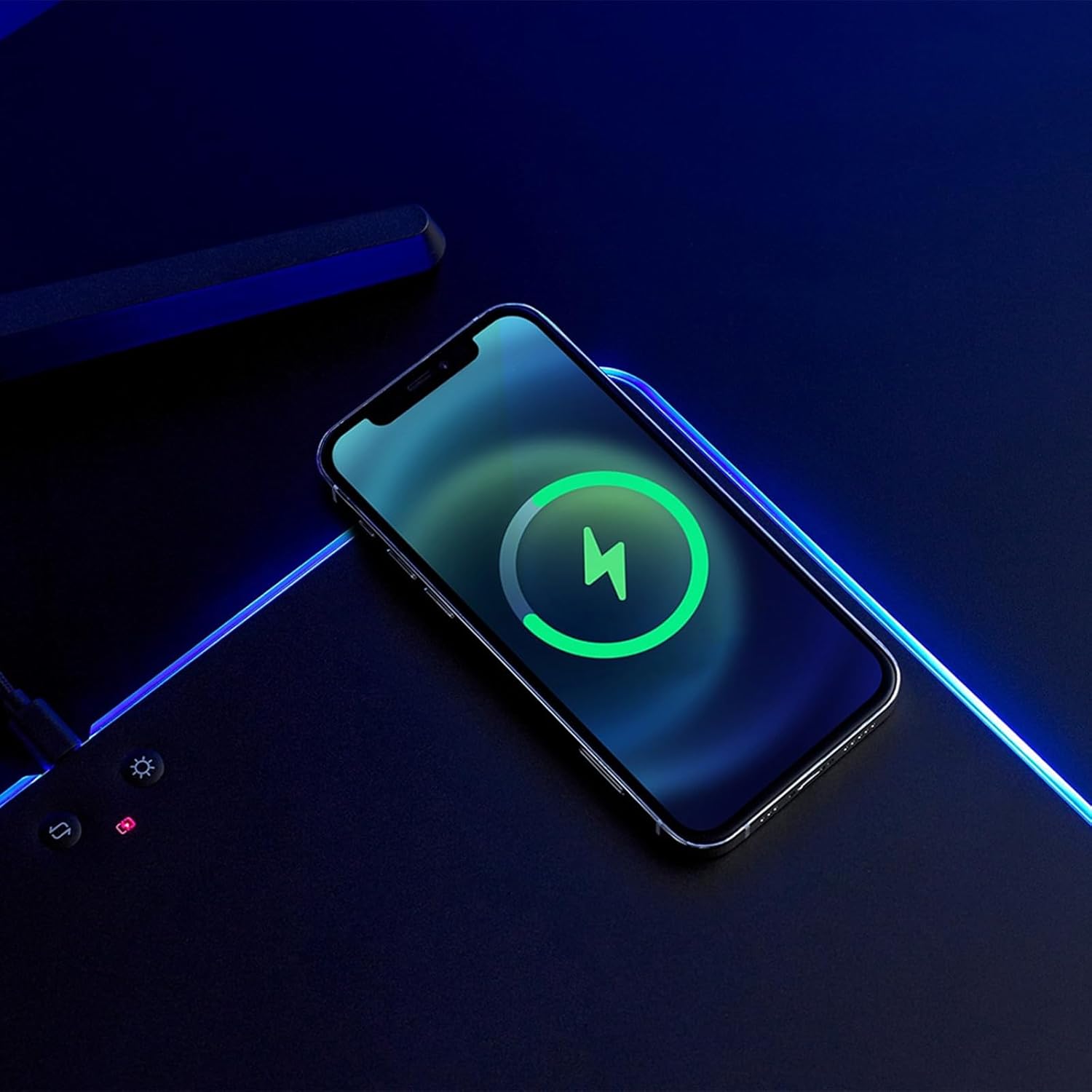
Image: A smartphone placed on the wireless charging area of the mouse mat, displaying a charging indicator on its screen.
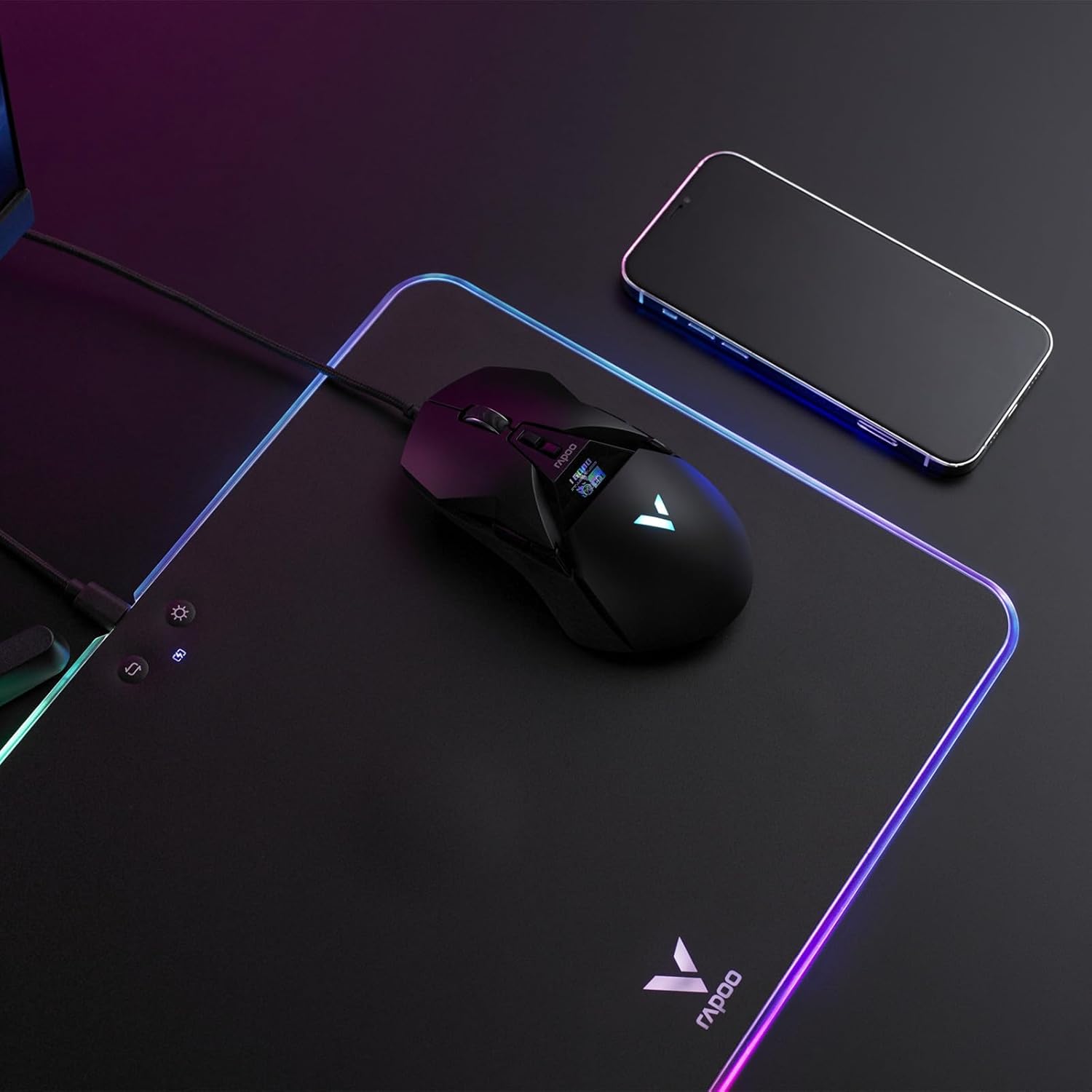
Image: A wireless mouse positioned on the mat for use, with a smartphone placed on the wireless charging area.
3. Hard PC Gaming Surface
The mouse mat features a hard PC gaming surface designed for consistent density, lower friction, and faster response compared to soft foam, rubber, or fabric mouse pads. This provides precise tracking for gaming and general use.
4. Anti-Slip Silicone Base
The underside of the mouse mat is equipped with an anti-slip silicone base. This ensures the mat remains steady and shock-absorbing, preventing unwanted movement during intense use.

Зураг: Томруулсан view of the hexagonal pattern on the anti-slip silicone base of the mouse mat.
Засвар үйлчилгээ
- Гадаргууг цэвэрлэх: Зөөлөн ашиглах, damp cloth to gently wipe the hard PC gaming surface. Avoid abrasive cleaners or harsh chemicals, as these may damage the surface or RGB lighting.
- Суурийг цэвэрлэх: The silicone base can be wiped with a damp cloth if it collects dust. Ensure the mat is completely dry before placing it back on your desk.
- Хадгалах: When not in use for extended periods, store the mouse mat flat or gently rolled to prevent creases or damage to the internal components.
Алдааг олж засварлах
| Асуудал | Боломжит шалтгаан | Шийдэл |
|---|---|---|
| RGB lighting does not turn on. |
|
|
| Утасгүй цэнэглэгч ажиллахгүй байна. |
|
|
| Хулганы хяналт нь тогтворгүй байдаг. |
|
|
Үзүүлэлтүүд
| Онцлог | Дэлгэрэнгүй |
|---|---|
| Загвар | V10RGB |
| Бүтээгдэхүүний хэмжээс | 14in x 10in / 35.2cm x 25.5cm |
| Бүтээгдэхүүний жин | 1.19 фунт / 542 гр |
| Материал | Polycarbonate (Surface), Silicone (Base) |
| Арын гэрэлтүүлэгтэй горимууд | RGB, Solid Color |
| Гэрэлтүүлгийн түвшин | Өндөр, Дунд, Бага, Унтраах |
| Оролтын гүйдэл | 2А/1.67А |
| Утасгүй цэнэглэх гаралт | 5W/7.5W/10W |
| Хамгаалалтын онцлог | Overcharge Protection, Over Temperature Protection, Object Detection |
| Интерфэйс | USB-C |
| Кабелийн урт | 6 фут / 1.8 м |
Баталгаат болон дэмжлэг
Баталгаат хугацаа болон техникийн дэмжлэг авахыг хүсвэл албан ёсны Rapoo-той холбогдоно уу webсайт эсвэл харилцагчийн үйлчилгээтэй шууд холбогдоно уу. Баталгаат зарга авахын тулд худалдан авалтын баримтаа хадгална уу.
Үйлдвэрлэгч: Shenzhen Rapoo Technology Co., Ltd.


