1. Танилцуулга
The EMOS GoSmart IP-750B is an additional monitor designed to expand your existing EMOS H4020 (IP-750A) video intercom system. This 7-inch LCD touchscreen monitor provides Full HD 1080p image quality, enhancing communication and surveillance at your entrance. It integrates seamlessly with Smart Home systems via Wi-Fi, offering features such as snapshot capture, video recording, two-way audio, and door/gate control. This monitor is intended for indoor use.
2. Тохиргоо ба суурилуулалт
2.1 Багцын агуулга
- 1 x EMOS GoSmart IP-750B Additional Monitor
2.2 Системийн нийцтэй байдал
This monitor is an accessory for the EMOS H4020 (IP-750A) intercom base kit. The base kit typically includes a 7-inch wall-mounted display and a night vision door camera. You can add up to 6 additional IP-750B (H4021) monitors to the base kit.
2.3 Физик суурилуулалт
The monitor is designed for wall mounting. Ensure you select a suitable indoor location with access to a 12V DC power supply and a stable Wi-Fi signal.

Зураг 1: EMOS GoSmart IP-750B monitor mounted on a wall, displaying its front view болон хажуугийн мэргэжлийнfile with dimensions (175mm width, 118mm height, 25mm depth).
2.4 утас холболт
Refer to the diagram on the back of the monitor for proper wiring. The monitor requires a 12V DC power input. Connect the necessary cables for video, audio, and door control as per your system's requirements. Ensure all connections are secure before powering on the device.

Зураг 2: Back panel of the EMOS GoSmart IP-750B monitor, illustrating the wiring ports for power (12V DC), video input/output, audio, and door/gate control connections.
2.5 Wi-Fi холболт
After physical installation, connect the monitor to your home Wi-Fi network. This enables integration with the EMOS GoSmart app and other Smart Home platforms. Follow the on-screen prompts on the touchscreen to configure Wi-Fi settings.
3. Ашиглалтын заавар
3.1 Мэдрэгчтэй дэлгэцийн интерфейс
The monitor features a 7-inch LCD touchscreen for intuitive control. Navigate through menus and access functions by tapping the corresponding icons.
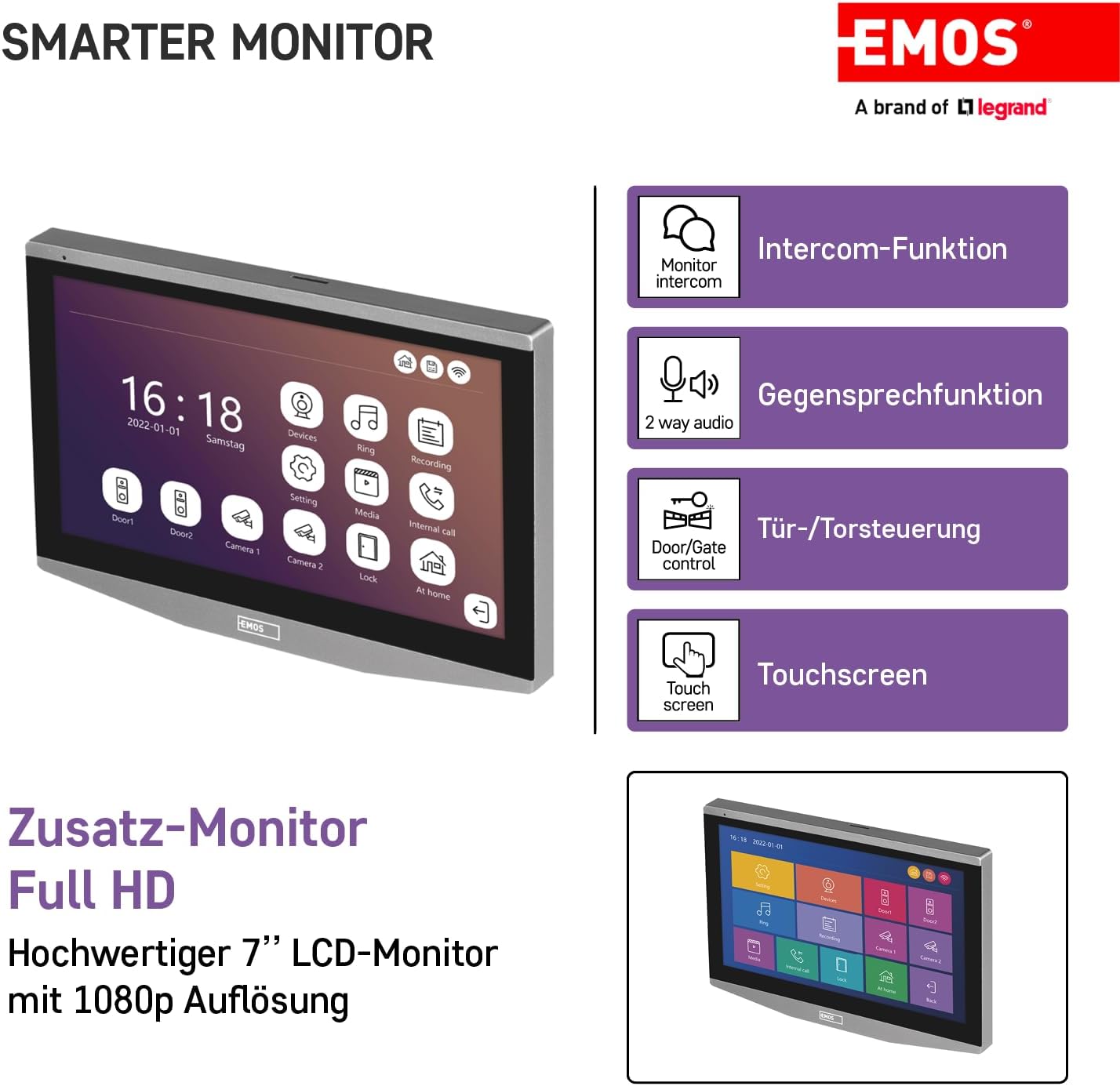
Зураг 3: The EMOS GoSmart IP-750B monitor's touchscreen interface, highlighting key functions such as intercom, two-way audio, door/gate control, and general touchscreen operation.
3.2 Гол функцууд
- Дотуур холбооны функц: Make private calls between multiple connected display units within your system.
- Хоёр талын аудио: Communicate with visitors at your door via the monitor.
- Door/Gate Control: Remotely open compatible electric door openers or gates directly from the monitor.
- Snapshot and Recording: Capture photos and record videos of visitors. These can be saved to an SD card (not included) or to cloud storage.
- Хөдөлгөөн илрүүлэх: The system can detect motion at the door camera and trigger recordings or notifications.
- Answering Machine Function: Records messages when you are away, informing you when the doorbell rang.
- Шөнийн хараа: The connected door camera provides clear images even in low-light conditions.

Зураг 4: The EMOS GoSmart IP-750B monitor highlighting features such as night vision (from the connected camera), recording capabilities, 2.4 GHz Wi-Fi frequency, and real-time notifications. It also shows the complete system including the base kit and additional monitor.
3.3 EMOS GoSmart App Integration
Monitor your home remotely using the EMOS GoSmart app on your mobile device. The app allows you to receive real-time notifications, view live video feeds, and manage compatible devices from anywhere.

Зураг 5: A user interacting with the EMOS GoSmart mobile application, demonstrating its capability to display live video from the intercom system and manage smart home functions.
4. Засвар үйлчилгээ
4.1 Цэвэрлэгээ
To clean the monitor, gently wipe the screen and casinзөөлөн, хуурай эсвэл бага зэрэг d өнгөтэйamp cloth. Avoid using abrasive cleaners, solvents, or aerosol sprays, as these can damage the surface.
4.2 Холболтын шалгалт
Periodically check all wired connections at the back of the monitor to ensure they are secure. Ensure your Wi-Fi network is stable for optimal performance.
5. Алдаа засах
5.1 Эрчим хүчгүй
- Verify that the 12V DC power adapter is correctly connected to the monitor and a working power outlet.
- Цахилгааны кабельд гэмтэл байгаа эсэхийг шалгана уу.
5.2 Видео/Аудио байхгүй
- Ensure all video and audio cables between the monitor and the base unit/door camera are securely connected.
- Confirm that the base unit and door camera are powered on and functioning correctly.
5.3 Wi-Fi холболтын асуудал
- Check if your Wi-Fi router is working and within range.
- Restart the monitor and your Wi-Fi router.
- Оруулсан Wi-Fi нууц үг зөв эсэхийг шалгана уу.
5.4 Intercom Not Working
- Ensure all connected monitors are properly registered with the main system.
- Check the network connection between the monitors.
For further assistance, refer to the complete manual for your EMOS H4020 (IP-750A) base kit or contact EMOS customer support.
6. Техникийн үзүүлэлтүүд
| Онцлог | Дэлгэрэнгүй |
|---|---|
| Брэнд | EMOS |
| Загварын нэр | IP-750B |
| Загварын дугаар | H4021 |
| Бүтээгдэхүүний хэмжээ (L x W x H) | 17.5 x 2.5 x 2.5 см |
| Зүйлийн жин | 640 грамм |
| Дэлгэцийн хэмжээ | 7 inches (LCD Touchscreen) |
| Видео бичлэгийн нягтрал | 1080p бүрэн HD |
| Холболтын протокол | Wi-Fi (2.4GHz) |
| Онцлог шинж чанарууд | Smart, Night Vision (via connected camera), Anti-vandalism (via connected camera) |
| Дотор/гадаа ашиглах | Дотор |
| Эрчим хүчний шаардлага | 12V DC |
| Батерей шаардлагатай | Үгүй |
| Өнгө | Саарал/Хар |
| Оруулсан бүрэлдэхүүн хэсгүүд | 1 монитор |
7. Баталгаат хугацаа ба дэмжлэг
For warranty information and customer support, please refer to the documentation provided with your purchase or visit the official EMOS website. Details regarding specific warranty periods and service procedures can be obtained from your point of purchase or the manufacturer.


