1. Танилцуулга
The BTECH BS-22 Wireless Speaker Microphone is designed to provide seamless and clear communication with your BTECH GMRS-PRO and UV-PRO series radios. This device offers enhanced control and customization of your radio settings, ensuring reliable and uninterrupted communication in various environments. Its rugged, weatherproof design and efficient charging capabilities make it suitable for both outdoor adventures and professional use.
2. Хайрцагт юу байна
- BS-22 Bluetooth Speaker Mic
- Хэрэглэгчийн гарын авлага
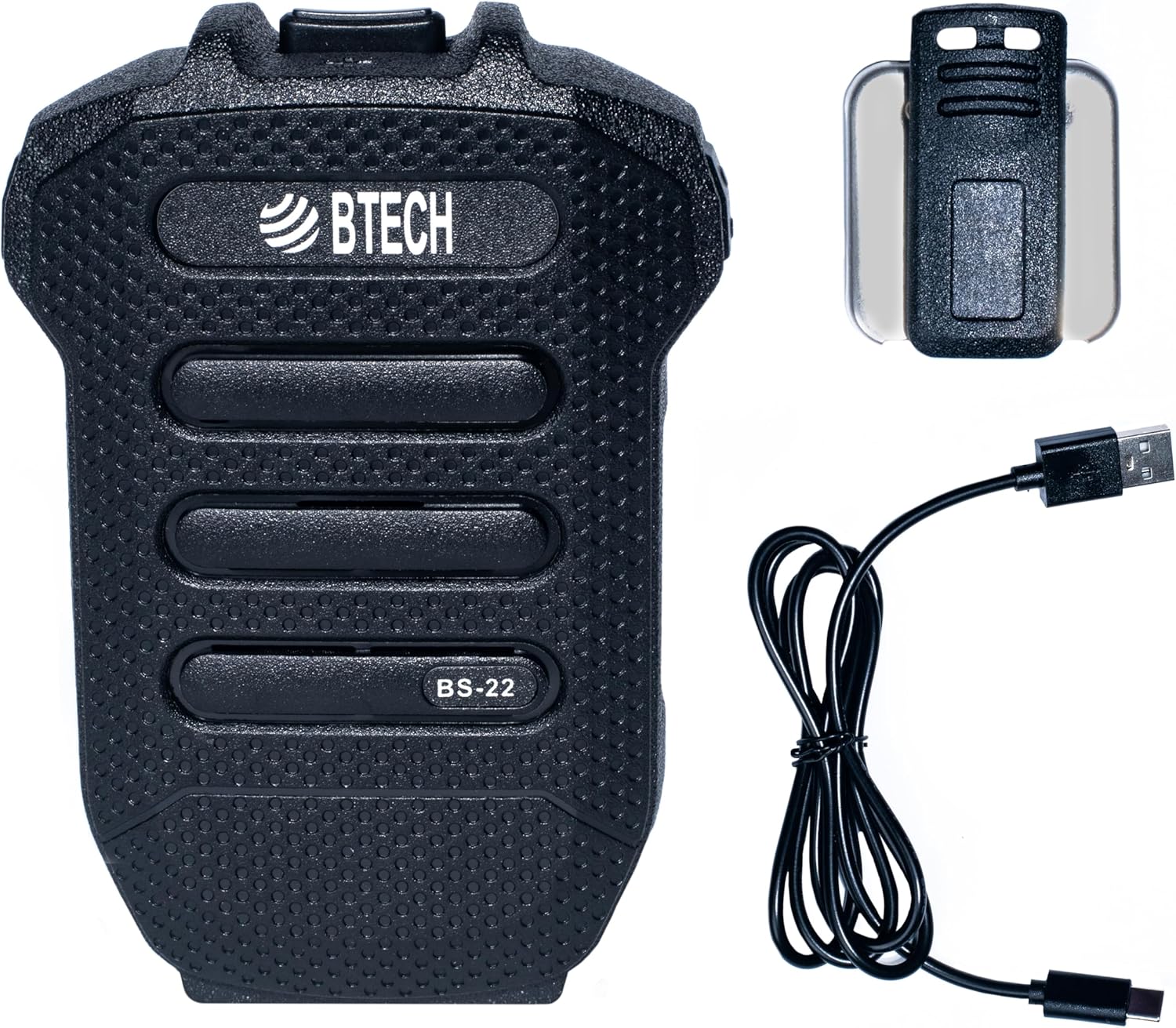
Image 1: BTECH BS-22 Wireless Speaker Mic with included detachable clip and USB-C charging cable.
3. Бүтээгдэхүүн дууссанview болон онцлог
The BS-22 Wireless Speaker Mic integrates several key features for optimal performance:
- Effortless Wireless Integration: Seamlessly connects to BTECH GMRS-PRO and UV-PRO radios via Bluetooth for easy control and communication.
- Хурдан USB-C цэнэглэлт: Equipped with a USB-C port for quick and efficient power replenishment.
- Кристал тунгалаг харилцаа холбоо: Operates via Bluetooth, providing reliable, interference-free communication with clear audio.
- Rugged and Weatherproof: Designed with an IP54 rating, capable of withstanding harsh weather conditions.
- Баригдсан лити батерей: Features a 1200 mAh, 3.7V lithium battery for extended use.

Image 2: The BS-22 Wireless Speaker Mic positioned next to a BTECH GMRS-PRO radio, symbolizing their wireless connection.

Image 3: The BS-22 Wireless Speaker Mic shown in splashing water, highlighting its weatherproof (IP54) capabilities.
4. Тохируулах заавар
4.1. Charging the BS-22
Before initial use, fully charge your BS-22 Wireless Speaker Mic. The device is equipped with a USB-C port for convenient charging.
- Connect the provided USB-C cable to the charging port on the BS-22.
- USB кабелийн нөгөө үзүүрийг тохирох USB тэжээлийн эх үүсвэрт (жишээ нь, ханын адаптер, компьютерийн USB порт) холбоно уу.
- Цэнэглэх үед цэнэглэх заагч гэрэл улаан өнгөөр гэрэлтэнэ.
- Бүрэн цэнэглэгдсэний дараа заагч гэрэл ногоон өнгөтэй болно.
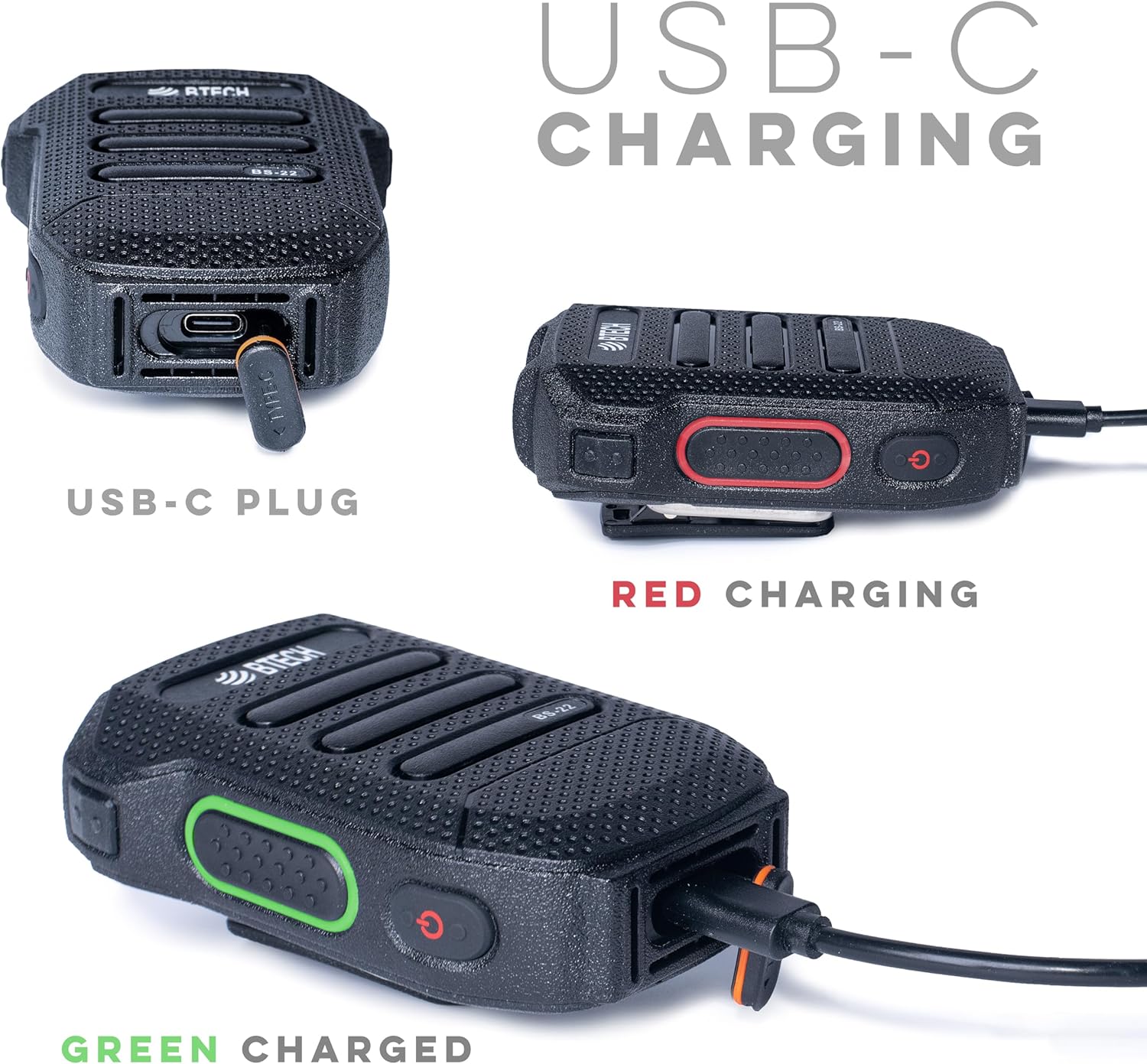
Зураг 4: Нарийвчилсан views of the USB-C charging port and the red (charging) and green (charged) indicator lights.
4.2. Pairing with Your Radio
The BS-22 connects wirelessly to your BTECH GMRS-PRO or UV-PRO radio via Bluetooth.
- Ensure your BTECH radio's Bluetooth feature is enabled and in pairing mode. Refer to your radio's manual for specific instructions on enabling Bluetooth pairing.
- On the BS-22, perform a very quick double press of the side key to activate pairing mode. The device is designed to recognize a rapid double press as a distinct command.
- Look for auditory or visual feedback from the BS-22, such as a beep or a specific light pattern, indicating it has entered pairing mode.
- On your radio, select the BS-22 from the list of available Bluetooth devices to complete the pairing process.
Жич: If the double press is too slow, the device might not register the command correctly, leading to pairing issues. Ensure the presses are rapid and decisive.
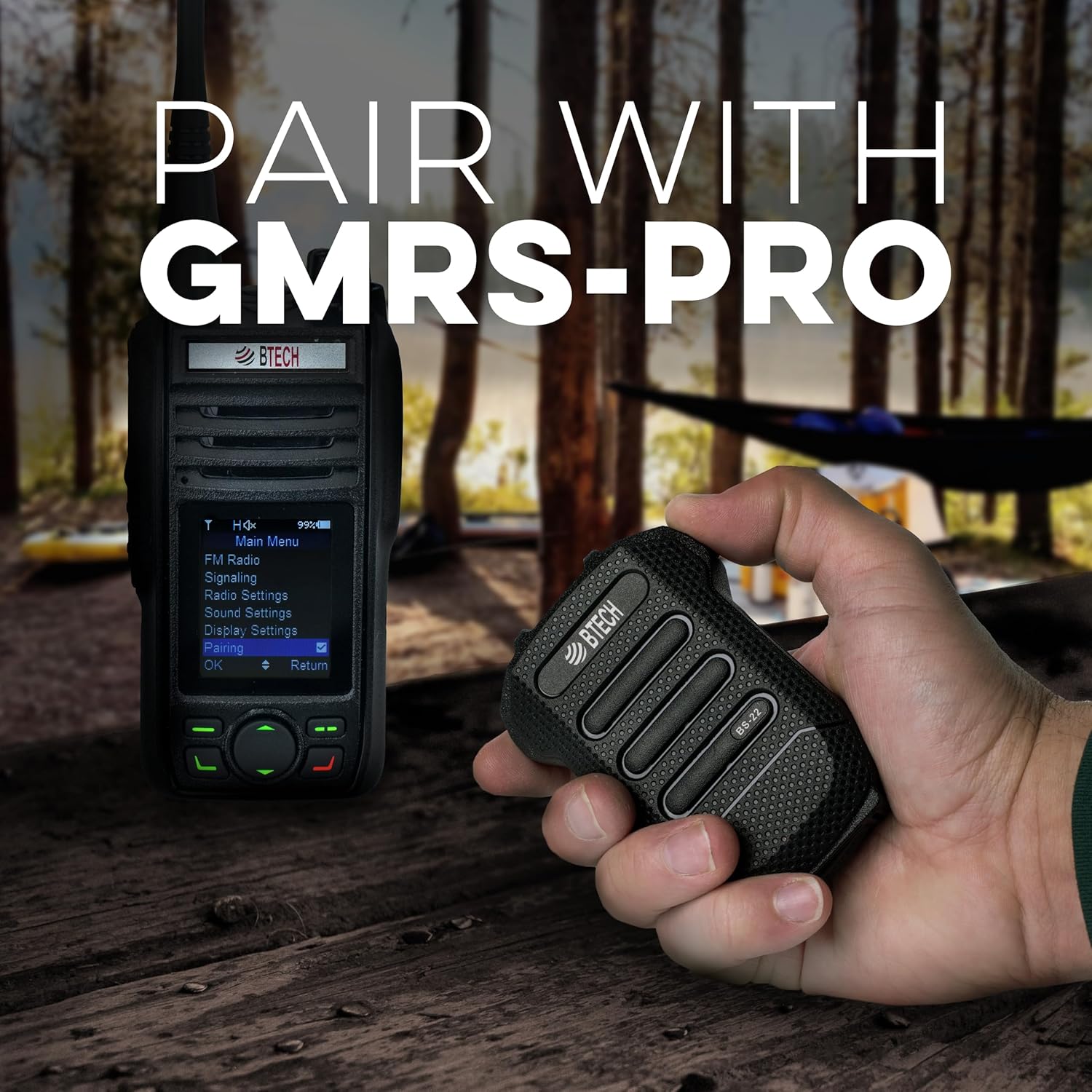
Image 5: Demonstrates the BS-22 being held near a GMRS-PRO radio, with the radio's screen showing the 'Pairing' option.
5. Ашиглалтын заавар
5.1. Түлхэх-ярих (PTT) функц
The large button on the front of the BS-22 serves as the Push-to-Talk (PTT) button.
- To transmit, press and hold the PTT button.
- Дамжуулахыг зогсоож, хүлээн авах горим руу буцахын тулд PTT товчийг суллана уу.
5.2. Дууны түвшний хяналт
The BS-22 features dedicated buttons for adjusting the speaker volume.
- -г ашиглана уу Дууны хэмжээг нэмэгдүүлэх button (typically P2) to increase the audio output.
- -г ашиглана уу Дууг багасгах button (typically P1) to decrease the audio output.
5.3. Дуугүй болгох/Дууг нээх функц
Микрофоны дууг хаах эсвэл нээхийн тулд:
- Гүйцэтгэх a very quick double press of the side key to mute or unmute the microphone. This is the same action used for pairing.
- When the speaker is manually muted, the LED on the PTT button may slowly dim and brighten.
- To unmute the speaker if it was muted, a short click of the Volume Up (P2) button may be required.
6. Засвар үйлчилгээ
To ensure the longevity and optimal performance of your BS-22 Wireless Speaker Mic, follow these maintenance guidelines:
- Цэвэрлэгээ: Төхөөрөмжийг зөөлөн арчиж, damp даавуу. Хүчтэй химийн бодис, зүлгүүрийн цэвэрлэгч хэрэглэхээс зайлсхий.
- Хадгалах: Store the BS-22 in a cool, dry place away from direct sunlight and extreme temperatures.
- Усанд өртөх: While the device is weatherproof (IP54), avoid prolonged submersion in water. Ensure the USB-C port cover is securely closed when not charging to maintain water resistance.
- Батерейны арчилгаа: Батерейны ашиглалтын хугацааг оновчтой байлгахын тулд батерейг байнга бүрэн цэнэггүй болгохоос зайлсхий. Төхөөрөмжийг тогтмол цэнэглээрэй, ялангуяа удаан хугацаагаар хадгалах бол.
7. Алдаа засах
If you encounter issues with your BS-22, refer to the following common troubleshooting steps:
7.1. Pairing Issues or Microphone Muted
If the device is not pairing or the microphone appears muted:
- Хоёр удаа хурдан дарах: The most common solution is to ensure you are performing a very quick double press of the side key. If the double press is too slow, the device may not register the command for pairing or mute/unmute.
- Auditory/Visual Feedback: Listen for a beep or observe the LED indicator for confirmation that the device has recognized the double press.
- Radio Bluetooth: Confirm that your radio's Bluetooth is enabled and in pairing mode.
7.2. Speaker Mute/Unmute Behavior
If the speaker is muted and the LED is slowly fading on and out:
- A short click of the Volume Up (P2) button may unmute the speaker without changing the volume level.
7.3. Garbled Audio or Disconnection
If audio becomes garbled or the device disconnects:
- Хүрээ: Bluetooth range can be affected by obstacles and distance. Try reducing the separation between the BS-22 and your radio.
- Эрчим хүчний мөчлөг: If audio remains unintelligible after moving closer, turn the BS-22 off and then on again to re-establish a clear connection.
8. Техникийн үзүүлэлтүүд
| Онцлог | Тодорхойлолт |
|---|---|
| Загварын нэр | BS-22 |
| Холболтын технологи | Bluetooth, утасгүй |
| Холбогч төрөл | USB-C |
| Эрчим хүчний эх үүсвэр | Батерейгаар ажилладаг (1 лити ион зай шаардлагатай) |
| Зайны багтаамж | 1200 mAh, 3.7 V (Built-in) |
| Микрофоны хэлбэр хүчин зүйл | Гарын төхөөрөмж |
| Туйлын загвар | Нэг чиглэлтэй |
| Цаг агаарын хамгаалалттай үнэлгээ | IP54 |
| Зүйлийн жин | 1.5 унц |
| Бүтээгдэхүүний хэмжээ (L x W x H) | 53 x 2 x 0.25 инч |
| UPC | 850004124505 |
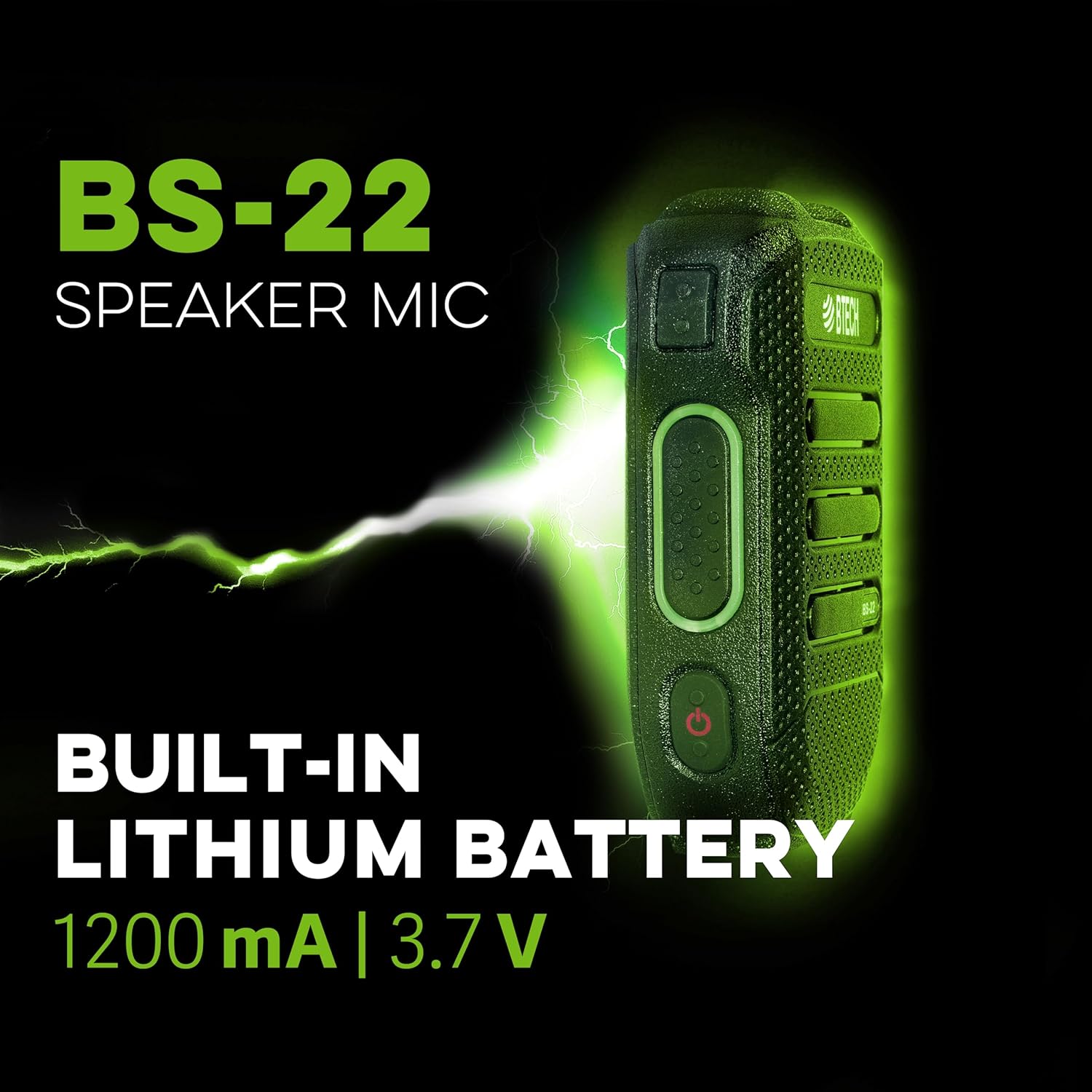
Зураг 6: Хажуугийн мэргэжилтнээрfile of the BS-22 Speaker Mic, emphasizing its internal 1200 mAh, 3.7V lithium battery.
9. Баталгаат хугацаа ба дэмжлэг
BTECH products are designed in the USA (South Dakota) and are backed by a real USA warranty and support. For any issues that may arise, local support is available.
For additional resources, including software downloads and video tutorials, please visit:
- Програм хангамж татаж авах: https://baofengtech.com/download
- YouTube-ийн хичээлүүд: https://www.youtube.com/c/Baofengtechradio


