1. Танилцуулга
Худалдан авалт хийсэнд баярлалааasing the VTech XS1050 Cordless Phone. This manual provides essential information for setting up, operating, and maintaining your new phone. Please read it thoroughly to ensure proper use and to take full advantagтүүний онцлог шинж чанарууд.

Figure 1: VTech XS1050 Cordless Phone and Base Unit
This image shows the VTech XS1050 cordless phone handset resting in its white base unit. The handset features a digital display and a numeric keypad. The base unit also has controls for the answering machine.
2. Тохиргоо
2.1 Багцын агуулга
Эхлэхээсээ өмнө бүх зүйл байгаа эсэхийг шалгаарай:
- VTech XS1050 Handset
- VTech XS1050 Base Unit
- Суурийн төхөөрөмжийн цахилгаан адаптер
- Утасны шугамын утас
- 2 x Product-Specific Batteries (included)
- Хэрэглэгчийн гарын авлага (энэ баримт бичиг)
2.2 Батерей суурилуулах
- Гар утасны арын хэсэгт байрлах зайны тасалгааны тагийг нээнэ үү.
- Insert the two supplied batteries, observing the correct polarity (+ and -).
- Зайны тасалгааны тагийг сайтар хаа.
2.3 Үндсэн нэгжийг холбох
- Connect the power adapter to the base unit and plug it into a wall outlet.
- Утасны шугамын нэг үзүүрийг үндсэн төхөөрөмжтэй, нөгөө үзүүрийг утасны ханын залгууртай холбоно уу.
2.4 Анхны төлбөр
Place the handset on the base unit. The battery indicator on the handset display will show charging. Allow the handset to charge for at least 16 hours before initial use to ensure optimal battery performance.
3. Ашиглалтын заавар
3.1 Дуудлага хийх, хүлээн авах
- Дуудлага хийх: Pick up the handset, dial the number, and press the Дуудлага хийх товч.
- Дуудлага хүлээн авах: Утас дуугарах үед товчийг дарна уу Дуудлага хийх товч.
- Дуудлага дуусгах: дээр дарна уу Дуудлага дуусгах товчлуур дээр дарах эсвэл утсаа үндсэн төхөөрөмж дээр буцааж тавь.
3.2 Using the Answering Machine
The VTech XS1050 features a digital answering machine with up to 30 minutes of recording time.
- Мессежүүдийг тоглуулах: дээр дарна уу Тоглох суурь төхөөрөмж дээрх товчлуур.
- Мэндчилгээ бичих: Refer to the detailed instructions in the full manual for custom greeting setup.
3.3 Гар ашиглахгүй чанга яригч
To activate the hands-free speakerphone during a call, press the Чанга яригч button on the handset. Press it again to switch back to handset mode.

Figure 2: Hands-Free Speakerphone Function
This image shows a person in a kitchen setting, using the VTech XS1050 handset on speakerphone mode while performing other tasks, indicating the convenience of the hands-free function.
3.4 Дууны тохируулга
Дуудлагын үеэр ашиглана уу Дууны хэмжээг нэмэгдүүлэх болон Дууг багасгах buttons on the side of the handset to adjust the earpiece volume. The base unit also has volume controls for the speakerphone and answering machine playback.
3.5 Утасны дэвтэр болон хурдан залгах
- Утасны дэвтэр: Store up to 100 names and numbers. Access and manage entries via the handset menu.
- Хурдан залгах: Assign frequently called numbers to 8 dedicated speed dial keys for quick access.
3.6 Дуудлага хийгчийн дугаар болон дуудлагын түүх
The phone displays caller information (if available from your service provider) and stores a history of the last 20 incoming calls.

Figure 3: Caller ID and Call History Display
This image illustrates the handset's display showing multiple entries in the call history, including caller names and numbers, demonstrating the caller ID and call waiting features.
3.7 Хурлын үйл ажиллагаа
The intercom/hands-free function allows multiple users to participate in a conversation simultaneously, facilitating three-way conference calls.

Figure 4: Three-Way Conference Call
This image depicts three individuals engaged in separate phone conversations, symbolizing the three-way conference call capability of the VTech XS1050.
3.8 Alarm and Mute Function
The handset includes an alarm function for reminders and a mute function to temporarily silence your microphone during a call.

Figure 5: Alarm and Mute Function Icons
This image shows the VTech XS1050 handset on a table, with graphic overlays of an alarm clock and a muted speaker icon, illustrating the alarm and mute functionalities.
4. Үндсэн шинж чанарууд
4.1 боть Ampнастан
The VTech XS1050 features an integrated volume amplifier that boosts incoming sound and voice for enhanced clarity and volume. This feature is particularly beneficial for users with hearing impairments or those who prefer a louder audio experience.

Figure 6: Volume Amplifier in Action
This image visually represents the volume amplification feature, showing sound waves emanating from the handset and an ear icon with a plus sign, indicating increased audio output for clearer conversations.
4.2 Дижитал хариулагч машин
Record and store incoming calls when you are unavailable. The digital answering machine offers a maximum storage duration of 30 minutes, ensuring you don't miss important messages.
4.3 Арын гэрэлтүүлэгтэй дэлгэц болон товчлуур
The handset features a backlit screen and keypad, providing improved visibility in low-light conditions and enhancing ease of use.

Figure 7: Backlit Screen and Keypad
This image highlights the illuminated display and keys of the VTech XS1050 handset, demonstrating its backlit feature for better visibility in dim environments.
4.4 Батерейны урт наслалт
Enjoy extended conversations with up to 18 hours of talk time on a single charge, ensuring your phone is ready when you need it.

Figure 8: Up to 18 Hours Battery Life
This image features a woman talking on the VTech XS1050 handset, with a graphic overlay indicating '18 hours' talk time, emphasizing the product's long battery endurance.
4.5 Adjustable Ringtone Volume and Melodies
Customize your phone experience by adjusting the ringtone volume and choosing from various melodies to suit your preference.

Figure 9: Adjustable Ringtone Settings
This image shows the VTech XS1050 handset with graphic icons representing a bell (ringtone) and musical notes, indicating the ability to adjust ringtone volume and select melodies.
4.6 Multilingual Help Messages
The phone supports multilingual help messages, providing assistance in various languages for user convenience.
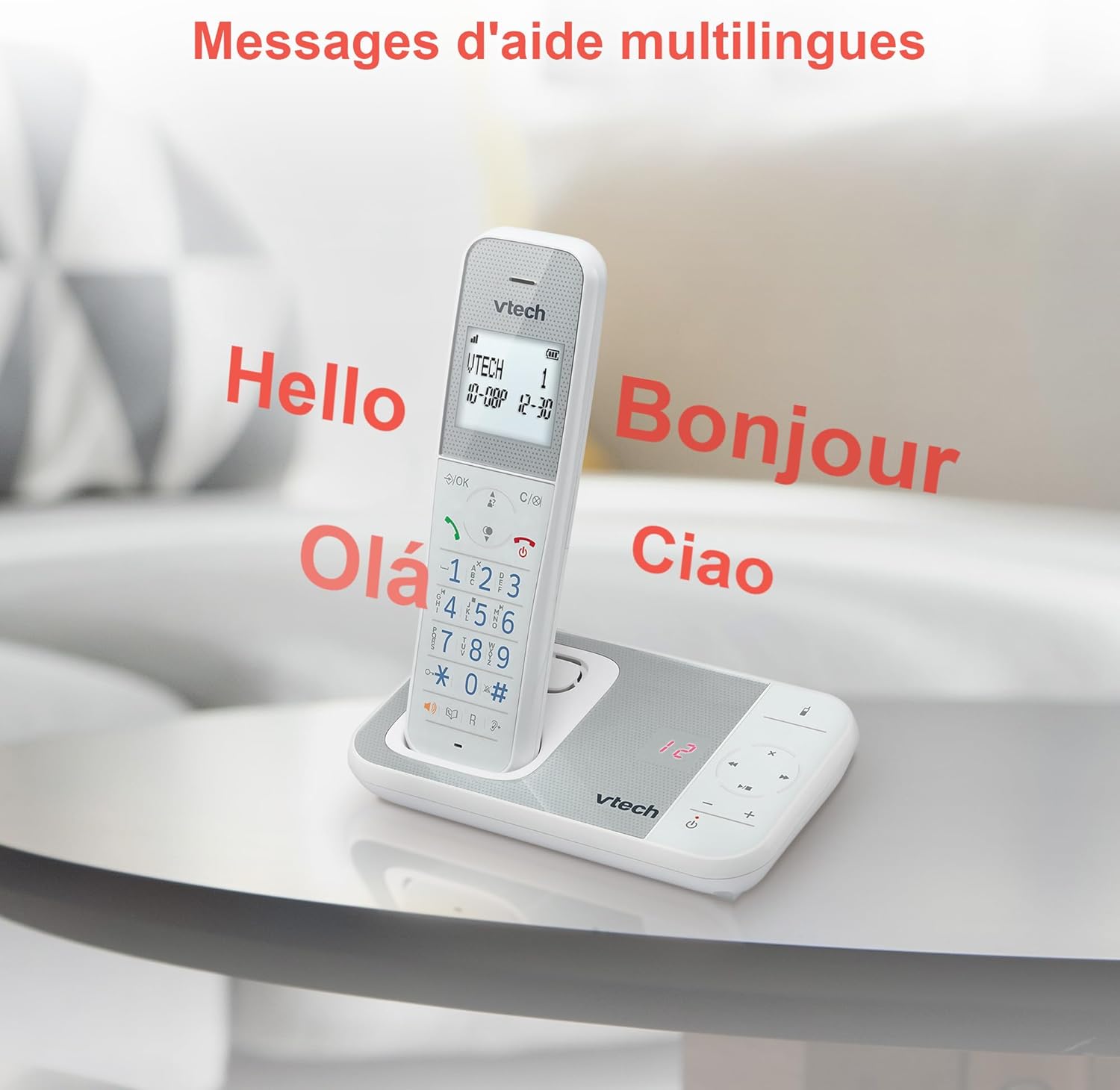
Figure 10: Multilingual Help Messages
This image displays the VTech XS1050 handset with various greetings like 'Hello', 'Bonjour', 'Olá', and 'Ciao' floating around it, illustrating the multilingual support feature.
5. Засвар үйлчилгээ
5.1 Цэвэрлэгээ
Утас болон үндсэн хэсгийг зөөлөн арчиж, damp даавуу. Зүлгүүрийн цэвэрлэгч, уусгагчийг бүү ашигла. Утасны нүхэнд шингэн орохгүй байхыг анхаарна уу.
5.2 Батерейны арчилгаа
- Always use the supplied batteries.
- Хэрэв утсыг удаан хугацаагаар ашиглахгүй бол гоожихоос сэргийлж батерейг нь салга.
- Хуучин батерейг орон нутгийн дүрэм журмын дагуу хариуцлагатайгаар устгана уу.
6. Алдаа засах
If you experience issues with your VTech XS1050, please refer to the following common problems and solutions:
| Асуудал | Боломжит шалтгаан | Шийдэл |
|---|---|---|
| Залгах ая байхгүй | Утасны утас зөв холбогдоогүй байна. | Утасны шугамыг суурь төхөөрөмж болон ханын залгуурт найдвартай залгасан эсэхийг шалгаарай. |
| Утас асахгүй байна | Batteries are not charged or incorrectly installed. | Check battery polarity and ensure the handset is properly seated on the base unit for charging. Verify power adapter connection. |
| Дууны чанар муу | Бусад электрон төхөөрөмжүүдийн хөндлөнгийн оролцоо. | Move the base unit or handset away from other electronic devices such as TVs, computers, or microwaves. |
| Хариулагч машин бичлэг хийхгүй байна | Memory full or answering machine is off. | Delete old messages to free up space. Ensure the answering machine function is activated. |
7. Техникийн үзүүлэлтүүд
| Онцлог | Дэлгэрэнгүй |
|---|---|
| Брэнд | VTech |
| Загвар | XS1050 |
| Өнгө | Цагаан |
| Утасны төрөл | Утасгүй (DECT) |
| Батерейны тоо | 2 (Бүтээгдэхүүний онцлог - Багцад багтсан) |
| Материал | Хуванцар |
| Эрчим хүчний эх үүсвэр | Батерейгаар ажилладаг |
| Залгагчийн төрөл | Ганц товчлуур |
| Хэмжээ (L x W x H) | 18.5 x 15.1 x 6.6 сантиметр |
| Хариулах системийн төрөл | Дижитал |
| Зүйлийн жин | 400 грамм |
| Answering Machine Capacity | 30 минут хүртэл |
| Утасны дэвтрийн багтаамж | 100 нэр, тоо |
| Дуудлагын түүх | 20 бичлэг |
| Ярилцах цаг | 18 цаг хүртэл |
8. Баталгаат хугацаа ба дэмжлэг
8.1 Баталгаат хугацааны мэдээлэл
For detailed warranty information, please refer to the warranty card included with your product or visit the official VTech webсайт. Худалдан авалтын баримтаа худалдан авалтын баталгаа болгон хадгалаарай.
8.2 Хэрэглэгчийн дэмжлэг
If you require further assistance or have questions not covered in this manual, please contact VTech customer support. Contact details can typically be found on the VTech webсайт эсвэл бүтээгдэхүүний савлагаанд .