1. Танилцуулга
This manual provides detailed instructions for the installation, operation, and maintenance of your Alpine INE-W970HD Audio/Video/Navigation System and Alpine PXE-C80-88 OPTIM8 8-Channel Hi-Res DSP Amplifier. Please read this manual thoroughly before using the product to ensure proper and safe operation.
The Alpine INE-W970HD is an advanced in-dash unit compatible with Apple CarPlay and Android Auto, offering comprehensive audio, video, and navigation functionalities. The Alpine PXE-C80-88 OPTIM8 is a high-resolution digital sound processor amplifier designed to enhance your vehicle's audio system with precise sound tuning capabilities.
2. Аюулгүй байдлын мэдээлэл
Төхөөрөмжийг гэмтээх, гэмтээхгүйн тулд дараах аюулгүй байдлын арга хэмжээг үргэлж дагаж мөрдөөрэй.
- Do not operate the system in a way that distracts you from driving.
- Ensure proper wiring and connections to avoid electrical shorts or fire hazards.
- Хэрэв та ямар нэгэн алхам хийхдээ эргэлзэж байвал суулгахын тулд мэргэжлийн хүнтэй зөвлөлдөнө үү.
- Төхөөрөмжийг чийг, хэт температураас хол байлга.
3. Багцын агуулга
Таны багцад бүх зүйл байгаа эсэхийг шалгана уу:
- Alpine INE-W970HD Audio/Video/Nav System
- Alpine PXE-C80-88 OPTIM8 8-Channel Hi-Res DSP Ampнастан
- Утасны бэхэлгээ
- Суурилуулах тоног төхөөрөмж
- GPS Antenna (for INE-W970HD)
- USB өргөтгөл кабель
- User Manuals (this document)

Image: The Alpine INE-W970HD head unit and the Alpine PXE-C80-88 DSP amplifier, showing both main components of the bundle.
4. Тохиргоо ба суурилуулалт
Professional installation is highly recommended for these components. Incorrect wiring can cause damage to the units or your vehicle's electrical system.
4.1. INE-W970HD Installation
The INE-W970HD is designed for in-dash mounting. Ensure adequate space and proper ventilation.
- Бэлтгэл: Цахилгааны ажил эхлэхийн өмнө машины сөрөг зайны терминалыг салга.
- Суурилуулалт: Securely mount the INE-W970HD into the vehicle's double-DIN opening using the provided mounting brackets.
- Утас: Connect the main power harness, speaker wires, and other input/output cables (RCA, USB, HDMI, GPS antenna) as per the wiring diagram provided in the separate installation guide.
- Антенны холболт: GPS антенн болон радио антенныг холбоно уу. GPS антенныг тодорхой газар байрлуулна уу view тэнгэрийн.

Image: The Alpine INE-W970HD head unit displaying the Apple CarPlay interface, showing various app icons.
4.2. PXE-C80-88 OPTIM8 Installation
The PXE-C80-88 OPTIM8 should be mounted in a dry, well-ventilated area, such as under a seat or in the trunk.
- Суурилуулах байршил: Choose a location that is protected from moisture and excessive heat, and allows for proper cable routing.
- Эрчим хүчний холболт: Connect the power and ground wires directly to the vehicle's battery, ensuring proper fusing.
- Оролтын холболтууд: Connect the audio input signals from the INE-W970HD (or other source) to the PXE-C80-88. This can be done via RCA or speaker-level inputs.
- Гаралтын холболтууд: Connect the speaker outputs from the PXE-C80-88 to your vehicle's speakers.

Зураг: Нарийвчилсан view of the Alpine PXE-C80-88 OPTIM8 DSP amplifier, highlighting its compact design and connection ports.
5. Ашиглалтын заавар
5.1. INE-W970HD Basic Operation
- Асаах/унтраах: Төхөөрөмжийг асаах эсвэл унтраахын тулд цахилгаан товчийг (ихэвчлэн урд самбар дээр байрладаг) удаан дарна уу.
- Дууны хяналт: Use the rotary encoder or on-screen controls to adjust the volume.
- Эх сурвалжийн сонголт: Tap the "Source" icon on the touchscreen or use the physical buttons to select between Radio, USB, Bluetooth Audio, HDMI, Apple CarPlay, Android Auto, and other inputs.
- Навигац: Access the built-in navigation system by tapping the "NAV" button. Enter destinations, view maps, and follow turn-by-turn directions.
- Apple CarPlay / Android Auto: Connect your compatible smartphone via USB. The system will automatically launch the respective interface, allowing access to phone functions, messaging, music, and navigation apps.

Image: The Alpine INE-W970HD head unit displaying the Android Auto interface, showing various app icons like Maps, Spotify, and YouTube Music.
5.2. PXE-C80-88 OPTIM8 Sound Tuning
The OPTIM8 offers advanced sound tuning capabilities. It can be configured via a PC application or an iOS app.
- Апп холболт: Connect your PC or iOS device to the PXE-C80-88 via USB or Bluetooth (if applicable).
- Автомат тааруулах: Utilize the "5 Minute Self-Tuning" feature for quick and optimized sound calibration. This process uses a microphone (sold separately) to analyze your vehicle's acoustics.
- Гараар тааруулах: For advanced users, the PC App provides comprehensive control over equalization, crossovers, time correction, and level adjustments for each of the 8 channels.
- Урьдчилан тохируулсан удирдлага: Save and recall custom sound presets for different music genres or listening preferences.

Зураг: Дээрээс доош view of the Alpine PXE-C80-88 OPTIM8 DSP ampөргөгч, үзүүлэнasing its sleek design and central branding.
6. Засвар үйлчилгээ
Regular maintenance ensures the longevity and optimal performance of your Alpine system.
- Дэлгэц цэвэрлэх: Мэдрэгчтэй дэлгэцийг зөөлөн, хуурай даавуугаар арчих. Зөрүүд толбоны хувьд бага зэрэг dampen the cloth with water or a screen cleaner designed for electronics. Do not use abrasive cleaners.
- Програм хангамжийн шинэчлэлтүүд: Periodically check the Alpine website for firmware updates for both the INE-W970HD and PXE-C80-88. Updates can improve performance, add features, and fix bugs.
- Кабелийн холболтууд: Бүх кабелийн холболтууд найдвартай, зэврэлтгүй байгаа эсэхийг үе үе шалгаж байгаарай.
- Агааржуулалт: Ensure that the PXE-C80-88's ventilation fins are not obstructed to prevent overheating.
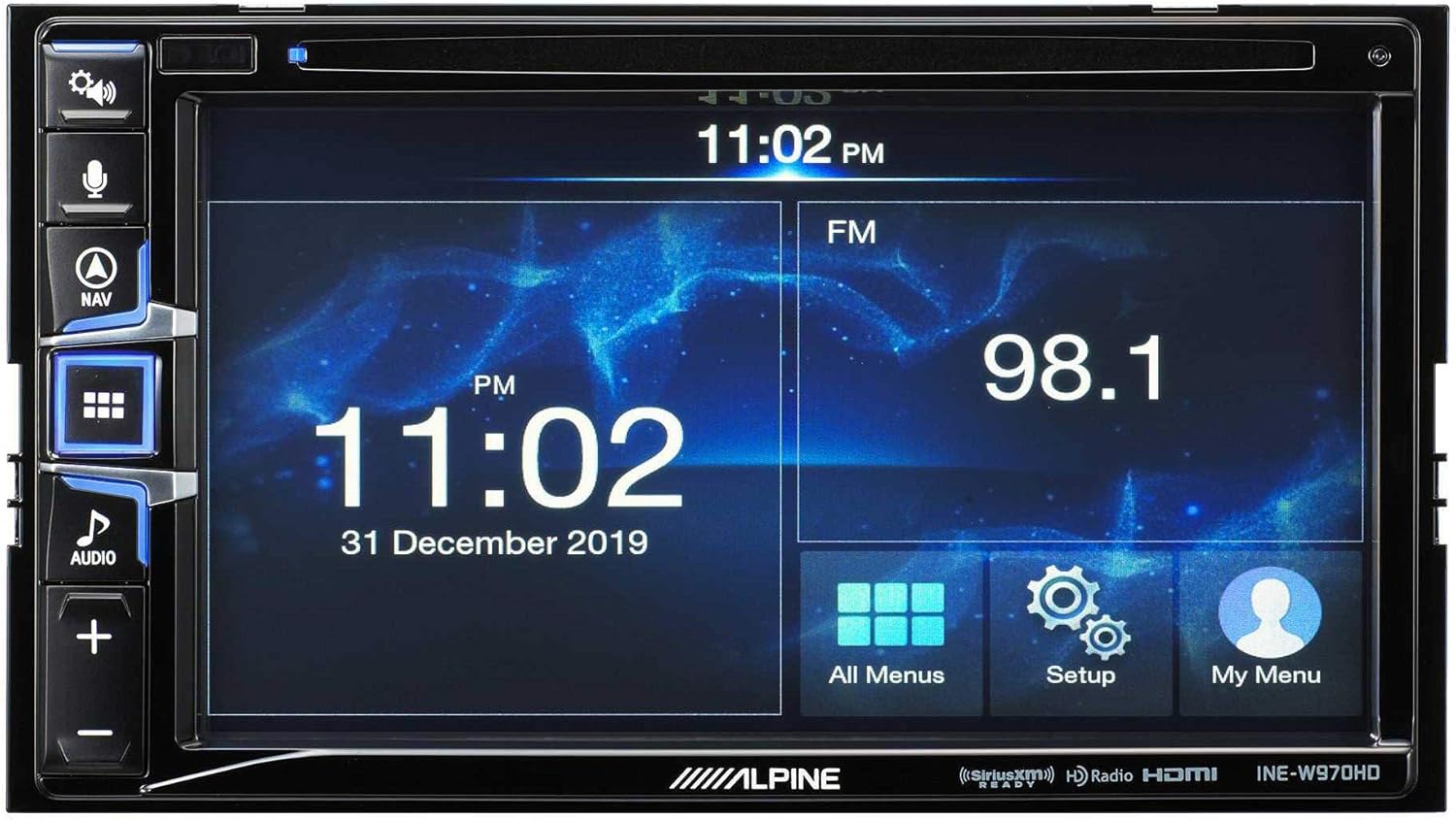
Image: The Alpine INE-W970HD head unit displaying the radio interface, showing frequency and time information.
7. Алдаа засах
Хэрэв танд асуудал тулгарвал дараах нийтлэг асуудал, шийдлүүдийг үзнэ үү.
| Асуудал | Боломжит шалтгаан | Шийдэл |
|---|---|---|
| Хүч чадалгүй | Blown fuse, loose power connection. | Check vehicle fuses and unit's inline fuse. Verify power and ground connections. |
| Дуу байхгүй | Muted, incorrect source, loose speaker wires, DSP not configured. | Check mute function. Select correct audio source. Verify speaker connections. Ensure PXE-C80-88 is properly configured via its app. |
| Navigation Not Working | GPS antenna not connected or obstructed. | GPS антенн найдвартай холбогдсон бөгөөд тунгалаг эсэхийг шалгаарай view тэнгэрийн. |
| CarPlay/Android Auto холбогдоогүй байна | Faulty USB cable, phone not compatible, software glitch. | Try a different USB cable. Ensure your phone's OS is up to date. Restart both phone and head unit. |

Image: The Alpine INE-W970HD head unit displaying a navigation map with route information.
8. Техникийн үзүүлэлтүүд
8.1. Alpine INE-W970HD
- Дэлгэц: Мэдрэгчтэй дэлгэц
- Холболт: USB, HDMI, Ethernet, optical audio, component video, RCA
- Тохиромжтой байдал: Apple CarPlay, Android Auto
- Аудио гаралтын горим: Стерео, Хүрээлэн буй орчин
- Хүрээлэн буй орчны дууны сувгийн тохиргоо: 7.1
- Видео кодчилол: H.264, H.265/HEVC
8.2. Alpine PXE-C80-88 OPTIM8
- Ampлифтийн сувгууд: 8 суваг
- Эрчим хүчний гаралт: 50W x 6 @ 2Ω + 300W x 2 @ 2Ω
- Боловсруулж байна: Hi-Res Digital Sound Processor (96kHz/24Bit)
- тааруулах: Automatic (5-minute self-tuning) & Manual via PC/iOS App

Зураг: нэг тал view of the Alpine PXE-C80-88 OPTIM8 DSP amplifier, showing its compact profile ба холболтын цэгүүд.
9. Баталгаат хугацааны мэдээлэл
Alpine products are covered by a limited warranty. Please refer to the warranty card included with your product or visit the official Alpine website for detailed terms and conditions. Typically, the warranty covers defects in materials and workmanship for a specified period from the date of purchase.
Худалдан авсан баримтаа (баримт) хадгална уу, учир нь энэ нь аливаа баталгаат нэхэмжлэлд шаардлагатай болно.
10. Хэрэглэгчийн дэмжлэг
For technical assistance, troubleshooting beyond this manual, or warranty inquiries, please contact Alpine customer support:
- Webсайт: зочилно уу www.alpine-usa.com/support Түгээмэл асуултууд, програм хангамж татаж авах болон холбоо барих мэдээллийн талаар мэдээлэл авахыг хүсвэл.
- Утас: Refer to the Alpine webХарилцагчийн үйлчилгээний хамгийн сүүлийн үеийн утасны дугааруудын сайт.
- Албан ёсны дилерүүд: Your authorized Alpine dealer can also provide support and service.
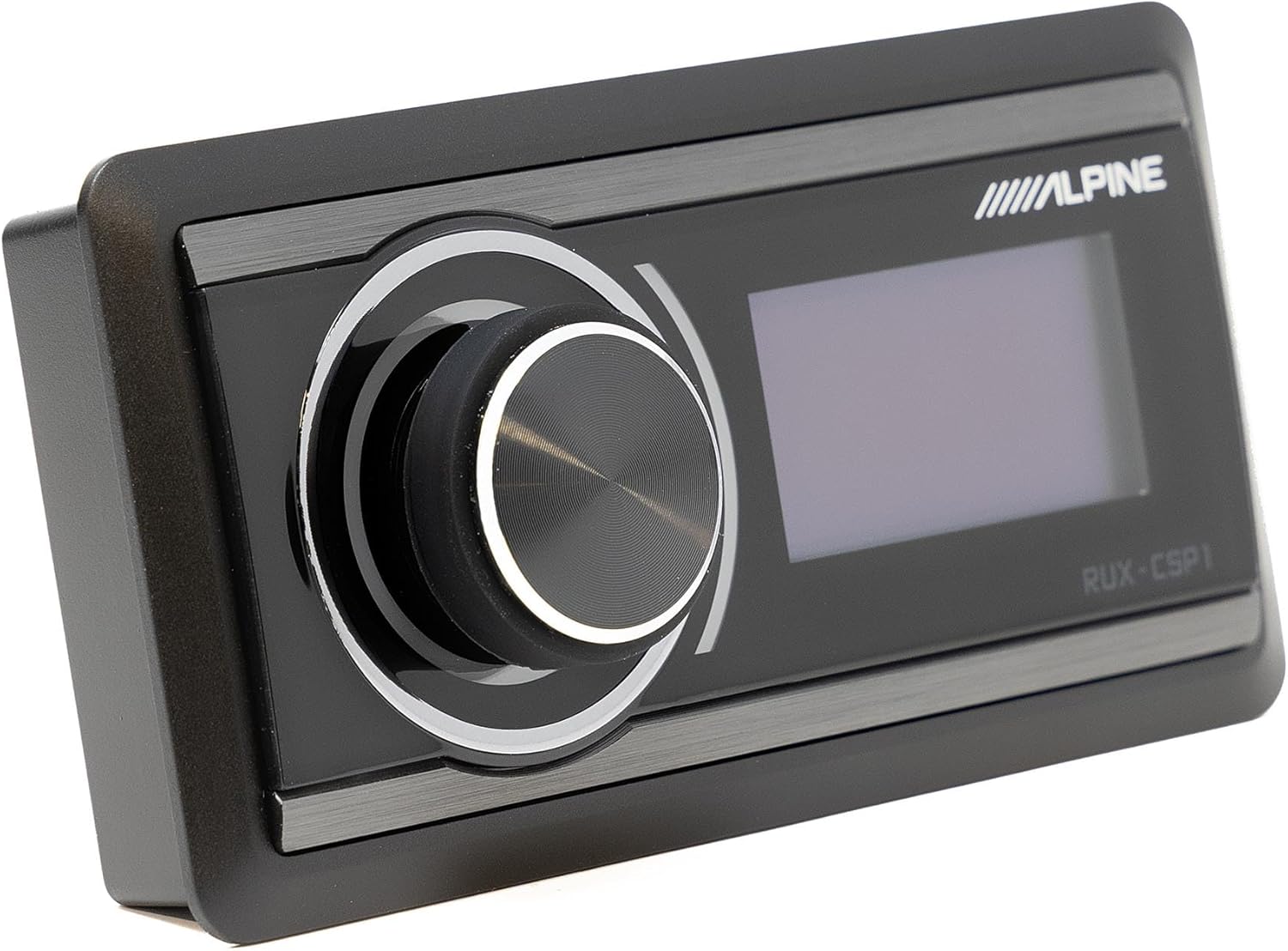
Image: The Alpine RUX-CSP1 remote control, an optional accessory for the DSP, featuring a rotary knob and display.


