1. Оршил ба түүнээс дээшview
This manual provides comprehensive instructions for the setup, operation, and maintenance of your Maxview Alphatronics SL Line+ Smart TV. Designed for mobile use, this versatile television operates on both 12v and 240v power, making it ideal for motorhomes, caravans, trucks, and boats. It features a Full HD LED display, integrated DVD player, Wi-Fi, Bluetooth, and access to popular streaming services via WebOS.

Зураг: Урд view of the Maxview Alphatronics SL Line+ Smart TV, highlighting its smart features and integrated DVD player.
Гол онцлогууд нь:
- Full HD LED Smart TV with Freeview.
- WebOS for access to Netflix, Amazon Prime, Disney+, iPlayer, ITVX, Sky Store, YouTube, and more.
- Dual power compatibility (12v or 240v).
- Built-in DVD Player, Bluetooth, Wi-Fi, and Ethernet.
- Multiple connectivity options: 2 HDMI ports, USB Port, and AV connections.
2. Хайрцагт юу байна
Багцынхаа агуулгыг доорх жагсаалттай харьцуулж шалгана уу:
- Alphatronics TV (TVSL/22)
- Алсын удирдлага
- 240v Mains Lead
- 12V тэжээлийн адаптер
- Хэрэглэгчийн гарын авлага (энэ баримт бичиг)

Image: The included remote control for the Maxview Alphatronics Smart TV.
3. Тохиргоо
3.1. Байршуулах, суурилуулах
Choose a stable and flat surface for your TV. Ensure adequate ventilation around the unit. If mounting, refer to your specific wall mount instructions and ensure the mount is compatible with VESA standards for your TV size.

Зураг: Жишээ ньample of the TV installed within a caravan interior.
3.2. Эрчим хүчний холболт
The TV can be powered by either 12v DC or 240v AC.
- For 240v AC: Connect the supplied 240v Mains Lead to the TV's AC input and then to a standard wall socket.
- For 12v DC: Connect the supplied 12v Power Adapter to the TV's DC input and then to a 12v power source (e.g., vehicle's 12v socket).
Ensure the correct power source is used to prevent damage.
3.3. Гадаад төхөөрөмжүүдийг холбох
ТВ нь гадаад төхөөрөмжүүдийг холбох янз бүрийн портуудтай:
- HDMI портууд (x2): For high-definition audio and video devices like satellite receivers, game consoles, or laptops.
- USB порт: Медиа тоглуулахын тулд USB санах ойн төхөөрөмжүүдийг холбоход зориулагдсан files.
- AV Connections: Нийлмэл видео болон стерео аудио ашигладаг хуучин төхөөрөмжүүдэд зориулагдсан.
- Антен/хиймэл дагуулын оролт: Connect your terrestrial antenna or satellite dish cable for Freeview or satellite TV reception.

Image: Rear panel of the TV displaying available connection ports.
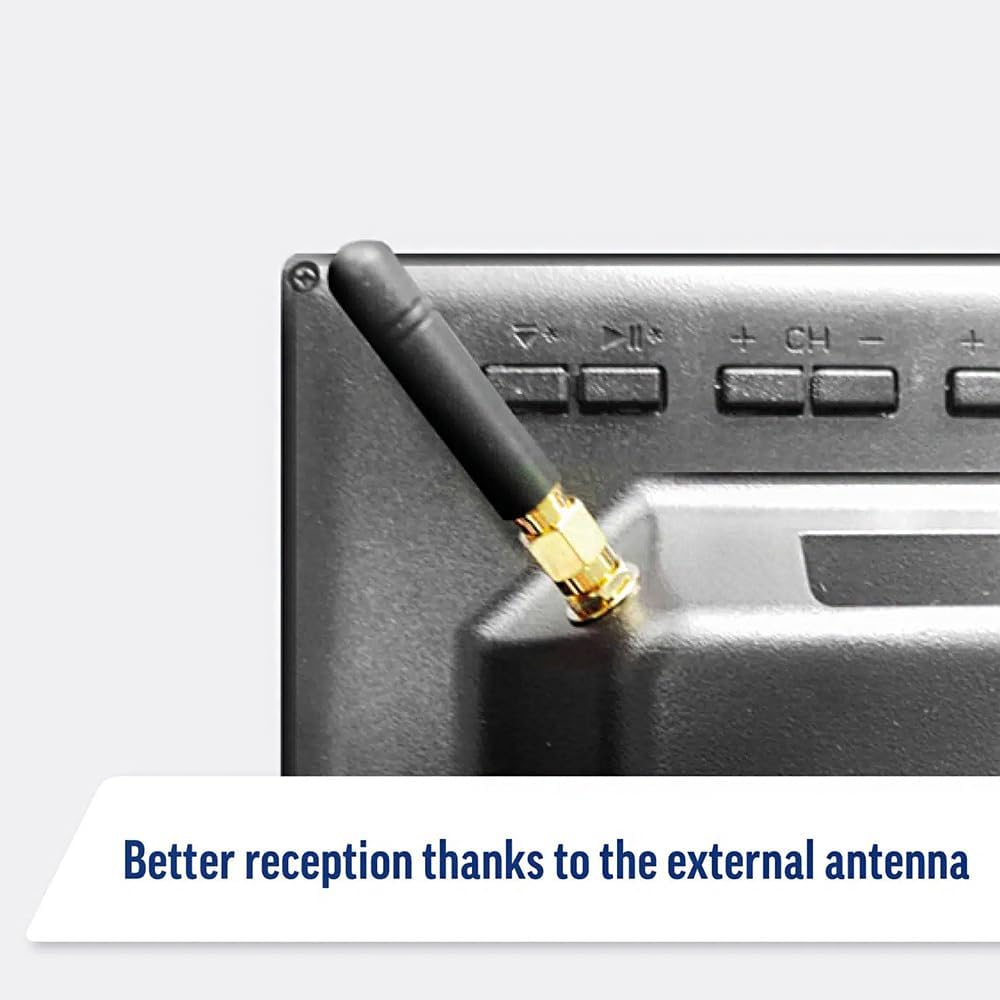
Image: Detail of the external antenna connection for improved signal reception.
3.4. Initial Setup Wizard
Анх удаа асаахад ТВ таныг анхны тохиргооны шидтэнгээр дамжуулан удирдан чиглүүлэх болно. Үүнд:
- Хэлний сонголт: Өөрийн дуртай хэлээ сонгоно уу.
- Сүлжээний холболт: Connect to your Wi-Fi network or via Ethernet for internet access. This is crucial for Smart TV features.
- Сувгийг скан хийх: Scan for available Freeview or satellite channels.
- Цаг болон огнооны тохиргоо: Зөв цагийн бүс болон огноог тохируулна уу.
4. ТВ ажиллуулах
4.1. Үндсэн удирдлага
Use the supplied remote control to navigate the TV. Common functions include:
- Цахилгаан товч: ТВ-г асаах/унтраах эсвэл зогсолтын горимд шилжүүлэх.
- Дууны хэмжээг нэмэгдүүлэх/доошруулах: Дууны түвшинг тохируулна.
- Суваг дээш/доошоо: Телевизийн сувгийг өөрчилдөг.
- Эх сурвалж/Оролт: Selects the input source (HDMI, AV, TV, DVD).
- Навигацийн товчлуурууд (Сум товчлуурууд, OK): Цэс рүү шилжиж, сонголтуудыг сонгоно уу.
- Нүүр хуудас товч: -д ханддаг WebOS Smart TV-ийн үндсэн дэлгэц.
- Түргэн нэвтрэх товчлуурууд: Dedicated buttons for Netflix and Amazon Prime Video for direct access.
4.2. Ухаалаг ТВ-ийн онцлогууд (Webүйлдлийн систем)
Your Maxview Alphatronics TV runs on WebOS, providing a user-friendly interface for accessing a wide range of applications and content.
- Гэрийн хяналтын самбар: дээр дарна уу Гэр button to access the main dashboard, where you can find installed apps, input sources, and settings.
- App Store: Нэгдсэн програмын дэлгүүрээс нэмэлт програмуудыг татаж аваад суулгаарай.
- Дамжуулах үйлчилгээ: Easily access popular services like Netflix, Amazon Prime Video, Disney+, BBC iPlayer, ITVX, and YouTube.
- Дэлгэц хуваалцах: Share content from your smartphone or tablet to the TV screen.
Image: Using a smartphone as a remote control for the TV.
4.3. DVD тоглуулагчийн ажиллагаа
The integrated DVD player allows you to enjoy your movie collection on the go.
- Insert a DVD disc into the slot on the side of the TV.
- ТВ автоматаар DVD оролт руу шилжих ёстой. Үгүй бол товчийг дарна уу Эх сурвалж/Оролт button on your remote and select "DVD".
- Use the remote control's playback buttons (Play, Pause, Stop, Fast Forward, Rewind) to control the DVD.
- To eject the disc, press the Eject button on the remote or the TV.
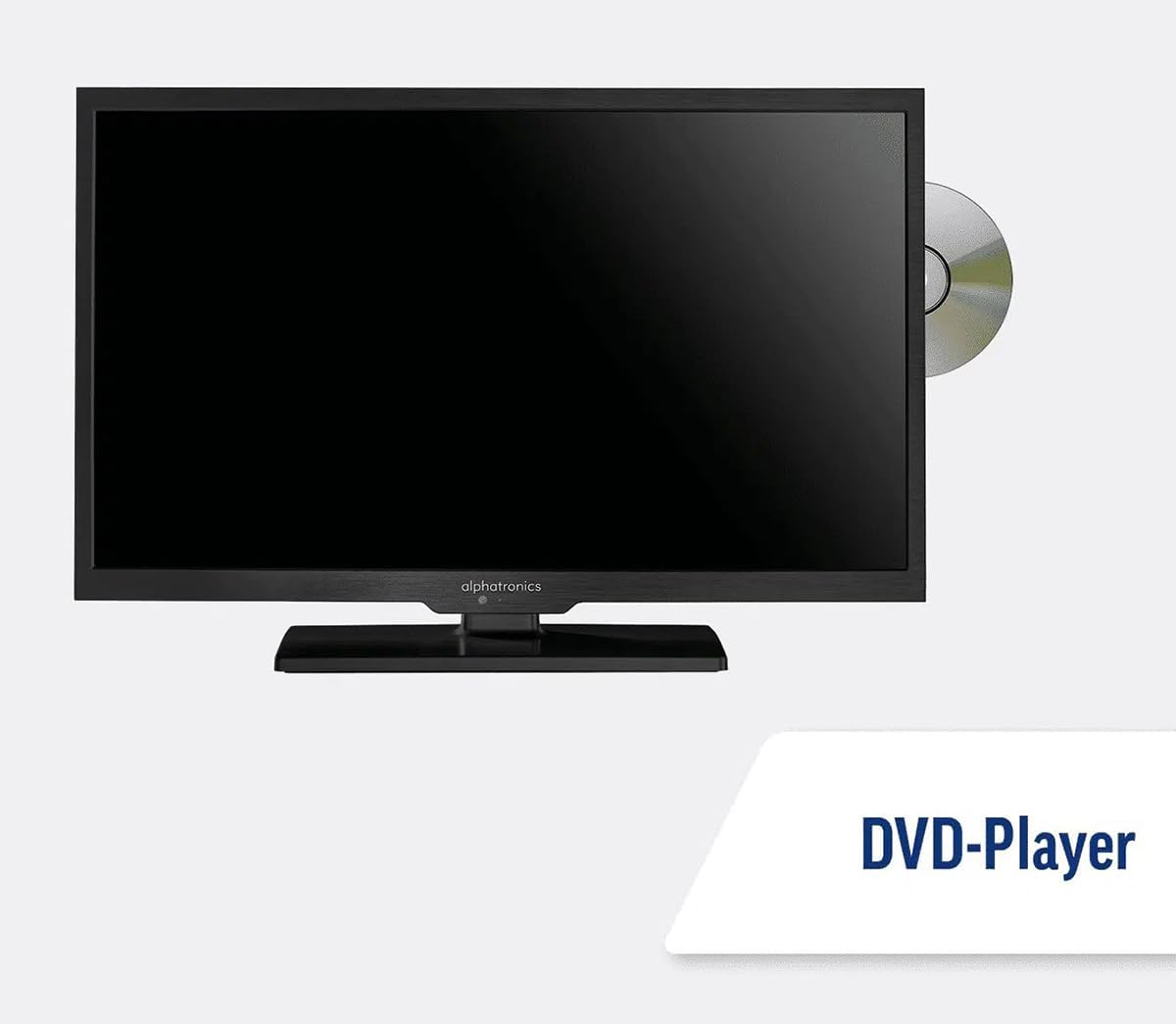
Image: The TV with a DVD disc being inserted into its built-in player.
5. Засвар үйлчилгээ
5.1. Цэвэрлэгээ
Телевизийн дэлгэцийг цэвэрлэхийн тулд хөвөнгүй зөөлөн даавуугаар зөөлөн арчина. Зөрүүд тэмдгийн хувьд dampen the cloth slightly with water or a screen-cleaning solution. Do not spray liquid directly onto the screen. Clean the TV casinхуурай, зөөлөн даавуугаар арчина.
Анхааруулга: Always unplug the TV from the power source before cleaning.
5.2. Програм хангамжийн шинэчлэлтүүд
Your Maxview Alphatronics Smart TV supports automatic software updates via the internet. Ensure your TV is connected to a stable Wi-Fi or Ethernet network to receive the latest firmware and feature enhancements.
- To check for updates manually, navigate to the Тохиргоо menu on your TV, then look for Програм хангамжийн шинэчлэл or Системийн мэдээлэл.
- Follow the on-screen prompts to download and install any available updates. Do not power off the TV during an update process.

Image: The TV screen indicating a software update in progress.
6. Алдаа засах
Хэрэв та зурагттайгаа холбоотой асуудалтай тулгарвал дэмжлэг үзүүлэх үйлчилгээтэй холбогдохоосоо өмнө дараах нийтлэг асуудал болон шийдлүүдийг үзнэ үү.
| Асуудал | Боломжит шалтгаан | Шийдэл |
|---|---|---|
| Хүч чадалгүй | Power cable disconnected; no power from outlet/source. | Check power connections. Ensure outlet/source is active. Try a different outlet. |
| Дохио байхгүй | Incorrect input selected; antenna/cable disconnected or faulty. | дарна уу Эх сурвалж/Оролт to select correct input. Check antenna/cable connections. Perform a channel scan. |
| Интернет холболт байхгүй | Wi-Fi password incorrect; router issue; TV too far from router. | Wi-Fi нууц үгээ дахин оруулна уу. Чиглүүлэгчээ дахин асаана уу. ТВ-ээ чиглүүлэгч рүү ойртуулах эсвэл Ethernet ашиглана уу. |
| DVD Not Playing | Disc dirty or scratched; incorrect input selected; region code mismatch. | Clean the disc. Ensure "DVD" input is selected. Check disc region compatibility. |
| Алсын удирдлага ажиллахгүй байна | Batteries low/dead; obstruction between remote and TV; remote not paired (if Bluetooth). | Replace batteries. Remove obstructions. Re-pair remote if necessary (refer to TV settings). |
If the problem persists after trying these solutions, please contact Maxview хэрэглэгчийн дэмжлэг.
7. Техникийн үзүүлэлтүүд
| Онцлог | Дэлгэрэнгүй |
|---|---|
| Загварын дугаар | TVSL/22 |
| Дэлгэцийн хэмжээ | 22 инч (56 см харагдах диагональ) |
| Дэлгэцийн технологи | LED |
| Шийдвэр | 1080p (Бүтэн HD) |
| Бүтээгдэхүүний хэмжээ (D x W x H) | 12D x 58W x 38H сантиметр |
| Эрчим хүчний оролт | 12v DC / 240v AC |
| Холболт | Wi-Fi, Bluetooth, Ethernet |
| Портууд | 2x HDMI, 1x USB, AV connections, Antenna/Satellite input |
| Онцлог шинж чанарууд | Smart TV (WebOS), Built-in DVD Player |
| Харьцаа | 16:9 |
| Үйлдвэрлэгч | Альфатроник |
8. Баталгаат хугацаа ба дэмжлэг
Your Maxview Alphatronics SL Line+ Smart TV comes with a 3 жилийн баталгаат хугацаа, providing peace of mind regarding your purchase. This warranty covers manufacturing defects and ensures reliable operation.
For warranty claims, technical support, or further assistance, please contact Maxview customer service. You can typically find contact information on the official Maxview webсайт эсвэл баглаа боодлын материал дээр.
Please have your model number (TVSL/22) and proof of purchase ready when contacting support.
Тэмдэглэл: Энэхүү гарын авлагад оруулахаар өгсөн мэдээлэлд худалдагчийн албан ёсны бүтээгдэхүүний видео олдсонгүй.


