1. Танилцуулга
This manual provides detailed instructions for the installation, operation, and maintenance of your RAINPOINT Sprinkler Timer 2 Outlet. Please read this manual thoroughly before use to ensure proper functionality and longevity of your device.
2. Бүтээгдэхүүний онцлог
- Uneven/Regular/Daily Watering Cycle Modes: Specific Day, Regular Day Cycle (every 2/3/4/5/6 days), or Daily Watering.
- 2 Zone with 3 Separate Programs: Water 2 areas 1-3 times within a day (morning, noon, evening). Automatic watering duration from 1 minute to 3 hours 59 minutes.
- 3 Switchable Automatic & Manual Modes: ZONE L, ZONE R, and BOTH ZONES for individual or simultaneous use. Auto mode: 1-239 mins, manual mode: 1-479 mins.
- Upgraded Dual Zone Technology: Built-in premium 2-zone valve with self-cleaning function for faster and smoother water flow.
- 1-3 Days Rain Delay: Postpone schedule for 24/48/72 hours based on local weather.
3. Багцын агуулга
- RAINPOINT Sprinkler Timer 2 Outlet (Model: ITV201P)
- Хэрэглэгчийн гарын авлага
- (Батерей ороогүй болно)
4. Аюулгүй байдлын мэдээлэл
- Таймерыг усанд дүрж болохгүй.
- Use only fresh alkaline batteries of the specified type.
- Protect the timer from freezing temperatures. Remove batteries and store indoors during winter.
- Нэвчилтээс урьдчилан сэргийлэхийн тулд бүх холболтууд нягт байгаа эсэхийг шалгаарай.
5. Тохиргоо
5.1 Батерей суурилуулах
The timer requires 2 AA alkaline batteries (not included). Open the battery compartment cover on the back of the unit. Insert the batteries, ensuring correct polarity (+/-). Close the cover securely.

Image: Step-by-step guide showing battery insertion into the timer.
5.2 Таймерыг холбох
- Screw the timer onto your outdoor faucet. Ensure the connection is hand-tight to prevent leaks.
- Connect your garden hoses to the two outlets (Zone L and Zone R) at the bottom of the timer.

Image: The RainPoint Sprinkler Timer connected to a water faucet with two hoses attached to its outlets.
6. Ашиглалтын заавар
The RAINPOINT Sprinkler Timer features a large LCD display and a rotary dial for easy programming. The dial has positions for SET CLOCK, START TIME, HOW LONG, HOW OFTEN, ON, and OFF.
6.1 Цагийг тохируулах
- Цонхыг эргүүлнэ үү ЦАГ ТОХИРУУЛАХ.
- -г ашиглана уу + болон - buttons to adjust the current time. Press ЗА/ГАРЫН АВЛАГА баталгаажуулах.
6.2 Programming Watering Schedules (Automatic Mode)
The timer supports 3 separate programs (P1, P2, P3) for each zone (Zone L, Zone R, or Both Zones).
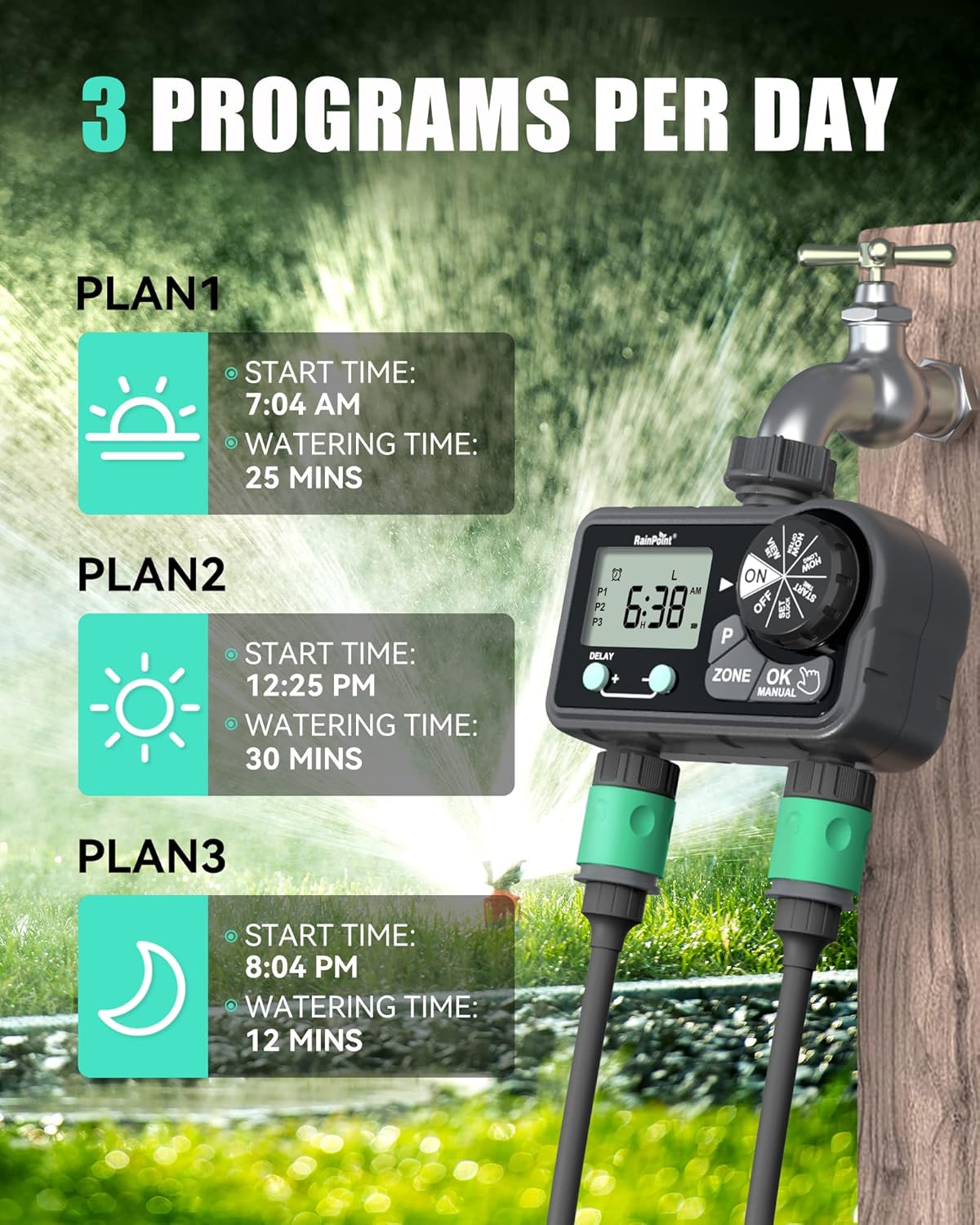
Image: Visual representation of setting up to 3 watering programs per day.
Setting Start Time:
- Цонхыг эргүүлнэ үү ЭХЛЭХ ЦАГ.
- дээр дарна уу P button to select Program 1 (P1), Program 2 (P2), or Program 3 (P3).
- дээр дарна уу БҮС button to select Zone L, Zone R, or Both Zones.
- Ашиглах + болон - buttons to set the desired start time for the selected program and zone. Press ЗА/ГАРЫН АВЛАГА баталгаажуулах.
Setting Watering Duration (How Long):
- Цонхыг эргүүлнэ үү ХЭР УДААН.
- дээр дарна уу P button to select the program (P1, P2, or P3) you wish to set the duration for.
- дээр дарна уу БҮС button to select Zone L, Zone R, or Both Zones.
- Ашиглах + болон - buttons to set the watering duration (1 minute to 3 hours 59 minutes). Press ЗА/ГАРЫН АВЛАГА баталгаажуулах.
Setting Watering Frequency (How Often):
Choose between Specific Day, Regular Day Cycle, or Daily Watering.
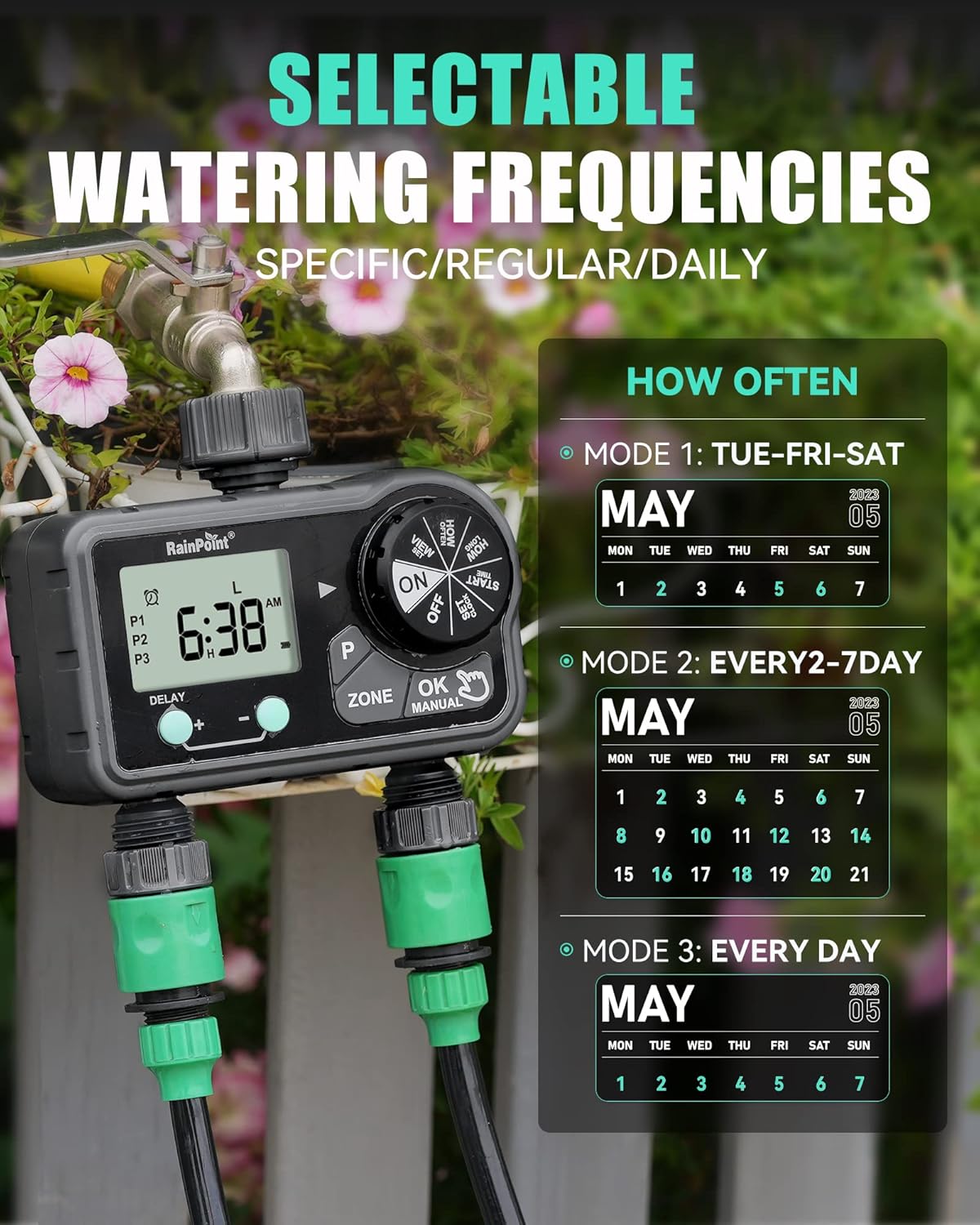
Image: Illustration of the three watering frequency modes available on the timer.
- Цонхыг эргүүлнэ үү ХЭР БАЙХ.
- дээр дарна уу P button to select the program (P1, P2, or P3).
- дээр дарна уу БҮС button to select Zone L, Zone R, or Both Zones.
- Ашиглах + болон - buttons to select the desired frequency:
- Specific Day: Select individual days of the week (e.g., TUE, FRI, SAT).
- Regular Day Cycle: Set to water every 2, 3, 4, 5, or 6 days.
- Өдөр бүр: Өдөр бүр услах.
- дарна уу ЗА/ГАРЫН АВЛАГА баталгаажуулах.
6.3 Гараар услах
To initiate manual watering:
- Ensure the dial is on ON.
- дээр дарна уу ЗА/ГАРЫН АВЛАГА товч.
- -г ашиглана уу БҮС button to select Zone L, Zone R, or Both Zones.
- Ашиглах + болон - buttons to set the manual watering duration (1 minute to 479 minutes).
- дарна уу ЗА/ГАРЫН АВЛАГА again to start watering.
- To stop manual watering, press ЗА/ГАРЫН АВЛАГА дахин эсвэл залгуурыг эргүүлнэ үү OFF.

Image: A user demonstrating the manual watering mode of the RainPoint Sprinkler Timer.
Video: A demonstration of the RainPoint Sprinkler Timer's features, including setting the clock and programming watering schedules.
6.4 Борооны саатлын функц
To temporarily pause your watering schedule due to rain:
- Ensure the dial is on ON.
- дээр дарна уу DELAY + товч.
- -г ашиглана уу + болон - buttons to select the delay duration (24, 48, or 72 hours).
- The timer will automatically resume its programmed schedule after the delay period.
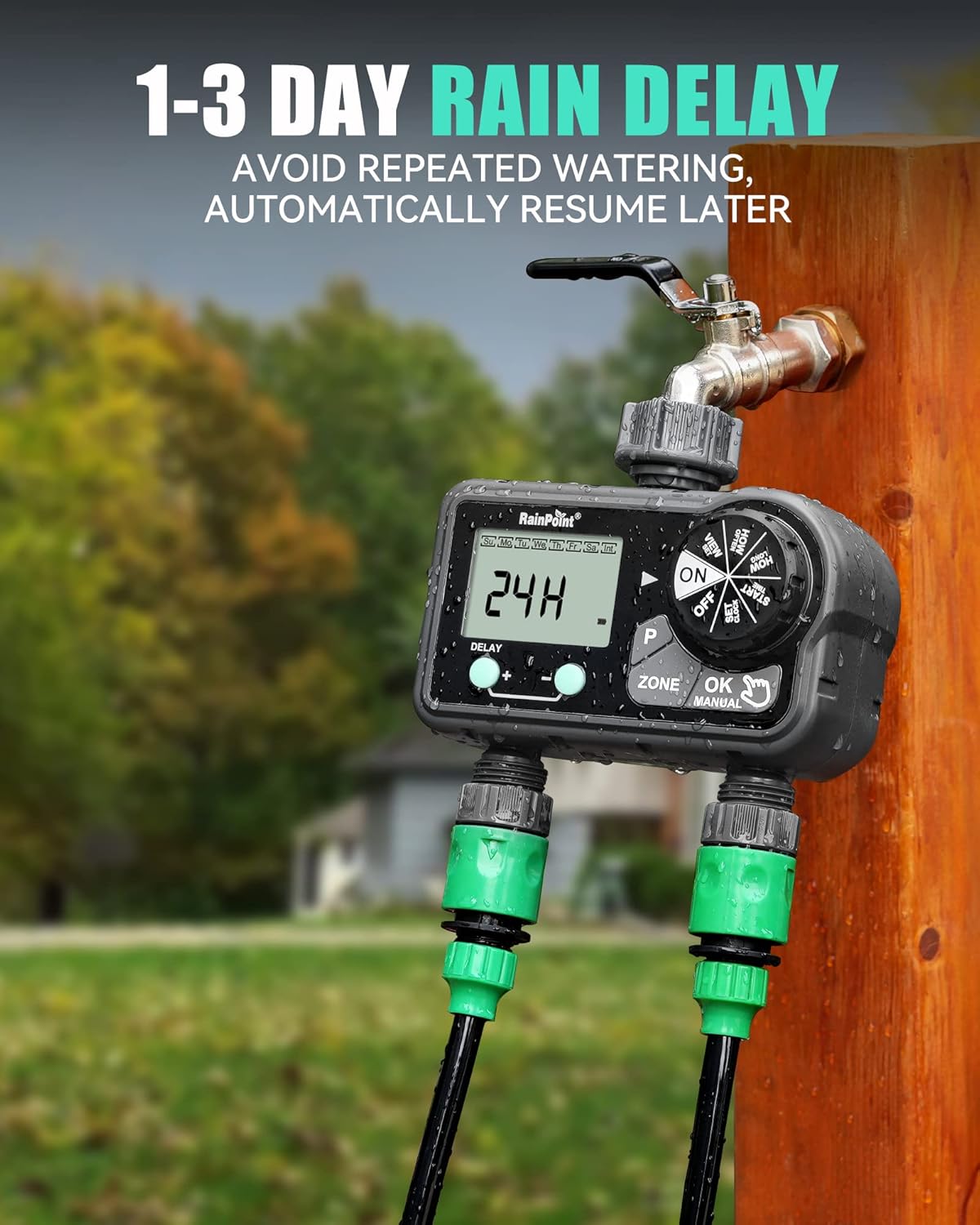
Image: The timer's display showing a 24-hour rain delay activated.
7. Засвар үйлчилгээ
- Зай солих: Replace batteries when the low battery indicator appears on the screen. Always use fresh alkaline batteries.
- Цэвэрлэгээ: Periodically clean the filter washer located at the inlet to prevent debris from clogging the timer.
- Өвлийн агуулах: Before the first frost, remove the timer from the faucet, drain any remaining water, remove batteries, and store the unit indoors in a dry, protected area.
8. Алдаа засах
| Асуудал | Боломжит шалтгаан | Шийдэл |
|---|---|---|
| Таймер услахгүй байна. | Batteries low or dead; incorrect program settings; faucet off. | Replace batteries; verify program settings (start time, duration, frequency); ensure faucet is fully open. |
| Холболтоос ус гоожиж байна. | Loose connection; missing or damaged washer. | Tighten connections; check and replace rubber washers if necessary. |
| Дэлгэц хоосон эсвэл бүдэг байна. | Батерей бага эсвэл дуусаагүй. | Зайгаа солих. |
| Усны урсгал сул байна. | Clogged filter washer; low water pressure. | Clean the filter washer at the inlet; check household water pressure. |
9. Техникийн үзүүлэлтүүд
- Бүтээгдэхүүний хэмжээ: 5.8 x 3 x 6.2 инч
- Барааны жин: 1.34 фунт
- Үйлдвэрлэгч: RainPoint Irrigation
- ASIN: B0CWR9LM4H
- Өнгө: Хар
- Тохиргооны тоо: 17
- Услах хугацаа: 1 min to 3h 59 min (Auto), 1 min to 479 min (Manual)
- Борооны саатал: 24 цаг, 48 цаг, 72 цаг
- Эрчим хүчний эх үүсвэр: 2 х АА шүлтлэг батерей (оруулаагүй)
10. Баталгаат хугацаа ба дэмжлэг
RAINPOINT offers a 5-year warranty on this product, ensuring quality and reliability. For technical support, warranty claims, or any inquiries, please refer to the contact information provided on the product packaging or visit the official RAINPOINT webсайт.
Official RAINPOINT Store: Дэлгүүрт зочилно уу


