1. Бүтээгдэхүүн дууссанview
Чехview 3K 5MP Indoor Security Camera is a versatile device designed for home surveillance, pet monitoring, and baby monitoring. It offers crystal-clear 3K 5MP resolution, dual-band 2.4/5GHz Wi-Fi connectivity, and advanced features such as remote pan, tilt, and zoom capabilities. The camera includes night vision for low-light conditions, motion detection with auto-tracking, and two-way audio communication. It is also compatible with Alexa for convenient voice control.


2. Хайрцагт юу байна
Бүх зүйл байгаа эсэхийг шалгахын тулд багцын агуулгыг шалгана уу:
- 2x CZEview Камерыг эргүүлэх/налуулах
- Эрчим хүчний адаптер
- Түргэн эхлүүлэх гарын авлага
- Суурилуулах шураг
- Суурилуулах хавтан
3. Тохируулах гарын авлага
3.1 Анхны тохиргоо
- Эрчим хүчний холболт: Connect the camera to the power adapter using the provided micro-USB cable and plug it into a power outlet. The camera will power on and initiate its startup sequence.
- Апп татаж авах: Download the designated mobile application (e.g., 'Elemage Cam' or as specified in the Quick Start Guide) from your device's app store (compatible with Android and iOS).
- Бүртгэлийн бүртгэл: Аппликешныг нээгээд дэлгэцэн дээрх зааврыг дагаж шинэ бүртгэл бүртгүүлэх эсвэл хэрэв танд бүртгэл байгаа бол нэвтэрнэ үү.
- Төхөөрөмж нэмэх: Within the app, select the option to add a new device. Follow the prompts to scan the QR code on the camera or manually select your camera model.
3.2 Wi-Fi холболт
Чехview camera supports both 2.4GHz and 5GHz Wi-Fi networks, offering flexibility and improved performance.

- Сүлжээний сонголт: Ensure your smartphone is connected to the Wi-Fi network you intend to connect the camera to.
- Нууц үг оруулах: Enter your Wi-Fi password accurately into the app when prompted. Double-check for typos.
- Холболтын үйл явц: The app will guide you through the connection process, which may involve displaying a QR code on your phone screen for the camera to scan, or emitting an audible tone.
- Баталгаажуулалт: Once connected, the camera will typically indicate a successful connection (e.g., a voice prompt or LED indicator change), and the app will confirm the device is online.
3.3 Камер суурилуулах
The camera is designed for indoor use and can be ceiling-mounted for optimal coverage.
- Байршил: Хүссэн байршлыг сонгох viewөнцөгтэй бөгөөд таны Wi-Fi сүлжээний хүрээнд байна.
- Суурилуулалт: Use the provided mounting plate and screws to secure the camera to a ceiling or wall. If mounting into wood, pre-drilling pilot holes is recommended.
4. Ашиглалтын заавар
4.1 Пан, Хазайлгах, Томруулах (PTZ)
The camera offers a 355° horizontal rotation and 100° vertical rotation, allowing for comprehensive coverage of your indoor space. It also features 4x digital zoom.
- Хяналт: Use the directional controls within the mobile app to remotely adjust the camera's viewөнцөг.
- Томруулах: Pinch-to-zoom on the live feed within the app to digitally zoom in on specific areas.

4.2 Шөнийн хараа
Equipped with infrared LEDs, the camera provides clear video footagбүр бүдэг гэрэлтэй эсвэл бүрэн харанхуйд ч гэсэн.
- Автоматаар идэвхжүүлэх: Night vision activates automatically when ambient light levels are low.
- Тодорхой байдал: The 3K 5MP resolution ensures details are visible in night vision mode.
4.3 Motion Detection & Auto Tracking
The camera can detect motion and sound, sending instant notifications to your phone. It also features auto-tracking to follow detected movement.
- Мэдэгдэл: Enable motion and sound alerts in the app settings to receive real-time notifications.
- Автоматаар дагах: When enabled, the camera will automatically pan and tilt to keep a moving subject within its field of view.

4.4 Хоёр талын яриа
Communicate with family members or pets through the camera using the two-way talk feature.
- Идэвхжүүлэх: Шууд дамжуулалтын микрофоны дүрс дээр товшино уу view interface of the app to speak through the camera's speaker.
- Сонсож байна: The camera's built-in microphone allows you to hear audio from the camera's location.

4.5 Нууцлалын горим
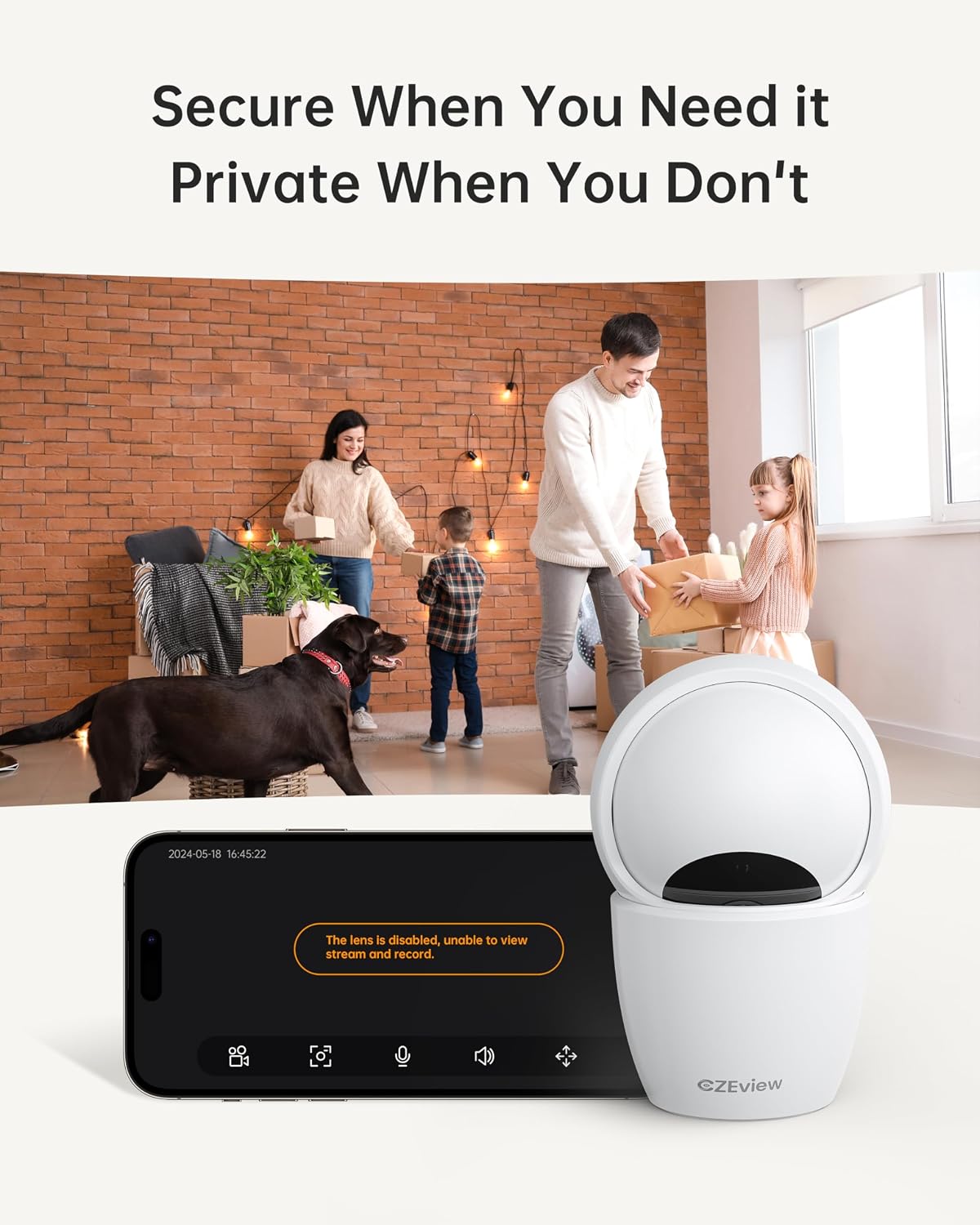
To ensure privacy, the camera can be deactivated with a single click in the app, physically turning the lens away.
- Идэвхжүүлэх: Locate the privacy mode option in the app settings or live view screen. Activating it will disable video streaming and recording.
- Хуваарь: Some app versions may allow scheduling privacy mode for specific times.

4.6 Бичлэг ба Хадгалалт
The camera supports local storage via a Micro SD card (up to 128GB, not included) and offers optional cloud storage plans for continuous 24/7 recording.
- Микро SD карт: Insert the Micro SD card into the slot. To locate the slot and reset button, gently tilt the camera's 'eyeball' (lens housing) upward.
- Үүл хадгалах сан: Refer to the app for details on available cloud storage plans and subscription options.
4.7 Alexa интеграци
The camera works with Alexa, allowing for voice-activated control and viewing.
- Linking Account: Follow the instructions in the Alexa app to enable the CZEview skill and link your camera account.
- Дуут тушаалууд: "Alexa, надад [камерын нэрийг] харуул" гэх мэт командуудыг ашиглана уу view the live feed on compatible Alexa devices with screens.
5. Засвар үйлчилгээ
- Цэвэрлэгээ: Камерын линз болон биеийг цэвэрлэхийн тулд зөөлөн, хуурай даавуу ашиглана уу. Зүлгүүрийн цэвэрлэгч эсвэл уусгагчаас зайлсхий.
- Програм хангамжийн шинэчлэлтүүд: Regularly check the mobile app for firmware updates to ensure optimal performance and security. Follow the in-app instructions for updating.
- Байршил: Ensure the camera is placed in a stable, dry indoor environment, away from direct sunlight, extreme temperatures, and sources of vibration.
6. Алдаа засах
| Асуудал | Боломжит шалтгаан | Шийдэл |
|---|---|---|
| Камер Wi-Fi-д холбогдохгүй байна | Incorrect Wi-Fi password; Camera too far from router; Router band incompatibility; Network congestion. | Double-check Wi-Fi password. Move camera closer to router. Ensure router supports 2.4GHz or 5GHz (whichever you are connecting to). Try restarting your router and camera. |
| Зургийн чанар муу байна | Бохир линз; Гэрэлтүүлэг хангалтгүй; Сүлжээний зурвасын өргөнтэй холбоотой асуудлууд. | Clean the camera lens with a soft cloth. Ensure adequate lighting or verify night vision is active in low light. Check your internet speed. |
| Хөдөлгөөн илрүүлэх дохио байхгүй | Motion detection disabled in app; Sensitivity too low; App notifications blocked. | Enable motion detection in the app settings. Adjust sensitivity level. Check your phone's notification settings for the app. |
| Two-way talk audio issues | Microphone/speaker muted in app; Network delay; Obstruction. | Ensure microphone and speaker are enabled in the app. Check network connection stability. Ensure no physical obstructions are blocking the microphone or speaker. |
| Camera is unresponsive / needs reset | Software glitch; Configuration error. | Unplug the camera, wait 10 seconds, then plug it back in. If issues persist, locate the reset button (by tilting the lens upward) and press it for 5-10 seconds until the camera resets. You may need to re-add the camera to the app after a factory reset. |
7. Техникийн үзүүлэлтүүд
| Онцлог | Дэлгэрэнгүй |
|---|---|
| Загварын нэр | ZY-D4 |
| Дотор/гадаа ашиглах | Дотор |
| Үр дүнтэй шийдэл | 5 MP (3K) |
| Видео бичлэгийн нягтрал | 1920p |
| Холболтын протокол | Wi-Fi (2.4/5Ghz Dual Band) |
| Эрчим хүчний эх үүсвэр | Утастай цахилгаан |
| Хянагчийн төрөл | Elemage Cam App |
| Суурилуулах төрөл | Таазны бэхэлгээ |
| Тойрог/Найлтын муж | 355° хэвтээ, 100° босоо |
| Дижитал томруулах | 4x |
| Хадгалах сонголтууд | Микро SD карт (128GB хүртэл, багтаагүй), Үүлэн санах ой (заавал биш) |
| Онцлог шинж чанарууд | Night Vision, Motion Sensor, Dual Band Wi-Fi, Auto Tracking, Two-Way Talk, Privacy Mode, Alexa Compatible |
| Бүтээгдэхүүний хэмжээс | 3 x 3 x 5 инч |
| Зүйлийн жин | 1.37 фунт |
8. Баталгаат хугацаа ба дэмжлэг
For warranty information and technical support, please refer to the Quick Start Guide included in your product packaging or visit the official CZEview webсайт. Харилцагчийн үйлчилгээний холбоо барих мэдээллийг ихэвчлэн үйлдвэрлэгчийн вэбсайт дээр байрлуулдаг. webсайт.


