Танилцуулга
Thank you for choosing the VTech ES2051 Digital Cordless Phone. This manual provides comprehensive instructions for setting up, operating, and maintaining your new phone system. The ES2051 is designed for ease of use, featuring a digital answering machine, call blocking capabilities, volume amplification, and an antibacterial plastic construction for enhanced hygiene.
Please read this manual thoroughly before using your phone to ensure proper operation and to take full advantagтүүний онцлог шинж чанарууд.
Аюулгүй байдлын мэдээлэл
Гал түймэр, цахилгаанд цохиулах, хүний биед гэмтэл учруулах эрсдлийг бууруулахын тулд энэ бүтээгдэхүүнийг ашиглахдаа аюулгүй байдлын үндсэн арга хэмжээг үргэлж дагаж мөрдөөрэй.
- Энэ бүтээгдэхүүнийг усны ойролцоо эсвэл нойтон байхдаа бүү ашигла.
- Avoid using the phone during a thunderstorm. There may be a remote risk of electric shock from lightning.
- Нэвчилтийн ойр орчимд хий алдагдсан тухай мэдээлэхийн тулд энэ бүтээгдэхүүнийг бүү ашигла.
- Use only the power adapter and batteries provided with this product.
- Do not dispose of batteries in a fire. They may explode. Check with local codes for special disposal instructions.
- Цэвэрлэхийн өмнө энэ бүтээгдэхүүнийг хананы залгуураас салга. Шингэн болон аэрозол цэвэрлэгч хэрэглэж болохгүй. Зар ашиглахamp цэвэрлэх зориулалттай даавуу.
Багцын агуулга
Таны багцад бүх зүйл байгаа эсэхийг шалгаарай:
- Main Base Unit with Digital Answering Machine
- Cordless Handset(s) (typically two for this model)
- Handset Charger(s) (for additional handsets)
- Цахилгаан адаптер(ууд)
- Утасны шугамын утас
- NiMH AAA Rechargeable Batteries (4 included)
- Хэрэглэгчийн гарын авлага (энэ баримт бичиг)
Тохиргоо
1. Үндсэн нэгжийг холбох
- Plug the small end of the power adapter into the power jack on the back of the base unit.
- Plug the large end of the power adapter into a wall outlet not controlled by a wall switch.
- Plug one end of the telephone line cord into the telephone jack on the back of the base unit.
- Утасны утасны нөгөө үзүүрийг утасны ханын залгуурт холбоно уу.
2. Installing and Charging Batteries
- Гар утасны арын хэсэгт байрлах зайны тасалгааны тагийг нээнэ үү.
- Insert the supplied NiMH AAA batteries, observing the correct polarity (+ and -).
- Зайны тасалгааны тагийг хаа.
- Place the handset in the base unit or charger to charge. The handset will beep, indicating it is charging.
- Allow the handset to charge for at least 16 hours before initial use. For optimal battery performance, keep the handset in the charger when not in use.

Image: The VTech ES2051 Digital Cordless Phone system, showing the main base with one handset and a charging cradle for the second handset, ready for setup.
Ашиглалтын заавар
Дуудлага хийх, хүлээн авах
- Дуудлага хийхийн тулд: дарна уу ЯРИА / Гялбаа or ИЛТГЭГЧ, дараа нь утасны дугаараа залгаарай.
- Дуудлагад хариулахын тулд: дарна уу ЯРИА / Гялбаа or ИЛТГЭГЧ утас дуугарах үед.
- Дуудлага дуусгахын тулд: дарна уу УНТАР/ЦЭВЭР or place the handset back in the base/charger.
Дижитал автомат хариулагч
The integrated digital answering machine can record up to 30 minutes of messages. It automatically answers calls when you are unavailable.
- Мессежүүдийг тоглуулах: дарна уу ТОГЛОХ/ЗОГСООХ үндсэн нэгж дээр.
- Мессежүүдийг устгаж байна: дарна уу УСТГАХ мессежийг тоглуулах үед.
- Recording an Announcement: Follow the instructions in the full manual for custom outgoing message recording.

Image: A woman interacting with the VTech ES2051 phone, highlighting the digital message counter on the base unit, which indicates the number of new messages.
Дуудлага хориглогч
The selective call blocking feature allows you to block up to 100 unwanted numbers, preventing them from ringing your phone.
- Дугаарыг хаахын тулд: During a call or from the Caller ID log, press the ДУУДЛЫН БЛОК button (often represented by a specific icon) and follow the on-screen prompts to add the number to the blacklist.
- Managing Blocked Numbers: Access the call block list through the handset menu to review or remove blocked numbers.

Image: A visual representation of the call blocker feature, showing a family in a kitchen setting with an icon indicating unwanted calls are being blocked.
Эзлэхүүн Ampнастан
Эзлэхүүн amplification feature enhances incoming sounds and voices, improving clarity and volume in the handset earpiece. This is particularly useful for users with hearing impairments or those who prefer a louder audio experience.
- Activating/Adjusting: Дуудлагын үеэр тусгай товчийг дарна уу ЭЗЭМЖҮҮЛЭХ button (often indicated by a speaker icon with a plus sign) or use the volume up/down keys to increase the earpiece volume.
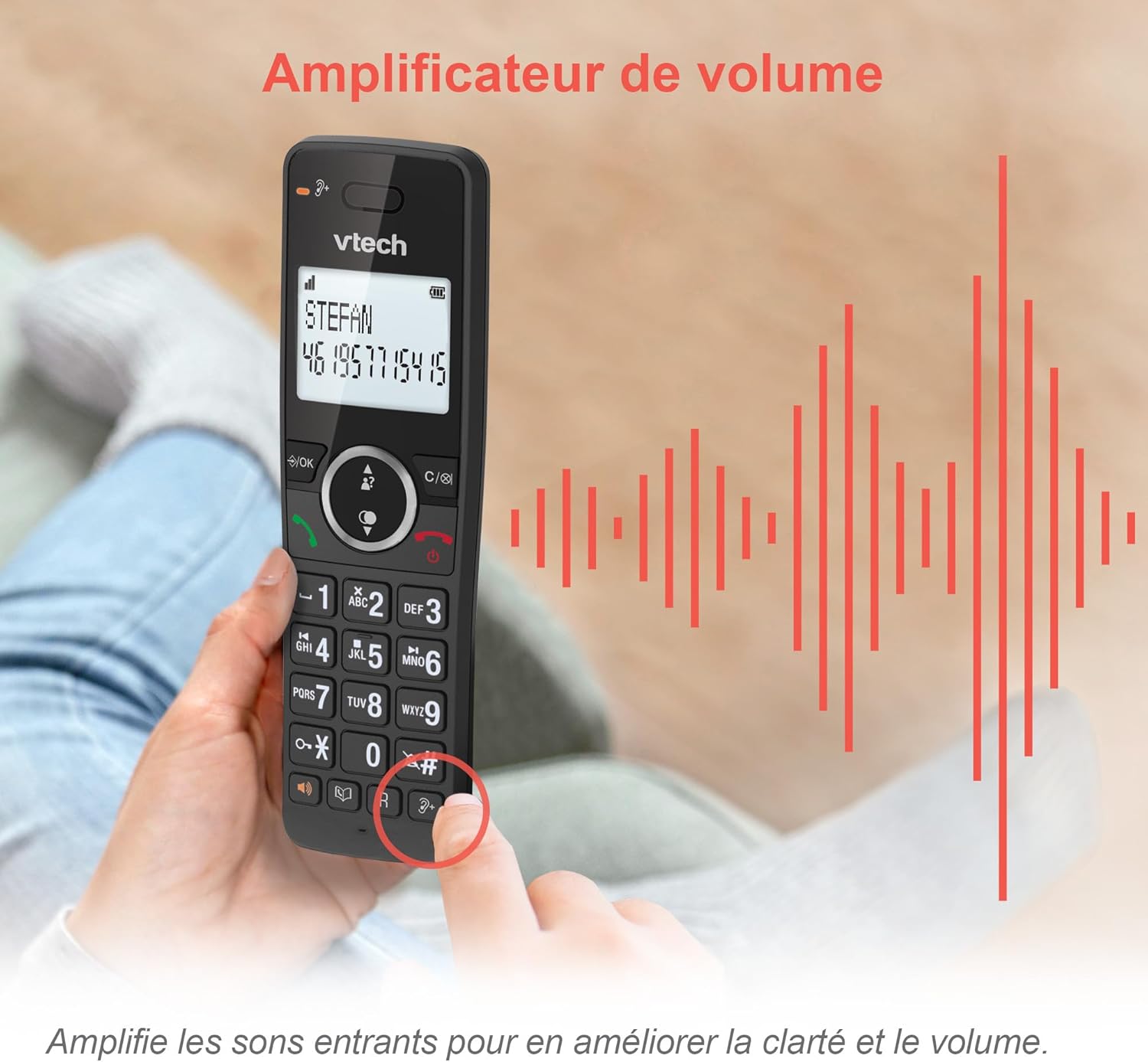
Image: A hand holding the VTech ES2051 handset, with graphic sound waves emanating from the earpiece, illustrating the volume amplification feature.
Conference Function
The conference function allows multiple users to participate in a single conversation. You can set up a three-way conference call with two internal callers (handsets) and one external caller.
- Хурлын дуудлага эхлүүлэх: Refer to the detailed instructions in the full manual for specific steps on how to add a third party to an ongoing call.

Image: Three people engaged in a conversation, visually representing the three-way conference call capability of the VTech ES2051 phone system.
Дотоод холбооны функц
The intercom feature allows you to communicate between handsets within your home without using the landline. This is useful for calling family members in different rooms.
- Интерком ашиглах: дээр дарна уу ЗӨВЛӨГӨӨ button (if available) or access the intercom function through the handset menu, then select the desired handset to call.
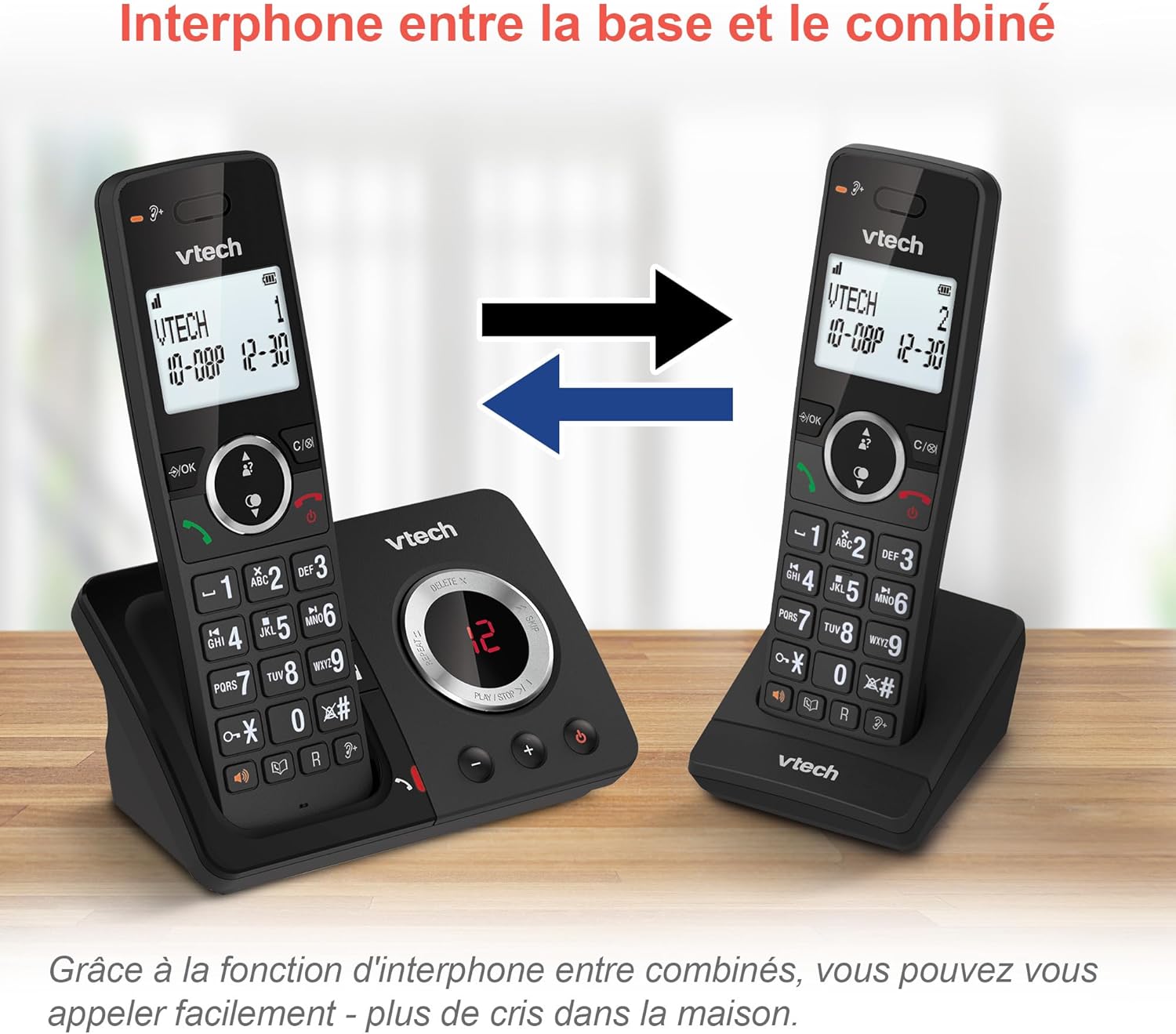
Image: A diagram showing two VTech ES2051 handsets with arrows indicating communication between them, illustrating the intercom feature.
Phonebook and Call Features
The phone includes a 100-name and number phonebook, 8 speed dial keys, and a backlit screen and keypad for easy visibility.
- Харилцагчдыг хадгалах: Navigate to the phonebook menu to add, edit, or delete contacts.
- Хурдан залгах: Assign frequently called numbers to the 8 speed dial keys for quick access.
- Caller ID Log: Review the last 20 incoming calls with Caller ID information.
- Дахин залгах: Access the list of the last 10 dialed numbers for quick redialing.

Image: A collage of images showcasing various VTech ES2051 phone features, including the 100-entry phonebook, call display, redial function, and an 18-hour talk time battery life indicator.
ЭКО горим
The ECO mode automatically adjusts and minimizes the radio frequency power based on the distance between the handset and the base unit. This feature helps conserve energy and reduce power consumption.
Засвар үйлчилгээ
Утас цэвэрлэх
The VTech ES2051 is made with antibacterial plastic and features a seamless, easy-to-clean design. To clean your phone:
- Unplug the base unit from the wall outlet and telephone line.
- Утасны гадаргууг зөөлөн, d-ээр арчинаamp даавуу. Шингэн болон аэрозол цэвэрлэгч хэрэглэж болохгүй.
- Ensure the phone is completely dry before plugging it back in.
Батерейны арчилгаа
- Use only the supplied rechargeable NiMH AAA batteries.
- Батерейг галд бүү хая.
- Хэрэв утсыг удаан хугацаагаар ашиглахгүй бол гоожихоос сэргийлж батерейг нь салга.
Алдааг олж засварлах
If you experience any issues with your VTech ES2051 phone, try the following troubleshooting steps:
| Асуудал | Шийдэл |
|---|---|
| Залгах ая байхгүй | Ensure the telephone line cord is securely plugged into both the base unit and the wall jack. Check if other phones on the same line are working. |
| Дуудлага хийх эсвэл хүлээн авах боломжгүй | Check the power connection to the base unit. Ensure the handset batteries are charged. If using a DSL service, you may need a DSL filter. |
| Handset displays "Out of Range" or "No Power at Base" | Move the handset closer to the base unit. Ensure the base unit's power adapter is securely plugged in. |
| Хариулагч машин мессеж бичихгүй байна | Check if the answering machine is turned ON. Ensure there is enough recording time available (max 30 minutes). |
| Аудио чанар муу эсвэл статик | Move the handset closer to the base unit. Avoid placing the base unit near other electronic devices (e.g., microwaves, Wi-Fi routers) that may cause interference. |
If the problem persists after trying these steps, please refer to the VTech support webсайт эсвэл нэмэлт тусламж авахын тулд харилцагчийн үйлчилгээтэй холбогдоно уу.
Үзүүлэлтүүд
| Онцлог | Дэлгэрэнгүй |
|---|---|
| Брэнд | VTech |
| Загварын дугаар | ES2051 |
| Өнгө | хар |
| Утасны төрөл | Утасгүй |
| Хариулах системийн төрөл | Дижитал |
| Хариулах машин бичих хугацаа | 30 минут хүртэл |
| Тохиромжтой төхөөрөмжүүд | Landlines, Answering Machine |
| Батерей | 4 AAA - included |
| Батерейны найрлага | NiMH |
| Эрчим хүчний эх үүсвэр | Батерейгаар ажилладаг |
| Материал | Хуванцар (Бактерийн эсрэг) |
| Залгагчийн төрөл | Энгийн товчлуур |
| Хэмжээ (L x W x H) | 18.3 x 13.5 x 11 сантиметр |
| Гарал үүслийн улс | Хятад |
Баталгаат болон дэмжлэг
VTech products are manufactured to high-quality standards. For information regarding warranty coverage, please refer to the warranty card included with your product or visit the official VTech webтанай бүс нутагт зориулсан сайт.
For technical support, frequently asked questions, or to download the full user manual, please visit the VTech support section online or contact their customer service helpline. Contact details can typically be found on the VTech webсайт эсвэл бүтээгдэхүүний сав баглаа боодол дээр.


