Танилцуулга
Thank you for choosing the ACEMIC G6 2.4G Wireless Microphone Audio Transmitter and Receiver System. This system is designed to convert your traditional dynamic XLR microphone into a wireless setup, offering freedom of movement and high-quality audio transmission. It is ideal for various applications including live performances, presentations, and studio recording. Please read this manual thoroughly to ensure proper setup and operation.

Image: The ACEMIC G6 wireless transmitter (TX) and receiver (RX) units.
Бүтээгдэхүүн дууссанview
Багцын агуулга
- 1 x ACEMIC G6 Wireless Transmitter (TX)
- 1 x ACEMIC G6 Wireless Receiver (RX)
- 1 x хос USB-C цэнэглэгч кабель
- 1 х хэрэглэгчийн гарын авлага
Гол онцлогууд
- 2.4G утасгүй технологи: Provides stable and reliable audio transmission.
- XLR Plug-on Design: Easily converts dynamic XLR microphones to wireless.
- 6 Сонгож болох суваг: Allows for multiple units to operate simultaneously without interference.
- Өргөн нийцтэй байдал: Works with dynamic microphones, audio mixers, and PA systems.
- Батерейны урт наслалт: Built-in rechargeable lithium polymer batteries offer up to 10 hours of continuous working time.
- Өргөтгөсөн дамжуулах хүрээ: Ил задгай талбайд 100 фут (30 метр) хүртэл.
- Бага хоцролт: Audio latency of less than 5ms ensures real-time performance.
- Өндөр чанартай аудио: 24 бит/48 кГц sampling rate for clear sound reproduction.
- Хөнгөн, зөөврийн: Each unit weighs approximately 40g for easy handling.
- Нэг түлхүүртэй үйлдэл: Simple power on/off and mute/unmute functions.

Image: The lightweight design of the ACEMIC G6, weighing 40 grams per unit.
Бүрэлдэхүүн хэсгүүдийг тодорхойлох
Each unit (Transmitter and Receiver) features:
- XLR Plug/Socket: For connecting to microphones or audio equipment.
- Lock Design (Transmitter): Secures the unit to the microphone.
- Type-C цэнэглэх порт: Дотоод зайг цэнэглэхэд зориулагдсан.
- Цахилгаан товч: Long press to power on/off, short press for mute/unmute.
- Power/Pairing Indicator: LED light indicating power status, charging status, and pairing status.

Image: The ACEMIC G6 system demonstrating one-key pairing and connectivity with various audio devices.
Тохируулах заавар
1. Анхны цэнэглэлт
Before first use, fully charge both the transmitter and receiver. Use the provided dual USB-C charging cable to connect both units to a USB power adapter (not included). The status indicator will be red during charging and turn blue when fully charged. A full charge typically takes 3-4 hours.

Image: ACEMIC G6 units indicating charging status with LED lights.
2. Асаах/унтраах
Long press the power button on both the transmitter (TX) and receiver (RX) for 3 seconds to turn them on or off. The power indicator will light up.
3. Хослох
The transmitter and receiver are designed to automatically pair when powered on. If they do not connect automatically, or if you need to re-pair them:
- Ensure both units are powered off.
- Long press the power button on both units simultaneously for 5 seconds.
- The system will enter pairing mode, and the power indicator will flash.
- Once successfully paired, the power indicator will stay blue.
4. Connecting to Equipment
- Дамжуулагч (TX): Plug the XLR end of the transmitter directly into the XLR output of your dynamic microphone. Ensure it is securely locked.
- Хүлээн авагч (RX): Plug the XLR end of the receiver into the XLR input of your audio mixer, PA system, or other audio interface.
Important Note: This system does not support phantom power. It is designed for use with dynamic microphones only. Do not attempt to use it with condenser microphones that require phantom power.

Image: A dynamic microphone made wireless with the ACEMIC G6 transmitter.
Ашиглалтын заавар
Дууг хаах функц
While the unit is powered on, a short press of the power button on either the transmitter or receiver will mute the audio. The power indicator will flash. Short press again to unmute, and the indicator will return to a solid blue.
Multiple Sets Operation
The ACEMIC G6 system supports 2-3 sets operating simultaneously in the same location. Each set will automatically select an available channel upon pairing to minimize interference.

Image: The ACEMIC G6 system supporting multiple wireless microphone setups simultaneously.
Хамгийн оновчтой гүйцэтгэл
For best performance, ensure a clear line of sight between the transmitter and receiver. Avoid placing units near strong electromagnetic interference sources (e.g., Wi-Fi routers, microwave ovens) which may affect signal quality and range.
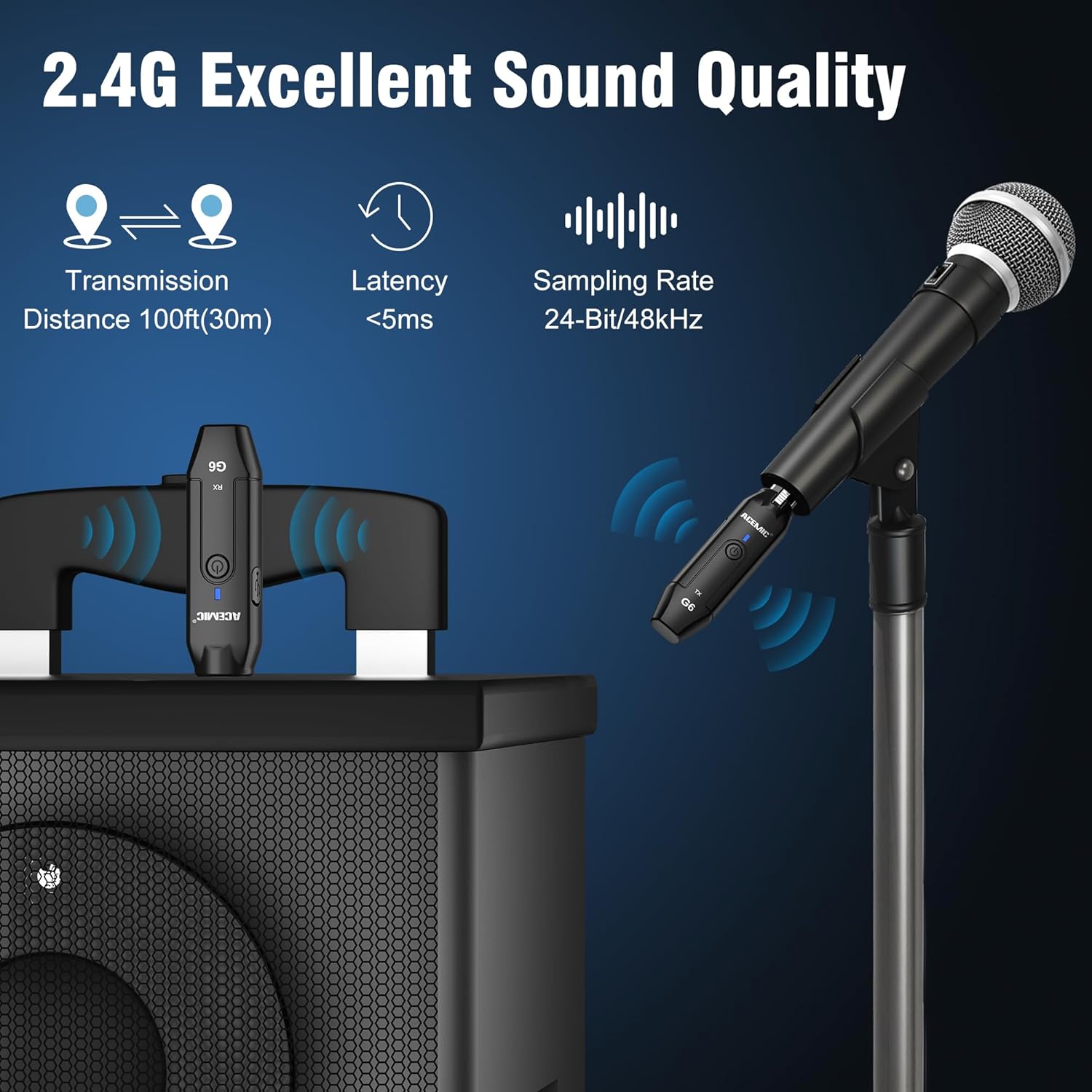
Image: Key performance specifications of the ACEMIC G6 system.
Засвар үйлчилгээ
Батерейны арчилгаа
- Recharge the units when the power indicator shows low battery (flashing red).
- Батерейны ашиглалтын хугацааг уртасгахын тулд байнга цэнэггүй болгохоос зайлсхий.
- If storing for an extended period, charge the units to approximately 50% every few months.
Цэвэрлэгээ
Wipe the units with a soft, dry cloth. Do not use liquid cleaners or solvents, as they may damage the device.
Хадгалах
Системийг нарны шууд тусгал, хэт температураас хол, сэрүүн, хуурай газар хадгална.
Алдааг олж засварлах
- Дуугүй:
- Ensure both transmitter and receiver are powered on and paired (solid blue indicator).
- Check if the microphone is properly connected to the transmitter.
- Verify the receiver is correctly connected to your audio input device.
- Confirm the microphone is a dynamic type and does not require phantom power.
- Check volume levels on your mixer/PA system.
- Хөндлөнгийн оролцоо/Дууны чанар муу:
- Move closer to the receiver to reduce distance.
- Дамжуулагч ба хүлээн авагчийн хооронд ямар ч саад бэрхшээл байхгүй эсэхийг шалгаарай.
- Avoid operating near other 2.4G wireless devices (e.g., Wi-Fi routers, Bluetooth devices).
- Re-pair the units to allow them to select a different channel.
- Хослоогүй нэгжүүд:
- Хоёр нэгж бүрэн цэнэглэгдсэн эсэхийг шалгаарай.
- Follow the re-pairing instructions in the Setup section.
- Батерейны богино хугацаа:
- Ашиглахаасаа өмнө төхөөрөмжүүд бүрэн цэнэглэгдсэн эсэхийг шалгаарай.
- Батерейг удаан хугацаагаар ашигласнаар цаг хугацааны явцад ашиглалтын хугацаа муудаж болзошгүй.
Үзүүлэлтүүд
| Онцлог | Тодорхойлолт |
|---|---|
| Загвар | G6 |
| Давтамжийн зурвас | 2.4 ГГц |
| Давтамжийн хариу үйлдэл | 20Гц-20КГц |
| Эрчим хүчний эх үүсвэр | Батерейгаар ажилладаг (2 Литиум Полимер батерей багтсан) |
| Литиум батерейны хүчин чадал | 600mAh (each unit) |
| Тасралтгүй ажиллах цаг | 10 цаг хүртэл |
| Цэнэглэх хугацаа | 3-4 цаг |
| Дамжуулах зай | Ил задгай талбайд 30 м (100 фут) хүртэл |
| Аудио хоцролт | <5 мс |
| Sampling Rate | 24-бит / 48kHz |
| Дуу шуугианы харьцаа | 48 дБ |
| Сувгийн тоо | 6 |
| Хэмжээ (L x W x H) | 0.98 x 0.71 x 4.13 инч |
| Зүйлийн жин | 7 ounces (total for both units, approx. 40g each) |
| Материал | Хуванцар |
Баталгаат болон дэмжлэг
ACEMIC products are designed for reliability and performance. This product comes with a standard manufacturer's warranty against defects in materials and workmanship. For specific warranty details, please refer to the warranty card included in your package or contact ACEMIC customer support.
If you encounter any issues or have questions regarding your ACEMIC G6 system, please contact our customer support team. You can find contact information on the ACEMIC official webсайт эсвэл жижиглэн худалдаалагчаар дамжуулан.


