Танилцуулга
This manual provides comprehensive instructions for the ASWEE P4 Smart Watch, a versatile fitness tracker with call capabilities, a 1.85" TFT display, and various health monitoring features. Please read this manual thoroughly before using your device.
Хайрцагт юу байна
- ASWEE P4 Smart Watch
- Цэнэглэх кабель
- Хэрэглэгчийн гарын авлага
Бүтээгдэхүүн дууссанview
The ASWEE P4 Smart Watch features a rectangular 1.85-inch TFT-LCD display with a 240x280 resolution. It includes a physical button on the side for navigation and interaction. The watch is designed for comfortable wear and easy access to its functions.
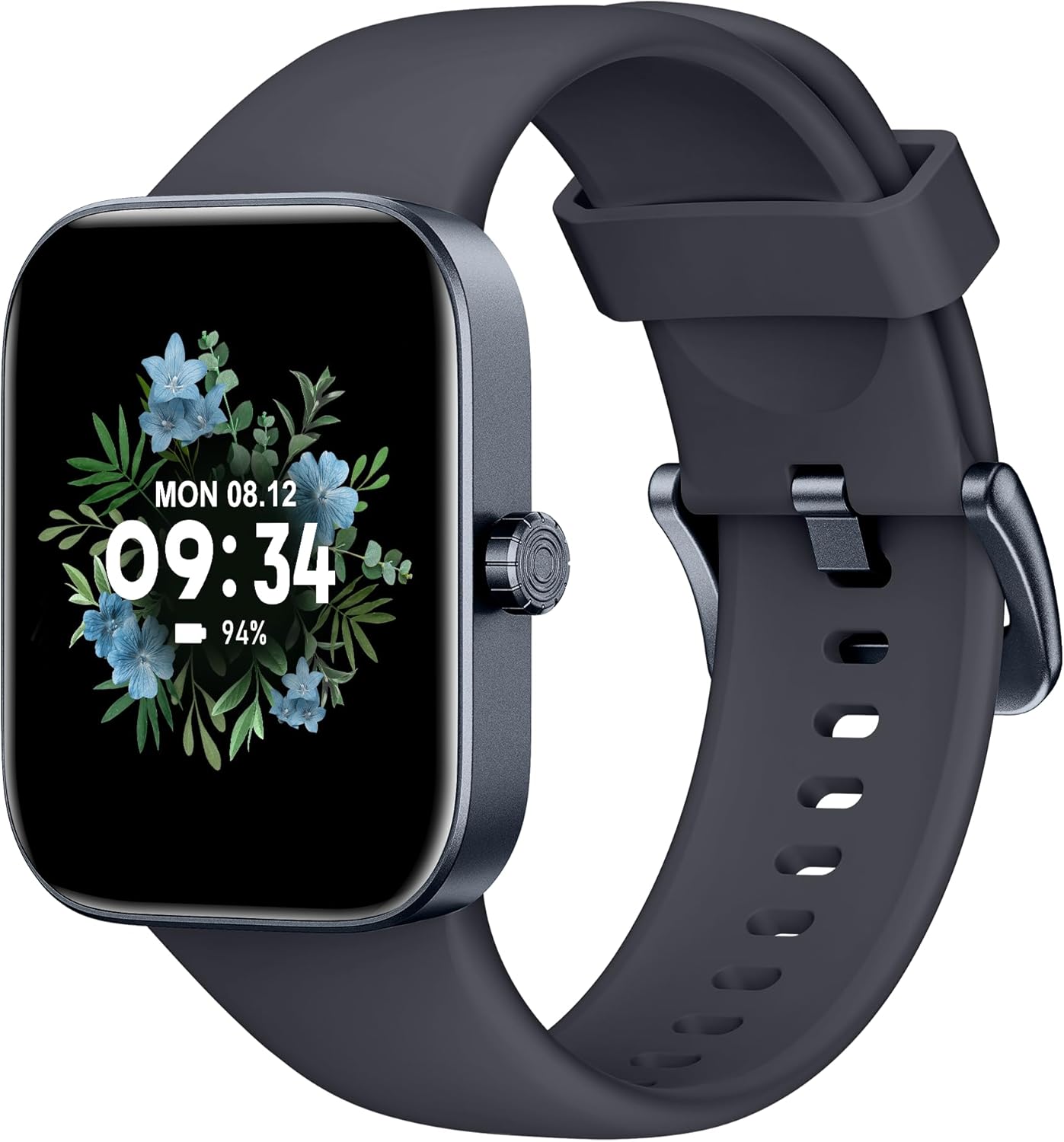
Урд view of the ASWEE P4 Smart Watch, displaying time and date with a floral background.
Тохиргоо
Төхөөрөмжийг цэнэглэж байна
The ASWEE P4 Smart Watch comes with a magnetic charging cable. Align the magnetic end of the cable with the charging contacts on the back of the watch. The watch will indicate when it is charging. A full charge typically takes approximately 2 hours and provides up to 7 days of active use or 15 days on standby.

Illustration showing the magnetic charging cable connected to the back of the ASWEE P4 Smart Watch, highlighting battery life indicators.
Апп суулгах, холбох
To utilize all features of your ASWEE P4 Smart Watch, you need to download and install the "FitPro" application on your smartphone. Scan the QR code provided in the watch's packaging or search for "FitPro" in your device's app store.
iPhone-той хослуулж байна
Follow these steps to pair your watch with an iPhone:
- Таны iPhone дээр Bluetooth идэвхжсэн эсэхийг шалгаарай.
- Open the "FitPro" app.
- Navigate to "Setting" and then "Bind device".
- Select your watch (e.g., KM13Pro) from the scan results.
- Confirm the pairing request by clicking "Pair" and then "Allow" for notifications.
- Go to your iPhone's Bluetooth settings and connect to "KM13Pro Audio" for call functionality.
Video tutorial demonstrating how to bind the ASWEE P4 Smart Watch to an iPhone and how to unbind it.
Pairing with Android Phone
Follow these steps to pair your watch with an Android phone:
- Андройд утсан дээрээ Bluetooth идэвхжсэн эсэхийг шалгаарай.
- Open the "FitPro" app.
- Navigate to "Set" and then "Bind device".
- Select your watch (e.g., KM13Pro) from the scan results.
- Confirm the pairing request by clicking "Pair".
Video tutorial demonstrating how to bind the ASWEE P4 Smart Watch to an Android phone and how to unbind it.
Ашиглалтын заавар
Үндсэн навигаци
The watch features a touch-sensitive screen for navigation. Swipe left/right or up/down to access different functions and menus. The side button typically serves as a home or back button.
Call and Text Functionality
With its built-in speaker and microphone, the ASWEE P4 allows you to answer/dial calls directly from your wrist when connected via Bluetooth. You can also receive SMS text and SNS messages (Facebook, Twitter, WhatsApp, etc.) with vibration alerts.

Image showing the ASWEE P4 Smart Watch on a wrist, with notification icons for various messaging apps, indicating Bluetooth 5.0 connectivity for calls and texts.
Эрүүл мэндийг хянах
The watch provides comprehensive health monitoring:
- Зүрхний цохилт: 24-hour tracking with a high-precision PPG sensor. Stores 7 days of resting heart rate data.
- Цусан дахь хүчилтөрөгч: Measures SpO2 levels using a reflective-light based sensor.
- Унтах хяналт: Tracks sleep quality through Awake, Light, and Deep sleep stages, helping to improve sleep duration and quality.
- Стресс хяналт: Стрессийн түвшний талаархи ойлголтыг өгдөг.

Image illustrating the ASWEE P4 Smart Watch's 24-hour data tracking capabilities, including heart rate, stress level, and blood oxygen monitoring.

Image depicting the ASWEE P4 Smart Watch's sleep health assistant feature, showing sleep duration and patterns.
Фитнесс горимууд
The ASWEE P4 supports multiple workout modes, including running, bike riding, basketball, and tennis. It accurately monitors data points like heart rate, time, and calories burned to enhance workout efficiency.

Image showcasing the ASWEE P4 Smart Watch's various sports modes, including running, bike riding, basketball, and jumping jack, with activity data like steps, distance, and calories.
Тохируулга
Choose from over 100 stylish watch faces or create your own using photos from your phone gallery.
Засвар үйлчилгээ
Цэвэрлэгээ
Бугуйн цаг, оосороо зөөлөн даавуугаар тогтмол цэвэрлэж байх damp даавуу. Химийн хатуу бодис, зүлгүүрийн материал ашиглахаас зайлсхий.
Хадгалах
Цагийг ашиглаагүй үед сэрүүн, хуурай газар хадгална.
Алдааг олж засварлах
Асаахгүй байна
- Цаг бүрэн цэнэглэгдсэн эсэхийг шалгаарай. Үүнийг цэнэглэгч кабель болон тэжээлийн эх үүсвэрт дор хаяж 30 минутын турш холбоно уу.
Хослуулах асуудал
- Make sure Bluetooth is enabled on your phone and the watch is within range.
- Утас болон цагаа дахин эхлүүлнэ үү.
- If previously paired, try "forgetting" the device in your phone's Bluetooth settings and re-pairing through the FitPro app.
- Ensure the FitPro app has necessary permissions (Bluetooth, location).
Эрүүл мэндийн буруу мэдээлэл
- Цагийг хэт бариу эсвэл хэт сул биш, бугуйндаа сайн зүүж байгаарай.
- Цагны арын хэсэгт мэдрэгчийг цэвэрлэ.
- Environmental factors and individual physiology can affect readings.
Мэдэгдэл харагдахгүй байна
- Check app permissions for FitPro to ensure it can access notifications.
- Verify that notification push settings are enabled within the FitPro app for desired applications.
- Цаг нь Bluetooth-ээр утсандаа холбогдсон эсэхийг шалгаарай.
Үзүүлэлтүүд
| Онцлог | Дэлгэрэнгүй |
|---|---|
| Загварын нэр | P4 |
| Брэнд | ASWEE |
| Дэлгэцийн хэмжээ | 1.85 инч |
| Дэлгэцийн технологи | TFT-LCD |
| Шийдвэр | 240 x 280 PPI |
| Үйлдлийн систем | Wear OS |
| Холболт | Bluetooth 5.3 |
| Усны эсэргүүцэл | IP68, 5 ATM |
| Зайны хугацаа (Ердийн хэрэглээ) | 7 хоног хүртэл |
| Зогсоолын цаг | 15 хоног хүртэл |
| Цэнэглэх хугацаа | Ойролцоогоор 2 цаг |
| Онцлог шинж чанарууд | Fitness Tracker, Sleep Monitor, Reminders, Multimedia control, Answer/Dial Call, Heart Rate Monitor, Blood Oxygen Monitor, Stress Monitor |
| Зүйлийн жин | 2.89 унц |
Жич: Техникийн үзүүлэлтүүдийг урьдчилан мэдэгдэлгүйгээр өөрчилж болно.
Баталгаат болон дэмжлэг
For warranty information and technical support, please refer to the official ASWEE webсайт эсвэл харилцагчийн үйлчилгээтэй холбогдоно уу. Худалдан авалтын баримтаа худалдан авалтын баталгаа болгон хадгалаарай.


