Танилцуулга
This manual provides comprehensive instructions for the VTech CS2000 DECT Cordless Home Phone. It covers setup, operation, maintenance, and troubleshooting to ensure you get the most out of your device. The VTech CS2000 offers reliable long-range communication, advanced call blocking features, a clear backlit display, and hands-free functionality, designed for ease of use in your home.

Image: The VTech CS2000 cordless handset resting in its base station, showcasinавсаархан дизайн болон тод дэлгэцтэй.
Тохиргоо
Follow these steps to set up your VTech CS2000 phone system.
1. Багцын агуулга
Бүх зүйлс байгаа эсэхийг шалгаарай:
- VTech CS2000 Handset
- Суурь станц
- Суурийн станцын цахилгаан адаптер
- Утасны шугамын утас
- Rechargeable NiMH Batteries (2 x AAA)
- Хэрэглэгчийн гарын авлага (энэ баримт бичиг)
3. Зай суурилуулах
- Гар утасны арын хэсэгт байрлах зайны тасалгааны тагийг нээнэ үү.
- Insert the two supplied NiMH AAA batteries, observing the correct polarity (+ and -).
- Зайны тасалгааны тагийг сайтар хаа.
3. Суурь станцын холболт
- Connect one end of the telephone line cord to the TEL LINE jack on the back of the base station.
- Утасны шугамын нөгөө үзүүрийг ханын утасны залгуурт холбоно уу.
- Plug the small end of the power adapter into the POWER jack on the back of the base station.
- Цахилгаан адаптерийн том үзүүрийг ердийн цахилгаан залгуурт холбоно уу.
- Place the handset on the base station to charge the batteries. Allow at least 16 hours for the initial charge.

Зураг: өнцөгт view of the VTech CS2000 handset docked in its base, illustrating proper placement for charging.
Ашиглалтын заавар
Learn how to use the various features of your VTech CS2000 phone.
Дуудлага хийх, хүлээн авах
- Дуудлага хийхийн тулд: Гар утсаа аваад эсвэл дар ЯРИА товчийг дараад, дараа нь дугаарыг залгаарай.
- Дуудлага хүлээн авахын тулд: Утас дуугарах үед утсаа авах эсвэл товчлуурыг дар ЯРИА товч.
- Гар чөлөөтэй чанга яригч: Дуудлагын үеэр ИЛТГЭГЧ button to activate the speakerphone. Press it again to switch back to the handset.

Image: A person using the hands-free speakerphone function of the VTech CS2000 while preparing food, demonstrating convenience.
Дуудлага хаах
The VTech CS2000 features a robust call blocking function to filter unwanted calls.
- Block up to 30 numbers in the blacklist.
- Block unwanted calls and calls from unknown numbers.
- Option to block all calls during a programmable period for undisturbed time.
*Note: This feature requires subscription to a Caller ID service from your network provider.

Image: The VTech CS2000 phone with an overlay indicating the call blocker feature, showing a person relaxing undisturbed.
Phone Directory and Caller ID
- Store up to 30 names and numbers in the phone directory.
- Caller ID memory stores up to 20 names and numbers.
- Access the last 10 dialed numbers for quick redial.
*Note: Caller ID function requires subscription to a Caller ID service from your network provider.
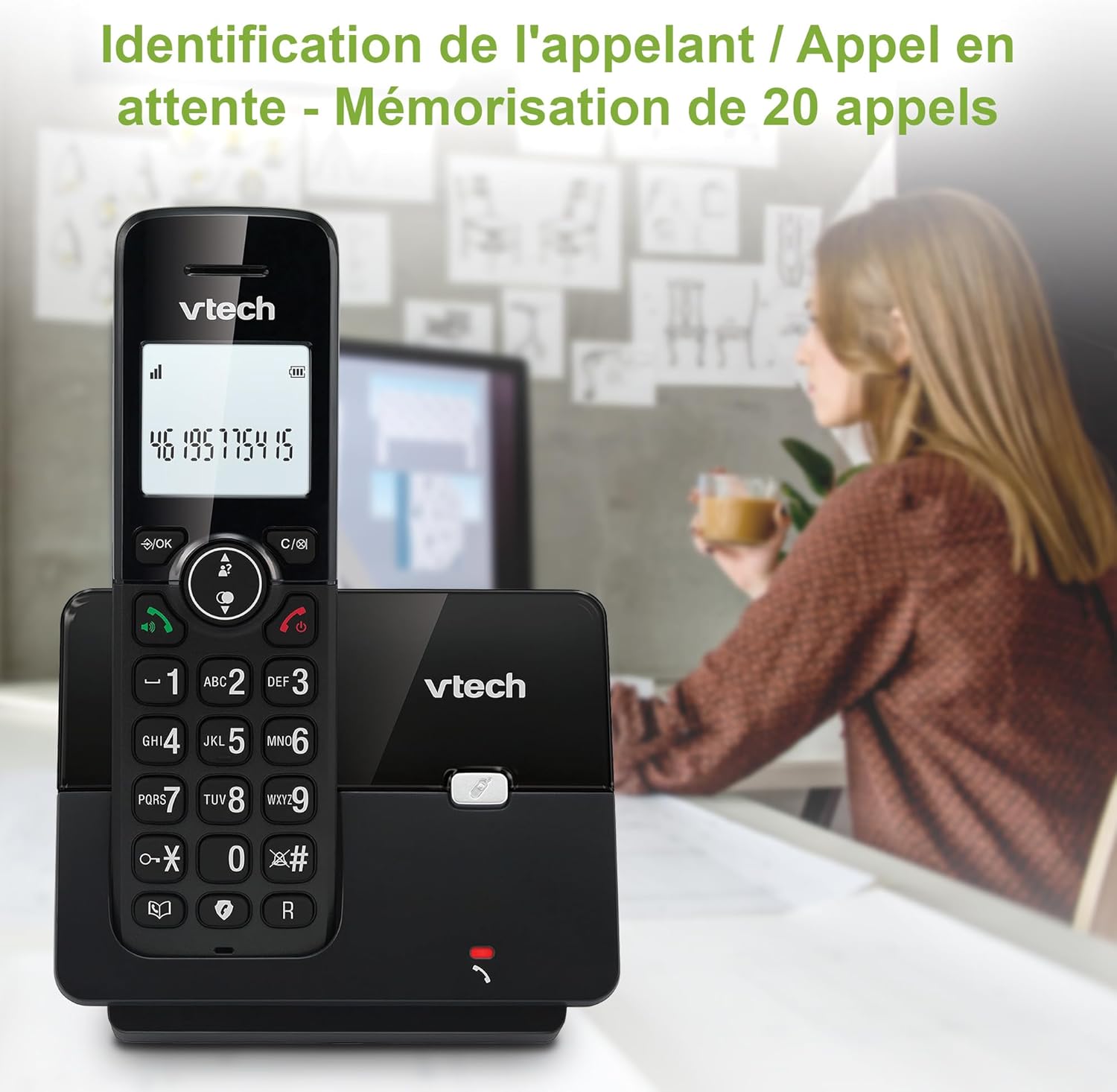
Image: The VTech CS2000 handset displaying caller ID information, with an overlay indicating storage for 20 calls.
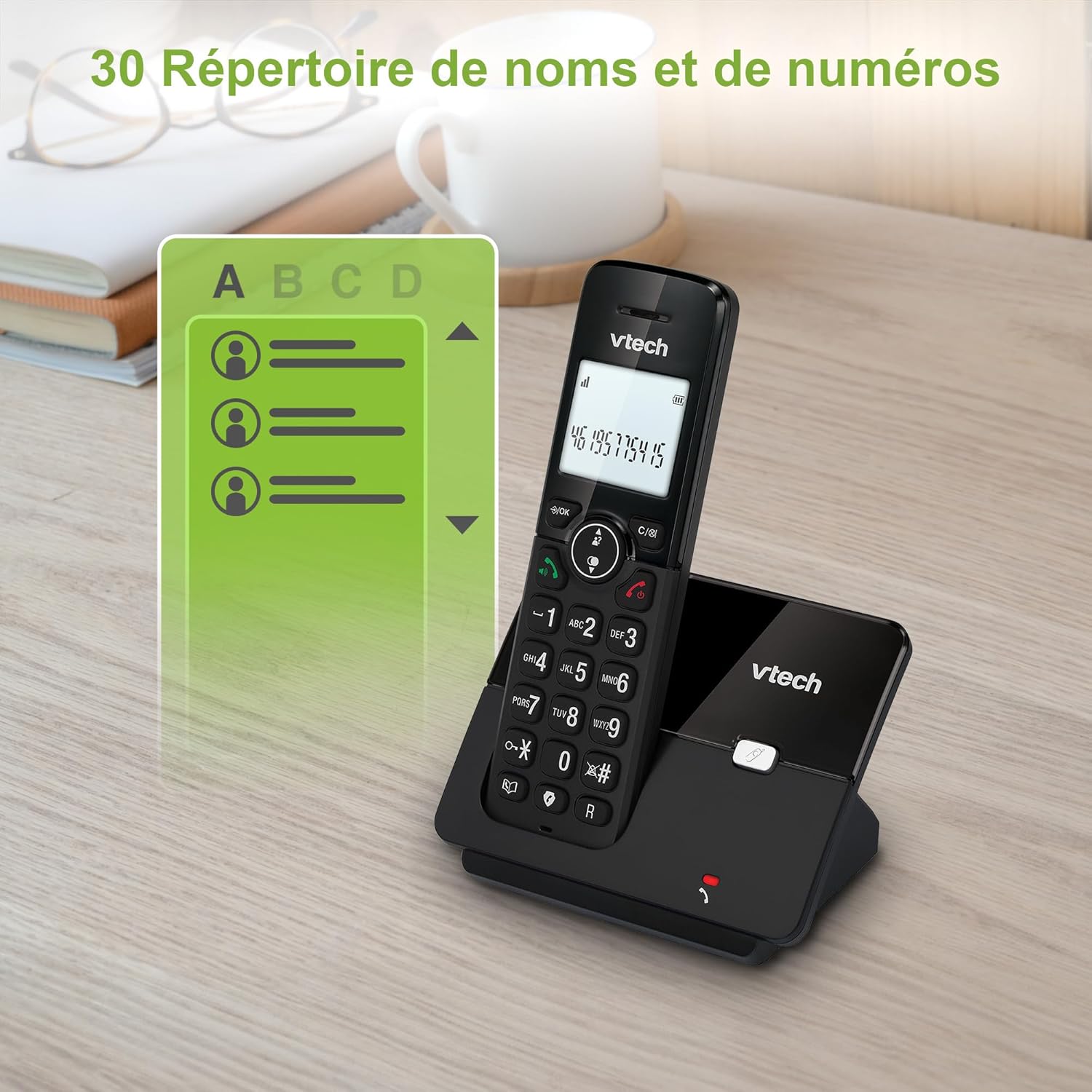
Image: The VTech CS2000 handset displaying a phone directory list, highlighting its capacity for 30 names and numbers.

Image: The VTech CS2000 handset displaying a list of recently dialed numbers, indicating the 10 last number redial feature.
Тохиргоог тохируулах
- Ringtone Volume and Melody: Adjust these settings through the handset menu to suit your preference.
- Alarm and Mute Function: Utilize the alarm feature for reminders and the mute function for privacy during calls.
- ЭКО горим: The handset automatically adjusts radio frequency power based on its distance from the base station, optimizing power consumption.

Image: The VTech CS2000 handset with an overlay indicating adjustable ringtone volume and melody, showing sound waves.

Image: A split image showing the VTech CS2000's alarm function (person exercising) and mute function (couple relaxing), indicating versatility.
Засвар үйлчилгээ
Proper care ensures the longevity of your VTech CS2000 phone.
- Цэвэрлэгээ: Wipe the handset and base station with a soft, damp даавуу. Цэвэрлэгээний шүршигч эсвэл хүчтэй химийн бодис бүү хэрэглэ.
- Батерейны арчилгаа: For optimal battery life, always return the handset to the base station when not in use. If the phone will be unused for an extended period, remove the batteries.
- Байгаль орчин: Утсаа дулааны эх үүсвэр, нарны шууд тусгал, чийгнээс хол байлга.
Алдааг олж засварлах
If you encounter issues with your VTech CS2000, try these solutions:
| Асуудал | Шийдэл |
|---|---|
| Залгах аялгуу алга. |
|
| Гар утас цэнэглэхгүй байна. |
|
| Poor sound quality or limited range. |
|
| Дэлгэц хоосон эсвэл унших боломжгүй байна. |
|
| Cannot block calls. |
|
Үзүүлэлтүүд
Detailed technical specifications for the VTech CS2000 DECT Cordless Home Phone.
| Онцлог | Дэлгэрэнгүй |
|---|---|
| Брэнд | VTech |
| Загварын дугаар | CS2000 |
| Өнгө | Хар |
| Утасны төрөл | Утасгүй |
| Дэлгэцийн хэмжээ | 1.8 инч |
| Онцлог шинж чанарууд | Cordless, Call Blocking, Hands-free Speakerphone, ECO Mode |
| Батерейны найрлага | NiMH |
| Батерейны тоо | 2 AAA (оруулсан) |
| Материал | Хуванцар |
| Эрчим хүчний эх үүсвэр | Батерейгаар ажилладаг |
| Залгагчийн төрөл | Ганц товчлуур |
| Хэмжээ (L x W x H) | 17.5 x 10.5 x 9.2 сантиметр |
| Хариулах системийн төрөл | Дижитал |
| Ярилцах цаг | 13 цаг |
| Утасгүй сүлжээ | Up to 300 meters (outdoors) |
| Утасны дэвтрийн багтаамж | 30 нэр, тоо |
| Дуудлага хийгчийн ID санах ой | 20 нэр, тоо |
| Сүүлийн дугаарыг дахин залгах | 10 бичлэг |
| Гарал үүслийн улс | Хятад |

Image: A visual representation of the VTech CS2000's reliable long-range capability, showing the phone in a large home environment.
Баталгаат болон дэмжлэг
Баталгаат мэдээлэл болон хэрэглэгчийн дэмжлэг авахыг хүсвэл үйлдвэрлэгчийн албан тушаалтнаас лавлана уу website or the warranty card included with your product. VTech products typically come with a standard manufacturer's warranty covering defects in materials and workmanship.
If you require technical assistance or have questions not covered in this manual, please contact VTech customer support. Keep your purchase receipt as proof of purchase for warranty claims.
For returns or specific purchase-related inquiries, please refer to the return policy of your retailer (e.g., Amazon's 30-day return policy).


