Танилцуулга
The Kinglucky KL-M16-2MIC-A-01 Wireless Lavalier Mini Microphone system is designed to enhance audio quality for various recording needs, including video recording, interviews, live streaming, and online meetings. This compact and portable system offers features such as intelligent noise reduction, 360-degree sound pickup, and broad compatibility with smartphones and tablets.
Хайрцагт юу байна
Таны багцад бүх зүйл байгаа эсэхийг шалгана уу:
- 2х утасгүй микрофон
- 1x Lightning Receiver
- 1x Type-C адаптер
- 2x Charging Cables
- 1x хэрэглэгчийн гарын авлага

Image: The package contents including two microphones, a receiver, a Type-C adapter, charging cables, and the user manual.
Тохиргоо
- Хүлээн авагчийг холбоно уу: Plug the appropriate receiver (Lightning or USB-C adapter) into your smartphone or tablet's charging port.
- Микрофоныг асаах: Press the power button on each wireless microphone. A green indicator light will illuminate, signifying that the microphone is on and ready to pair.
- Автомат холболт: The microphone and receiver will automatically connect without requiring Bluetooth pairing or a dedicated app. The green light on the microphone will remain solid once connected.
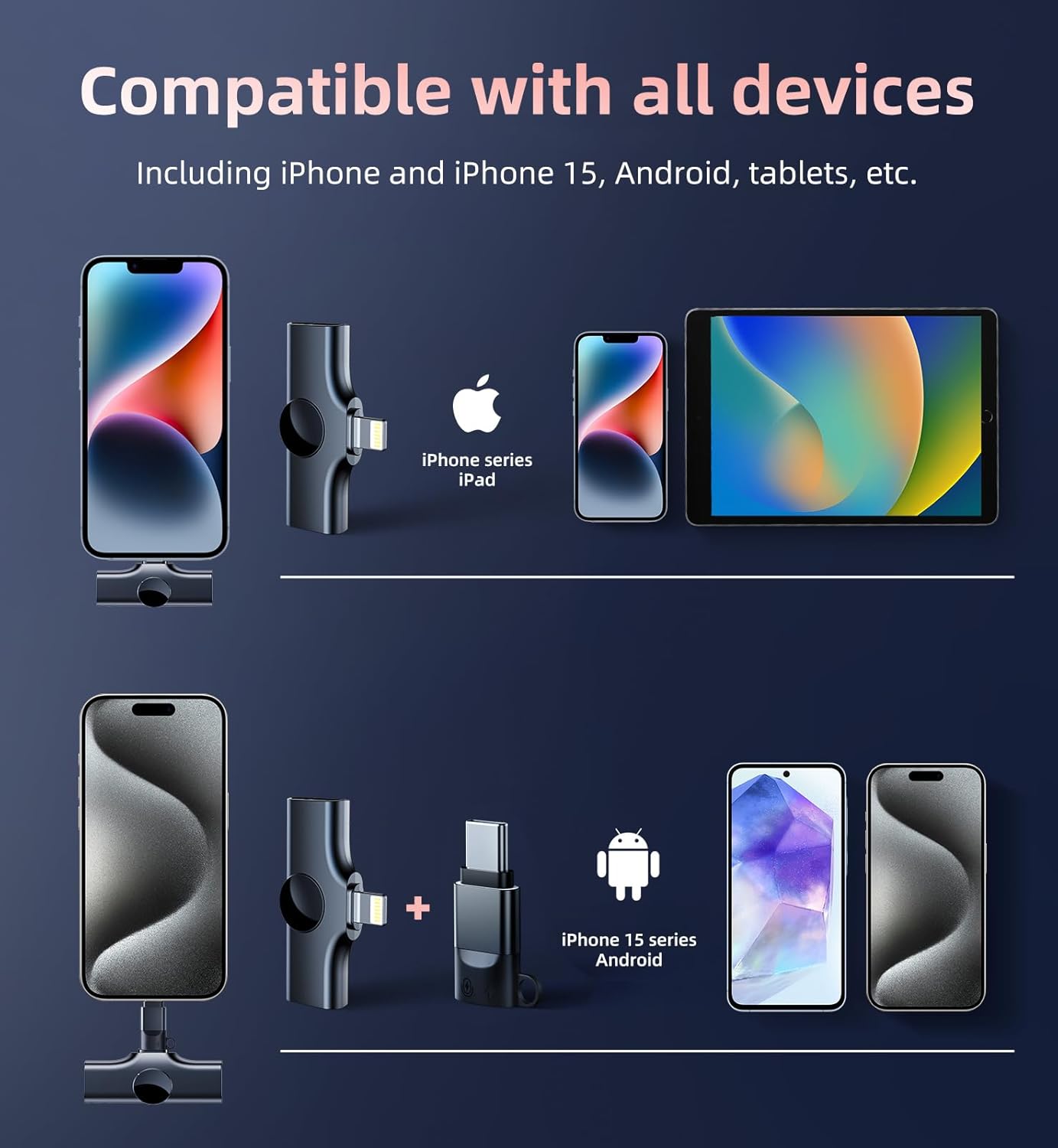
Image: A visual representation of the plug-and-play setup, showing the receiver connected to a smartphone and the microphone powered on.
Video: A demonstration of the effortless one-step plug and play connection process for the Kinglucky wireless microphone system.
Ашиглалтын заавар
Микрофон зүүж байна
Clip the mini microphone onto your clothing, such as a lapel or collar, ensuring it is positioned to capture your voice clearly. Its compact and lightweight design allows for comfortable, hands-free operation.

Image: The microphone clipped to clothing, illustrating its 360-degree omnidirectional sound pickup capability.
Дуу чимээг бууруулах
The microphone features a DSP chip and AI intelligent noise reduction module, along with a sponge windshield, to effectively filter out background noise. This ensures clear and pure sound capture, even in noisy environments.

Image: A graphic illustrating the DSP and AI dual noise reduction technology for clear audio recording.
Video: A demonstration of the professional noise-cancelling capabilities of the Kinglucky mini microphone.
Зайны хугацаа ба цэнэглэх
Each wireless microphone is equipped with an 80mAh rechargeable battery, providing up to 8 hours of continuous use. The receiver is powered by your device and can also charge your device when connected to a charger. Use the provided data cables to charge the microphones; a full charge takes approximately 1 hour.
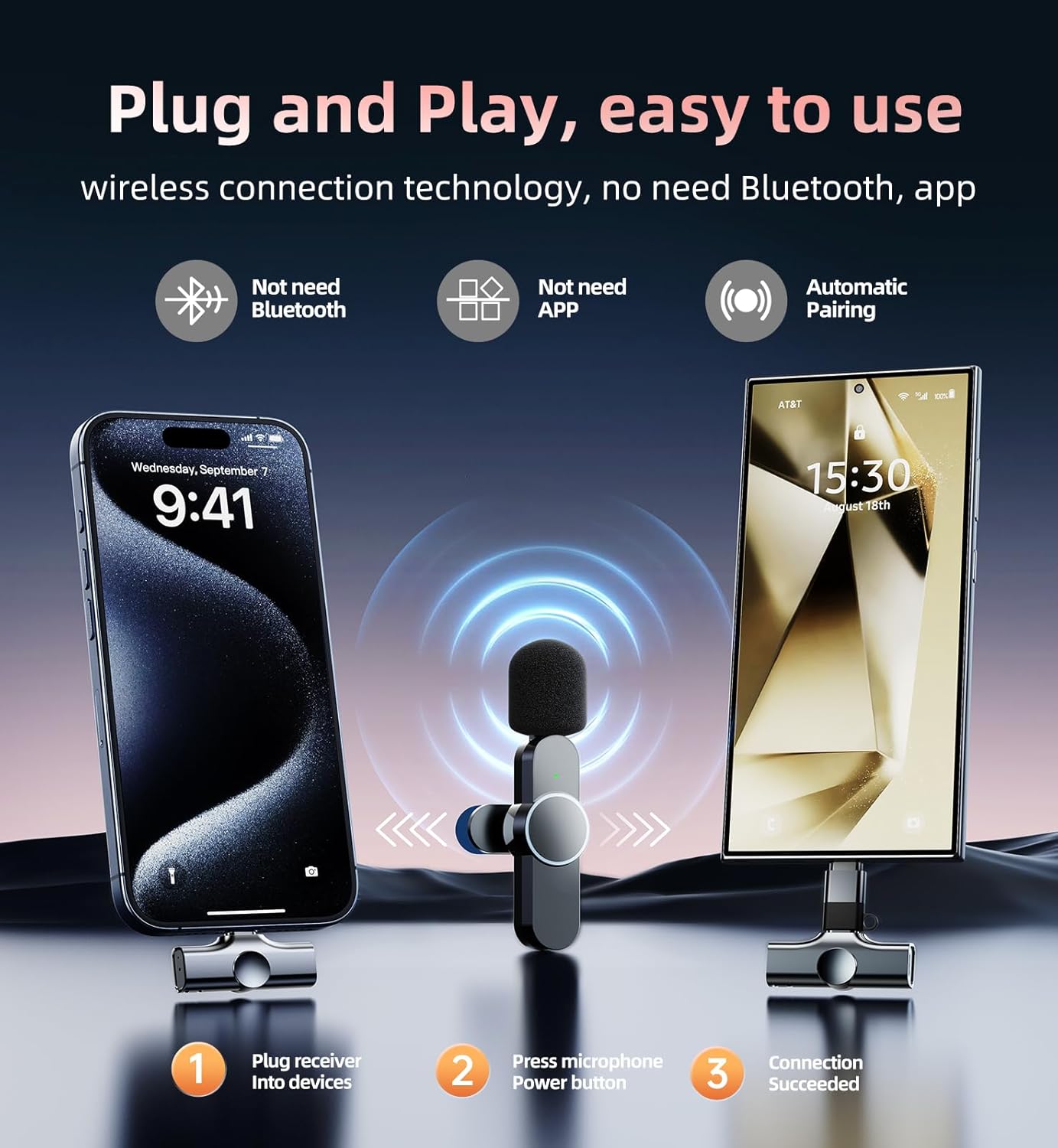
Image: A visual indicating the 8-hour long working time of the microphone.
Тохиромжтой байдал
The Kinglucky Wireless Lavalier Mini Microphone is compatible with a wide range of devices:
- Apple-ийн төхөөрөмжүүд: iPhone (including iPhone 15 series), iPad (with Lightning or Type-C port).
- Android төхөөрөмжүүд: 99% of Android phones and tablets (with Type-C port).

Image: A graphic displaying the microphone's compatibility with iPhone, iPad, and Android devices.
Үзүүлэлтүүд
| Онцлог | Тодорхойлолт |
|---|---|
| Брэнд | Kinglucky |
| Загварын дугаар | KL-M16-2MIC-A-01 |
| Микрофоны хэлбэр хүчин зүйл | Лавалиер |
| Холболтын технологи | ЗАЛГААД ТОГЛУУЛАХ |
| Холбогч төрөл | Аянга, USB Type-C |
| Онцлог шинж чанар | Дуу чимээг бууруулах |
| Тохиромжтой төхөөрөмжүүд | Android, Smartphone, Tablet, iPad, iPhone |
| Туйлын загвар | Бүх чиглэлтэй |
| Аудио мэдрэмж | 95 децибел |
| Дуу шуугианы харьцаа | 95 дБ |
| Зүйлийн жин | 7 грамм (0.247 унц) |
| Эрчим хүчний эх үүсвэр | Батерейгаар ажилладаг |
| Материал | Хуванцар |
| Сувгийн тоо | 2 |
Засвар үйлчилгээ
- Цэвэрлэгээ: Use a soft, dry cloth to clean the microphone and receiver. Avoid using harsh chemicals or abrasive materials.
- Хадгалах: Микрофоны системийг сэрүүн, хуурай газар, нарны шууд тусгал болон хэт өндөр температураас хол хадгална уу.
- Цэнэглэж байна: Ensure the microphones are fully charged before extended use. Avoid overcharging.
Алдааг олж засварлах
- Дуу чимээгүй/Аудио чанар муу:
- Ensure the receiver is fully inserted into your device's charging port.
- Verify that the microphone is powered on (solid green indicator light).
- Гадаад микрофоныг сонгосон эсэхийг шалгахын тулд төхөөрөмжийнхөө аудио оролтын тохиргоог шалгана уу.
- Confirm the microphone is charged.
- Remove any phone cases that might obstruct the receiver's connection.
- Микрофон холбогдоогүй байна:
- Ensure both the microphone and receiver are powered on.
- If the microphone's green light is blinking, it is attempting to connect. Wait a few seconds for it to establish a connection.
- Try unplugging and re-plugging the receiver.
- Батерейны богино хугацаа:
- Ашиглахаасаа өмнө микрофонууд бүрэн цэнэглэгдсэн эсэхийг шалгаарай.
- Avoid using the microphone in extremely cold temperatures, which can reduce battery performance.
Баталгаат болон дэмжлэг
Kinglucky offers a 2-year warranty service for this product. For any issues encountered during normal use, please contact the professional customer service team for round-the-clock online support.

Image: Details of the Kinglucky-CARE PROGRAM, including free replacement, 24/7 support, faster delivery, and a 365-day warranty.


