Танилцуулга
Thank you for choosing the HyperGear Halo Waterproof LED Wireless Speaker. This manual provides essential information for setting up, operating, and maintaining your speaker to ensure optimal performance and longevity. The Halo speaker combines powerful HD sound with a vibrant 360° multicolor LED light show, designed for both indoor and outdoor use. Its IPX6 waterproof rating makes it suitable for various environments, from poolside parties to everyday listening.
Хайрцагт юу байна
- HyperGear Halo Waterproof LED Wireless Speaker
- USB-C цэнэглэгч кабель
- 3.5mm Aux Cord
Тохируулах гарын авлага
1. Илтгэгчийг цэнэглэх
Before first use, fully charge your Halo speaker. Connect the included USB-C charging cable to the speaker's charging port and the other end to a USB power adapter (not included). The LED indicator will show charging status and turn off when fully charged.
2. Асаах/унтраах
Press and hold the Power button on the speaker's top panel to turn it on or off. A sound prompt will indicate the power status.
3. Bluetooth хослол
- Чанга яригч асаалттай, Bluetooth-тэй хослуулах горимд байгаа эсэхийг шалгаарай (анивчсан LED-ээр тэмдэглэнэ).
- Төхөөрөмж дээрээ (ухаалаг утас, таблет, компьютер) Bluetooth-г идэвхжүүлж, боломжтой төхөөрөмжүүдийг хайж олоорой.
- Select "HyperGear Halo" from the list.
- Хослуулсны дараа чанга яригч баталгаажуулах дуу гаргах бөгөөд LED анивчихаа болино.
Хүрээнд байгаа бол чанга яригч асаалттай үед хамгийн сүүлд холбогдсон төхөөрөмж рүү автоматаар дахин холбогдох болно.

The top panel of the HyperGear Halo speaker, showing controls and its connection to a smartphone via Bluetooth.
Ашиглалтын заавар
Үндсэн удирдлага
| Товч/Функц | Үйлдэл |
|---|---|
| Цахилгаан товч | Press and hold to Power On/Off |
| Тоглуулах/түр зогсоох | Press once to Play/Pause music |
| Дууны хэмжээг нэмэгдүүлэх (+) | Дууны хэмжээг нэмэгдүүлэхийн тулд нэг удаа дар |
| Дууг багасгах (-) | Дууны хэмжээг багасгахын тулд нэг удаа дарна уу |
| Дараагийн дуу | Press and hold Volume Up (+) |
| Өмнөх зам | Press and hold Volume Down (-) |
| Дуудлагад хариулах/дуусах | Press Play/Pause button once |
| Дуудлагаас татгалзах | Press and hold Play/Pause button |
| Гэрэл горимын товчлуур | 6 LED гэрлийн горимд шилжихийн тулд дарна уу |
Party Mode (Stereo Pairing)
To achieve immersive stereo sound, you can pair two HyperGear Halo speakers together:
- Ensure both Halo speakers are powered on and not connected to any other Bluetooth device.
- On one speaker (this will be the primary speaker), double-press the Power button. It will enter pairing mode for Party Mode.
- Хоёр чанга яригч автоматаар хоорондоо холбогдоно. Баталгаажуулах дуу нь амжилттай хослуулсаныг илтгэнэ.
- Now, connect your device to the primary speaker via Bluetooth as described in the 'Bluetooth Pairing' section. Both speakers will play synchronized audio and light shows.

Two HyperGear Halo speakers paired together for Party Mode, offering synchronized audio and light effects.
Alternative Playback Modes

The side panel of the HyperGear Halo speaker, revealing the AUX, microSD, and USB-C ports for versatile connectivity.
- Туслах: Connect your device using the included 3.5mm Aux cord to the speaker's AUX port for a wired audio connection.
- microSD карт: Insert a microSD card loaded with audio files into the designated slot. The speaker will automatically play music from the card.
Онцлогууд дууссанview
- IPX6 Усны хамгаалалттай үнэлгээ: Designed to withstand splashes, rain, and spills, making it ideal for outdoor adventures and poolside use.
- Powerful 5W Front-Firing Sound: Equipped with a 52mm full-range driver for rich, dynamic audio with pulse-pounding bass. The front-firing design ensures clearer sound projection.
- 360° Multicolor LED Lights: Features a vibrant light ring that synchronizes with your music, offering 6 different lighting modes to enhance your listening experience.
- Суурилагдсан микрофон: Allows for convenient hands-free calling.
- Bluetooth 5.3 технологи: Provides a stable, stutter-free wireless connection with a range of up to 33 feet.
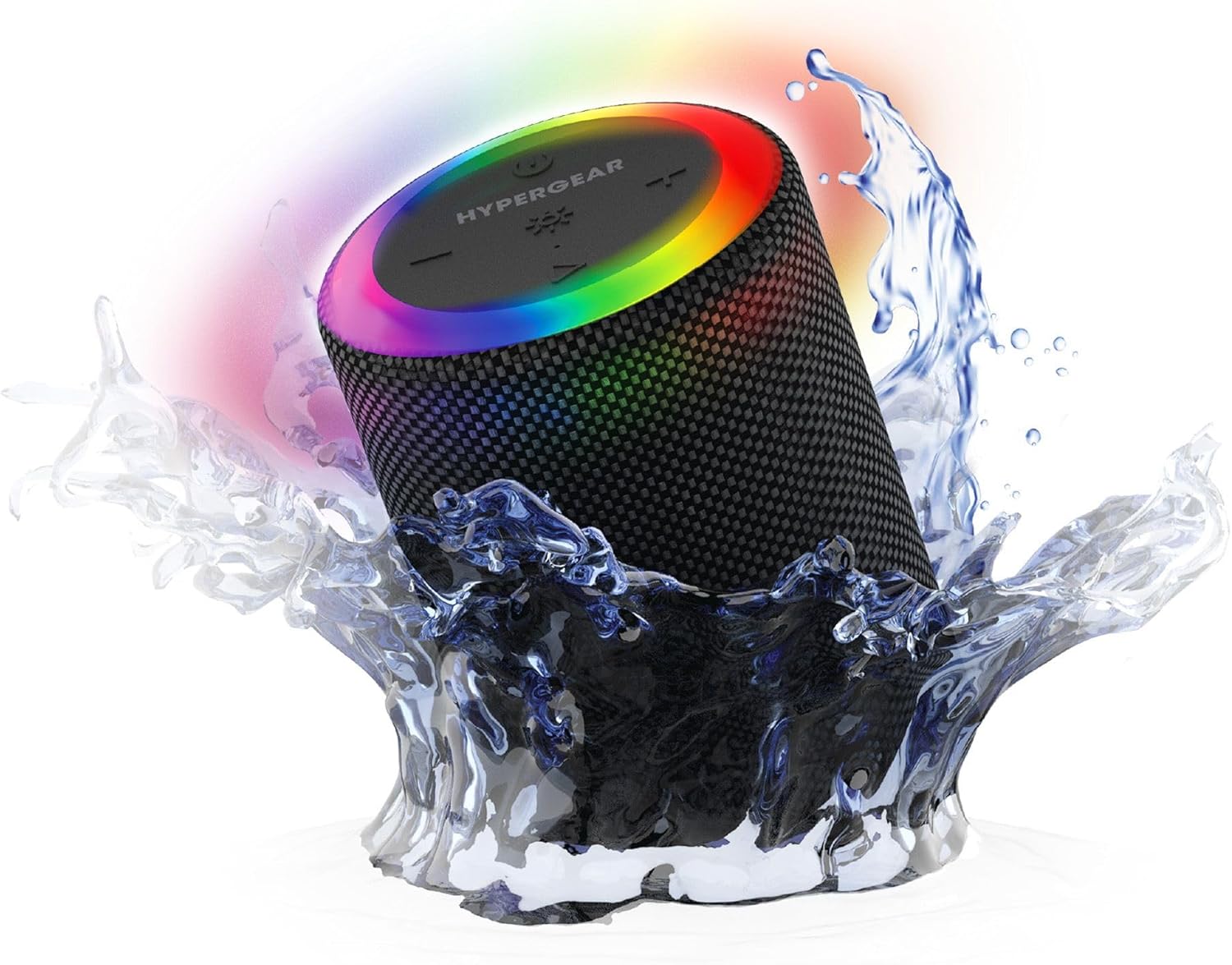
The HyperGear Halo speaker immersed in water, highlighting its robust waterproof design.

Visual representation of the HyperGear Halo speaker's powerful audio features, including its 5W output and 52mm driver.

The HyperGear Halo speaker showcasing its beat-synced 360° multicolor LED light ring with various lighting modes.
Үзүүлэлтүүд
| Онцлог | Дэлгэрэнгүй |
|---|---|
| Загварын нэр | Halo Waterproof LED Wireless Speaker |
| Чанга яригчийн төрөл | Мультимедиа |
| Холболтын технологи | Bluetooth 5.3 |
| Аудио гаралтын горим | Mono (Stereo with Party Mode) |
| Чанга яригчийн хамгийн их гаралтын чадал | 5 ватт |
| Аудио драйверын хэмжээ | 52 миллиметр |
| Усны эсэргүүцлийн түвшин | IPX6 Усны хамгаалалттай |
| Бүтээгдэхүүний хэмжээс | 3.27"D x 3.27"W x 4.13"H |
| Зүйлийн жин | 1.05 фунт |
| Эрчим хүчний эх үүсвэр | Батерейгаар ажилладаг |
| Оруулсан бүрэлдэхүүн хэсгүүд | USB-C Charging Cable, 3.5mm Aux Cord |
| Хяналтын арга | Товчлуур |
| UPC | 633755158858 |
Засвар үйлчилгээ
- Цэвэрлэгээ: Чанга яригчийг зөөлөн арчих, damp даавуу. Хүчтэй химийн бодис, зүлгүүрийн цэвэрлэгч хэрэглэж болохгүй.
- Хадгалах: Чанга яригчийг нарны шууд тусгал, хэт температураас хол, сэрүүн, хуурай газар хадгална уу.
- Батерейны арчилгаа: To preserve battery life, avoid fully discharging the speaker frequently. Charge it regularly, even if not in use for extended periods.
- Ус нэвтрүүлдэггүй тамга: Ensure the silicone cover for the charging and AUX ports is securely closed when near water to maintain its IPX6 rating.
Алдааг олж засварлах
| Асуудал | Боломжит шийдэл |
|---|---|
| Чанга яригч асахгүй байна. | Чанга яригч цэнэглэгдсэн эсэхийг шалгаарай. Үүнийг тэжээлийн эх үүсвэрт холбож, дахин оролдоно уу. |
| Bluetooth төхөөрөмжтэй хослуулах боломжгүй. | Make sure the speaker is in pairing mode (flashing LED). Turn off and on Bluetooth on your device. Ensure no other devices are connected to the speaker. Move speaker closer to your device. |
| Чанга яригчаас дуу гарахгүй. | Check volume levels on both the speaker and your device. Ensure the correct input mode (Bluetooth, Aux, MicroSD) is selected. If using Aux, ensure the cable is fully inserted. |
| Party Mode not working. | Ensure both speakers are fully charged and not connected to any other Bluetooth devices. Try resetting both speakers by powering them off and on, then re-attempt Party Mode pairing. |
| LED гэрэл ажиллахгүй байна. | Press the Light Mode button to cycle through modes. Ensure the speaker is powered on. |
Баталгаат болон дэмжлэг
The HyperGear Halo Waterproof LED Wireless Speaker comes with a Хязгаарлагдмал баталгаат хугацаа. For specific details regarding warranty coverage, duration, and claims, please refer to the warranty card included with your product or visit the official HyperGear website. For technical support or further assistance, please contact HyperGear customer service through their official channels.


