1. Танилцуулга
Welcome to the user manual for your Jooeniok L81 Smart Watch. This guide provides detailed instructions on how to set up, operate, and maintain your device, ensuring you get the most out of its features. The Jooeniok L81 is designed to enhance your daily life with its communication, fitness tracking, and health monitoring capabilities.
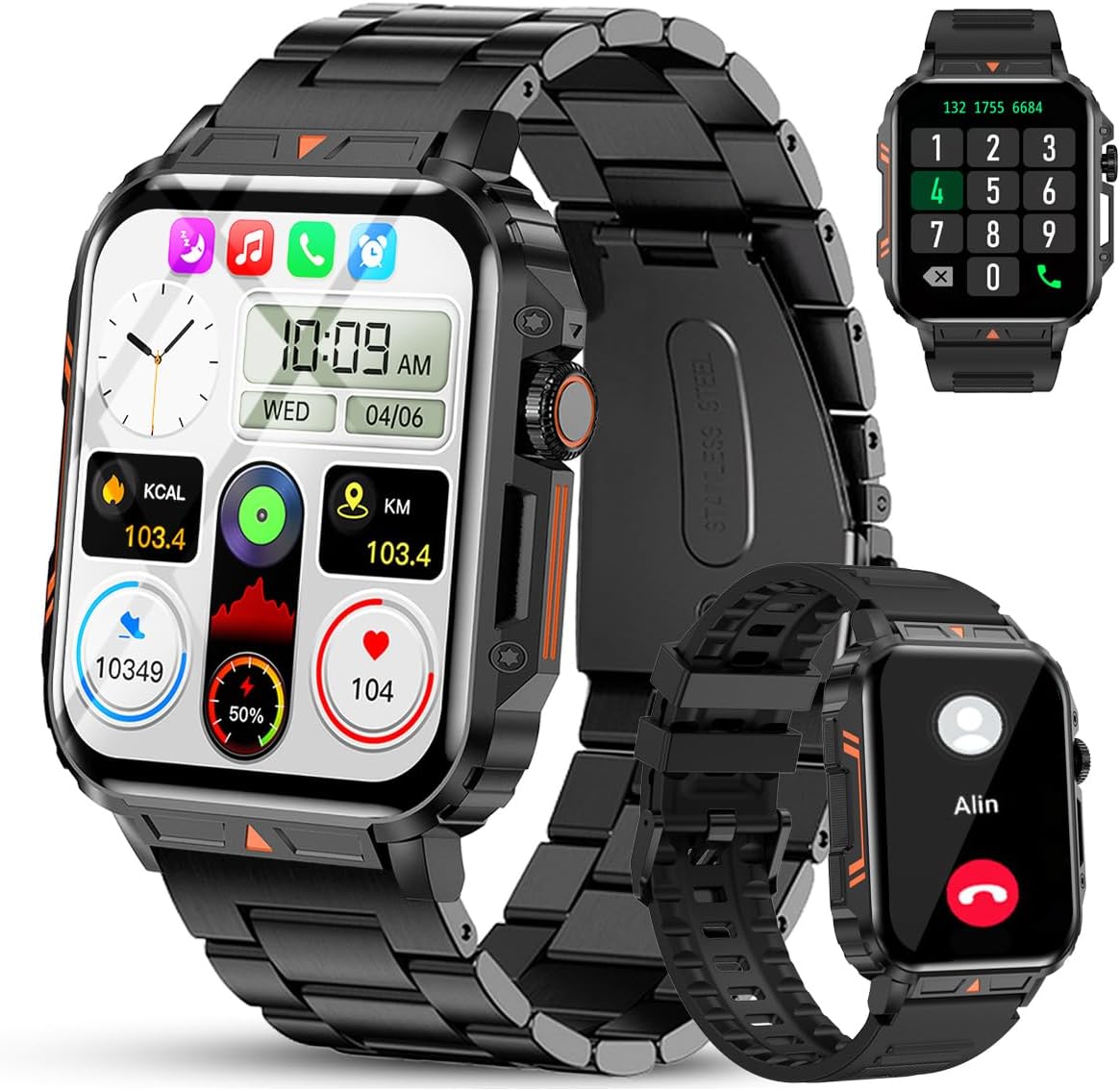
Image 1.1: The Jooeniok L81 Smart Watch, showcasing its main display and interchangeable straps.
2. Үндсэн шинж чанарууд
- Bluetooth Calling & Message Alerts: Make and receive calls, read messages, and receive notifications from various apps directly on your watch.
- 1.95'' HD Touch Screen & DIY Dial: Enjoy a clear display and personalize your watch face.
- 112+ Спортын горим: Track a wide range of activities including running, cycling, badminton, and hiking.
- IP68 Усны хамгаалалт: Suitable for daily use, hand washing, and outdoor activities in rain. (Note: Not recommended for diving, showering, or sauna.)
- Эрүүл мэндийн хяналт: Monitor heart rate, blood oxygen (SpO2), blood pressure, and sleep patterns.
- Удаан эдэлгээтэй батерей: Удаан хугацаанд ашиглахад зориулагдсан 340 мАч батерейгаар тоноглогдсон.
- Олон үйлдэлт: Includes features like timer, alarm, stopwatch, weather, calendar, water reminder, sedentary reminder, and remote photo control.
3. Тохируулах гарын авлага
3.1. Ухаалаг цагийг цэнэглэж байна
Before initial use, fully charge your Jooeniok L81 Smart Watch. Connect the magnetic charging cable to the charging contacts on the back of the watch and plug the USB end into a standard USB power adapter (not included) or a computer's USB port. The watch display will indicate charging status.

Image 3.1: Illustration of the watch dimensions and the location of the charging contacts.
3.2. Апп суулгах, холбох
- Апп татаж авах: Scan the QR code provided in the watch's quick start guide or search for the official companion app (e.g., "FitCloudPro" or similar, check packaging for exact name) in the Apple App Store (for iOS) or Google Play Store (for Android).
- Bluetooth-г идэвхжүүлэх: Ухаалаг утсан дээрээ Bluetooth идэвхжсэн эсэхийг шалгаарай.
- Програмыг нээх: Суулгасан аппликейшнийг ажиллуулаад, дэлгэцэн дээрх зааврыг дагаж бүртгэл үүсгэх эсвэл нэвтрэх.
- Төхөөрөмж нэмэх: Within the app, navigate to the "Device" or "Add Device" section. The app will search for available Bluetooth devices. Select "L81" or the corresponding device name when it appears.
- Хослолтыг баталгаажуулах: A pairing request may appear on your watch and phone. Confirm the pairing on both devices.
- Зөвшөөрөл олгох: Allow necessary permissions (e.g., notifications, location, contacts) for the app to function correctly.
Энэхүү цаг нь Android 5.1 болон түүнээс дээш хувилбарууд, мөн iOS 10.0 болон түүнээс дээш хувилбаруудтай нийцтэй.
3.3. Initial Settings and Language
After successful pairing, the watch should automatically synchronize time and language settings with your phone. If the watch displays an incorrect language, navigate to the watch's settings menu (usually by swiping down from the main screen or pressing the side button to access the app list, then finding the 'Settings' icon). Look for 'Language' or 'System' settings to change it to English or your preferred language.
4. Ашиглалтын заавар
4.1. Үндсэн навигаци
- Мэдрэгчтэй дэлгэц: Цэс болон функцуудаар шилжихийн тулд зүүн/баруун, дээш/доош шударна уу. Сонгохын тулд товшино уу.
- Хажуугийн товчлуур: Press to return to the main screen or access the app list. Long press for power options.
- Crown Button (if present): Rotate to scroll through lists or adjust settings, press to select.
4.2. Bluetooth Calling and Notifications
Once paired, your watch can handle calls and display notifications. Ensure Bluetooth is connected and the companion app has the necessary permissions.
- Дуудлага хийх: Дуудлага эхлүүлэхийн тулд цагныхаа залгах самбар эсвэл харилцагчийн жагсаалтад хандана уу.
- Дуудлага хүлээн авах: When a call comes in, you can answer or reject it directly from the watch.
- Мэдэгдэл: Swipe down from the main screen or access the notification center to view incoming messages from SMS, WhatsApp, Facebook, and other apps.
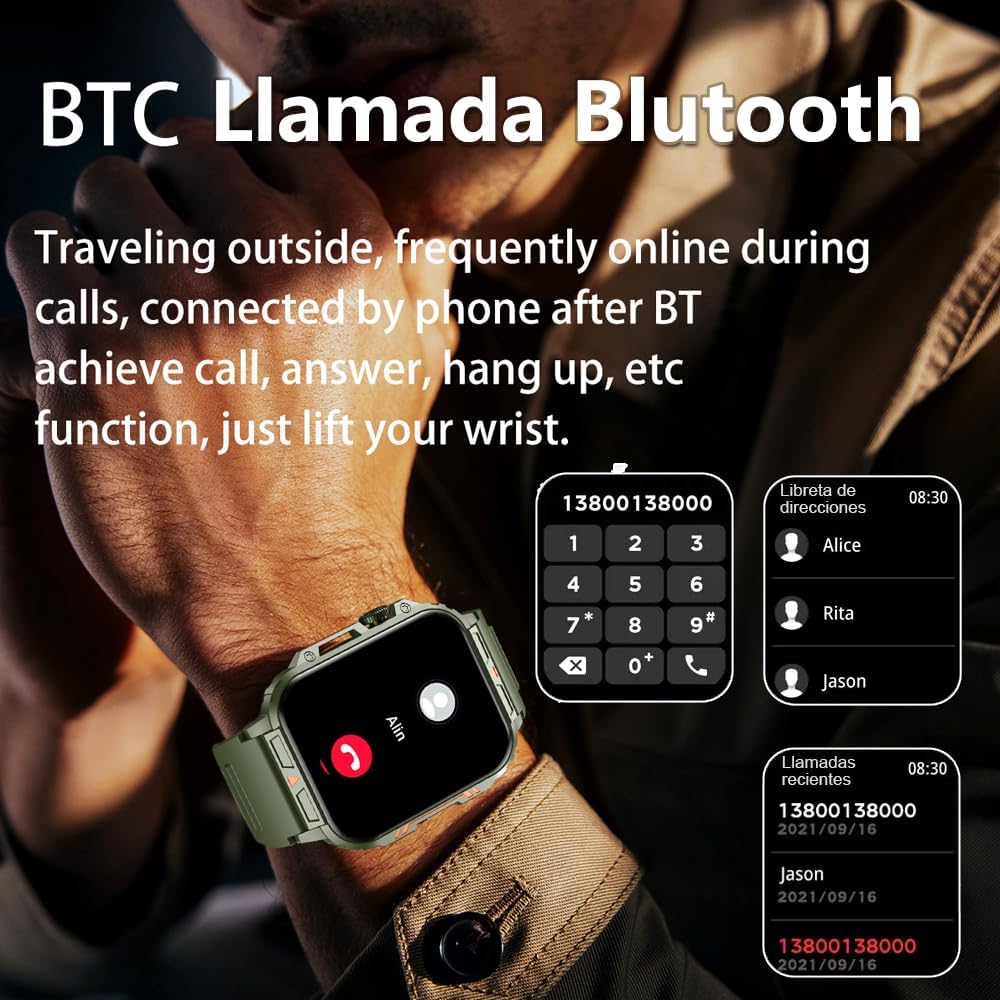
Image 4.1: The watch screen showing an incoming call and the dial pad for making calls.

Image 4.2: The watch displaying notifications from various social media and messaging applications.
4.3. Спортын горимууд
The watch supports over 112 sports modes. To access them, navigate to the 'Sports' or 'Workout' section on your watch. Select your desired activity to start tracking. The watch will record steps, distance, and calories.

Image 4.3: Icons representing various sports modes available on the watch.
4.4. Эрүүл мэндийн хяналт
The Jooeniok L81 provides continuous monitoring of several health metrics. Access these features through the watch's menu or the companion app.
- Зүрхний цохилт: The watch uses an optical sensor to monitor your heart rate. View цагны бодит цагийн өгөгдөл эсвэл програмын нарийвчилсан чиг хандлага.
- Blood Oxygen (SpO2) & Blood Pressure: Initiate a measurement from the watch. Results are displayed on the screen and recorded in the app for historical analysis.
- Унтах хяналт: Wear the watch to bed for automatic sleep tracking. It analyzes deep sleep, light sleep, and awake times, providing a comprehensive sleep quality report in the app.
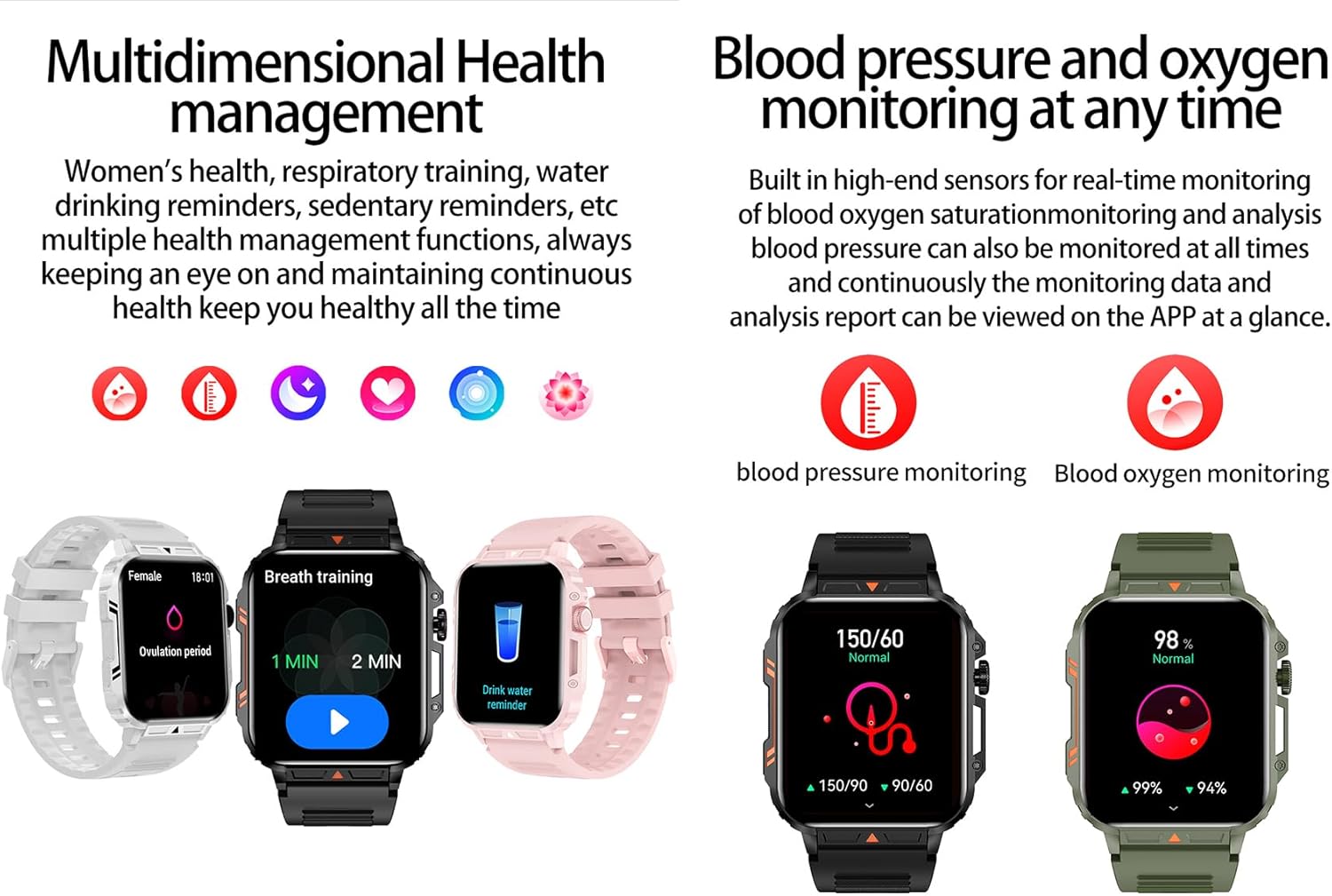
Image 4.4: Watch screens showing blood pressure and blood oxygen monitoring results.

Image 4.5: Watch screens showing real-time heart rate and a summary of sleep data.
4.5. AI Intelligent Voice Function
After connecting the watch to your phone via Bluetooth, activate the voice function on the watch. This allows you to use voice commands to open applications, check weather, make calls, or navigate, offering a hands-free experience.
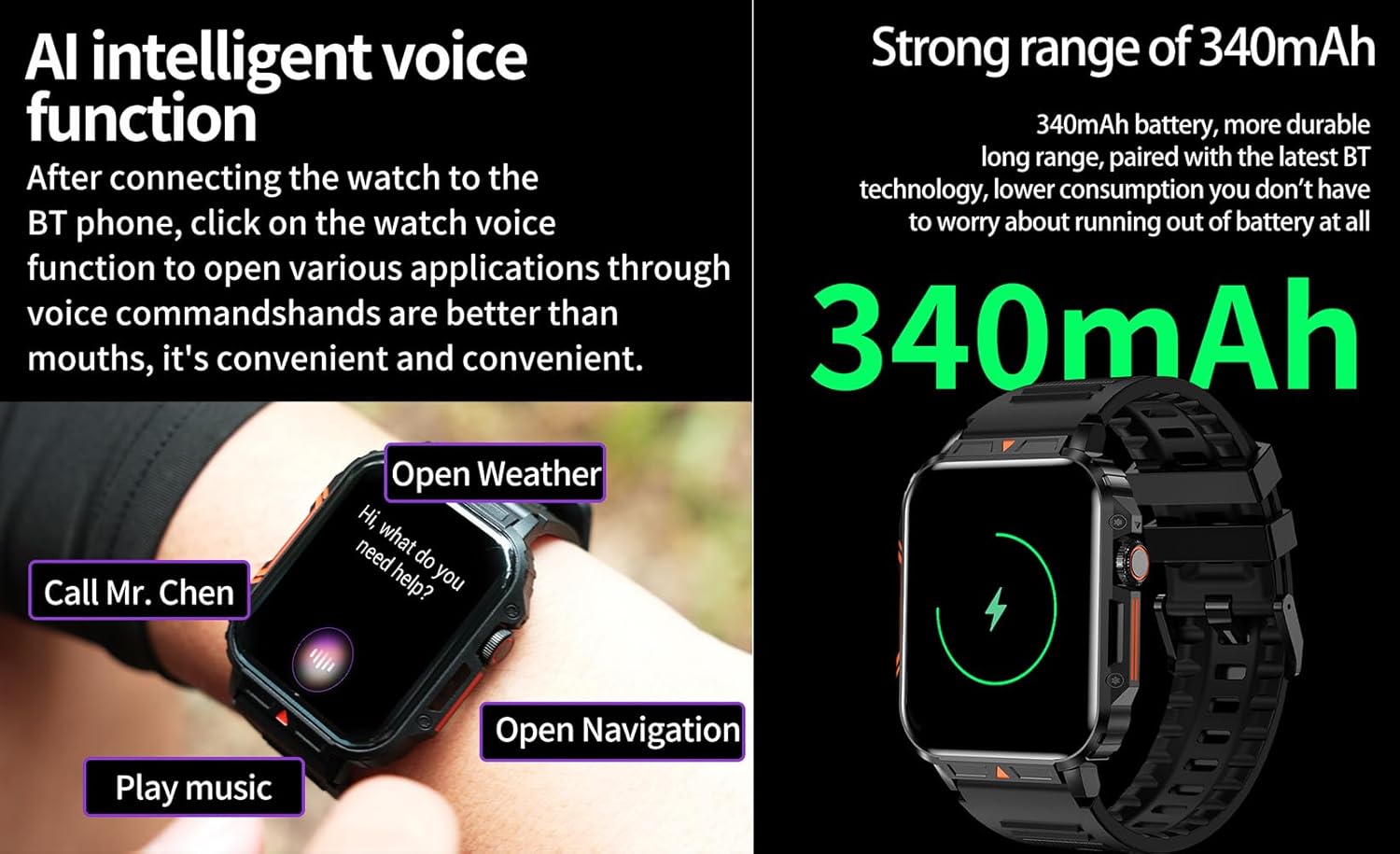
Image 4.6: The watch screen illustrating the AI voice assistant interface with example тушаалууд.
4.6. DIY Dial
Personalize your watch face by using the DIY dial feature within the companion app. You can often upload custom images or choose from a variety of pre-designed watch faces.
5. Засвар үйлчилгээ
5.1. Усны эсэргүүцэл
The Jooeniok L81 Smart Watch is IP68 waterproof and dustproof. This means it is resistant to dust and can withstand immersion in water up to 1.5 meters for up to 30 minutes. It is suitable for daily use, hand washing, and light rain.
Чухал: Цаг нь үгүй recommended for diving, hot showers, or saunas, as steam and high water pressure can compromise the seals and cause damage.

Image 5.1: The watch shown with water splashes, indicating its water resistance.
5.2. Цэвэрлэгээ
Regularly clean your watch and strap to prevent skin irritation and maintain functionality. Use a soft, damp cloth to wipe the screen and body. For the strap, follow the manufacturer's recommendations for the specific material (e.g., silicone, metal).
- Химийн хатуу бодис, зүлгүүрийн материал ашиглахаас зайлсхий.
- Цэнэглэх эсвэл удаан хугацаагаар ашиглахын өмнө цагийг бүрэн хатааж байгаа эсэхийг шалгаарай.
5.3. Зайны арчилгаа
Батерейны ашиглалтын хугацааг уртасгахын тулд:
- Хэт их температураас зайлсхий.
- Зайг байнга бүрэн шавхаж болохгүй.
- Цагийг өгөгдсөн кабелиар цэнэглээрэй.
Image 5.2: The watch screen highlighting its 340mAh battery capacity.
6. Алдаа засах
| Асуудал | Боломжит шийдэл |
|---|---|
| Цаг асахгүй байна. | Цаг бүрэн цэнэглэгдсэн эсэхийг шалгаарай. Үүнийг дор хаяж 30 минутын турш цэнэглэгчтэй холбоно уу. |
| Ухаалаг утастай хослуулах боломжгүй. |
|
| Incorrect language displayed. | Navigate to the watch's settings menu, find 'Language' or 'System' settings, and select your preferred language. If paired, the app might also have a language setting. |
| Touch screen unresponsive or intermittent. |
|
| Мэдэгдэл хүлээж аваагүй. |
|
| Health monitoring data seems inaccurate. |
|
7. Техникийн үзүүлэлтүүд
| Онцлог | Дэлгэрэнгүй |
|---|---|
| Загварын нэр | L81 |
| Брэнд | Жуениок |
| Дэлгэцийн хэмжээ | 1.95 инч |
| Холболтын технологи | Bluetooth |
| Утасгүй холбооны стандарт | Bluetooth |
| Үйлдлийн систем | Android (compatible with Android 5.1+ and iOS 10.0+) |
| Санах ойн хадгалах багтаамж | 128 MB |
| Батерей | 1 Lithium Polymer battery (340mAh, included) |
| Усны эсэргүүцэл | IP68 |
| Онцлог шинж чанарууд | Activity Tracker, Notifications, Phone Call, Time Display, Heart Rate Monitor, Blood Oxygen Monitor, Sleep Monitor, 112+ Sports Modes, AI Voice Function |
| Хэмжээ (ойролцоогоор) | Watch face: 44mm (width) x 52mm (height); Thickness: 12mm; Strap length: 260mm |
8. Баталгаат хугацаа ба дэмжлэг
The Jooeniok L81 Smart Watch is backed by a 365 хоногийн баталгаат хугацаа худалдан авсан өдрөөс. Энэхүү баталгаа нь ердийн ашиглалтын үеийн үйлдвэрлэлийн согог, доголдлыг хамарна.
For technical support, warranty claims, or any questions regarding your product, please contact Jooeniok customer service through the retailer's platform or the contact information provided on the product packaging or official webсайт.
Баталгаат баталгааг баталгаажуулахын тулд худалдан авалтаа баталгаажуулна уу.


