1. Танилцуулга
Thank you for choosing the goobay Digital Timer. This device is designed to help you manage power consumption and enhance home security by automatically switching electrical appliances on and off. It features up to 16 programmable settings (8 ON/OFF pairs), a random mode for anti-burglary protection, and an integrated backup battery to retain settings during power outages.
Please read this manual carefully before use to ensure proper operation and safety.
2. Аюулгүй ажиллагааны заавар
- Зөвхөн дотор ашиглах зориулалттай. Чийг болон хэт өндөр температурт бүү өрт.
- Do not exceed the maximum load of 3680 W (230 V AC, 16 A).
- Төхөөрөмжийг задлах эсвэл засах гэж бүү оролд. Бүх засвар үйлчилгээг мэргэшсэн ажилтнуудад даатга.
- Таймерыг газардуулсан залгуурт найдвартай залгасан эсэхийг шалгаарай.
- Хүүхдийн гар хүрэхгүй газар хадгална.
- Unplug the timer from the wall outlet before cleaning. Clean only with a dry cloth.
- Do not connect appliances that generate a lot of heat, such as heaters, without supervision.
3. Бүтээгдэхүүн дууссанview
The goobay Digital Timer is a compact and efficient device for controlling your electrical appliances.
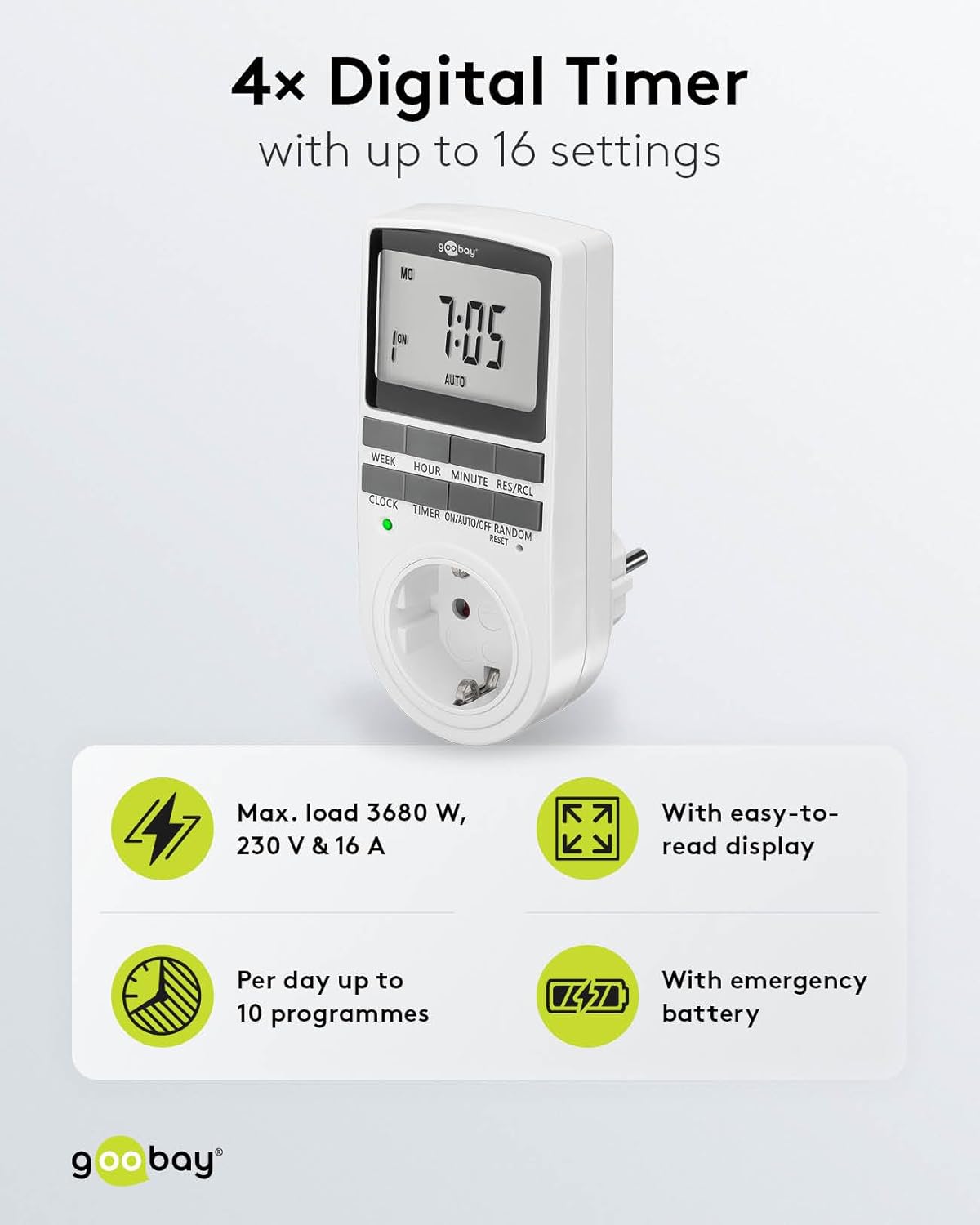
Image: goobay Digital Timer highlighting its features: Max. load 3680 W, 230 V & 16 A; Easy-to-read display; Up to 10 programs per day; Emergency backup battery.
Гол онцлогууд нь:
- Макс. Ачаалах: 3680 W, 230 V & 16 A
- Програмчлагдах тохиргоо: Up to 8 ON/OFF program pairs (16 individual settings).
- Санамсаргүй горим: Simulates presence for enhanced security.
- Нөөц батерей: Retains settings for over 100 days during power outages.
- Эрчим хүч хэмнэх: Interrupts standby mode of connected devices.
- Компакт дизайн: Space-saving installation.

Зураг: хажуу тал view of the goobay Digital Timer showing its compact dimensions: 135 mm height, 60 mm width, 38 mm depth, and 155g weight.
4. Тохиргоо
4.1 Анхны цэнэглэлт
Before first use, plug the timer into a wall outlet for approximately 5-10 minutes to charge the internal backup battery. This ensures the display functions and settings can be retained even when unplugged.
4.2 Төхөөрөмжийг дахин тохируулах
If the display is blank or unresponsive, or if you wish to clear all previous settings, press the RESET button using a small, non-metallic pointed object (e.g., a toothpick or the included reset tool). This will clear all programs and reset the clock.

Image: The goobay Digital Timer showing the LED status display, Reset function (with reset tool), Safety plug (Type F, CEE 7/4, 230V, 16A, 3680W), and Safety socket (Type F, CEE 7/3, 6A, 250V output).
4.3 Одоогийн цагийг тохируулах
- дээр дарна уу ЦАГ товч.
- дээр дарна уу ДОЛОО ХОНОГ button to select the current day of the week (MO, TU, WE, TH, FR, SA, SU).
- дээр дарна уу ЦАГ button to set the current hour (0-23).
- дээр дарна уу МИНУТ button to set the current minute (0-59).
- дээр дарна уу ЦАГ Цаг тохируулах горимыг баталгаажуулж, гарахын тулд товчийг дахин дарна уу.

Image: Close-up of the goobay Digital Timer's display, indicating Weekday, Selected time setting (1-10), Time of day, and Operating mode (On/Auto/Off).
5. Ашиглалтын заавар
5.1 Асаах/унтраах цагийг програмчлах
The timer allows for up to 8 ON/OFF program pairs (16 individual settings).
- дээр дарна уу TIMER Програмчлалын горимд орох товчийг дарна уу. Дэлгэц дээр "1 ON" гэж гарч ирнэ.
- дарна уу ДОЛОО ХОНОГ to select the day(s) for this program. Options include:
- Хувь хүний өдрүүд (МО, МА, БЭ, ТА, ФР, СА, СУ)
- Groups of days (MO TU WE TH FR SA SU, MO TU WE TH FR, SA SU, MO TU WE TH FR SA, MO WE FR, TU TH SA, MO TU WE, TH FR SA)
- дарна уу ЦАГ хүссэн ON цагийг тохируулахын тулд.
- дарна уу МИНУТ хүссэн АСААЛТТАЙ минутыг тохируулахын тулд.
- дарна уу TIMER дахин. Дэлгэц дээр "1 OFF" гэж гарч ирнэ.
- Repeat steps 2-4 to set the desired OFF time for the same program.
- Үргэлжлүүлэн дарна уу TIMER to cycle through program settings 2 ON, 2 OFF, up to 8 ON, 8 OFF, setting each as needed.
- Хүссэн бүх програмаа тохируулсны дараа товчийг дарна уу ЦАГ Програмчлалын горимоос гарч, одоогийн цагийн дэлгэц рүү буцахын тулд товчийг дарна уу.

Image: Diagram illustrating the functions of the goobay Digital Timer's buttons: WEEK (Set weekday), HOUR (Set hours), MINUTE (Set minutes), RES/RCL (Delete or restore setting), CLOCK (Set different times of day), TIMER (Switch set times), ON/AUTO/OFF (Manual or automatic mode), RANDOM (Random mode).
5.2 Operating Modes (ON/AUTO/OFF)
дээр дарна уу АСААЛТ/АВТО/УНТРААХ button to cycle through the operating modes:
- АСААЛТ: The connected appliance will remain continuously ON, overriding all programmed settings.
- АВТО: The connected appliance will operate according to the programmed ON/OFF times. This is the standard operating mode for scheduled tasks.
- Унтрааж байна: The connected appliance will remain continuously OFF, overriding all programmed settings.
5.3 Санамсаргүй горим
The random mode is designed to simulate presence for security purposes. When activated, the timer will switch ON and OFF at random intervals between 6:00 PM and 5:30 AM.
- Цаг хэмжигч асаалттай байгаа эсэхийг шалгана уу АВТО горим.
- дээр дарна уу Санамсаргүй button to activate or deactivate this mode. An "R" will appear on the display when random mode is active.
5.4 Зуны цаг (DST)
To adjust for Daylight Saving Time, press the ЦАГ болон МИНУТ buttons simultaneously while in ЦАГ mode. The time will advance or rewind by one hour. Repeat to revert.
6. Засвар үйлчилгээ
- Цэвэрлэгээ: Unplug the timer from the wall outlet before cleaning. Wipe the exterior with a soft, dry cloth. Do not use liquid cleaners or sprays.
- Хадгалах: If storing the timer for an extended period, ensure the backup battery is charged periodically to maintain its functionality.
- Нөөц батерей: The integrated backup battery is designed to retain settings for over 100 days. No user maintenance is required for the battery.
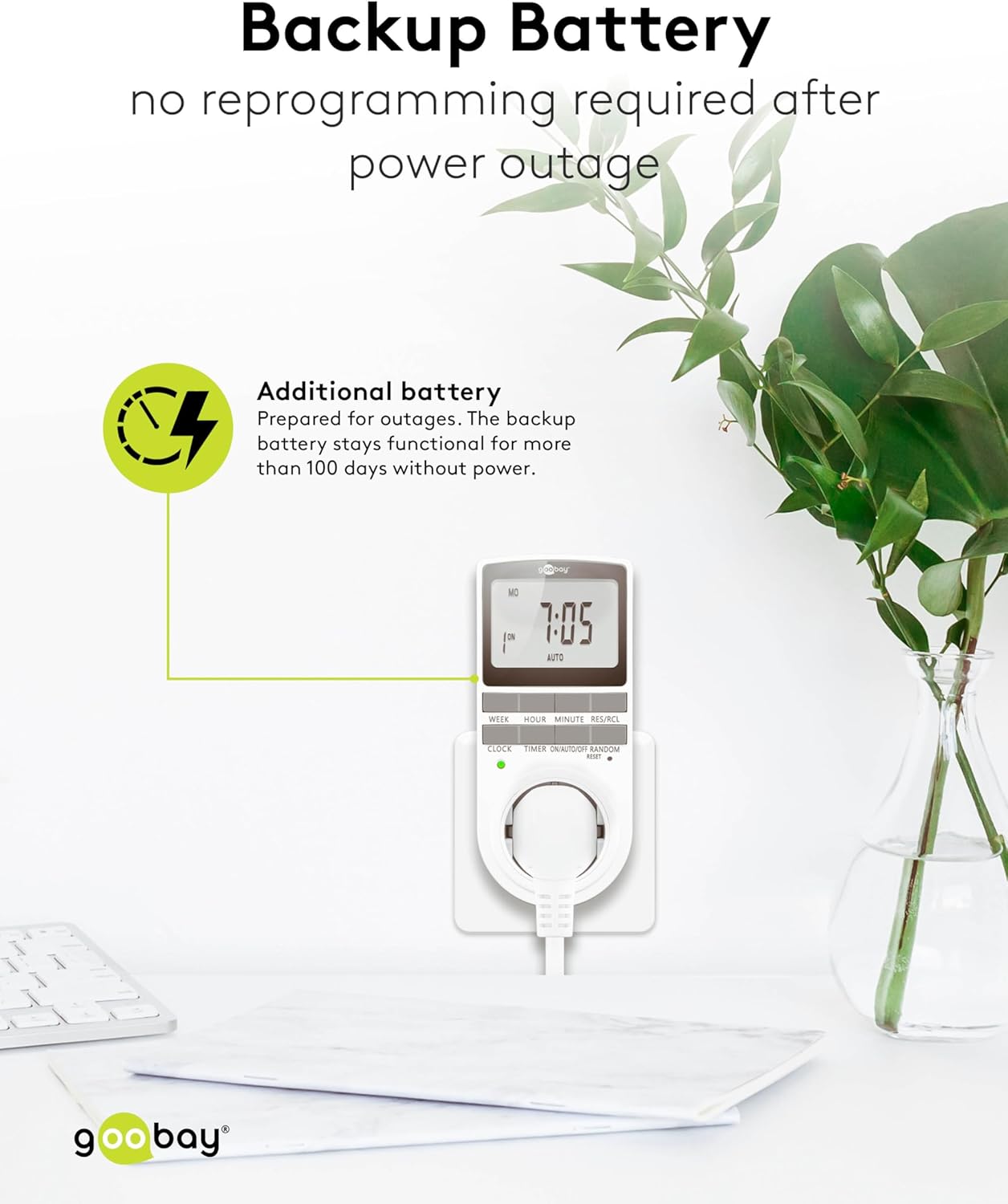
Image: The goobay Digital Timer plugged into an outlet, illustrating the backup battery feature which prevents reprogramming after a power outage.
7. Алдаа засах
| Асуудал | Боломжит шалтгаан | Шийдэл |
|---|---|---|
| Дэлгэц хоосон эсвэл хариу өгөхгүй байна. | Backup battery is depleted or device needs reset. | Plug the timer into a live outlet for 5-10 minutes to charge the battery. If still unresponsive, press the RESET товч. |
| Төхөөрөмж програмчлагдсан цагт асахгүй/унтрахгүй. | Timer is not in АВТО mode, programs are incorrect, or appliance is faulty. | Ensure the timer is set to АВТО mode. Verify programmed ON/OFF times. Check if the connected appliance works when plugged directly into the wall outlet. |
| Random mode is not working. | Timer is not in АВТО mode or random mode is not activated. | Цаг хэмжигч асаалттай байгаа эсэхийг шалгана уу АВТО горим. дээр дарна уу Санамсаргүй button to activate it (an "R" should appear on the display). |
| Цахилгаан унтраалттай болсны дараа цаг буруу байнаtage. | Backup battery is depleted or was not charged sufficiently. | Plug the timer into a live outlet for at least 10 minutes to fully charge the backup battery. Reset and reprogram if necessary. |
8. Техникийн үзүүлэлтүүд
| Брэнд: | губай |
| Загварын дугаар: | 74217 |
| Өнгө: | Цагаан |
| Материал: | Acrylonitrile Butadiene Styrene Plastic |
| Бүтээгдэхүүний хэмжээс (L x W x H): | 7.6 x 6 x 13.5 см |
| Барааны жин: | 155 гр |
| Нийлүүлэлт ботьtage: | 230 В (AC) |
| Макс. Эрчим хүчийг солих: | 3680 Вт |
| Макс. Одоогийн: | 16.0 А |
| Тохиргооны тоо: | 16 (8 ON/OFF program pairs) |
| Хамгаалалтын үнэлгээ: | IP20 |
| Хамгаалалтын ангилал: | I |
| Гарал үүслийн улс: | Хятад |
9. Баталгаат хугацаа ба дэмжлэг
Specific warranty information is not provided within this manual. For details regarding warranty coverage, technical support, or service, please refer to the official goobay webсайт эсвэл худалдагчтайгаа холбогдоно уу.
You can often find additional resources and contact information on the manufacturer's webсайт: www.goobay.com