Танилцуулга
Welcome to the user manual for your Timex Activity Tracker Watch, model TW5M60800. This digital quartz watch features a durable brass case, a comfortable khaki silicone strap, and a green dial. Designed for daily wear, it includes activity tracking functions and is water-resistant up to 30 meters. This manual provides essential information for setting up, operating, maintaining, and troubleshooting your watch to ensure optimal performance.

Зураг 1: Урд view of the Timex Activity Tracker Watch TW5M60800. This image displays the digital green dial, the brass case, and the khaki silicone strap.
Тохиргоо
1. Анхны идэвхжүүлэлт
Your watch may come with a plastic battery saver tab. Gently pull and remove this tab from the side of the watch to activate the battery and power on the device.
2. Цаг, огноог тохируулах
The Timex Activity Tracker Watch typically features multiple buttons for setting.
- -ийг олох MODE button (usually on the bottom left). Press it repeatedly to cycle through display modes until you reach the time setting mode (often indicated by flashing digits).
- -г ашиглана уу SET or ТОХИРУУЛАХ button (usually top left or right) to select the digit you wish to change (hours, minutes, year, month, day).
- -г ашиглана уу START/STOP or LAP/RESET button (usually on the right side) to increase the value of the selected digit.
- Бүх тохиргоо зөв болсны дараа товчийг дарна уу MODE тохиргооны горимоос гарахын тулд дахин товчлуурыг дарна уу.
Зураг 2: Хажуу тал view of the watch, illustrating the placement of control buttons on the brass case. These buttons are used for navigating menus and adjusting settings.
3. Оосорны тохируулга
The watch features a silicone strap with a traditional buckle clasp. Adjust the strap to a comfortable fit on your wrist, ensuring it is snug but not too tight to allow for accurate activity tracking.
Ашиглалтын заавар
1. Үндсэн цагийн дэлгэц
In the default mode, the watch displays the current time (hours, minutes, seconds) and often the day of the week.
2. Accessing Activity Tracker Functions
дээр дарна уу MODE button to cycle through various functions. Look for modes labeled "Activity," "Steps," "Distance," or "Calories."
- Алхам: Хийсэн алхмуудын нийт тоог харуулна.
- Зай: Тооцоолсон зайг харуулна.
- Калори: Тооцоолсон шатаасан калорийн хэмжээг харуулна.
- Daily Goal: Some models allow setting a daily step goal. Refer to the on-screen prompts for setting and tracking.
To reset daily activity data, typically hold down a specific button (e.g., RESET or ХОР) while in an activity tracking mode. Consult the watch's on-screen prompts for exact instructions.
3. Усны эсэргүүцэл
This watch is water-resistant to 30 meters (3 ATM). This means it is suitable for everyday use and can withstand splashes or brief immersion in water. It is үгүй suitable for swimming, showering, or diving. Avoid pressing buttons while the watch is wet or submerged.
Засвар үйлчилгээ
1. Цагаа цэвэрлэх
To clean the watch case and strap, use a soft, damp cloth. For the silicone strap, a mild soap solution can be used, then rinse thoroughly with clean water and dry completely. Avoid using harsh chemicals or abrasive materials, as these can damage the watch's finish.
2. Зай солих
The watch is powered by a CR2032 battery. When the display dims or stops functioning, it's time to replace the battery.
- Carefully remove the back cover of the watch using a small screwdriver or a specialized watch tool.
- Note the orientation of the old battery before removing it.
- Шинэ CR2032 батерейг эерэг (+) талыг дээш харуулан оруулна.
- Replace the back cover, ensuring it is securely fastened to maintain water resistance.
It is recommended to have battery replacement performed by a qualified watch technician to ensure proper sealing and water resistance.

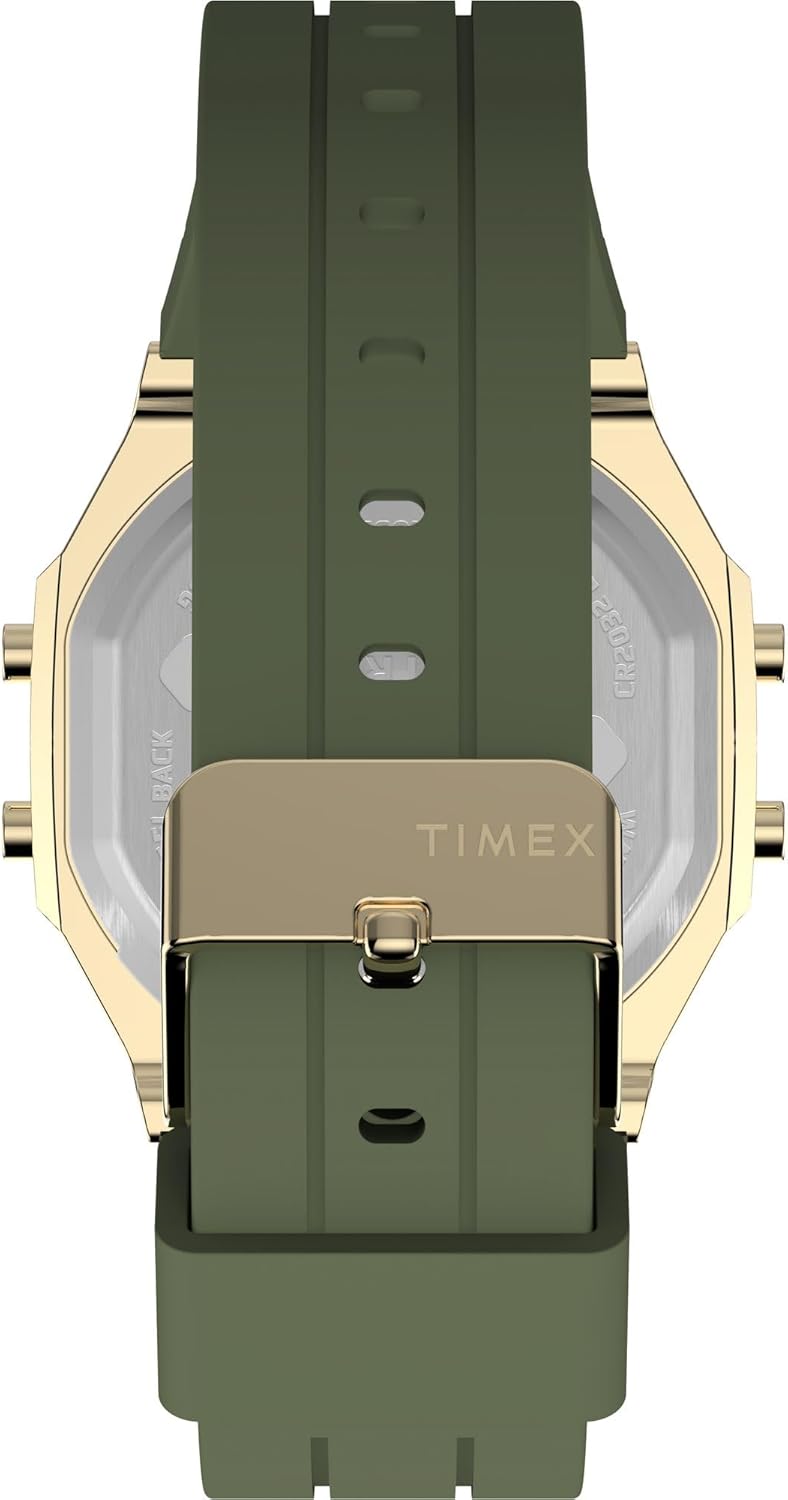
Зураг 3: Арын view of the watch, displaying the stainless steel back with "TIMEX ACTIVITY TRACKER" engraving, battery type (CR2032), and water resistance rating.
3. Хадгалах
Ашиглаагүй үедээ цагаа сэрүүн, хуурай газар, нарны шууд тусгал болон хэт өндөр температураас хол хадгална уу.
Алдааг олж засварлах
| Асуудал | Боломжит шалтгаан | Шийдэл |
|---|---|---|
| Дэлгэц хоосон эсвэл бүдэг байна. | Батерей бага эсвэл цэнэггүй. | Replace the CR2032 battery. Ensure the battery saver tab is removed. |
| Incorrect time or date. | Time/date not set correctly or reset. | Тохиргооны хэсэгт байгаа "Цаг болон огноог тохируулах" зааврыг дагана уу. |
| Activity tracking data is inaccurate. | Watch not worn properly, or sensor obstruction. | Ensure the watch is worn snugly on the wrist. Clean the back sensor area. |
| Товчнууд хариу өгөхгүй байна. | Watch may be in a locked mode or battery issue. | Try a soft reset (if applicable, by holding all buttons for a few seconds). Check battery. |
Үзүүлэлтүүд
| Онцлог | Дэлгэрэнгүй |
|---|---|
| Загварын дугаар | TW5M60800 |
| Дэлгэцийн төрөл | Дижитал |
| Хөдөлгөөний төрөл | Кварц |
| Эрчим хүчний эх үүсвэр | Зай (CR2032) |
| Кейсийн материал | Гуулин |
| Кейсийн диаметр | 40 миллиметр |
| Кейсийн зузаан | 10 миллиметр |
| Кристал материал | Акрил |
| Оосорны материал | Силикон |
| Оосорны өнгө | Хаки |
| Өнгө залгах | Ногоон |
| Усны эсэргүүцэл | 30 метр (3 АТМ) |
| Тэврэлтийн төрөл | Тэврэлт |
| хэлтэс | Юнисекс насанд хүрсэн |
Баталгаат болон дэмжлэг
For detailed warranty information, please refer to the warranty card included with your product packaging or visit the official Timex website. For further assistance or technical support, please contact Timex customer service through their official channels.


