Танилцуулга
This manual provides comprehensive instructions for the installation, operation, maintenance, and troubleshooting of your suevery 24-inch Curved Gaming Monitor (Model: SV240QC). Please read this manual thoroughly before using the product to ensure proper functionality and to maximize your viewтуршлага. Энэ гарын авлагыг цаашид лавлах зорилгоор хадгална уу.
Бүтээгдэхүүний онцлог
- Immersive Curved Display: The 24-inch 3000R curved screen is designed to match the natural curvature of the human eye, providing an immersive visual experience. This is complemented by a Full HD (1920x1080) resolution, drawing users into the content.
- Ultra-Smooth Motion: An ultra-high 180Hz refresh rate combined with an ultra-fast 1ms (GTG) gray-to-gray response time, enhanced by FreeSync technology, effectively eliminates screen tearing, stuttering, and ghosting. This ensures seamless transitions in fast-paced games.
- Accurate Color Reproduction: With 100% sRGB color space coverage and precise reproduction of 16.7 million colors, the VA panel delivers excellent contrast and color layering. This results in vivid and realistic visuals for both gaming and multimedia.
- Flexible Connectivity and Installation: Equipped with DisplayPort (DP) and High-Definition Multimedia Interface (HDMI) ports, the monitor can easily connect to PCs, gaming consoles, laptops, and other devices. It supports VESA wall mounting, allowing for flexible placement in various environments.

Image: The suevery 24-inch Curved Gaming Monitor, showcasing its sleek design and curved screen.
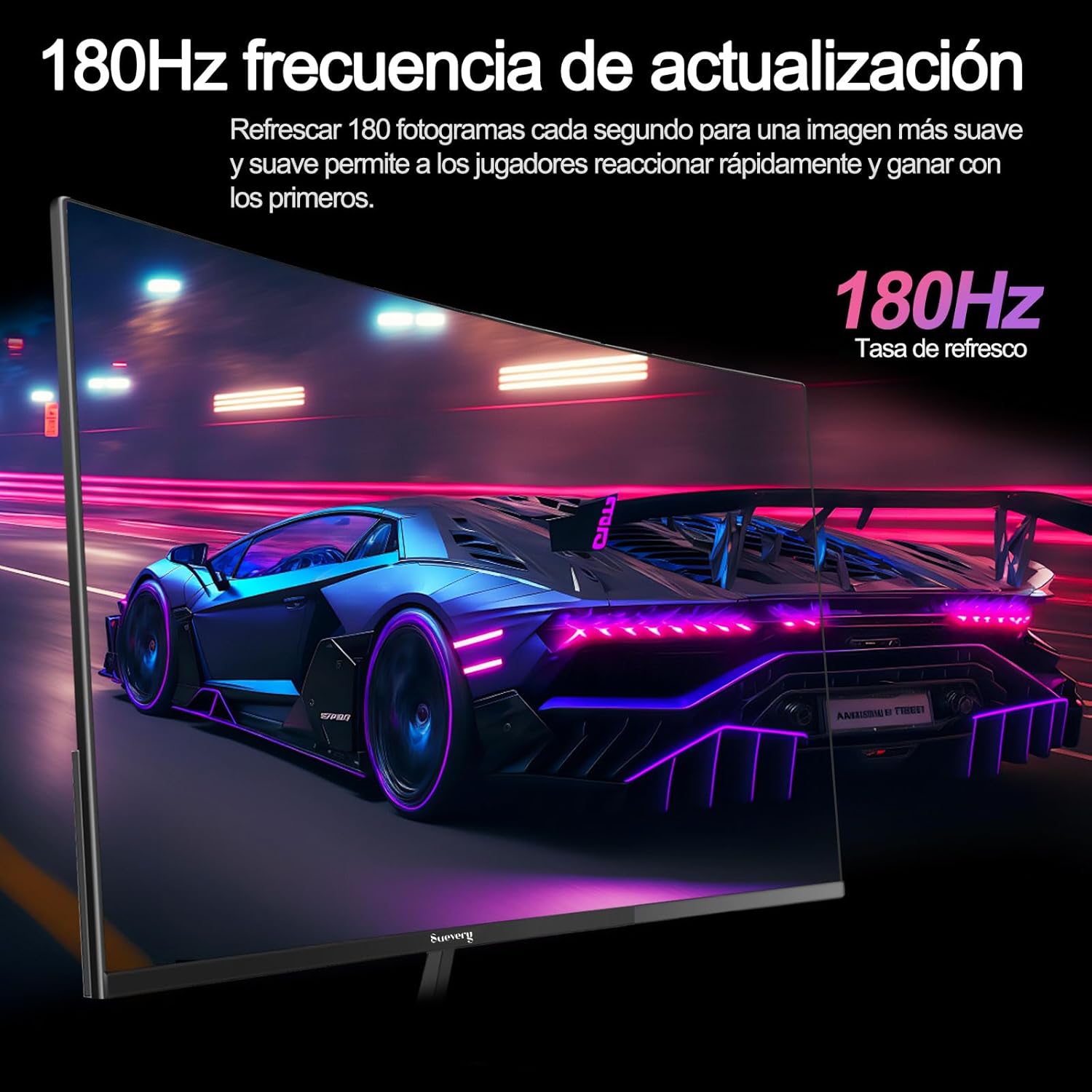
Image: A visual representation highlighting the 180Hz refresh rate, illustrating smooth motion in a racing game scene.

Image: An illustration demonstrating the monitor's wide color gamut (100% sRGB), 3000:1 contrast ratio, and 16.7 million colors for vibrant visuals.

Image: A split-screen comparison showing the visual difference with FreeSync OFF (screen tearing) and FreeSync ON (smooth image) during gameplay.
Тохируулах заавар
1. Савлах, угсрах
- Сав баглаа боодолоос бүх бүрэлдэхүүн хэсгүүдийг болгоомжтой арилгана.
- Зурааснаас урьдчилан сэргийлэхийн тулд дэлгэцийн самбарыг зөөлөн, цэвэр гадаргуу дээр доош харуулан байрлуул.
- Attach the stand base to the stand neck, securing it with the provided screws.
- Attach the assembled stand to the back of the monitor panel. Ensure it clicks securely into place or is fastened with screws as per the design.
- Alternatively, for VESA mounting, remove the stand and attach a VESA-compatible mount (75x75mm) to the monitor's rear panel.
2. Холбох кабель
Refer to the diagram below for port locations.

Image: A diagram illustrating the monitor's rear panel, showing the HDMI, DisplayPort (DP), USB (if applicable), and power input ports, along with VESA mount dimensions (75x75mm).
- Эрчим хүчний холболт: Connect the power adapter to the monitor's power input port, then plug the power cable into a wall outlet.
- Видео холболт: Connect one end of an HDMI or DisplayPort cable to the corresponding port on your monitor and the other end to your computer's graphics card or other video source. For optimal performance, especially at 180Hz, a DisplayPort connection is recommended.
- Аудио (хамааралтай бол): If your monitor has a 3.5mm audio output, you can connect external speakers or headphones.
3. Анхдагч асаалттай
- Дэлгэц дээрх цахилгаан товчийг дарна уу. Эрчим хүчний заагч гэрэл асах ёстой.
- Turn on your connected computer or video source.
- Монитор нь оролтын дохиог автоматаар илрүүлэх ёстой. Үгүй бол та дэлгэц дээрх дэлгэц (OSD) цэсийг ашиглан оролтын эх үүсвэрийг гараар сонгох хэрэгтэй.
Ашиглалтын заавар
1. Асаах/унтраах
Press the power button, usually located on the back or bottom of the monitor, to turn the monitor on or off.
2. Дэлгэц дээрх дэлгэц (OSD) цэс
The OSD menu allows you to adjust various monitor settings. Access the OSD menu using the joystick or buttons typically found on the back or bottom of the monitor.
- Навигац: Use the joystick or directional buttons to navigate through the menu options.
- Сонголт: Press the joystick or a dedicated button to select an option or confirm a setting.
- Гарах: Use the designated 'Exit' button or move the joystick in a specific direction to close the OSD menu.
3. Тохиргоог тохируулах
Таны тохируулж болох гол тохиргоонууд нь:
- Гэрэлтүүлэг/Ялгарал: Эдгээрийг өөртөө тохируулан тохируулна уу viewорчин.
- Өнгөний тохиргоо: Өнгөний температур, гамма болон хувь хүний RGB утгыг өөрчлөх.
- Оролтын эх сурвалж: HDMI болон DisplayPort оролтын хооронд гараар сонгоно уу.
- Сэргээх хурд: Ensure your operating system and graphics card settings are configured to utilize the monitor's 180Hz refresh rate.
- FreeSync: Enable FreeSync in the OSD menu and in your graphics card control panel for tear-free gaming.
- Зургийн горим: Select from preset modes (e.g., Standard, Game, Movie) or customize your own.
Засвар үйлчилгээ
1. Дэлгэц цэвэрлэх
- Мониторыг унтрааж, цахилгааны утсыг салга.
- Зөөлөн, хөвөнгүй даавуугаар дэлгэцийг зөөлөн арчина.
- Зөрүүд тэмдгийн хувьд хөнгөнөөр dampдаавууг усаар эсвэл тусгай дэлгэц цэвэрлэгчээр арчина (дэлгэц рүү шууд цацаж болохгүй).
- Хүчтэй химийн бодис, зүлгүүрийн цэвэрлэгч эсвэл спиртэн суурьтай уусмал хэрэглэхээс зайлсхий.
2. Ерөнхий тусламж үйлчилгээ
- Keep the monitor away from direct sunlight, excessive heat, and humidity.
- Мониторын эргэн тойронд хангалттай агааржуулалтыг хангах.
- Монитор болон түүний кабель дээр хүнд зүйл байрлуулахаас зайлсхий.
Алдааг олж засварлах
Хэрэв танд монитортой холбоотой асуудал тулгарвал дараах нийтлэг асуудал, шийдлүүдийг үзнэ үү.
| Асуудал | Боломжит шийдэл |
|---|---|
| Дэлгэц дээр зураг алга | Ensure the power cable is securely connected and the monitor is turned on. Verify the video cable (HDMI/DP) is properly connected to both the monitor and the computer. Check if the correct input source is selected in the OSD menu. |
| Зураг анивчсан эсвэл тогтворгүй | Check the video cable connection. Ensure your graphics card drivers are up to date. Verify the refresh rate setting in your operating system is set correctly (e.g., 180Hz). Enable FreeSync if supported by your graphics card. |
| Өнгө буруу харагдаж байна | Adjust color settings (brightness, contrast, color temperature) in the OSD menu. Reset the monitor to factory default settings. |
| Монитор асахгүй байна | Check the power cable and adapter connections. Try plugging the monitor into a different power outlet. |
Хэрэв эдгээр шийдлүүдийг туршиж үзсэний дараа асуудал хэвээр байвал хэрэглэгчийн дэмжлэгтэй холбогдоно уу.
Үзүүлэлтүүд
| Онцлог | Тодорхойлолт |
|---|---|
| Брэнд | гомдолтой |
| Загварын дугаар | SV240QC |
| Дэлгэцийн хэмжээ | 24 инч |
| Дэлгэцийн нягтрал | 1920 x 1080 (Full HD) |
| Сэргээх хурд | 180 Гц |
| Хариу өгөх хугацаа | 1 мин (GTG) |
| Муруйлт | 3000R |
| Өнгөний хүрээ | 100% sRGB |
| Самбарын төрөл | VA |
| Харьцаа | 16:9 |
| Холболт | 1x HDMI, 1x DisplayPort (DP) |
| VESA бэхэлгээний нийцтэй байдал | 75x75 мм |
| Бүтээгдэхүүний хэмжээс | 59 x 39 x 11 см (тастангийн хамт) |
| Жин | 3.5 кг |
Баталгаат болон дэмжлэг
Баталгаат хугацааны мэдээлэл
suevery provides a 12 сарын баталгаат хугацаа for this monitor, covering manufacturing defects and malfunctions under normal use. Please retain your proof of purchase for warranty claims.
Хэрэглэгчийн дэмжлэг
If you encounter any damage, failure, or missing parts, or require technical assistance, please do not hesitate to contact suevery customer service. Our support team is available to assist you with any product-related inquiries.
For support, please refer to the contact information provided on the suevery official webсайт эсвэл таны худалдан авах платформ.