1. Танилцуулга
The EazeID M950 is a versatile label maker designed for home, office, and school use. It offers two primary printing modes: direct input via its integrated QWERTY keyboard and wireless control through the 'Print Master' mobile application via Bluetooth. Featuring a rechargeable battery and a backlit LCD screen, the M950 provides convenience and clarity for all your labeling needs. This manual provides detailed instructions for setting up, operating, and maintaining your device.
2. Багцын агуулга
Доор жагсаасан бүх зүйл таны багцад байгаа эсэхийг шалгана уу.
- 1 x EazeID M950 Label Maker
- 1 x 3M21 Black on White Label tape (12mm*4M)
- 1 x C төрлийн өгөгдлийн кабель
- 1 x Сав баглаа боодлын хайрцаг
- 1 х хэрэглэгчийн гарын авлага (энэ баримт бичиг)

Figure 2.1: EazeID M950 Label Maker package contents.
3. Бүтээгдэхүүн дууссанview
The EazeID M950 Label Maker features a compact design with an integrated QWERTY keyboard and a backlit LCD screen for ease of use. It utilizes thermal printing technology, eliminating the need for ink or toner.

Зураг 3.1: Урд view of the EazeID M950 Label Maker and accessories.

Figure 3.2: Key features and components of the EazeID M950 Label Maker.
4. Тохиргоо
4.1 Төхөөрөмжийг цэнэглэх
The M950 Label Maker is equipped with a built-in 1200mAh rechargeable lithium battery. Before first use, or when the battery is low, charge the device using the provided Type-C USB cable.
- Connect the Type-C end of the cable to the charging port on the side of the label maker.
- Connect the USB-A end of the cable to a 5V-2A charging adapter (not included) or a compatible USB port.
- The device will indicate charging status on the LCD screen. A full charge typically takes 1-2 hours.
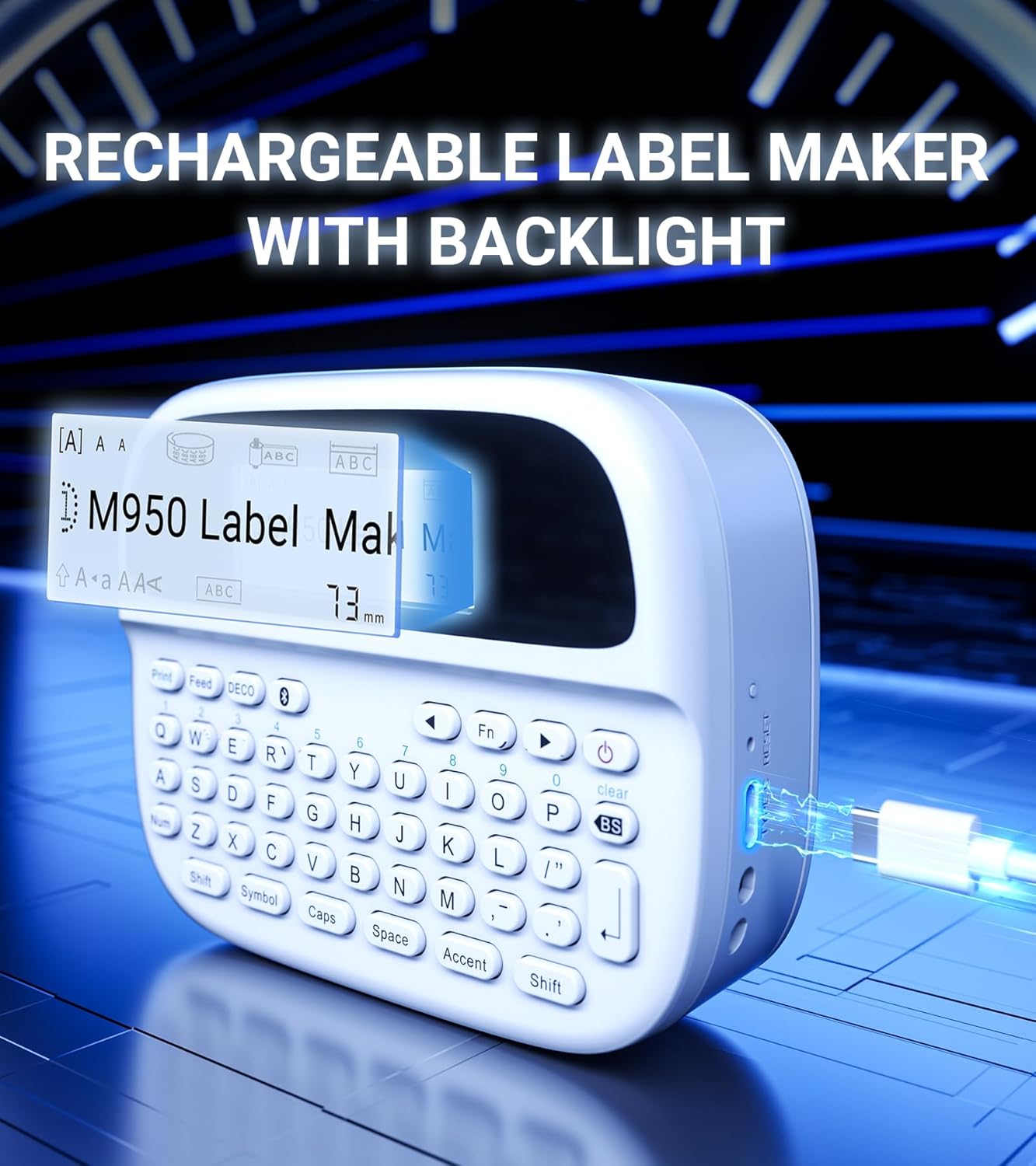
Figure 4.1: Charging the EazeID M950 Label Maker.
4.2 Installing Label Tape
To install or replace the label tape cassette:
- Шошго үйлдвэрлэгч унтарсан эсэхийг шалгаарай.
- Locate the tape compartment cover on the top of the device. Gently open the cover.
- Insert the label tape cassette into the compartment, ensuring it clicks into place. The tape should feed smoothly out of the slot.
- Close the tape compartment cover securely.

Зураг 4.2: Дотоод view of the M950 label maker showing tape cassette placement.
5. Ашиглалтын заавар
5.1 Асаах/унтраах
- Асаахын тулд: товчийг удаан дар Хүч button (usually marked with a power symbol) until the LCD screen illuminates.
- Унтраахын тулд: товчийг удаан дар Хүч дэлгэц унтрах хүртэл дахин товчлуурыг дарна уу.
5.2 Direct Printing via QWERTY Keyboard
The M950 features an ergonomic QWERTY keyboard for direct label creation.
- Асаах: Шошго үүсгэгчийг асаана уу.
- Input Text: Use the QWERTY keyboard to type your desired label text. The text will appear on the backlit LCD screen.
- Formatting Options: Use the function keys (e.g., Fn, Тэмдэг, Caps, Өргөлт) to access various fonts, sizes, symbols, and other formatting options.
- Хэвлэх: дээр дарна уу Хэвлэх button to generate the label.
- Таслах: Хэвлэсэн шошгыг туузны ороомогоос цэвэрхэн салгахын тулд суурилуулсан зүсэгчийг ашиглана уу.

Figure 5.1: Using the QWERTY keyboard for direct label printing.
5.3 Bluetooth App Printing (Print Master App)
For advanced features and customization, connect your M950 to the 'Print Master' app via Bluetooth.
- Апп татаж авах: Download the 'Print Master' app from your device's app store (available on Android and iOS).
- Power On & Bluetooth: Turn on the label maker and ensure Bluetooth is enabled on both the label maker and your smartphone.
- Холбох: Open the 'Print Master' app. The app will search for nearby EazeID label makers. Select 'EazeID M950' from the list to connect.
- Design Label: Use the app's interface to create your label. The app offers a vast library of customizable templates, over 1000 patterns, 100+ frames, 100+ fonts, barcodes, and QR codes.
- Хэвлэх: Once your label is designed, tap the 'Print' icon in the app.
- Таслах: Use the built-in cutter on the label maker to separate the printed label.

Figure 5.2: The EazeID M950 supports both keyboard and Bluetooth app printing modes.

Figure 5.3: Connecting to the 'Print Master' app via Bluetooth.
6. Засвар үйлчилгээ
6.1 Төхөөрөмжийг цэвэрлэх
To ensure optimal performance and longevity of your label maker:
- Цэвэрлэхийн өмнө төхөөрөмжийг унтраа.
- Шошго хийгчийн гадна талыг зөөлөн, хуурай даавуугаар арчина.
- For the print head, gently wipe with a cotton swab lightly dampИзопропилийн спиртээр ариутгана. Хэрэглэхийн өмнө бүрэн хаттал хүлээнэ үү.
- Зүлгүүрийн цэвэрлэгч, уусгагчийг бүү ашигла.
6.2 Батерейны арчилгаа
Батерейны ашиглалтыг нэмэгдүүлэхийн тулд:
- Байнга зайгаа бүрэн цэнэглэхээс зайлсхий.
- Төхөөрөмжийг байнга ашиглахгүй байсан ч тогтмол цэнэглээрэй.
- Төхөөрөмжийг удаан хугацаагаар ашиглаагүй бол сэрүүн, хуурай газар хадгална.
7. Алдаа засах
If you encounter issues with your EazeID M950 Label Maker, refer to the following common problems and solutions:
| Асуудал | Боломжит шалтгаан | Шийдэл |
|---|---|---|
| Төхөөрөмж асахгүй байна | Батерей бага; Төхөөрөмжийн эвдрэл | Төхөөрөмжийг дор хаяж 30 минут цэнэглээрэй. Хэрэв хариу өгөхгүй хэвээр байвал дэмжлэгтэй холбогдоно уу. |
| No print or faint print | Tape installed incorrectly; Print head dirty; Low battery | Reinstall tape cassette. Clean the print head. Charge the device. |
| Bluetooth холболт амжилтгүй боллоо | Bluetooth off; App not updated; Device too far | Ensure Bluetooth is enabled on both devices. Update 'Print Master' app. Move label maker closer to smartphone. Restart both devices. |
| Labels are difficult to peel | Specific label tape characteristic | Ensure you are using genuine EazeID label tape. Try bending the label backing slightly to separate. |
8. Техникийн үзүүлэлтүүд
Technical specifications for the EazeID M950 Label Maker:
- Загварын нэр: EazeID M950 Label Maker
- Хэвлэлийн технологи: Дулааны
- Хэвлэх нягтрал: 203 DPI
- Холболт: Блютүүт, USB C төрөл
- Хамгийн их медиа хэмжээ: 12мм (0.47 инч)
- Зай: 1200mAh Lithium Ion (rechargeable, included)
- Хяналтын арга: App (Print Master), QWERTY Keyboard
- Онцлог шинж чанарууд: Backlit LCD Screen, Built-in Cutter, Portable
- Бүтээгдэхүүний хэмжээ: Ойролцоогоор 1 x 1 x 1 инч
- Барааны жин: 1.06 фунт
- Оруулсан бүрэлдэхүүн хэсгүүд: Label maker, tape, USB-C cable, user manual

Figure 8.1: EazeID M950 Label Maker dimensions and key features.
9. Баталгаат хугацаа ба дэмжлэг
The EazeID M950 Label Maker comes with a limited warranty. For specific warranty terms and conditions, please refer to the warranty card included in your product packaging or visit the official EazeID webсайт.
For technical support, troubleshooting assistance, or inquiries about replacement parts and accessories, please contact EazeID customer service through the contact information provided on the official webсайт эсвэл таны худалдан авах платформ.


