1. Танилцуулга
This manual provides detailed instructions for the MACALLY BTZKEY Bluetooth Full-size Keyboard, designed for seamless integration with Apple devices. It features a Japanese layout, a numeric keypad, and multi-pairing capabilities for up to three devices. Please read this manual thoroughly before using the product to ensure proper operation and longevity.

Figure 1: MACALLY BTZKEY Bluetooth Full-size Keyboard
2. Багцын агуулга
Бүх зүйл байгаа эсэхийг шалгахын тулд багцын агуулгыг шалгана уу:
- MACALLY BTZKEY Bluetooth Full-size Keyboard
- USB-C цэнэглэгч кабель
- Хэрэглэгчийн гарын авлага
3. Тохиргоо
3.1 Гарыг цэнэглэх
The keyboard comes with a built-in 780mAh rechargeable battery. Before initial use, it is recommended to fully charge the keyboard.
- Connect the included USB-C cable to the charging port on the keyboard.
- Connect the other end of the USB-C cable to a USB power adapter (not included) or a powered USB port on your computer.
- Цэнэглэх заагч гэрэл цэнэглэх үед асч, бүрэн цэнэглэгдсэн үед унтарна.
Жич: The USB-C cable provided is for charging only and does not support data transfer.

Figure 2: Charging the MACALLY BTZKEY Keyboard
3.2 Төхөөрөмжүүдтэй хослуулах
The MACALLY BTZKEY keyboard supports pairing with up to three Bluetooth-enabled devices (MacBook, iMac, iPhone, iPad). You can easily switch between these devices.
- Гар цэнэглэгдэж, асаалттай байгаа эсэхийг шалгаарай.
- Enable Bluetooth on your device (Mac, iPad, iPhone).
- On the keyboard, press and hold one of the dedicated device keys (B1, B2, or B3) for 3-5 seconds until the corresponding indicator light above the key flashes rapidly. This indicates the keyboard is in pairing mode.
- On your device, go to Bluetooth settings and select "BTZKEY" from the list of available devices.
- Once connected, the indicator light will stop flashing and remain solid for a few seconds, then turn off.
- To switch between paired devices, simply press the corresponding device key (B1, B2, or B3). The keyboard will automatically connect to the last paired device on that channel.
Алдааг олж засварлах зөвлөмж: If pairing fails, it is recommended to delete all existing pairing records for the keyboard on your device and attempt to reconnect.

Figure 3: Multi-Sync Bluetooth Functionality
4. Ашиглалтын заавар
4.1 Mac-Specific Layout and Shortcut Keys
This keyboard is designed with a 111-key macOS-specific layout, providing a familiar and efficient typing experience for Apple users. It includes 14 dedicated shortcut keys for quick access to common Mac functions.
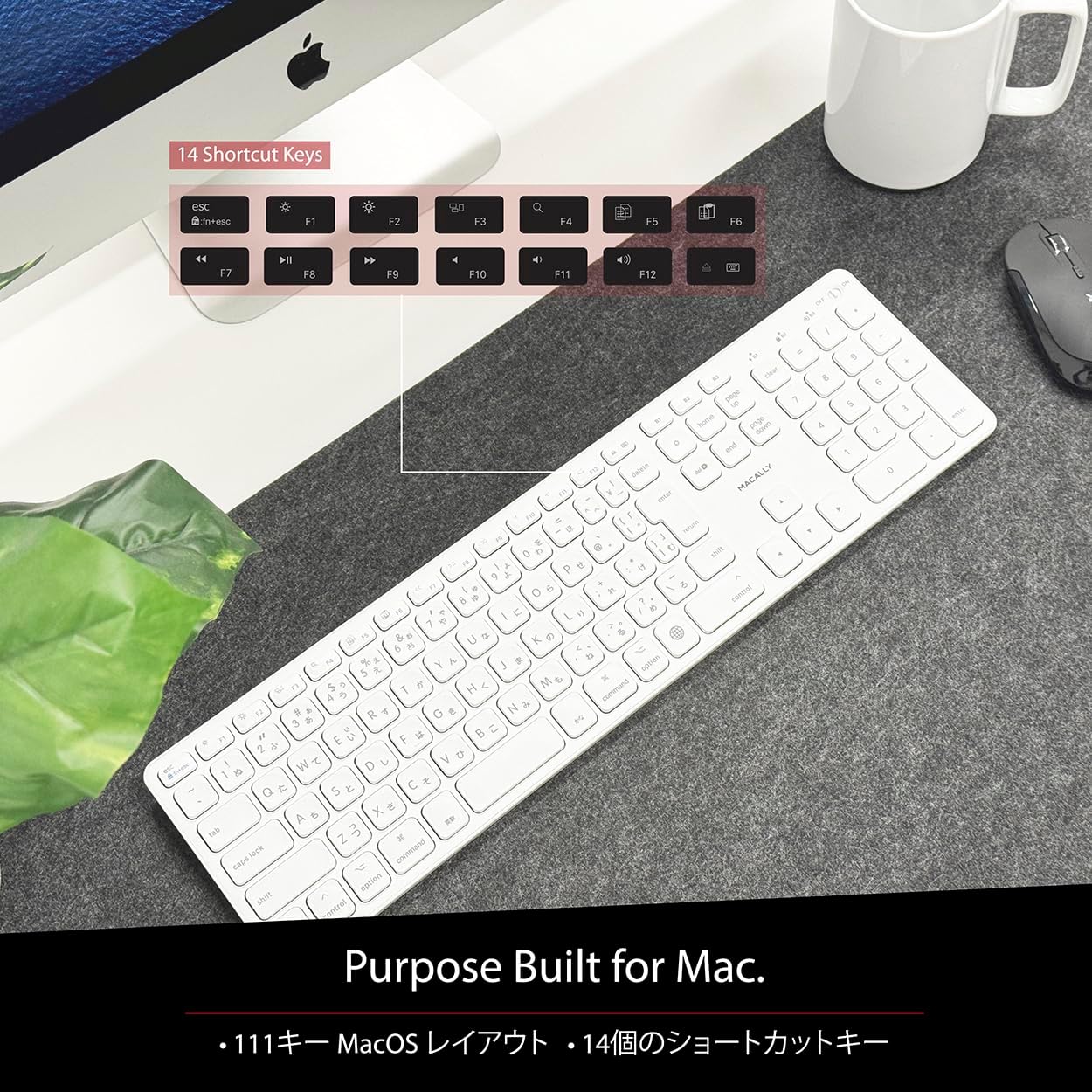
Figure 4: Mac-Specific Layout and Shortcut Keys
4.2 Scissor-Switch Keycaps
The keyboard utilizes quiet scissor-switch keys, offering a smooth, tactile, and quiet typing experience. This design ensures comfortable and efficient typing, whether for extended periods or quick tasks.
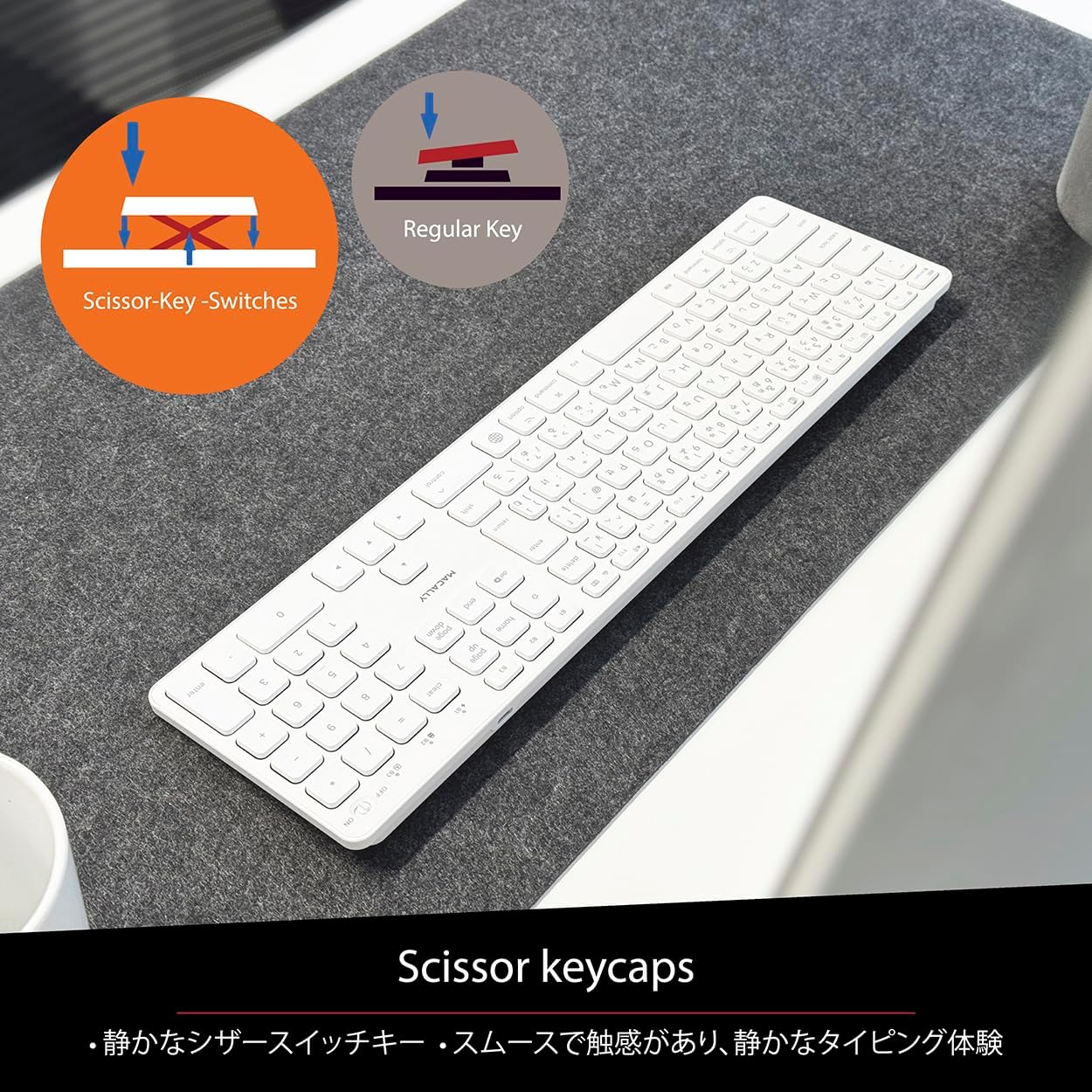
Figure 5: Scissor-Key-Switches Mechanism
4.3 Ergonomics and Design
The keyboard features an integrated kickstand for comfortable typing angles, reducing strain during use. Its slim profile, approximately 0.8 inches (2cm) thick, ensures portability and ergonomic use, complementing any workspace.
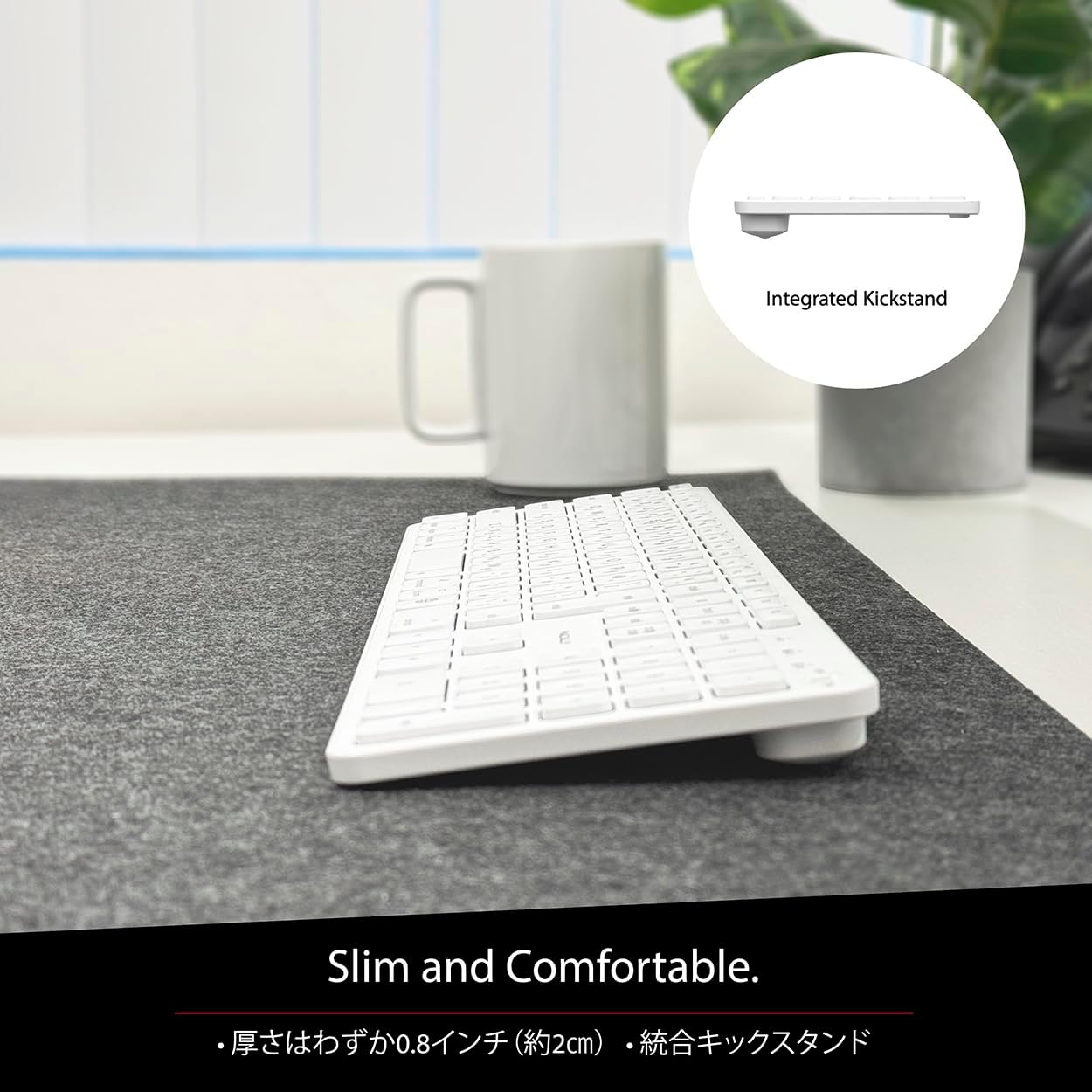
Figure 6: Slim Design with Integrated Kickstand
5. Засвар үйлчилгээ
Гарынхаа урт наслалт, оновчтой ажиллагааг хангахын тулд дараах засвар үйлчилгээний удирдамжийг дагана уу.
- Цэвэрлэгээ: Зөөлөн, хөвөнгүй даавууг бага зэрэг хэрэглээрэй dampГарны гадаргууг ус эсвэл зөөлөн цэвэрлэгээний уусмалаар арчина. Хүчтэй химийн бодис эсвэл зүлгүүрийн материалаас зайлсхий.
- Тоос арилгах: Товчлуурын хоорондох тоос, хог хаягдлыг арилгахын тулд шахсан агаарыг ашиглана.
- Батерейны арчилгаа: Avoid exposing the keyboard to extreme temperatures. Charge the keyboard regularly, even if not in frequent use, to maintain battery health.
- Хадгалах: Удаан хугацаагаар ашиглаагүй үед гарыг сэрүүн, хуурай газар, нарны шууд тусгалаас хол хадгална уу.
6. Алдаа засах
If you encounter issues with your MACALLY BTZKEY keyboard, please refer to the following common problems and solutions:
| Асуудал | Боломжит шалтгаан | Шийдэл |
|---|---|---|
| Keyboard not connecting/pairing | Bluetooth off, low battery, pairing conflict | Ensure Bluetooth is enabled on device. Charge keyboard. Delete existing pairing records on device and re-pair. |
| Keys unresponsive or repeating characters | Low battery, software glitch, interference | Charge keyboard. Restart device. Re-pair keyboard. Minimize interference from other wireless devices. |
| Төхөөрөмж хооронд шилжих боломжгүй | Device not properly paired to channel | Ensure each device is paired to a unique channel (B1, B2, B3). Re-pair if necessary. |
| Батерейны богино хугацаа | Frequent use, aging battery | Ensure full charge before use. Reduce backlight usage if applicable (not on this model). Battery life may decrease over time. |
Хэрэв эдгээр шийдлүүдийг туршиж үзсэний дараа асуудал хэвээр байвал хэрэглэгчийн дэмжлэгтэй холбогдоно уу.
7. Техникийн үзүүлэлтүүд
| Онцлог | Тодорхойлолт |
|---|---|
| Брэнд | Макалли |
| Үйлдвэрлэгч | МАКАЛИ |
| Цуврал | BTZKEY |
| Бүтээгдэхүүний хэмжээ (L x W x H) | 42 x 14 x 2 см |
| Бүтээгдэхүүний загварын дугаар | BTZKEY |
| Өнгө | Цагаан |
| Батерейнууд багтсан | Тиймээ |
| Лити батерейны багц | Тоног төхөөрөмжид агуулагдах батерейнууд |
| Литиум батерейны жин | 2 гр |
| Зүйлийн жин | 610 гр |
| Тохиромжтой төхөөрөмжүүд | Laptop (MacBook Pro/Air, iMac, Mac Mini, Mac Pro, iPad, iPhone) |
| Холболтын технологи | Bluetooth |
| Гарын тайлбар | Оффисын гар |
| Бүтээгдэхүүний ашиглахыг зөвлөж байна | Бизнес |
| Онцлог шинж чанар | Цэнэглэдэг |
| Түлхүүрүүдийн тоо | 111 |
| Оруулсан бүрэлдэхүүн хэсгүүд | USB кабель |
8. Баталгаат хугацаа ба дэмжлэг
For detailed warranty information, technical support, and customer service, please refer to the official MACALLY website or contact their support channels directly. It is recommended to keep your purchase receipt as proof of purchase for any warranty claims.
9. Бүтээгдэхүүний албан ёсны видеонууд
Official product videos, if available and relevant, would be embedded here to provide visual guidance on setup, features, or troubleshooting. Please note that video content is subject to availability and may require an internet connection to view.
(No official seller videos were available in the provided product data to embed at this time.)