1. Танилцуулга
Thank you for choosing the THOMSON 24-inch HD Google TV (Model 24HG2S14CW). This manual provides essential information for setting up, operating, and maintaining your new television. Please read these instructions carefully before using the product to ensure safe and optimal performance.
Experience complete entertainment for the whole family with the Thomson 24-inch HD Google TV. Google TV simplifies your entertainment experience by organizing content from your apps and subscriptions per user. Create multiple user profiles and benefit from organized recommendations. Enjoy a wide range of smart features, including access to over 400,000 movies and TV shows from numerous available apps, smart voice control with Google Assistant, and integrated Google Cast for wireless streaming of movies, music, and videos from compatible devices. Its elegant design with a 3-sided bezel-less frame allows you to fully concentrate on the on-screen action. Dolby Audio technology creates a dynamic sound experience. The integrated triple tuner allows reception via satellite antenna, terrestrial antenna, or cable, meaning you can receive all available channels without additional equipment. The ergonomic remote control with backlighting allows you to keep track of everything, even in dim lighting, and a dedicated 'Favorite' button provides quick access to your preferred app.
2. Аюулгүй байдлын мэдээлэл
Гал түймэр, цахилгаан цочрол, гэмтлийн эрсдлийг бууруулахын тулд энэ бүтээгдэхүүнийг ашиглахдаа аюулгүй байдлын үндсэн арга хэмжээг үргэлж дагаж мөрдөөрэй.
- Эрчим хүчний эх үүсвэр: ТВ нь дууны түвшинтэй таарч байгаа цахилгаан тэжээлд холбогдсон эсэхийг шалгаарайtage specified on the rating label. For 12V operation, use only the provided 12V adapter.
- Агааржуулалт: Агааржуулалтын нүхийг хааж болохгүй. Хэт халалтаас урьдчилан сэргийлэхийн тулд ТВ-ийн эргэн тойронд зохих агаарын урсгалыг хангахад хангалттай зай гарга.
- Байршил: Зурагтаа тогтвортой, тэгш гадаргуу дээр байрлуул. Нарны шууд тусгал, дулааны эх үүсвэрийн ойролцоо эсвэл өндөр чийгшилтэй эсвэл тоос шороотой орчинд байрлуулахаас зайлсхий.
- Ус ба чийг: Зурагтыг бороо, чийгэнд бүү тавь. Зурагт дээр ваар зэрэг шингэнээр дүүрсэн зүйлийг бүү байрлуул.
- Цэвэрлэгээ: Цэвэрлэхийн өмнө ТВ-ээ салга. Зөөлөн, хуурай даавуу хэрэглээрэй. Шингэн цэвэрлэгч, аэрозол цэвэрлэгч хэрэглэж болохгүй.
- Үйлчилгээ: Энэ бүтээгдэхүүнд өөрөө үйлчлэх гэж бүү оролдоорой. Бүх засвар үйлчилгээг мэргэшсэн үйлчилгээний ажилтнуудад хандаарай.
3. Багцын агуулга
Таны багцад бүх зүйл багтсан эсэхийг шалгана уу:
- THOMSON 24-inch HD Google TV
- Алсын удирдлага (батарейтай)
- Power Adapter (for standard AC outlet)
- 12V Power Cable (for camping/caravan use)
- ТВ тавиур (2 ширхэг)
- ТВ тавцангийн эрэг
- Түргэн эхлүүлэх гарын авлага
- Хэрэглэх заавар (энэ баримт бичиг)
4. Тохиргоо
4.1 Физик суурилуулалт
Тавиурыг хавсаргах:
- Дэлгэцийг гэмтээхгүйн тулд зурагтыг зөөлөн, цэвэр гадаргуу дээр доош харуулан болгоомжтой байрлуул.
- Тавиурыг ТВ-ийн ёроолд байгаа шурагны нүхтэй зэрэгцүүлнэ.
- Өгөгдсөн эрэг ашиглан тулгууруудыг бэхлэнэ. Тэдгээрийг сайтар холбосон эсэхийг шалгаарай.
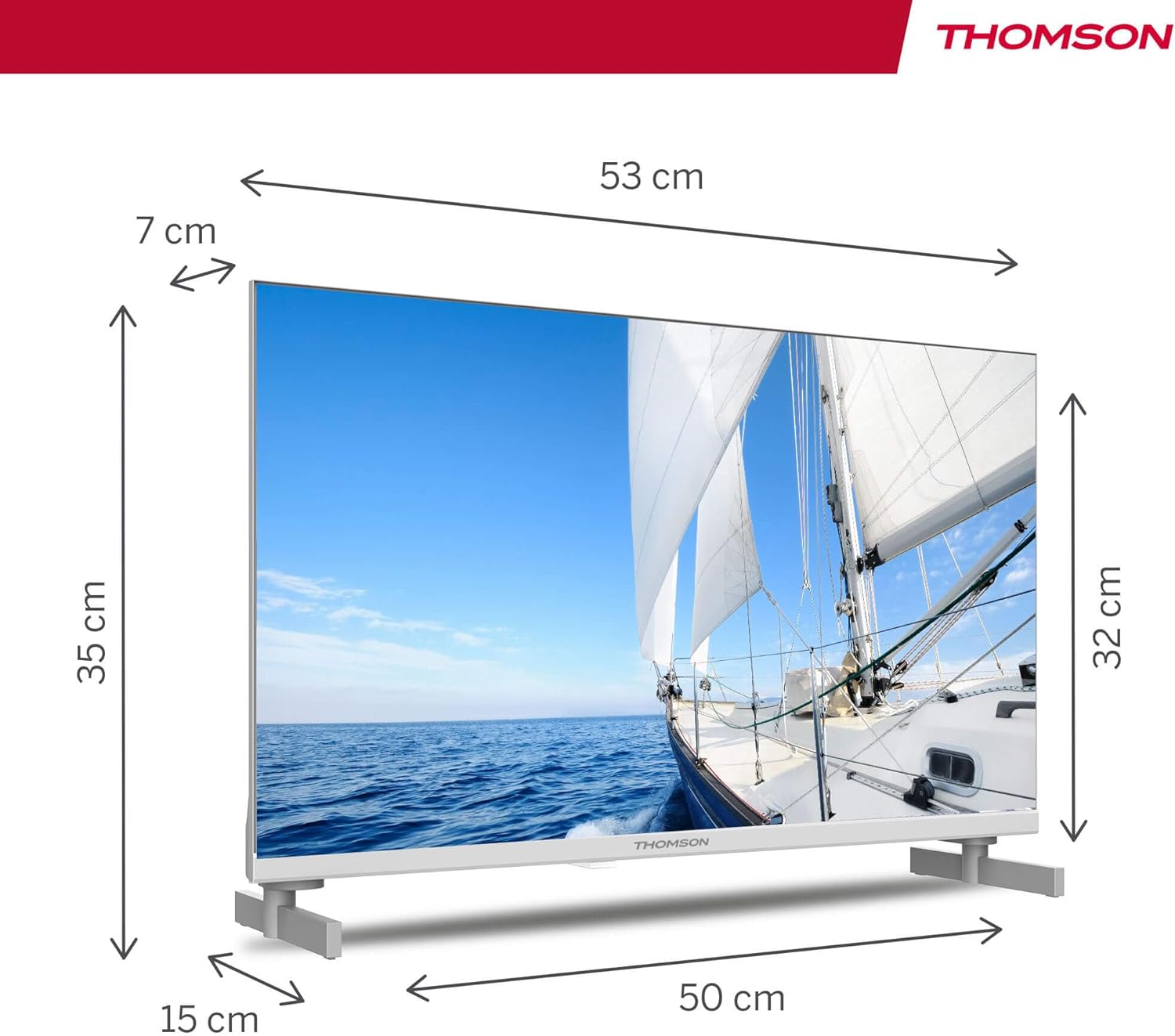
The TV offers two stand positions to fit various furniture widths. Refer to the image below for guidance.

Хананд суурилуулах (заавал биш):
If you plan to wall mount your TV, please consult a professional installer. Ensure the wall mount is compatible with the TV's VESA mounting pattern and weight.
4.2 Цахилгааныг холбох
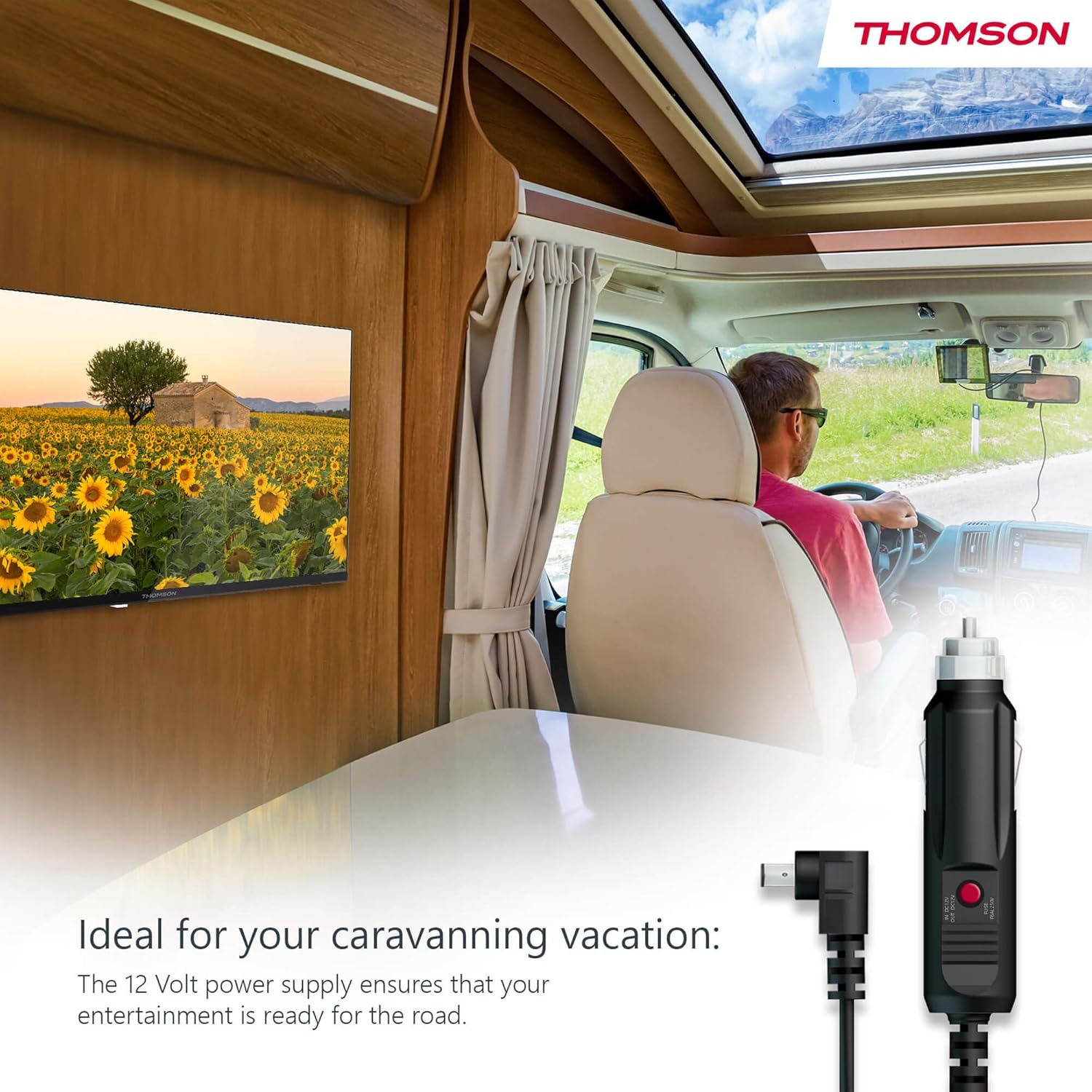
Your THOMSON TV supports both standard AC power and 12V DC power, making it ideal for camping or caravan use.
- Standard AC Power: Connect the provided power adapter to the TV's power input and then plug it into a standard wall outlet.
- 12V DC Power (Camping): For mobile use, connect the 12V power cable to the TV's power input and then to a compatible 12V power source in your vehicle or caravan.
4.3 Connecting Antennas/Cables
The integrated triple tuner allows reception via DVB-T (terrestrial antenna), cable, or satellite antenna.
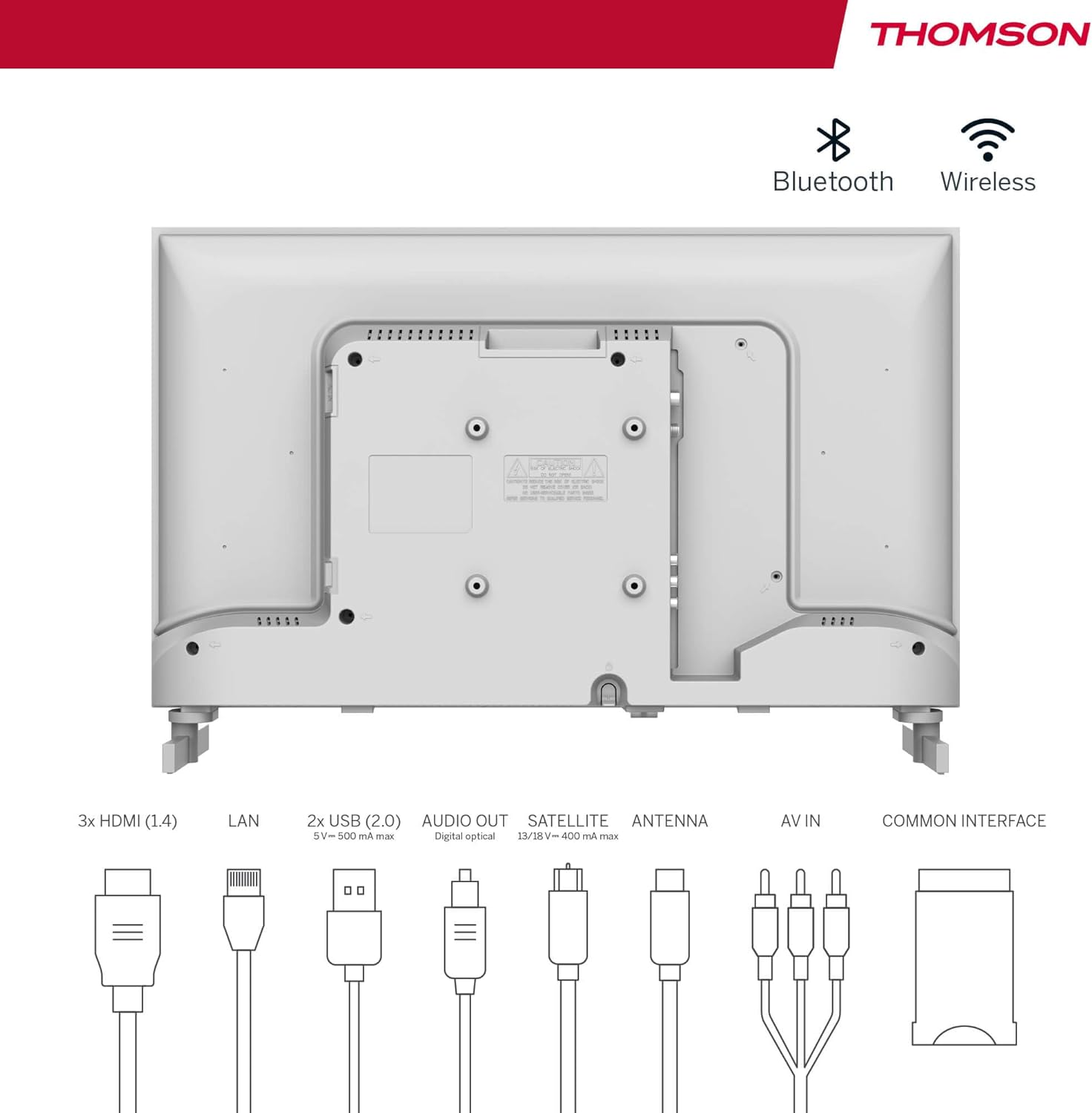
- Terrestrial Antenna: Connect a DVB-T/T2 antenna cable to the 'ANTENNA' input on the TV.
- Кабелийн телевиз: Connect your cable TV coaxial cable to the 'ANTENNA' input on the TV.
- Хиймэл дагуулын антен: Connect your satellite dish cable to the 'SATELLITE' input on the TV.
4.4 Гадаад төхөөрөмжүүдийг холбох
- HDMI төхөөрөмжүүд: Connect Blu-ray players, game consoles, or other HDMI devices to the HDMI ports (3 available).
- USB төхөөрөмжүүд: Connect USB drives for media playback or software updates to the USB ports (2 available).
- Аудио гаралт: Use the digital optical audio output to connect to a soundbar or home theater system.
- AV-д: For older devices, use the AV In ports.
- LAN: Утастай интернэт холболтын хувьд Ethernet кабелийг LAN порт руу холбоно уу.
- CI+ Module: Insert a CI+ module and smart card (if required by your service provider) into the Common Interface slot.
4.5 Анхны тохиргоо (Google TV)
- Power on the TV. The initial setup wizard will guide you through the process.
- Өөрийн дуртай хэлээ сонгоно уу.
- Connect to a Wi-Fi network or use a wired LAN connection.
- Google акаунтаараа нэвтэрч Google TV-ийн онцлог, апп болон хувийн болгосон зөвлөмжид хандах боломжтой.
- Follow the on-screen prompts to set up Google Assistant and tune channels (for antenna/cable/satellite).
5. ТВ-ээ ажиллуулах
5.1 Алсын удирдлага
The included remote control is designed for intuitive navigation of your Google TV.

- Арын гэрэлтүүлэгтэй товчлуурууд: The remote features backlighting for easy use in dark environments.
- Дуут удирдлага: Press the Google Assistant button and speak into the remote to control your TV, search for content, or ask questions.
- Дуртай апп товчлуур: Use the star button to quickly access your most frequently used application.
- Profile Солих: Easily switch between different user profiles set up on your Google TV.

5.2 Google TV интерфэйс
Google TV organizes content from your streaming services and apps into a single, easy-to-navigate interface.

- Хувь хүний зөвлөмжүүд: The 'For You' tab provides content suggestions based on your viewing habits across all your streaming services.
- Програмууд: Access a wide range of applications from the Google Play Store, including popular streaming platforms.
- Номын сан: Find your purchased movies and shows from Google Play.
- Profiles: Create separate user profiles for each family member to get personalized content and recommendations.
5.3 Google Cast
Integrated Google Cast allows you to wirelessly stream movies, music, and videos from compatible devices (smartphones, tablets, computers) directly to your TV screen.
- Таны төхөөрөмж болон телевизор ижил Wi-Fi сүлжээнд холбогдсон эсэхийг шалгаарай.
- Open a Cast-enabled app on your device (e.g., YouTube, Netflix).
- Дамжуулах дүрс дээр товшино уу (▶) within the app and select your THOMSON TV.
5.4 Dolby Аудио
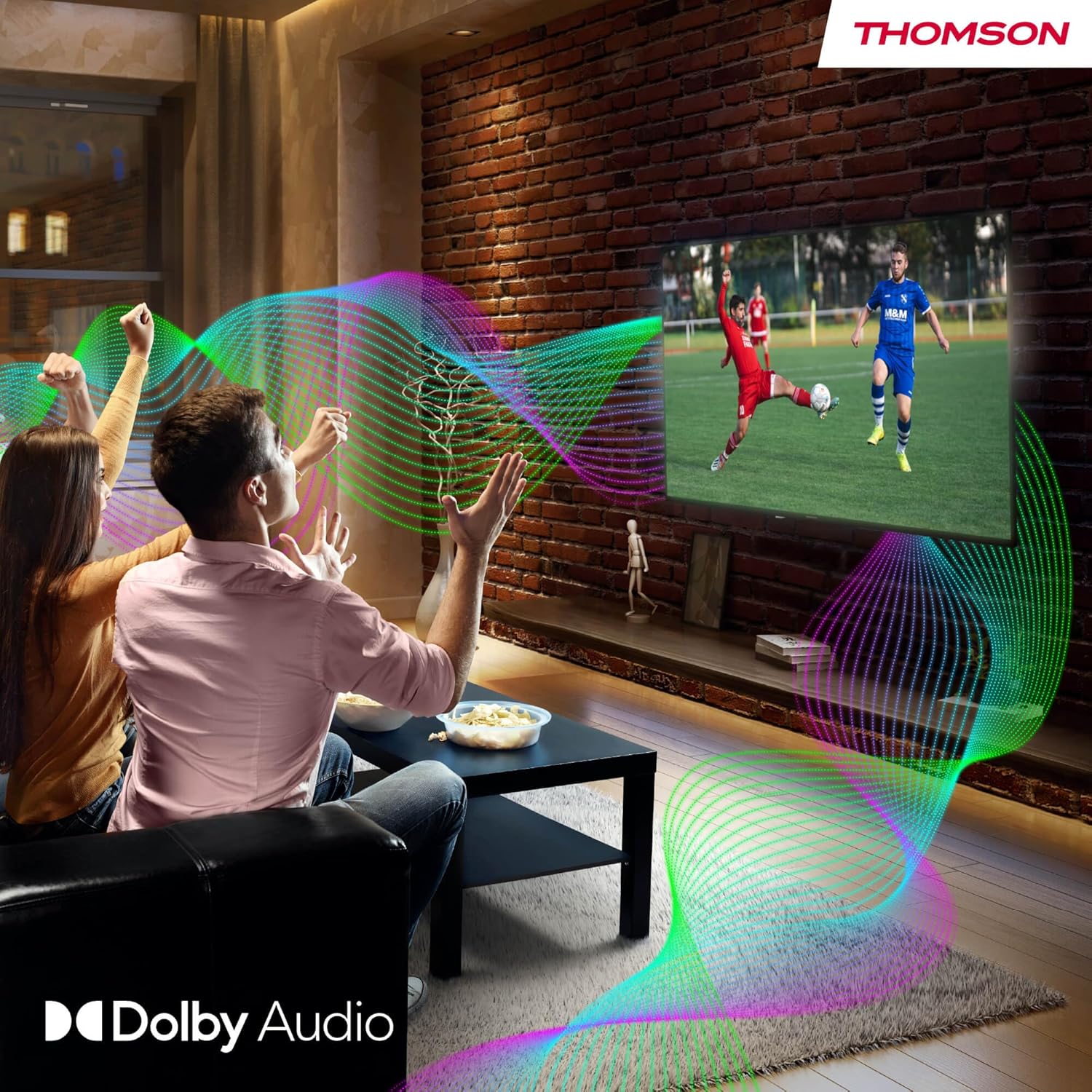
Your TV features Dolby Audio technology for an enhanced sound experience, delivering clear dialogue and immersive audio.
6. Засвар үйлчилгээ
- Дэлгэц цэвэрлэх: Зөөлөн, хөвөнгүй даавуугаар дэлгэцийг зөөлөн арчина. Зөрүүд тэмдгийн хувьд бага зэрэг dampen the cloth with water or a specialized screen cleaner (ensure it's safe for LED screens). Never spray liquid directly onto the screen.
- ТВ-ийн их биеийг цэвэрлэх: Зөөлөн, хуурай даавуугаар ТВ-ийн гадна талыг арчина.
- Програм хангамжийн шинэчлэлтүүд: Your Google TV will periodically check for and install software updates. Ensure your TV is connected to the internet for these updates.
- Кабелийн менежмент: Keep cables tidy and organized to prevent damage and ensure proper ventilation.
7. Алдаа засах
Хэрэв танд ТВ-тэй холбоотой ямар нэг асуудал гарвал дараах нийтлэг асуудал, шийдлүүдийг үзнэ үү.
| Асуудал | Боломжит шийдэл |
|---|---|
| Хүч чадалгүй | Check if the power cable is securely connected to the TV and the power outlet. Ensure the outlet is working. Try a different power source. |
| Зураг байхгүй ч дуу чимээ байна | Оролтын эх үүсвэрийг шалгана уу. Гадны төхөөрөмжүүд зөв холбогдсон, асаалттай байгаа эсэхийг шалгаарай. |
| Дуу алга, гэхдээ зураг байна | Check the volume level. Ensure mute is not activated. Check audio output settings and external audio device connections. |
| Алсын удирдлага ажиллахгүй байна | Check and replace batteries. Ensure there are no obstructions between the remote and the TV. |
| Wi-Fi-д холбогдох боломжгүй байна | Ensure your router is on and working. Re-enter the Wi-Fi password. Try restarting the TV and router. |
| Зургийн чанар муу | Check antenna/cable connections. Adjust picture settings. For streaming content, check internet speed. |
8. Техникийн үзүүлэлтүүд
| Онцлог | Дэлгэрэнгүй |
|---|---|
| Брэнд | Томсон |
| Загварын дугаар | 24HG2S14CW |
| Дэлгэцийн хэмжээ | 24 инч (60 см) |
| Шийдвэр | HD (1366 x 768) |
| Дэлгэцийн технологи | LED |
| Сэргээх хурд | 60 Гц |
| Үйлдлийн систем | Google TV |
| Дуут удирдлага | Google Туслах |
| Аудио технологи | Dolby Аудио |
| HDR дэмжлэг | HDR10 |
| Холболт | Wi-Fi, Bluetooth 5.1, HDMI (3 ports), USB (2 ports), LAN, Digital Optical Audio Out, AV In, CI+ |
| Тохируулагчийн төрөл | Triple Tuner (DVB-T/T2, DVB-C, DVB-S/S2) |
| Эрчим хүчний хангамж | 12V DC / Standard AC |
| Өнгө | Цагаан |
| Бүтээгдэхүүний хэмжээ (L x W x H) | 53.48 x 15.05 x 35.32 см |
| Жин | 3.5 кг |
| Эрчим хүчний хэмнэлтийн ангилал | E |
| Цахилгаан зарцуулалт (1000ц) | 18 кВт цаг |

9. Баталгаат хугацаа ба дэмжлэг
THOMSON products are designed and manufactured to the highest quality standards. This product is covered by a manufacturer's warranty. Please refer to the warranty card included in your package for specific terms and conditions, including the warranty period and coverage details.
For technical support, troubleshooting assistance, or warranty claims, please contact THOMSON customer service through their official webсайт эсвэл баталгаат баримт бичигт заасан холбоо барих мэдээлэл.


