1. Танилцуулга
This manual provides detailed instructions for setting up, operating, maintaining, and troubleshooting your NIMO Mini PC N100. Please read this manual thoroughly before using the device to ensure proper functionality and to maximize its lifespan. The NIMO Mini PC N100 is a compact and powerful desktop computer designed for various applications, from home entertainment to office productivity.
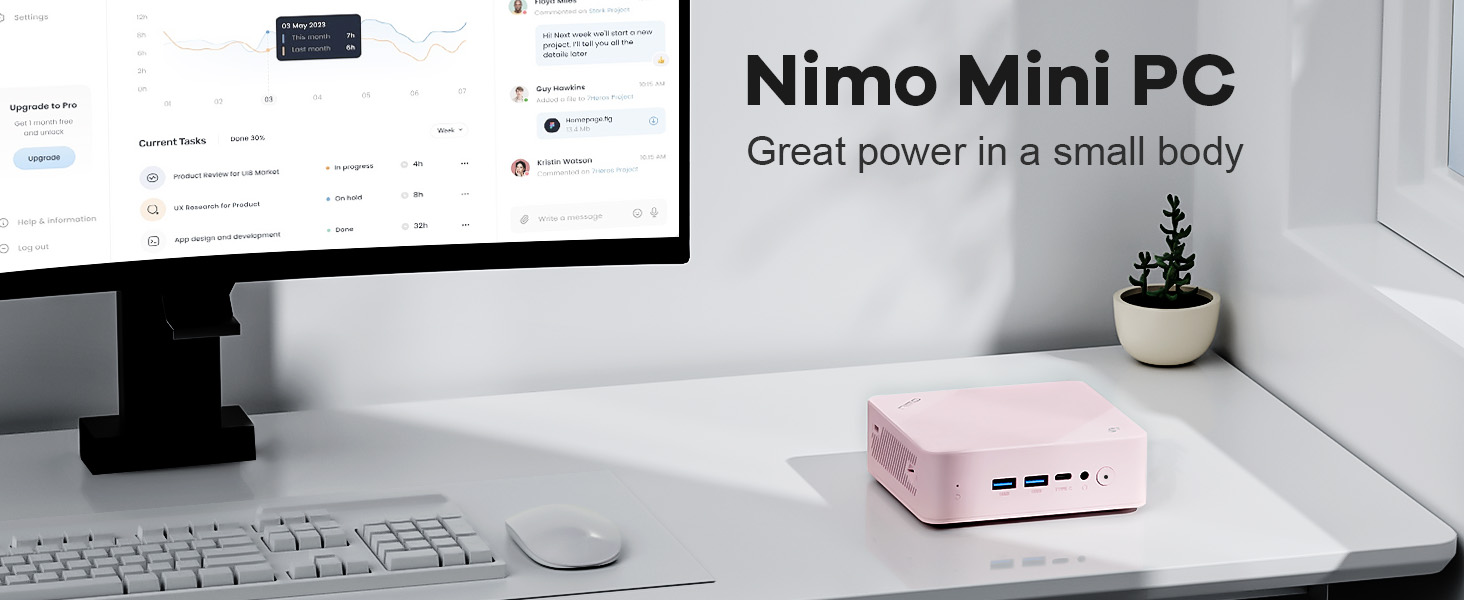
Image: The NIMO Mini PC N100, a compact computing solution for various environments.
2. Бүтээгдэхүүн дууссанview
The NIMO Mini PC N100 is engineered for efficiency and versatility. It features a compact design with a comprehensive array of ports for seamless connectivity.
2.1. Physical Features and Ports
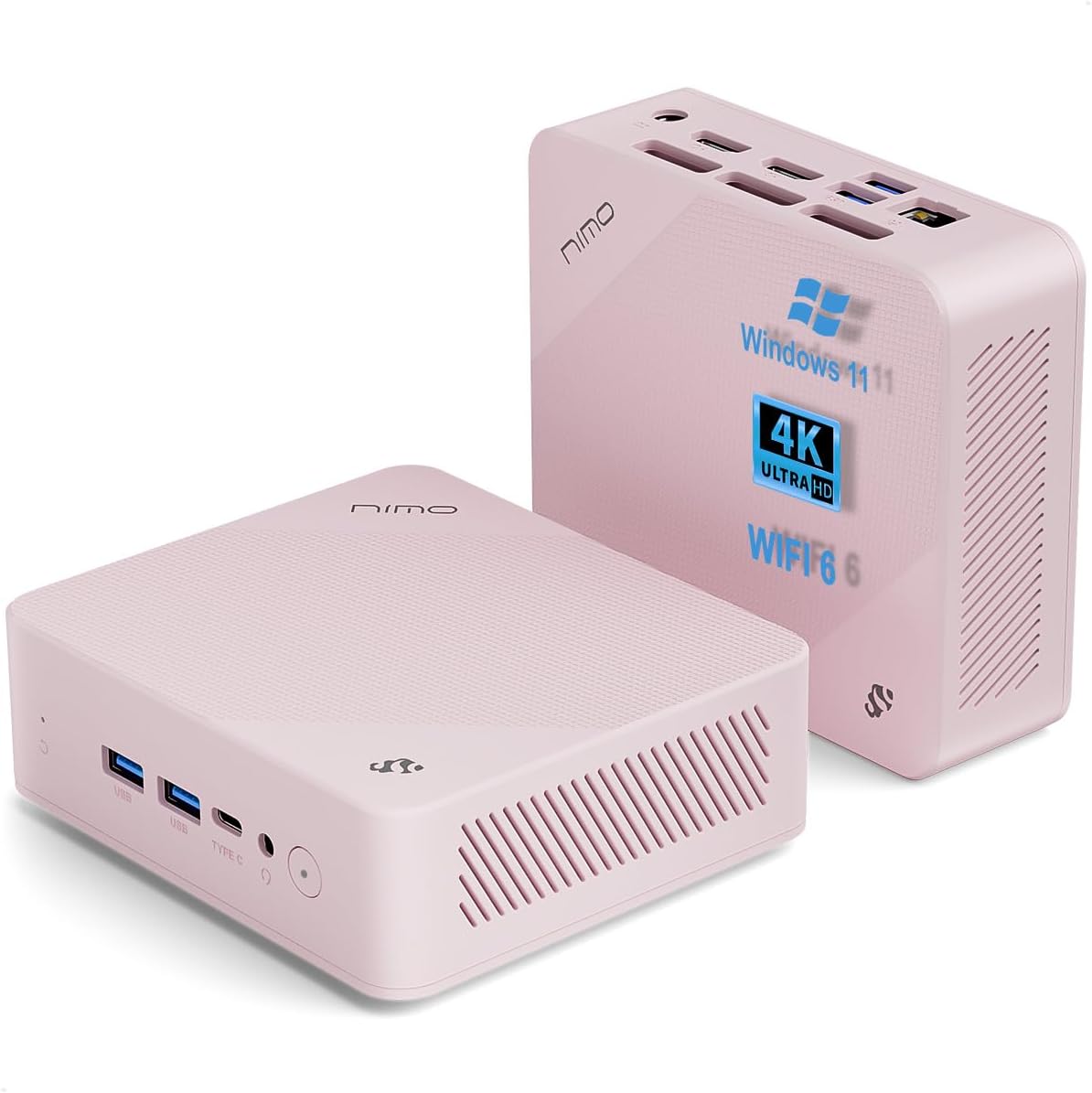
Зураг: урд ба хойд views of the NIMO Mini PC N100, showcasing its compact form factor and port layout.

Image: A detailed diagram illustrating the various ports available on the NIMO Mini PC N100, including USB, HDMI, LAN, and Type-C.
- Урд самбар: Power Button, 2x USB Type-A Ports, 1x Type-C Port (multifunction), 1x Audio Port, 1x Reset Button.
- Арын хэсэг: 1x Giga LAN Port, 2x HDMI 2.0 Ports, 2x USB Type-A Ports, 1x DC-IN Port, Security Slot, SD Card Reader.
2.2. Үндсэн шинж чанарууд

Image: A visual summary of the NIMO Mini PC N100's core features, such as Windows 11, WiFi 6, and 4K display support.
- Үйлдлийн систем: Windows 11 Нүүр хуудас
- Процессор: 12th Gen Intel N100 Processor
- Санах ой: 8 ГБ DDR4 RAM
- Хадгалах: 1TB PCIe SSD
- Холболт: WiFi 6, Bluetooth 5.2, Gigabit LAN
- Дэлгэцийн гаралт: Dual HDMI 2.0 and Type-C for up to 4K triple-monitor display
- Хөргөх: 15W Efficient Cooling System

Image: The NIMO Mini PC N100 in a desktop setup, emphasizing its Intel N100 processor, WiFi 6, Bluetooth 5.2, and efficient cooling capabilities.
3. Тохиргоо
Follow these steps to set up your NIMO Mini PC N100.
3.1. Багцын агуулга
Бүх зүйл багцад байгаа эсэхийг шалгана уу:

Image: The NIMO Mini PC N100 package contents, including the Mini PC unit, mounting bracket, power adapter, and instruction manual.
- 1x NIMO Mini PC N100 Unit
- 1х холбох хаалт
- 1x тэжээлийн адаптер
- 1x зааварчилгааны гарын авлага
3.2. Анхны холболт
- Дэлгэцийг холбох: Connect your monitor(s) to the HDMI 2.0 ports or the Type-C port on the Mini PC using appropriate cables.
- Дагалдах төхөөрөмжүүдийг холбох: Plug in your keyboard, mouse, and any other USB devices into the available USB Type-A ports.
- Эрчим хүчийг холбох: Insert the power adapter into the DC-IN port on the Mini PC, then plug the adapter into a power outlet.
- Сүлжээний холболт: For a wired connection, connect an Ethernet cable to the Giga LAN port. For wireless, ensure your WiFi network is available.
3.3. Байршуулах сонголтууд
The NIMO Mini PC N100 offers flexible placement options:

Image: A visual comparison of VESA mounting and traditional desktop placement for the NIMO Mini PC N100.
- Ширээний байршил: Place the Mini PC on a flat, stable surface with adequate ventilation.
- VESA суурилуулалт: Use the included mounting bracket to attach the Mini PC to the back of a VESA-compatible monitor or TV. This helps create a clutter-free workspace.

Image: The NIMO Mini PC N100 discreetly mounted behind a monitor, illustrating its space-saving VESA capability.
4. Ашиглалтын заавар
Learn how to operate your NIMO Mini PC N100 effectively.
4.1. Асаах/унтраах
- Асаах: Press the Power Button on the front panel. The power indicator light will illuminate.
- Унтраах: In Windows, click the Start button, then select Power > Shut down. Alternatively, you can press and hold the Power Button for a few seconds to force a shutdown (not recommended for regular use).
- Дахин эхлүүлэх: In Windows, click the Start button, then select Power > Restart.
4.2. Дэлгэцийн тохиргоо
The NIMO Mini PC N100 supports up to three displays simultaneously.

Image: The NIMO Mini PC N100 demonstrating its capability to support a triple display setup for enhanced multitasking.
- Олон мониторыг холбох: Use the two HDMI 2.0 ports and the Type-C port to connect up to three 4K displays.
- Windows дэлгэцийн тохиргоо: Right-click on the desktop and select 'Display settings' to configure display resolution, orientation, and arrangement (extend, duplicate, or show only on one display).
4.3. Хадгалах зайг өргөжүүлэх
The Mini PC includes an SD card reader for additional storage expansion.

Image: The NIMO Mini PC N100 featuring an SD card slot, allowing for easy storage expansion up to 512GB.
- Insert an SD card into the dedicated slot on the rear panel to expand storage capacity for files болон програмууд.
4.4. Хэрэглээний хувилбарууд

Image: The NIMO Mini PC N100 being used in different environments: home entertainment, office work, and classroom learning.
- Гэрийн үзвэр: Connect to a TV for streaming, media playback, or light gaming.
- Оффисын ажил: Ideal for productivity tasks, document editing, and video conferencing.
- Classroom Learning: Suitable for educational applications and online courses.
5. Засвар үйлчилгээ
Proper maintenance ensures the longevity and optimal performance of your NIMO Mini PC N100.
- Цэвэрлэгээ: Мини компьютерын гадна талыг зөөлөн, хуурай даавуугаар тогтмол цэвэрлэж байгаарай. Агааржуулалтын сараалжнаас тоосыг цэвэрлэхийн тулд шахсан агаар ашиглаарай. Төхөөрөмж дээр шингэн цэвэрлэгчийг шууд бүү ашиглаарай.
- Агааржуулалт: Ensure the Mini PC is placed in a well-ventilated area. Do not block the air vents.
- Програм хангамжийн шинэчлэлтүүд: Keep your Windows 11 operating system and drivers updated to ensure security and performance.
- Өгөгдлийн нөөцлөлт: Өгөгдөл алдагдахаас сэргийлэхийн тулд чухал өгөгдлөө гадаад диск эсвэл үүлэн хадгалалт руу тогтмол нөөцөлж байгаарай.
- Онцгой нөхцөл байдлаас зайлсхийх: Мини компьютерийг хэт өндөр температур, чийгшил эсвэл нарны шууд тусгалд бүү байлга.
6. Алдаа засах
This section addresses common issues you might encounter with your NIMO Mini PC N100.
| Асуудал | Боломжит шалтгаан | Шийдэл |
|---|---|---|
| Хүч чадалгүй | Цахилгаан адаптер холбогдоогүй байна; цахилгаан залгуурын асуудал; адаптер эвдэрсэн байна. | Check power cable connection; try a different outlet; ensure adapter is working. |
| Дэлгэц дээр дэлгэц байхгүй | Monitor off or incorrect input; display cable loose or faulty. | Ensure monitor is on and set to correct input (HDMI/Type-C); check display cable connections; try a different cable or monitor. |
| Интернет холболт байхгүй (Wi-Fi) | Wi-Fi disabled; incorrect password; router issue. | Ensure Wi-Fi is enabled in Windows settings; verify Wi-Fi password; restart router. |
| No internet connection (LAN) | Ethernet cable loose or faulty; router issue. | Check Ethernet cable connection; try a different cable; restart router. |
| Peripherals (keyboard/mouse) not working | USB холболт сул байна; драйверын асуудал. | Reconnect USB device; try a different USB port; check device manager for driver issues. |
| System slow or unresponsive | Too many applications running; low disk space; malware. | Close unnecessary applications; free up disk space; run antivirus scan; restart the PC. |
7. Техникийн үзүүлэлтүүд
Detailed technical specifications for the NIMO Mini PC N100.

Image: Diagram highlighting the Intel 12th Gen N100 Processor, the core of the NIMO Mini PC N100's performance.
| Онцлог | Тодорхойлолт |
|---|---|
| Загварын дугаар | N100 |
| Үйлдлийн систем | Windows 11 Нүүр хуудас |
| Процессор | Intel 12th Gen N100 (3.4 GHz Intel_Mobile_CPU, 4 Cores) |
| RAM | 8 ГБ DDR4 SDRAM |
| Хадгалах | 1 TB Solid State Drive (PCIe SSD) |
| Хамгийн их дэлгэцийн нягтрал | 3840 x 2160 пиксел (4K) |
| График | Intel UHD график (нэгдсэн) |
| Холболт | WiFi 6, Bluetooth 5.2, Gigabit LAN |
| Портууд | 2x HDMI 2.0, 4x USB Type-A (USB3.2), 1x Type-C (multifunction), 1x Giga LAN, 1x DC-IN, 1x Audio, 1x SD Card Reader, 1x Security Slot |
| Хэмжээ (LxWxH) | 4.8 x 4.4 x 1.53 инч |
| Техник хангамжийн платформ | PC |
| Эхний боломжтой огноо | 1 оны арваннэгдүгээр сарын 2024 |
8. Баталгаат хугацаа ба дэмжлэг
NIMO is committed to providing excellent after-sales service and support for your Mini PC N100.

Зураг: Бүтэнview of NIMO's commitment to after-sales excellence, including support, returns, and customer service.
8.1. Баталгаат хугацааны мэдээлэл
- Баталгаат хугацаа: The NIMO Mini PC N100 is covered by a хоёр жилийн баталгаат хугацаа худалдан авсан өдрөөс.
- Буцаах бодлого: You may return any NIMO product for any reason within 90 хоног худалдан авах.
8.2. Хэрэглэгчийн дэмжлэг
NIMO provides professional and high-quality customer service. If you have any product-related questions or require assistance, please contact us:
- Имэйл: service@nimopc.com
- Онлайн: Албан ёсны NIMO-д зочлоорой website or product page for contact options and support resources.
Our team of professional technicians is ready to help resolve any issues you may encounter. We aim to reply to all inquiries promptly.


