1. Танилцуулга
This user manual provides essential information for the installation, operation, and maintenance of the Coolmay MX3G-32MRT PLC Module. This Programmable Logic Controller (PLC) module is designed for industrial automation applications, offering reliable control and data processing capabilities. It features 16 digital inputs, 16 transistor sink outputs, and 2 analog inputs, making it suitable for a wide range of control tasks.
2. Аюулгүй байдлын мэдээлэл
Хувийн гэмтэл бэртэл болон тоног төхөөрөмжийн эвдрэлээс урьдчилан сэргийлэхийн тулд дараах аюулгүй байдлын урьдчилан сэргийлэх арга хэмжээг үргэлж дагаж мөрдөөрэй.
- Ensure all power is disconnected before installation, wiring, or maintenance.
- Суурилуулалт, утсыг зөвхөн мэргэшсэн ажилтан гүйцэтгэнэ.
- Proper grounding is essential to prevent electrical shock and ensure stable operation.
- Do not operate the module in environments exceeding its specified temperature, humidity, or vibration limits.
- Avoid exposing the module to direct sunlight, corrosive gases, or excessive dust.
3. Бүтээгдэхүүн дууссанview
The Coolmay MX3G-32MRT PLC Module is a compact and robust industrial control device. It integrates various components for seamless operation within an automation system.
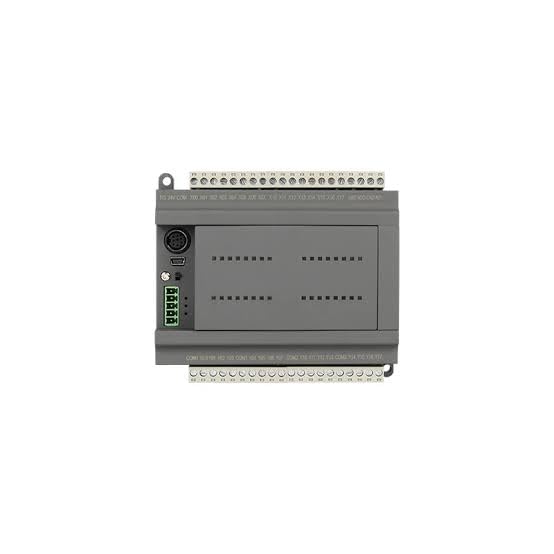
Зураг 3.1: Дээд тал View of MX3G-32MRT PLC Module. This image displays the top-down perspective of the PLC module, highlighting the clearly labeled input and output terminal blocks at the top and bottom. Various communication ports, including a USB port, are visible on the left side, along with status indicator LEDs.
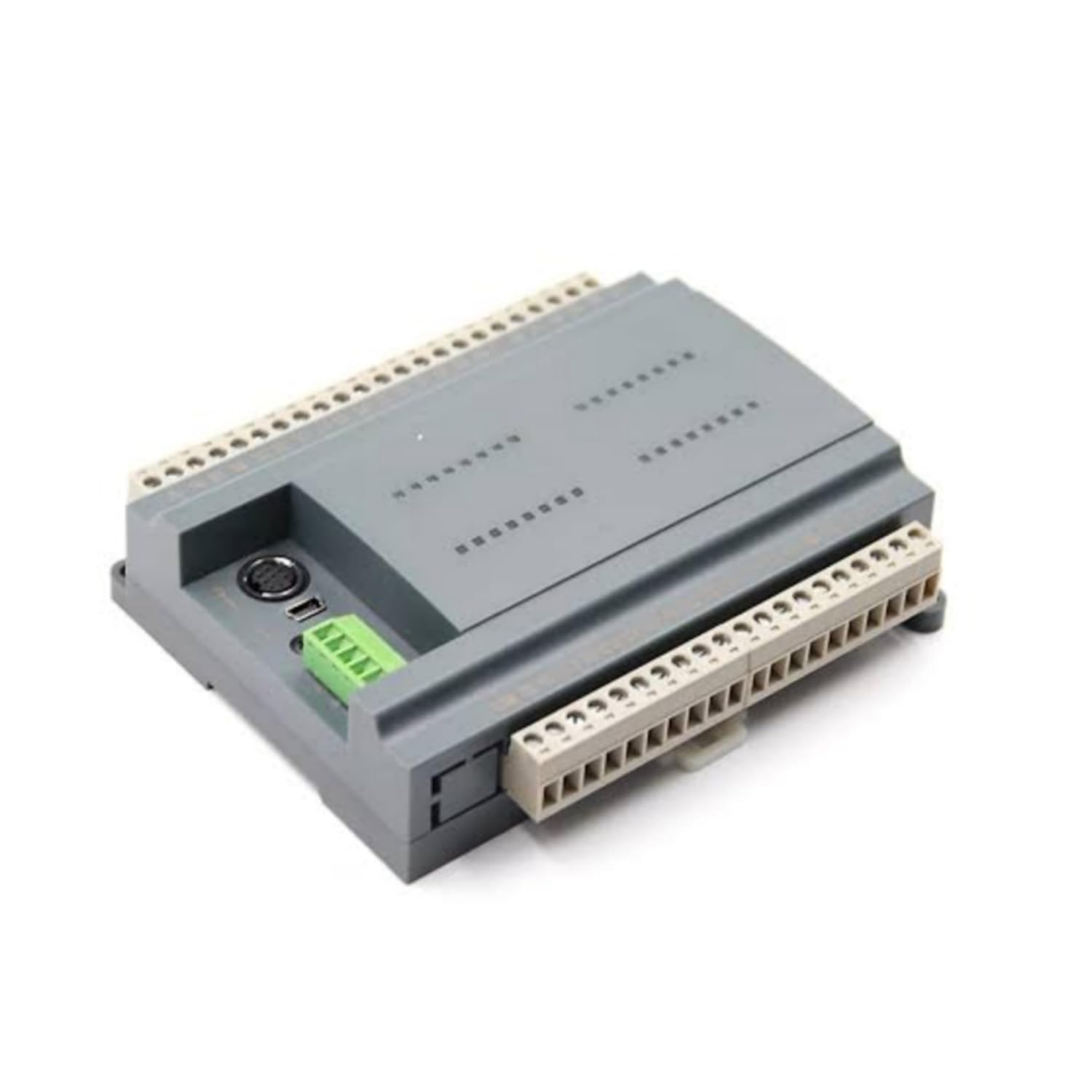
Зураг 3.2: Өнцөг View of MX3G-32MRT PLC Module. Энэ зураг нь өнцгийг харуулж байна view of the PLC module, showcasing its compact and sturdy grey casing. The perspective allows for a better understanding of its overall dimensions and the arrangement of its side-mounted connectors and terminal blocks.
Гол бүрэлдэхүүн хэсгүүд:
- Digital Input Terminals: For connecting sensors and switches.
- Transistor Sink Output Terminals: For controlling actuators and indicators.
- Analog Input Terminals: For connecting analog sensors.
- Эрчим хүчний оролт: Тогтмол гүйдлийн тэжээлийн хангамжийг холбох зориулалттай.
- Харилцаа холбооны портууд: For programming and data exchange with other devices.
- Статусын үзүүлэлтүүд: LEDs to show power, run, and error status.
4. Тохиргоо
4.1. Холбох
The MX3G-32MRT module is designed for DIN rail mounting. Securely attach the module to a standard DIN rail in a control cabinet, ensuring adequate ventilation space around the unit.
4.2. утас
Follow these general guidelines for wiring the PLC module:
- Эрчим хүчний хангамж: Connect a stable DC power supply to the designated power input terminals. Observe correct polarity.
- Дижитал оролт: Connect your digital input devices (e.g., push buttons, limit switches) to the digital input terminals. Refer to the module's specific wiring diagram for input type (sink/source) compatibility.
- Transistor Sink Outputs: Connect your output devices (e.g., relays, indicator lights) to the transistor sink output terminals. Ensure the load current does not exceed the specified maximum for each output.
- Аналог оролтууд: Connect analog sensors (e.g., temperature, pressure) to the analog input terminals. Ensure proper signal type and range matching.
- Газардуулга: Connect the module's ground terminal to a reliable earth ground.
4.3. Анхны холболт
Connect the PLC module to a computer using a compatible programming cable via the designated communication port. Install the necessary drivers and programming software on your computer.
5. Ашиглалтын заавар
5.1. Асаах
After completing all wiring and connections, apply power to the PLC module. The power indicator LED should illuminate, indicating successful power-up.
5.2. Програмчлал
Use the compatible programming software to develop and download your control logic program to the PLC. The software provides an environment for creating ladder logic, function block diagrams, or other programming languages supported by the module.
5.3. Горимыг ажиллуулна уу
Once the program is downloaded, switch the PLC to RUN mode (either via software or a physical switch if available). The PLC will then execute the loaded program, controlling the connected inputs and outputs according to the logic.
5.4. Хяналт
The programming software allows for real-time monitoring of input/output status, internal registers, and program execution. This is crucial for debugging and verifying system operation.
6. Засвар үйлчилгээ
Regular maintenance ensures the longevity and reliable operation of your PLC module:
- Цэвэрлэгээ: Periodically clean the module and its surroundings to prevent dust accumulation, which can lead to overheating or short circuits. Use a soft, dry cloth. Do not use solvents.
- Байгаль орчны хяналт: Ашиглалтын орчин нь тогтоосон температур, чийгшлийн хязгаарт байгаа эсэхийг шалгаарай.
- Холболтын шалгалт: Бүх утсан холболтыг битүүмжлэл, зэврэлт, гэмтлийн шинж тэмдэг байгаа эсэхийг үе үе шалгана.
- Програм хангамжийн шинэчлэлтүүд: Check the Coolmay official webГүйцэтгэлийг сайжруулах эсвэл шинэ функцуудыг нэмж болох боломжтой програм хангамжийн шинэчлэлтүүдийг үзэхийн тулд сайтад зочилно уу. Шинэчлэлтийн журмын талаар өгөгдсөн зааврыг анхааралтай дагаж мөрдөнө үү.
7. Алдаа засах
If you encounter issues with your MX3G-32MRT PLC Module, refer to the following common problems and solutions:
| Асуудал | Боломжит шалтгаан | Шийдэл |
|---|---|---|
| PLC асахгүй байна. | Цахилгаан хангамж байхгүй; буруу утас; цахилгаан хангамж эвдэрсэн. | Цахилгааны холболт болон боть шалгахtage; verify power supply functionality. |
| Оруулга хариу өгөхгүй байна. | Incorrect wiring; faulty sensor; program logic error. | Verify input wiring; test sensor functionality; check program logic. |
| Гаралт идэвхжихгүй байна. | Incorrect wiring; faulty actuator; program logic error; overloaded output. | Verify output wiring; test actuator; check program logic; ensure load is within specifications. |
| PC-тэй харилцах алдаа. | Incorrect cable; driver issue; wrong communication settings. | Ensure correct cable is used; reinstall drivers; verify communication parameters in software. |
| PLC in ERROR state (Error LED on). | Program error; hardware fault. | Check error codes in programming software; review program for errors; contact support if hardware fault suspected. |
If the problem persists after attempting these solutions, contact Coolmay customer support for further assistance.
8. Техникийн үзүүлэлтүүд
| Атрибут | Дэлгэрэнгүй |
|---|---|
| Брэнд | Coolmay |
| Загварын дугаар | MX3G-32MRT |
| Үйлдвэрлэгч | Shenzhen Coolmay Technology Co., Ltd |
| Гарал үүслийн улс | Хятад |
| Дижитал оролтууд | 16 |
| Дижитал гаралт | 16 (Transistor Sink Type) |
| Аналог оролт | 2 |
| Санах ойн картны тоо | 1 |
| ASIN | B0D69LG89H |
| Эхний боломжтой огноо | 6 оны зургадугаар сарын 2024 |
9. Баталгаат хугацаа ба дэмжлэг
For warranty information, please refer to the documentation provided with your purchase or contact your vendor. Coolmay products are designed for reliability, and customer satisfaction is a priority.
For technical support, troubleshooting assistance, or inquiries regarding the Coolmay MX3G-32MRT PLC Module, please visit the official Coolmay website or contact their customer service department. Ensure you have your product model number and any relevant purchase details ready when seeking support.


