1. Танилцуулга
This manual provides detailed instructions for the proper use, installation, and maintenance of your Onvian SF22R Rechargeable Wireless Vibration Motion Sensor Bike Alarm. This device is designed to provide reliable anti-theft protection for various vehicles and belongings through its advanced vibration and motion detection capabilities. Please read this manual thoroughly before operating the device.
2. Бүтээгдэхүүн дууссанview
2.1 Багцын агуулга
- Alarm Host (1)
- Алсын удирдлага (1)
- Хэрэглэгчийн гарын авлага (1)
- Cable Ties (Set)
- Double-sided Stickers (2)
- USB-C цэнэглэгч кабель (1)
 Image: Package contents of the Onvian SF22R alarm system.
2.2 Гол онцлогууд
- Reliable Anti-Theft: Detects vibrations and movement.
- High Volume Alarm: Produces a 113dB alarm sound.
- IP65 Усны эсэргүүцэл: Offers protection against dust and water splashes.
- Цэнэглэдэг батерей: Built-in lithium battery with USB-C charging.
- Утасгүй алсын удирдлага: Operates the alarm from a distance of up to 30 meters (66 feet).
- Тохируулах мэдрэмж: 7 levels of vibration sensitivity.
- SOS функц: Automatic alarm trigger if tilted more than 45 degrees.
- Олон талын хэрэглээ: Suitable for bikes, electric bikes, motorcycles, scooters, cars, trailers, luggage, doors, and windows.
 Зураг: Дууслааview бүтээгдэхүүний гол онцлог.
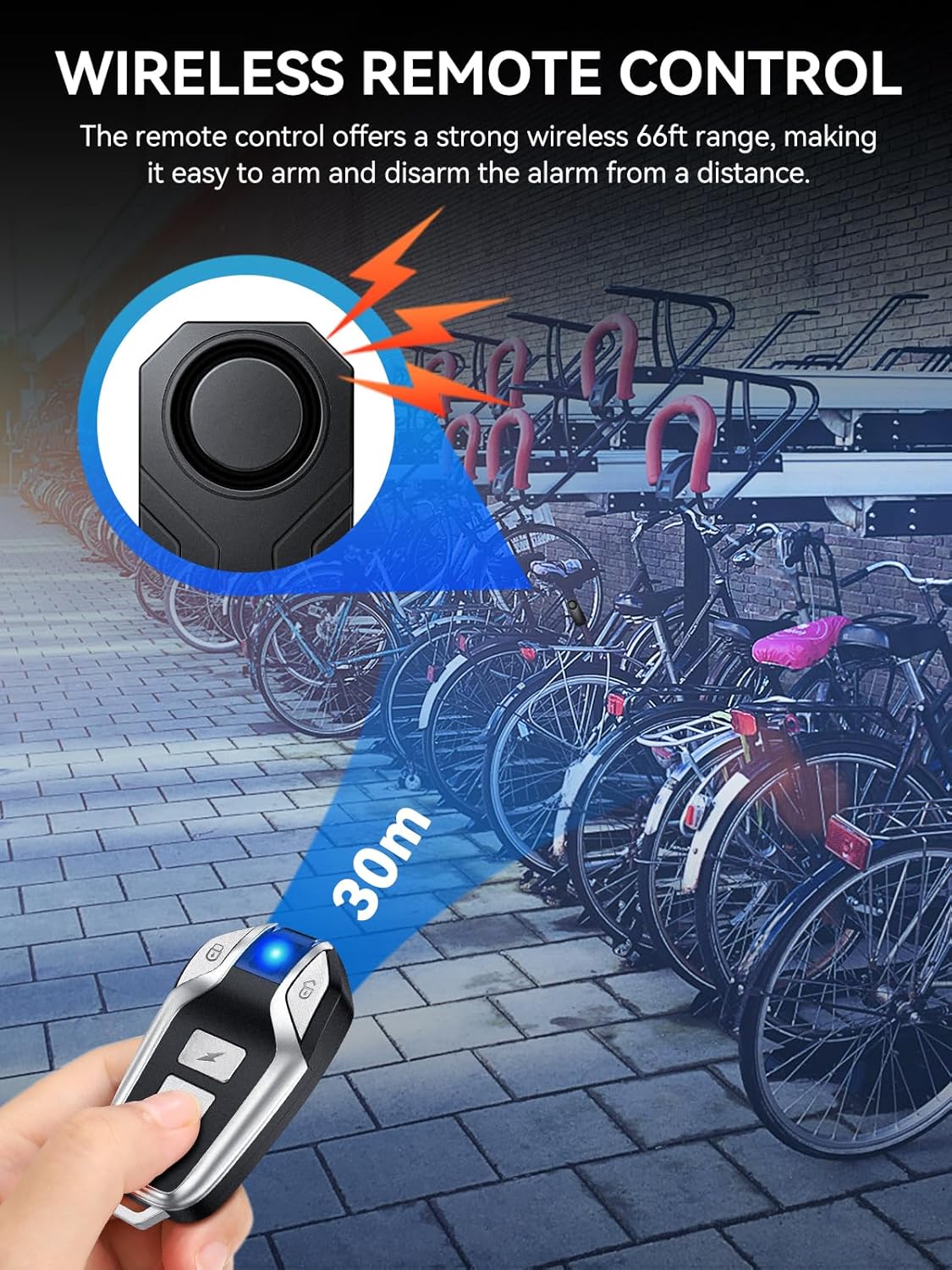 Image: IP65 Water Resistance demonstration.
 Image: Product dimensions and wide application examples.
3. Тохиргоо ба суурилуулалт
The Onvian SF22R alarm is designed for easy, tool-free installation.
- Цэвэр суурилуулах талбай: Wipe the desired mounting surface clean to ensure proper adhesion.
- Attach Adhesive/Cable Ties: Apply the included double-sided stickers to the back of the alarm unit, or thread the cable ties through the designated slots.
- Secure Alarm: Attach the alarm unit to your vehicle (e.g., bike frame, motorcycle seat post) using the adhesive or cable ties. Ensure it is firmly secured.
- Arm System: Press and hold the arm button on the remote control for approximately 5 seconds until the alarm system indicates it is armed (e.g., a confirmation beep).
 Image: Installation steps for the alarm unit.
4. Ашиглалтын заавар
The alarm system is controlled via the wireless remote control.
4.1 Алсын удирдлагын функцууд
- Гарны товчлуур (түгжигдсэн цоожны дүрс): Press once to arm the alarm. The alarm will emit a confirmation sound. Any significant vibration or movement will trigger the 113dB alarm.
- Зэвсэггүй болгох товчлуур (түгжээг тайлсан цоожны дүрс): Press once to disarm the alarm. The alarm will emit a confirmation sound.
- Ringtone Button (Lightning Bolt Icon): Press to activate a ringtone sound, useful for locating your vehicle in a crowded area.
- Bell Button (Bell Icon): Press to activate a bell sound, which can be used as a warning or signaling device.
 Image: Wireless remote control and its button functions.
4.2 SOS функц
The alarm features an automatic SOS function. If the alarm unit detects a tilt of more than 45 degrees (e.g., if the bike falls over), it will automatically trigger the alarm to alert others.
 Image: Automatic SOS Trigger for tilts over 45 degrees.
5. Мэдрэмжийн тохируулга
The alarm's vibration sensitivity can be adjusted to 7 different levels, from high to low.
- Тохиргооны горимыг оруулна уу: First, press the Disarm button. Then, press and hold the Arm button until the remote indicator light goes off and stays on. (Ignore any disarm prompt sounds during this step). This indicates the alarm has entered the setting process.
- Select Sensitivity Level: Press the Arm button repeatedly to cycle through the 7 sensitivity levels. Each press will correspond to a different level, typically indicated by a series of beeps (e.g., 'Do Re Mi Fa So La Ti' from high to low sensitivity).
- Тохиргооны горимоос гарах: Press the Disarm button to exit the setting process and save your selected sensitivity level.
 Image: 7-level Sensitivity Adjustment guide.
6. Цэнэглэх
The Onvian SF22R alarm features a built-in 3.7V lithium battery that is rechargeable via a USB-C port.
- Цэнэглэх арга: Connect the alarm unit to a USB power source (e.g., computer, power bank, car charger) using the provided USB-C cable.
- Цэнэглэх үзүүлэлт: The alarm unit will typically have an indicator light that shows charging status (e.g., red for charging, green for fully charged).
- Зайны хугацаа: A full charge provides approximately 1 to 3 months of active use and up to 6 months of standby time, depending on usage frequency and environmental conditions.
 Image: USB-C charging and battery life information.
7. Засвар үйлчилгээ
- Цэвэрлэгээ: Wipe the alarm unit with a soft, dry cloth. Avoid using harsh chemicals or abrasive cleaners.
- Усны эсэргүүцэл: The device is IP65 water-resistant, meaning it can withstand splashes and light rain. Do not submerge the device in water.
- Батерейны арчилгаа: Recharge the battery regularly, especially if the device will be stored for an extended period, to maintain optimal battery health.
- Хадгалах: Store the alarm in a cool, dry place when not in use.
8. Алдаа засах
- Дохиолол алсын удирдлагад хариу өгөхгүй байна:
- Алсын удирдлагын батерей дуусаагүй эсэхийг шалгаарай.
- Check if the alarm unit's battery is charged.
- Verify that you are within the remote's operating range (up to 30 meters).
- Сэрүүлэг ажиллахгүй байна:
- Ensure the alarm is armed.
- Adjust the sensitivity level to a higher setting if minor vibrations are not detected.
- Check for any obstructions that might dampen vibrations to the alarm unit.
- Сэрүүлэг хэт мэдрэмтгий:
- Adjust the sensitivity level to a lower setting.
- Батерейны богино хугацаа:
- Ensure the alarm is fully charged before use.
- Frequent triggering of the alarm will consume battery faster.
9. Техникийн үзүүлэлтүүд
| Онцлог | Тодорхойлолт |
|---|---|
| Загварын дугаар | SF22R |
| Сэрүүлгийн дууны түвшин | 113дБ |
| Усны эсэргүүцэл | IP65 |
| Зайны төрөл | Built-in 3.7V Lithium Battery |
| Цэнэглэх порт | USB-C |
| Алсын удирдлагын хүрээ | 30 метр (66 фут) хүртэл |
| Мэдрэмжийн түвшин | 7 түвшний тохируулгатай |
| Зүйлийн жин | 2.89 унц |
| Багцын хэмжээ | 3.98 x 3.7 x 1.65 инч |
10. Баталгаат хугацаа ба дэмжлэг
10.1 Баталгаат хугацааны мэдээлэл
The Onvian SF22R Bike Alarm comes with a 1 жилийн баталгаат хугацаа худалдан авсан өдрөөс. Энэхүү баталгаа нь ердийн ашиглалтын үеийн үйлдвэрлэлийн согог, доголдлыг хамарна. Энэ нь буруу ашиглалт, осол аваар, зөвшөөрөлгүй өөрчлөлт, буруу суурилуулалтын улмаас учирсан хохирлыг хамрахгүй.
10.2 Хэрэглэгчийн дэмжлэг
For technical assistance, warranty claims, or any questions regarding your Onvian SF22R Bike Alarm, please contact Onvian customer support through the retailer's platform or the official Onvian website. Please have your purchase details and model number (SF22R) ready when contacting support.


