1. Танилцуулга
Thank you for choosing the PRIXTON Multisport DV800 Action Camera. This manual provides essential information for setting up, operating, and maintaining your device. Please read it thoroughly before use to ensure optimal performance and longevity of your camera.
2. Багцын агуулга
Доор жагсаасан бүх зүйл таны багцад байгаа эсэхийг шалгаарай.
- PRIXTON Multisport DV800 Action Camera
- Ус нэвтэрдэггүй гэр
- Цэнэглэдэг батерей
- USB кабель
- Унадаг дугуйн бэхэлгээ
- Клип
- Суулгах адаптер
- Three Helmet Mounts
- Strap/Bandage
- 3M цавуу
- Хэрэглэгчийн гарын авлага

Image: The PRIXTON DV800 Action Camera and its various accessories, including mounts, cables, and the waterproof case.
3. Бүтээгдэхүүн дууссанview
The PRIXTON DV800 features a compact design with dual screens for versatile shooting and monitoring. It is designed for capturing high-quality video and photos in various environments.
Гол онцлогууд:
- Хос дэлгэц: Front screen for selfies and a rear screen for camera control.
- 5K видео нягтрал: Up to 5K at 30 frames per second (FPS).
- 24 MP Photo Resolution: High-quality still images.
- 6-AXIS EIS Optical Stabilizer: For smooth and stable footage.
- Усны хамгаалалт: Up to 30 meters with the included waterproof case.
- Холболт: Built-in Wi-Fi for mobile app control and content transfer.
- Хадгалах: Supports MicroSD cards up to 128 GB.

Image: The PRIXTON DV800 Action Camera, showcasing its dual-screen capability and the waterproof housing, alongside several mounting accessories.
4. Тохиргоо
4.1. Зай суурилуулах
- Камер дээрх зайны тасалгааг олоорой.
- Тасалгааны тагийг нээ.
- Цэнэглэдэг батерейг зөв туйлшралыг хангана.
- Зайны тасалгааны тагийг сайтар хаа.
4.2. MicroSD Card Insertion
A MicroSD card (up to 128 GB, not included) is required to store recordings and photos.
- Камерын хажуу талд MicroSD картны үүрийг олоорой.
- Gently insert the MicroSD card with the contacts facing the correct direction until it clicks into place.
- Устгахын тулд картыг гартал дотогшоо дарна уу.
4.3. Ус нэвтэрдэггүй хайрцгийг хавсаргах
For underwater use or protection against impacts, place the camera inside the waterproof case.
- Ус нэвтэрдэггүй хайрцаг дээрх түгжээг нээнэ үү.
- Камерыг хайрцагны дотор болгоомжтой байрлуулж, сайтар суулгана уу.
- Close the latch firmly to seal the case. Ensure no debris is caught in the seal.
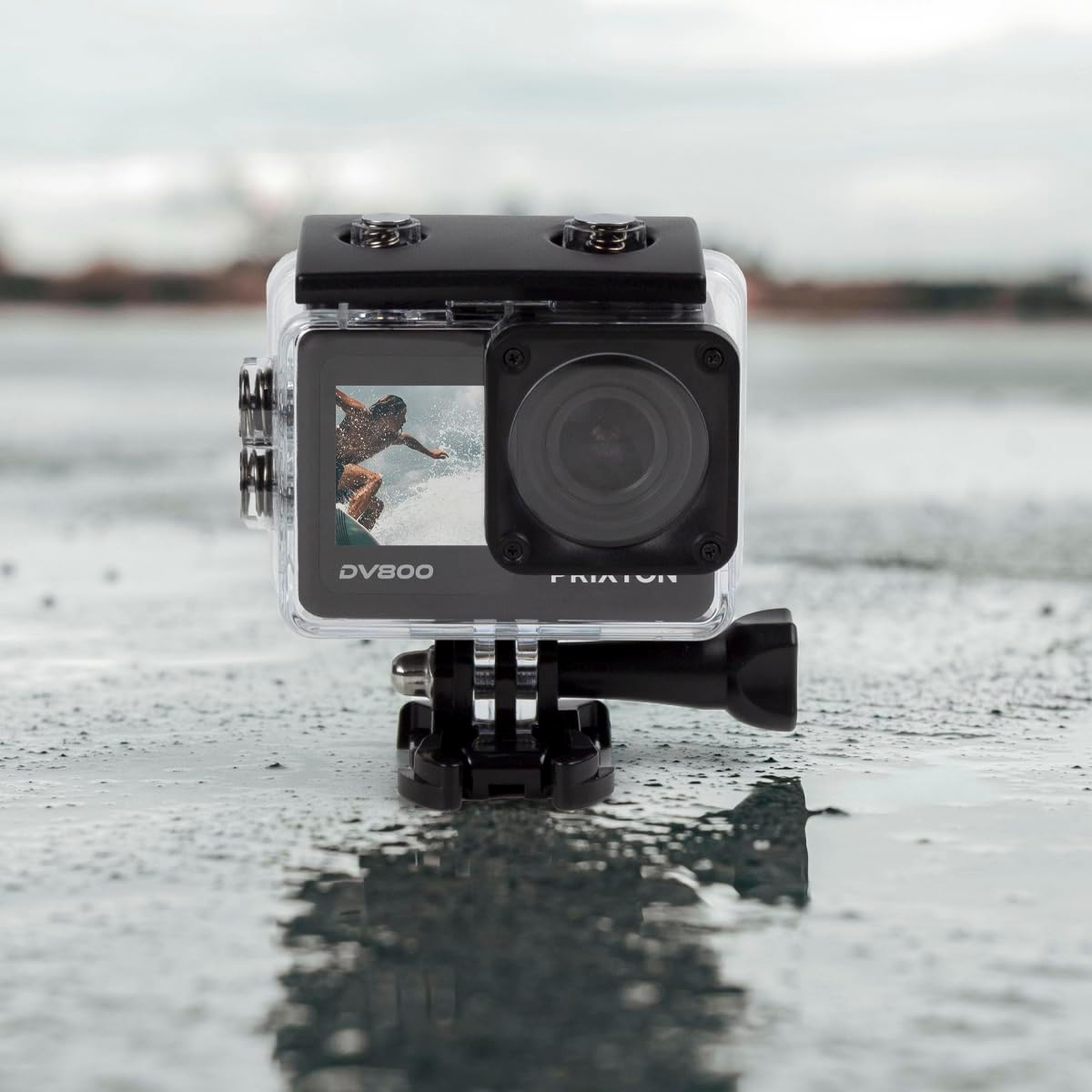
Image: The PRIXTON DV800 Action Camera securely housed within its waterproof casing, ready for use in aquatic environments.
5. Ашиглалтын заавар
5.1. Асаах/унтраах
- Асаахын тулд: Дэлгэц гэрэлтэх хүртэл Асаах/Горим товчийг хэдэн секундын турш дарна уу.
- Унтраахын тулд: Дэлгэц унтрах хүртэл Асаах/Горим товчийг дахин дарна уу.
5.2. Горим сонгох
Видео, Зураг, Тоглуулах болон Тохиргоо гэсэн өөр өөр горимуудаар шилжихийн тулд Асаах/Горим товчийг дахин дахин дарна уу.
5.3. Видео бичлэг хийх
- Switch to Video Mode.
- Press the Shutter/OK button to start recording. A red indicator light will flash.
- Press the Shutter/OK button again to stop recording. The indicator light will stop flashing.
5.4. Зураг авах
- Фото горим руу шилжих.
- Дэлгэцийг ашиглан өөрийн зургийг хүрээлээрэй.
- Зураг авахын тулд Хөшиг/OK товчийг дарна уу.
5.5. Wi-Fi Connectivity and Mobile App
The camera can connect to your mobile device via Wi-Fi using the "XDV PRO" application.
- Download and install the "XDV PRO" app on your smartphone or tablet.
- On the camera, navigate to the settings menu and enable Wi-Fi.
- On your mobile device, connect to the camera's Wi-Fi network (SSID and password will be displayed on the camera screen).
- Open the "XDV PRO" app to control the camera, view амьд footage, болон шилжүүлэг files.

Image: A close-up of the PRIXTON DV800 Action Camera's rear screen, showing its 5K Ultra HD capability and Wi-Fi connectivity.
5.6. Using as a Webкамер
Connect the camera to a computer via USB to use it as a webкамер.
- Өгөгдсөн USB кабелийг ашиглан камерыг компьютерт холбоно уу.
- Select the 'PC Camera' or 'Webcam' option on the camera's screen if prompted.
- Таны компьютер камерыг дараах байдлаар таних ёстой webcam, which can then be selected in video conferencing applications.
6. Засвар үйлчилгээ
6.1. Цэвэрлэгээ
- Use a soft, lint-free cloth to clean the camera lens and screens.
- For the waterproof case, rinse with fresh water after saltwater use and allow it to air dry.
- Химийн хатуу бодис, зүлгүүрийн материал ашиглахаас зайлсхий.
6.2. Зайны арчилгаа
- Эхний хэрэглээний өмнө зайг бүрэн цэнэглэ.
- Батерейг хэт өндөр температурт бүү гарга.
- Хэрэв камерыг удаан хугацаагаар хадгалах юм бол зайгаа салга.
6.3. Хадгалах
Store the camera in a cool, dry place away from direct sunlight and dust when not in use.
7. Алдаа засах
- Камер асахгүй байна: Батерейг цэнэглэж, зөв оруулсан эсэхийг шалгаарай.
- Бичлэгийн асуудал: Check if the MicroSD card is inserted correctly and has sufficient free space. Format the card if necessary (this will erase all data).
- Wi-Fi холболтын асуудлууд: Ensure Wi-Fi is enabled on the camera and your mobile device. Restart both devices if issues persist.
- Зураг/видео чанар муу: Clean the lens. Ensure adequate lighting. Check resolution settings.
8. Техникийн үзүүлэлтүүд
| Загварын нэр | DV800 |
| Брэнд | ПРИКТОН |
| Видео бичлэгийн нягтрал | 5K |
| Фото мэдрэгчийн технологи | Бусад |
| Флаш санах ойн төрөл | MicroSD (128GB хүртэл) |
| Видео бичлэгийн формат | MOV |
| Дэмжигдсэн аудио формат | MP4 |
| Холболтын технологи | Wi-Fi |
| Өнгө | Хар |
| Камерын төрөл | Үйл ажиллагааны камер |
| Зайны ашиглалт | Ойролцоогоор 90 минут |
9. Баталгаат хугацаа ба дэмжлэг
The PRIXTON Multisport DV800 Action Camera comes with a standard manufacturer's warranty. For detailed warranty information, technical support, or service inquiries, please refer to the warranty card included in your package or visit the official PRIXTON webсайт. Худалдан авалтын баримтаа баталгаат нэхэмжлэлд зориулж худалдан авалтын баталгаа болгон хадгална уу.


