1. Танилцуулга
Thank you for choosing the SUNOL GS08 Smart Glasses. These open-ear audio glasses combine stylish eyewear with advanced audio technology, allowing you to enjoy music, make calls, and access navigation while remaining aware of your surroundings. This manual provides detailed instructions for the proper use and maintenance of your device.
Гол онцлогууд нь:
- Нээлттэй чихний аудио: Enjoy sound without blocking your ears, maintaining situational awareness.
- Bluetooth 5.3 холболт: Stable and efficient wireless connection to your smart devices.
- Нэгдсэн микрофон: For clear hands-free calls and voice assistant interaction.
- Туйлширсан линз: 100% UV protection to shield your eyes from harmful rays and reduce glare.
- IPX4 Усны эсэргүүцэл: Designed to resist sweat and light rain, suitable for various activities.
- AI дуут удирдлага: Access navigation, phone calls, and music without needing to pull out your phone.
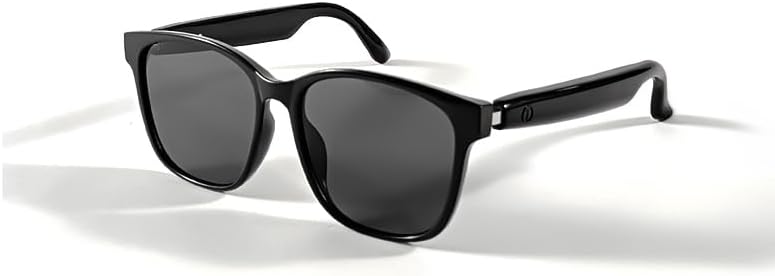
Image 1.1: The SUNOL GS08 Smart Glasses in gray, showcasing тэдний гоёмсог дизайн.
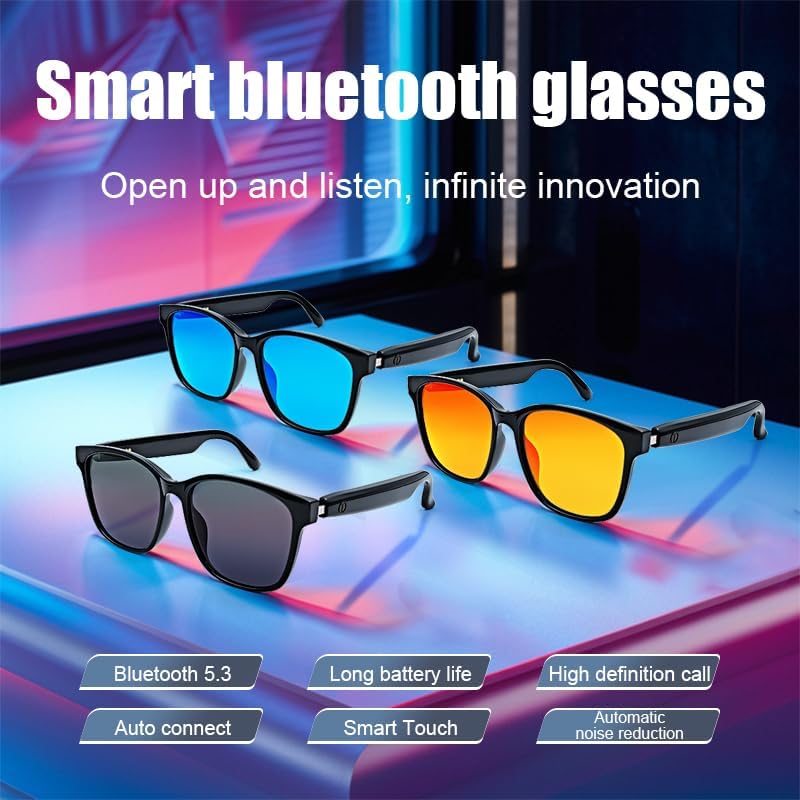
Image 1.2: Multiple color variants of the smart glasses highlighting features like Bluetooth 5.3, long battery life, high-definition calls, auto-connect, smart touch, and automatic noise reduction.
2. Тохиргоо
2.1. Багцын агуулга
Before proceeding, please ensure all items are present in the package:
- SUNOL GS08 Smart Glasses
- Цэнэглэх кабель
- Хэрэглэгчийн гарын авлага
- Цэвэрлэгээний даавуу (багцаас хамаарч өөр өөр байж болно)
2.2. Нүдний шилийг цэнэглэх
For optimal performance, fully charge your smart glasses before first use.
- Connect the charging cable to the charging port on the glasses.
- Plug the other end of the charging cable into a USB power adapter (not included) or a computer's USB port.
- The indicator light on the glasses will illuminate during charging and turn off or change color when fully charged.
- Бүрэн цэнэглэхэд ойролцоогоор 1.5-2 цаг зарцуулдаг.
2.3. Bluetooth хослол
Follow these steps to pair your SUNOL GS08 Smart Glasses with your smartphone or other Bluetooth-enabled device:
- Ensure the glasses are charged and powered off.
- Press and hold the power button on the glasses until the indicator light flashes rapidly (usually blue and red), indicating pairing mode.
- On your smart device, go to Bluetooth settings and turn Bluetooth on.
- хайх available devices. You should see "GS08" or "SUNOL GS08" in the list.
- Select "GS08" to connect. Once connected, the indicator light on the glasses will typically stop flashing and remain solid blue or turn off.
- The glasses will automatically connect to the last paired device when powered on, if the device's Bluetooth is active and within range.
3. Ашиглалтын заавар
3.1. Асаах/унтраах
- Асаах: Press and hold the power button for approximately 3 seconds until you hear a power-on prompt or see the indicator light.
- Унтраах: Press and hold the power button for approximately 5 seconds until you hear a power-off prompt or the indicator light turns off.
3.2. Хөгжим тоглуулах
Control your music directly from the smart glasses:
- Тоглуулах/түр зогсоох: Single press the multi-function button (often the power button or a dedicated button).
- Дараагийн дуу: Олон үйлдэлт товчийг хоёр удаа дарна уу.
- Өмнөх бичлэг: Олон үйлдэлт товчийг гурван удаа дарна уу.
3.3. Дуудлагын удирдлага
Manage phone calls hands-free:
- Дуудлагад хариулах: Single press the multi-function button when a call comes in.
- Дуудлага дуусгах: Дуудлагын үеэр олон үйлдэлт товчлуурыг нэг удаа дарна уу.
- Дуудлагаас татгалзах: Press and hold the multi-function button for 2 seconds when a call comes in.
3.4. Voice Assistant (AI Voice Control)
Activate your device's voice assistant for navigation, information, and more:
- Идэвхжүүлэх: Press and hold the multi-function button for 2 seconds (when not on a call) to activate your smartphone's voice assistant (e.g., Siri, Google Assistant).
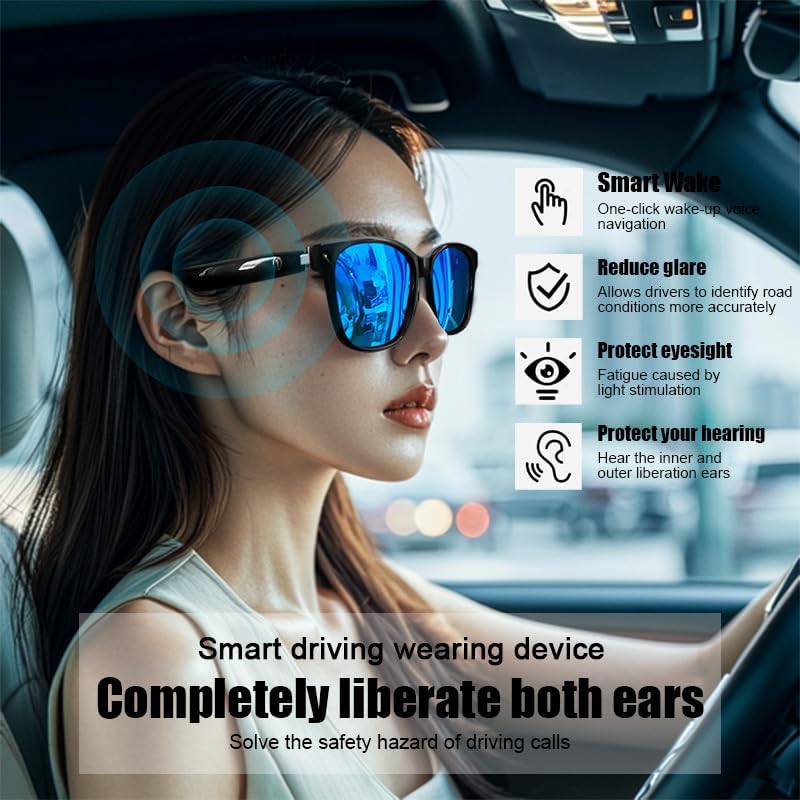
Image 3.1: The smart glasses in use while driving, demonstrating features such as Smart Wake for voice navigation, reduced glare, eye protection, and open-ear audio for hearing protection.
3.5. Дууны түвшний хяналт
Adjust the audio volume using the dedicated volume buttons on the glasses (if available) or directly from your connected smart device.

Зураг 3.2: Жишээ ньamples of the smart glasses being used in various activities such as cycling, hiking, driving, and fishing, highlighting their versatility.
4. Засвар үйлчилгээ
4.1. Cleaning the Glasses
To maintain clarity and hygiene:
- Use the provided cleaning cloth or a soft, lint-free cloth to gently wipe the lenses and frame.
- Зөрүүд толбоны хувьд бага зэрэг dampen the cloth with water or a lens cleaning solution specifically designed for eyewear.
- Avoid using harsh chemicals, abrasive materials, or paper towels, as these can scratch the lenses or damage the frame.
4.2. Хадгалах
When not in use, store your smart glasses in their protective case to prevent scratches and damage. Avoid exposing them to extreme temperatures, direct sunlight for prolonged periods, or high humidity.
4.3. Усны эсэргүүцэл (IPX4)
The SUNOL GS08 Smart Glasses are rated IPX4, meaning they are resistant to splashing water from any direction. This makes them suitable for use during workouts or in light rain. However, they are not designed for submersion in water. Do not wear them while swimming, showering, or in heavy rain.
5. Алдаа засах
If you encounter issues with your smart glasses, please refer to the following common solutions:
| Асуудал | Боломжит шалтгаан | Шийдэл |
|---|---|---|
| Glasses won't power on. | Батерей бага. | Charge the glasses fully. |
| Төхөөрөмжтэй хослуулах боломжгүй. | Bluetooth off on device; glasses not in pairing mode; too far from device. | Ensure Bluetooth is on. Put glasses in pairing mode (see Section 2.3). Move glasses closer to the device. Try unpairing and re-pairing. |
| Дуу байхгүй эсвэл дуу багатай. | Volume too low on glasses or device; glasses not connected; audio source paused. | Increase volume on both glasses and connected device. Verify Bluetooth connection. Check if audio is playing on the source device. |
| Тасралтгүй холболт. | хөндлөнгийн оролцоо; төхөөрөмж хэт хол; зай бага. | Move closer to the connected device. Avoid areas with strong Wi-Fi or other Bluetooth interference. Ensure glasses are charged. |
Хэрэв эдгээр шийдлүүдийг туршиж үзсэний дараа асуудал хэвээр байвал хэрэглэгчийн дэмжлэгтэй холбогдоно уу.
6. Техникийн үзүүлэлтүүд
| Онцлог | Дэлгэрэнгүй |
|---|---|
| Загварын дугаар | F06 |
| Bluetooth хувилбар | 5.3 |
| Зайны төрөл | 1 Лити Полимер батерей (дагсан) |
| Усны эсэргүүцэл | IPX4 (ус цацахад тэсвэртэй) |
| Линзний төрөл | Polarized, 100% UV Protection |
| Аудио тоглуулах хугацаа | Approximately 3 hours (on a full charge) |
| хэлтэс | Юнисекс-насанд хүрсэн |
| Эхний боломжтой огноо | 24 оны зургадугаар сарын 2024 |
| Гарал үүсэл | Импортолсон |
7. Баталгаат хугацааны мэдээлэл
SUNOL products are manufactured to the highest quality standards. This product is covered by a limited warranty against defects in materials and workmanship from the date of original purchase. Please retain your proof of purchase for warranty claims.
The warranty does not cover damage caused by misuse, accident, unauthorized modification, or normal wear and tear. For specific warranty terms and conditions, please refer to the warranty card included with your product or contact customer support.
8. Хэрэглэгчийн дэмжлэг
If you have any questions, require technical assistance, or need to make a warranty claim, please contact our customer support team:
- Имэйл: support@sunol.com
- Webсайт: www.sunol.com/support
Please have your product model number (F06) and purchase date ready when contacting support.


