1. Танилцуулга
The ANCEL HD110 Heavy Duty Truck Scanner is a diagnostic tool designed for heavy-duty vehicles, offering DPF regeneration and fault code reset capabilities for Detroit and Paccar engines. This package also includes the ANCEL BST100 Car Battery Tester, providing accurate battery health assessment for various 12V batteries. This manual provides essential information for setting up, operating, and maintaining your devices.

Image: The ANCEL HD110 Heavy Duty Truck Scanner (left) and the ANCEL BST100 Car Battery Tester (right).
2. Бүтээгдэхүүний онцлог
2.1 ANCEL HD110 Heavy Duty Truck Scanner
- DPF Regeneration & Reset: Clears clogged filters, performs on-demand DPF regen, and resets for Detroit and Paccar engines (PX-7, PX-9, MX-11, MX-13, DD13, DD15, DD16).
- Comprehensive HDOBD/OBD2 Diagnostics: Monitors performance, identifies engine issues, and clears fault codes for a wide range of diesel engines. Provides real-time data for preventative maintenance.
- Хөдөлгүүрийн нийцтэй байдал: Specifically designed for Detroit and PACCAR engines, supporting various diesel trucks with 16-pin and 9-pin adapters.
- Bluetooth холболт: Connects to your smartphone via Bluetooth for easy operation through the ANCEL Trucker app.
2.2 ANCEL BST100 Car Battery Tester
- Өндөр нарийвчлал: Provides 99.8% accurate readings for battery health assessment.
- Өргөн нийцтэй байдал: Tests all 12V 100-2000CCA batteries, including ordinary lead-acid, AGM flat plate, AGM spiral, and Gel batteries.
- Multiple Tests: Capable of performing Battery Test, Cranking Test, and Charging Test.
- Аюулгүй байдлын онцлогууд: Equipped with reverse polarity protection for safe operation.
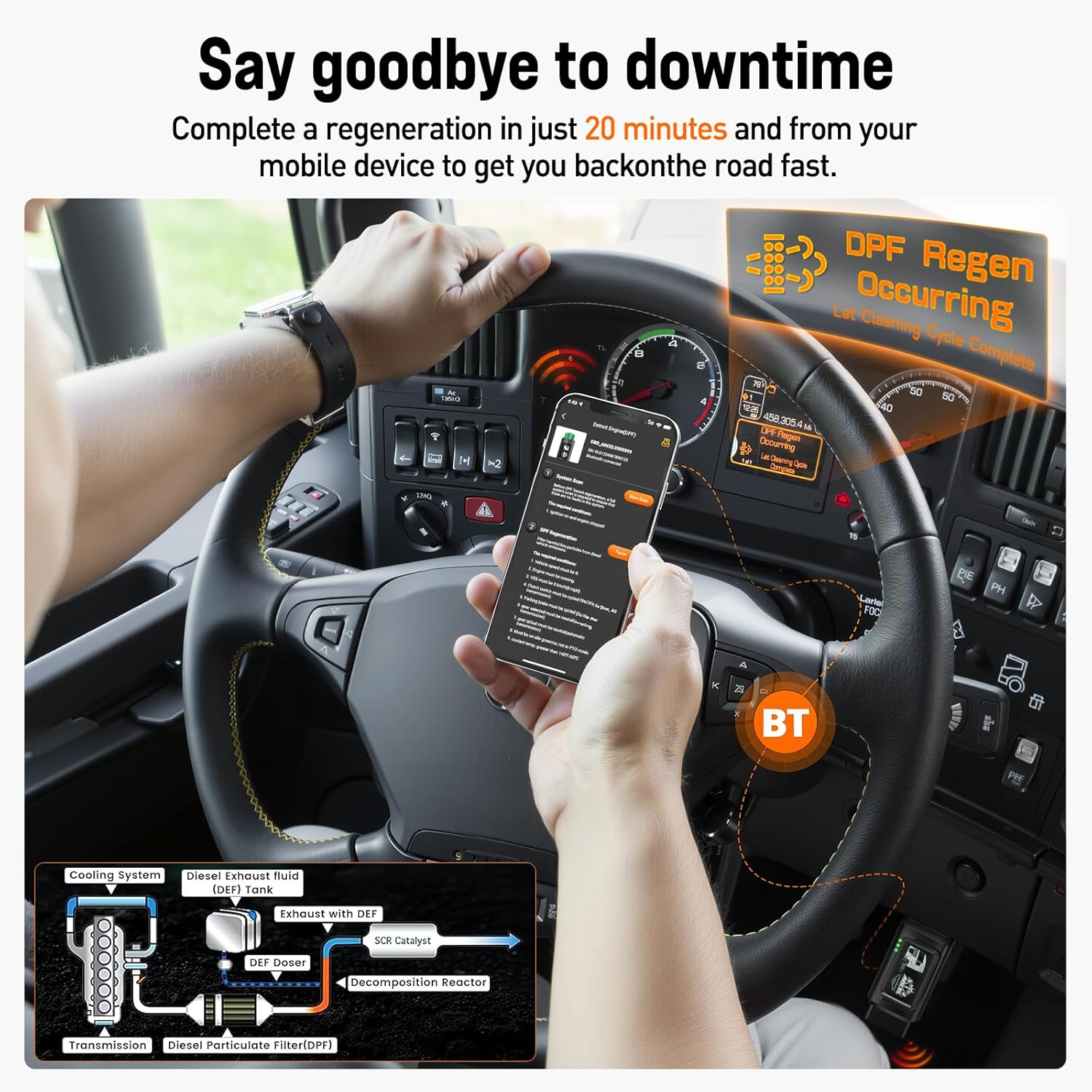
Image: A smartphone displaying "DPF Regen Occurring" while connected to the ANCEL HD110 scanner, illustrating the DPF regeneration process.
3. Тохиргоо
3.1 ANCEL HD110 Truck Scanner Setup
- Оношлогооны портыг олох: Identify the diagnostic port in your heavy-duty truck, typically located on the driver's side dashboard.
- Connect Scanner: Select the appropriate adapter (9-pin or 16-pin) and securely connect the ANCEL HD110 scanner to the vehicle's diagnostic port. Ensure a snug fit, and use the twist lock if available.
- Апп татаж авах: Download and install the "ANCEL Trucker" app on your smartphone (available for Android and iOS).
- Төхөөрөмжийг холбох: Open the app and add the device via Bluetooth. The app will scan for nearby Bluetooth devices; select "OBD_ANCEL" to connect.
- Ignition On: Turn the vehicle's ignition to the ON position (or start the engine for live data monitoring).

Image: The ANCEL HD110 scanner plugged into a truck's diagnostic port, ready for use.
3.2 ANCEL BST100 Car Battery Tester Setup
- Cl холбоно ууamps: Улаан cl-г хавсаргана ууamp to the positive (+) terminal of the 12V battery and the black clamp сөрөг (-) терминал руу.
- Асаах: Төхөөрөмж холбогдсон үед автоматаар асах болно.
- Тест сонгох: Navigate the menu using the buttons to select the desired test (Battery Test, Cranking Test, or Charging Test).

Image: The ANCEL BST100 Car Battery Tester connected to a car battery with its red and black clamps.
4. Ашиглалтын заавар
4.1 ANCEL HD110 Truck Scanner Operation
- Select Vehicle Type: In the ANCEL Trucker app, select the appropriate vehicle type (e.g., Detroit Engine, Paccar Engine, HD OBD, OBDII).
- Скан хийх: Choose between "Standard protocol (Fast Scan)" or "Standard protocol (Complete Scan)" to initiate a diagnostic scan.
- Алдааны кодуудыг уншина уу: Select "Read Fault Code" to view current or historical diagnostic trouble codes (DTCs).
- Алдааны кодуудыг арилгах: After addressing the issue, select "Erase Fault Code" to clear the DTCs from the vehicle's system.
- Шууд мэдээллийн хяналт: Access "Live Data" to view real-time sensor data, consumable fluids, and emission-related components.
- DPF нөхөн төлжилт: For DPF-equipped vehicles, select "DPF Regeneration" and follow the on-screen prompts to perform a forced regeneration. Ensure the engine is at idle and the vehicle is stopped.

Image: A smartphone screen showing diagnostic options like "Read Stored Codes," "Read Pending Codes," and "Clear Trouble Code" from the ANCEL Trucker app.
4.2 ANCEL BST100 Car Battery Tester Operation
- Батерейны туршилт: Select "Battery Test" to assess the overall health of the battery, including its voltagд ба хүчин чадал.
- Тоглолтын туршилт: Choose "Cranking Test" to evaluate the battery's ability to start the engine.
- Цэнэглэх туршилт: Select "Charging Test" to check the vehicle's charging system performance.
- Review Өгөгдөл: Use the "Review Data" option to view өмнөх туршилтын үр дүн.

Image: The ANCEL BST100 Car Battery Tester displaying its main menu with options for Battery Test, Cranking Test, Charging Test, and Review Өгөгдөл.
5. Засвар үйлчилгээ
- Цэвэрлэгээ: Wipe the devices with a soft, dry cloth after each use to remove dust and debris. Avoid using abrasive cleaners or solvents.
- Хадгалах: Төхөөрөмжүүдийг нарны шууд тусгал, хэт температураас хол, сэрүүн, хуурай газар хадгална.
- Програм хангамжийн шинэчлэлтүүд: Regularly check for software updates for the ANCEL HD110 scanner via the ANCEL Trucker app to ensure optimal performance and compatibility with new vehicle models.
6. Алдаа засах
- No Power (HD110): Ensure the scanner is securely connected to the vehicle's diagnostic port and the vehicle's ignition is on.
- Connection Issues (HD110): Verify Bluetooth is enabled on your smartphone and the ANCEL Trucker app is open. Try restarting both the app and the scanner.
- Inaccurate Readings (BST100): Зай cl -ийг шалгаарайamps are securely attached to the correct battery terminals (positive to positive, negative to negative). Clean battery terminals if corroded.
- DPF Regeneration Failure: Check that all required conditions (engine at idle, vehicle stopped, sufficient engine temperature) are met before initiating DPF regeneration.

Image: A smartphone screen showing real-time data such as Engine RPM, Total Idle Fuel Used Value, and Battery Potential Value, which can aid in troubleshooting.
7. Техникийн үзүүлэлтүүд
| Онцлог | Дэлгэрэнгүй |
|---|---|
| Брэнд | АНЦЕЛ |
| Загвар | HD110 (Truck Scanner), BST100 (Battery Tester) |
| ASIN | B0D7ZWS67C |
| Эхний боломжтой | 18 оны дөрөвдүгээр сарын 2025 |
| Battery Tester Compatibility | 12V 100-2000CCA batteries (Lead-acid, AGM flat plate, AGM spiral, Gel) |
8. Баталгаат хугацаа ба дэмжлэг
For warranty information, technical support, or service inquiries, please refer to the official ANCEL website or contact ANCEL customer service directly. Keep your purchase receipt for warranty claims.
9. Бүтээгдэхүүний видео
ANCEL HD110 Heavy Duty Truck Scanner Overview
Видео: дэлгэрэнгүйview of the ANCEL HD110 Heavy Duty Truck Scanner, demonstrating its features and connectivity options. This video highlights the ease of use and the various diagnostic capabilities of the device.
DPF Regen with HD120 (Preview)
Видео: Товч танилцуулгаview demonstrating the DPF regeneration process using an ANCEL HD120 scanner. This clip shows the device in action, initiating a DPF regen cycle on a truck.
ANCEL HD3300 PLUS+ Truck Scanner (Preview)
Video: A brief preview showcasing the ANCEL HD3300 PLUS+ Truck Scanner. This video provides a quick look at the device's interface and its application in truck diagnostics.


