1. Танилцуулга
Худалдан авалт хийсэнд баярлалааasing the AceGamer RGB Charging Dock for PlayStation Portal. This portable charging station is designed to provide a stable and efficient charging solution for your PlayStation Portal console, featuring customizable RGB lighting and essential protection features. Please read this manual carefully before use to ensure proper operation and maintenance.
2. Багцын агуулга
- AceGamer RGB Charging Dock (1 unit)
- Type-C цэнэглэх кабель (1 нэгж)
- Хэрэглэгчийн гарын авлага (Энэ баримт бичиг)
3. Бүтээгдэхүүний онцлог
- Dedicated Charging: Specifically designed for the PlayStation Portal console.
- RGB гэрэлтүүлэг: Features 7 distinct lighting modes for personalized aesthetics.
- Түргэн цэнэглэх: Efficient power delivery for fast charging.
- Аюулгүй байдлын хамгаалалт: Баригдсан хэт гүйдэл, хэт их хэмжээtage, болон доод ботьtage хамгаалалт.
- Эргономик дизайн: 30-degree comfortable viewing angle for the PlayStation Portal.
- Тогтвортой суурь: Equipped with anti-slip mats for secure placement.
- Холболт: USB Type-C input for power.
4. Тохируулах заавар
- Эрчим хүчийг холбох: Insert the provided Type-C charging cable into the charging dock's input port and connect the other end to a suitable USB power adapter (not included).

Figure 4.1: Connecting the Type-C power cable to the charging dock.
- Place PlayStation Portal: Carefully align your PlayStation Portal console with the charging connector on the dock and gently place it into position. Ensure a secure connection for charging. The dock is designed to hold the Portal at a 30-degree angle for optimal viewing.

Figure 4.2: PlayStation Portal placed on the charging dock at a 30-degree angle.
- Anti-slip Stability: The base of the charging dock is equipped with anti-slip mats to prevent accidental movement. Ensure the dock is placed on a flat, stable surface.
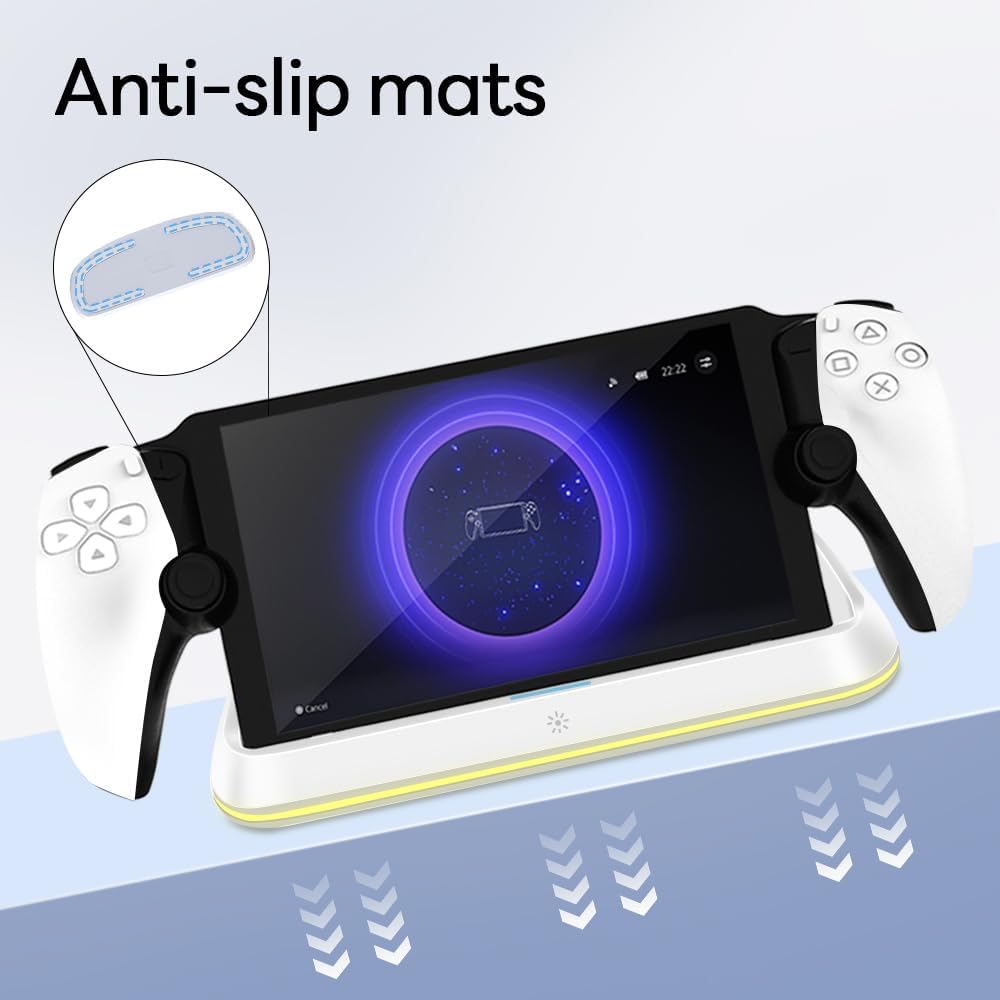
Figure 4.3: Anti-slip mats on the charging dock for enhanced stability.
- Харааны гарын авлага: For a visual demonstration of the setup process, please refer to the video below.
Video 4.1: Demonstration of connecting the power supply and placing the PlayStation Portal onto the charging dock.
5. Ашиглалтын заавар
- Charging the PlayStation Portal: Once the PlayStation Portal is correctly seated on the dock and the dock is powered, charging will begin automatically. A full charge typically takes approximately 3.5 hours. The dock includes protection against over-current, over-voltage, болон доод ботьtage to safeguard your device.

Figure 5.1: Charging indicators and safety protection features.
- RGB гэрэлтүүлгийн удирдлага: The charging dock features a touch-sensitive button to control the RGB lighting. Press the button to cycle through 7 different lighting modes or to turn the lights off.

Figure 5.2: RGB lighting modes and touch control button.
6. Засвар үйлчилгээ
- Keep the charging dock clean and free from dust. Use a soft, dry cloth for cleaning.
- Төхөөрөмжийг хэт өндөр температур, чийгшил, нарны шууд тусгалд оруулахаас зайлсхий.
- Гадаргууг гэмтээж болзошгүй тул зүлгүүрийн цэвэрлэгч, уусгагчийг бүү ашигла.
- Ensure the charging port and connector are free of debris before placing the PlayStation Portal.
7. Алдаа засах
- Төхөөрөмж цэнэглэхгүй байна:
- Ensure the Type-C cable is securely connected to both the dock and the power adapter.
- Цахилгаан адаптер зөв ажиллаж байгаа бөгөөд цахилгаан залгуурт залгагдсан эсэхийг шалгана уу.
- Check if the PlayStation Portal is properly seated on the charging connector.
- Өөр Type-C кабель эсвэл цахилгаан адаптер ашиглаж үзнэ үү.
- RGB гэрэл ажиллахгүй байна:
- Ensure the charging dock is powered on.
- Press the touch light button to cycle through modes or turn the lights on.
- Unstable placement:
- Ensure the dock is placed on a flat, level surface.
- Check if the anti-slip mats are clean and intact.
8. Техникийн үзүүлэлтүүд
| Брэнд | AceGamer |
| Загварын дугаар | PS-P-White |
| Тохиромжтой төхөөрөмжүүд | PlayStation портал |
| Оролтын хэмжээtage | 5 вольт |
| Ватtage | 7 ватт |
| Холбогч төрөл | USB Type-C (for power input) |
| Онцлог шинж чанарууд | RGB Lighting, Fast Charging, Over-current Protection, Over-voltage Protection, Under-voltage Хамгаалалт |
| Хэмжээ | Ойролцоогоор 22.5 x 8.9 x 8.4 см |
| Жин | Ойролцоогоор 290 гр |
9. Баталгаат хугацаа ба дэмжлэг
AceGamer products are designed and manufactured to the highest quality standards. For warranty information or technical support, please contact the retailer where you purchased the product or visit the official AceGamer website for customer service contact details. Please retain your proof of purchase for warranty claims.


