1. Танилцуулга
Welcome to the DOOGEE Blade 10 Max user manual. This guide provides detailed instructions to help you get the most out of your new rugged smartphone. Designed for durability and high performance, the Blade 10 Max features a powerful battery, advanced camera system, and a unique rear display, all running on Android 15.
2. Бүтээгдэхүүн дууссанview
The DOOGEE Blade 10 Max is engineered to withstand challenging environments while providing a rich smartphone experience. Familiarize yourself with its components and design.

Зураг 2.1: Урд ба хойд view of the DOOGEE Blade 10 Max smartphone.
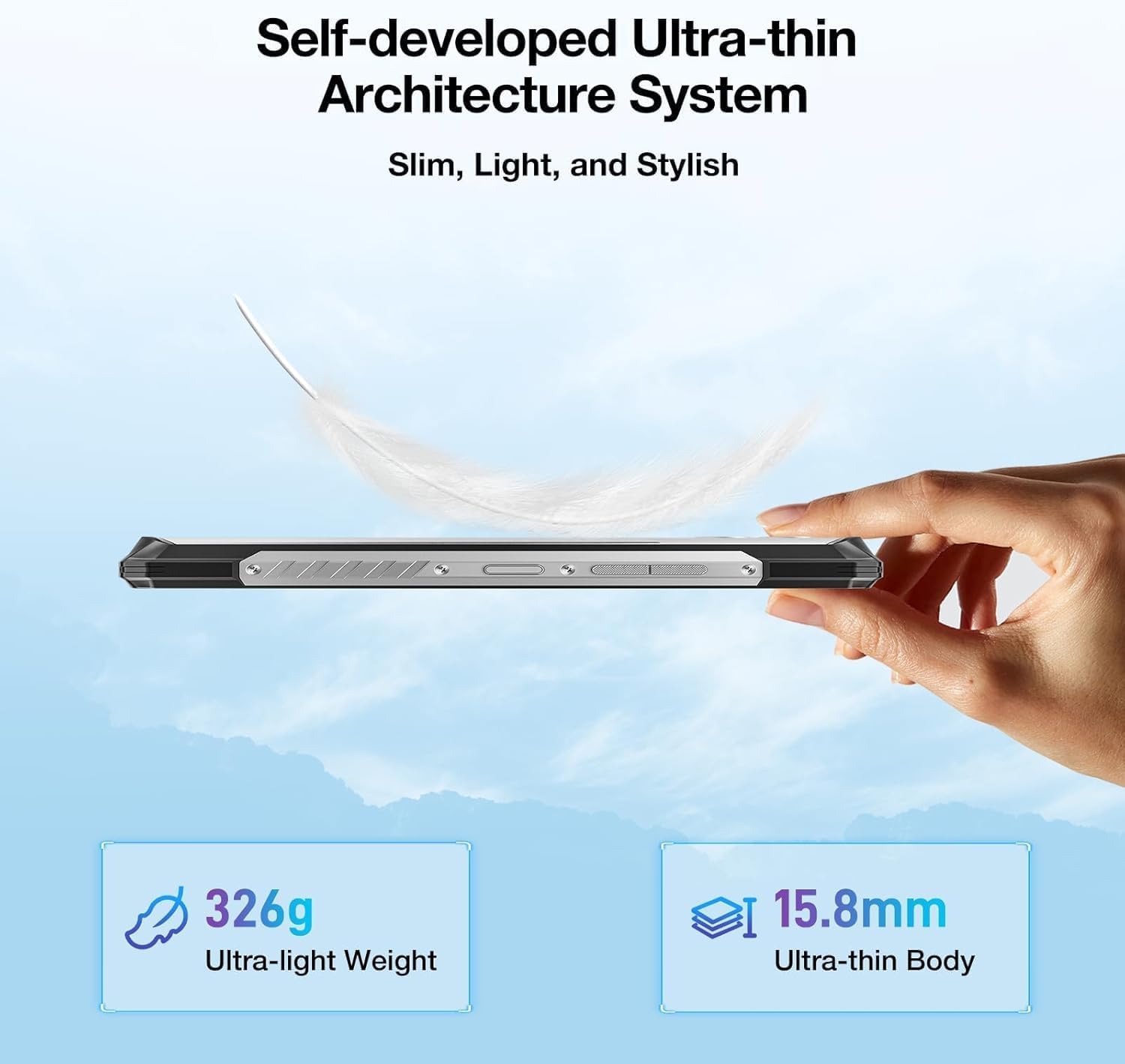
Зураг 2.2: Side profile showcasing the ultra-thin design of the Blade 10 Max.
2.1 Гол бүрэлдэхүүн хэсгүүд
- 6.56-inch HD+ IPS Display: Main screen for all interactions.
- 1.54-inch Customizable Rear Screen: Displays time, date, battery status, and notifications without activating the main display.
- 50MP AI үндсэн камер: High-resolution camera for detailed photography.
- 8MP урд камер: Селфи болон видео дуудлага хийх зориулалттай.
- Хажуугийн хурууны хээ мэдрэгч: Integrated for quick and secure unlocking.
- USB Type-C порт: Цэнэглэх, өгөгдөл дамжуулах зориулалттай.
- Triple Card Slot: Supports two 4G SIM cards and one microSD card for expandable storage.
- Тохируулах товчлуур: A programmable physical button for quick access to functions.
3. Тохиргоо
3.1 SIM карт болон MicroSD карт суурилуулах
The Blade 10 Max supports dual 4G SIM cards and a microSD card for storage expansion up to 2TB. Ensure the device is powered off before inserting or removing cards.
- Locate the card tray on the side of the device.
- Тавиурыг нээхийн тулд өгөгдсөн SIM гаргагч хэрэгслийг ашиглана уу.
- Carefully place your Nano-SIM cards and/or microSD card into the designated slots on the tray. Ensure they are correctly oriented.
- Тавиурыг байрандаа орох хүртэл зөөлөн түлхэж төхөөрөмж рүү оруулна.

Figure 3.1: Proper insertion of SIM and TF cards into the device tray.
3.2 Анхдагч асаалт ба цэнэглэлт
To power on your device, press and hold the Power button until the DOOGEE logo appears. For initial charging, connect the provided USB Type-C cable to the phone and a compatible 18W fast charger.
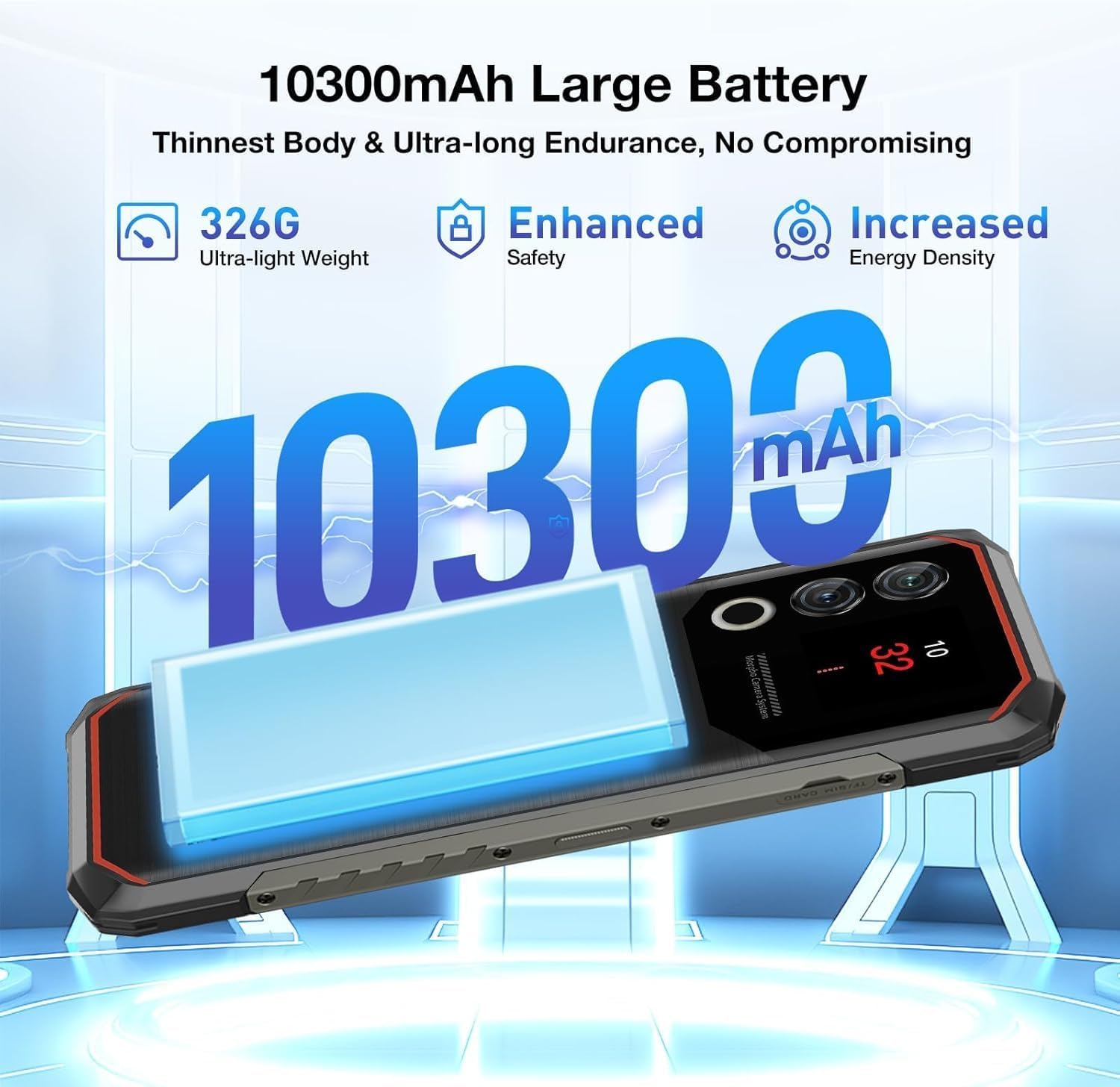
Figure 3.2: The 10300mAh battery provides extended usage.
4. Төхөөрөмжийг ажиллуулах
4.1 Үндсэн навигаци
The Blade 10 Max runs on Android 15, offering intuitive navigation through touch gestures. Swipe up from the bottom for the app drawer, swipe down from the top for notifications and quick settings, and use the navigation bar or gestures for back, home, and recent apps.
4.2 Using the 1.54-inch Rear Screen
The innovative 1.54-inch rear screen provides quick access to essential information without waking the main display. It can show the time, date, battery level, charging status, and more. Customize its display options in the phone's settings under 'Rear Screen'.

Figure 4.1: The customizable 1.54-inch rear screen for quick information access.
4.3 Камерын функцууд
Capture stunning photos with the 50MP AI main camera and 8MP front camera. The AI camera automatically recognizes 12 different scenes and optimizes settings for best results. Explore various modes like Portrait, Night Scene, and Pro Mode for enhanced creativity.

Figure 4.2: The 50MP AI camera offers various photography modes.
The integrated Google Smart Camera provides additional functionality, allowing you to copy and translate text, identify objects, plants, or animals, and even assist with homework by scanning questions.
4.4 Аюулгүй байдлын онцлог
Unlock your device securely using the side-mounted fingerprint sensor or Face Unlock. Both methods provide quick and convenient access while ensuring your data remains protected.
4.5 Холболт
The Blade 10 Max supports 4G LTE connectivity across a wide range of bands. It also features NFC for convenient mobile payments via Google Pay and supports GPS, Glonass, Galileo, and Beidou for accurate navigation.
Video 4.1: Demonstration of the DOOGEE Blade 10 Max's ruggedness and functionality after exposure to various liquids.
Video 4.2: A short demonstration of the DOOGEE Blade 10 Max surviving an impact test.
5. Засвар үйлчилгээ
To ensure the longevity and optimal performance of your DOOGEE Blade 10 Max, follow these maintenance guidelines.
5.1 Төхөөрөмжийг цэвэрлэх
Зөөлөн ашиглах, damp cloth to clean the exterior of your phone. Avoid harsh chemicals or abrasive materials that could damage the screen or casing. For ports, use a soft brush to gently remove dust or debris.
5.2 Ус, тоосны эсэргүүцэл
The Blade 10 Max is IP68/IP69K and MIL-STD-810H certified, making it resistant to water, dust, and drops. While highly durable, it is not indestructible. Ensure all port covers are securely closed before exposing the device to water or dust. Avoid intentional submersion in deep water or high-pressure water jets. If the device gets wet, dry it thoroughly before charging.

Figure 5.1: The Blade 10 Max is designed for water and dust resistance.
Video 5.1: The DOOGEE Blade 10 Max being used underwater, showcasing түүний ус нэвтэрдэггүй загвар.
5.3 Батерейны арчилгаа
The 10300mAh battery is designed for long endurance. To maximize battery life, avoid extreme temperatures, use the original charger, and avoid completely draining the battery frequently.
6. Алдаа засах
If you encounter issues with your device, refer to the following common solutions.
- Төхөөрөмж асахгүй байна: Батерейг цэнэглэсэн эсэхийг шалгаарай. Цэнэглэгчтэй холбогдож, дахин асаахаасаа өмнө хэдэн минут хүлээнэ үү.
- Дэлгэц хариу өгөхгүй байна: Try restarting the device by holding the Power button for an extended period (usually 10-15 seconds).
- Сүлжээний холболттой холбоотой асуудлууд: Check if SIM cards are properly inserted. Verify your mobile data settings and ensure you have signal coverage. Try toggling Airplane Mode on and off.
- Камер ажиллахгүй байна: Ensure no other apps are using the camera. Restart the camera app or the device.
- Гэмтсэн програмууд: Асуудалтай аппликейшны кэшийг цэвэрлэх эсвэл дахин суулгана уу. Төхөөрөмжийнхөө програм хангамж шинэчлэгдсэн эсэхийг шалгана уу.
7. Техникийн үзүүлэлтүүд
Below are the key technical specifications for the DOOGEE Blade 10 Max.
| Онцлог | Тодорхойлолт |
|---|---|
| Загварын нэр | Blade 10 Max |
| Үйлдлийн систем | Android 15 |
| Дэлгэцийн хэмжээ | 6.56 инч |
| Дэлгэцийн нягтрал | 1280 x 720 (HD+) |
| Сэргээх хурд | 90 Гц |
| Арын дэлгэц | 1.54 инч |
| RAM санах ой | 32 ГБ (8 ГБ физик + 24 ГБ виртуал) |
| Дотоод санах ой | 256 ГБ |
| Өргөтгөх боломжтой хадгалах сан | microSD-ээр дамжуулан 2TB хүртэл |
| Үндсэн камер | 50 MP AI Camera |
| Урд камер | 8 МП |
| Зайны багтаамж | 10300 мАч |
| Цэнэглэж байна | 18Вт хурдан цэнэглэлт, OTG урвуу цэнэглэлт |
| Процессор | UNISOC T7200 Octa-Core (1.6GHz, 12nm) |
| Холболт | 4G, Wi-Fi, Bluetooth, NFC (Google Pay) |
| Навигац | GPS, Глонасс, Галилео, Бэйдоу |
| Бат бөх чанар | IP68, IP69K, MIL-STD-810H гэрчилгээтэй |
| Аюулгүй байдал | Side Fingerprint Recognition, Face Unlock |
| Dimensions (Thinnest Point) | 9 мм |
| Жин | 326 гр (11.5 унц) |
8. Баталгаат хугацаа ба дэмжлэг
Your DOOGEE Blade 10 Max comes with a manufacturer's warranty. Please refer to the warranty card included in your product packaging for specific terms and conditions. For technical support, troubleshooting assistance, or warranty claims, please visit the official DOOGEE webсайт эсвэл харилцагчийн үйлчилгээтэй холбогдоно уу.
DOOGEE offers a 30-day money-back guarantee and a 2-year limited warranty. 24/7 online support is also available.


