1. Танилцуулга
This manual provides detailed instructions for the setup, operation, and maintenance of your ZEBRONICS PIXAPLAY 54 Smart LED Projector. Please read this manual thoroughly before using the product to ensure proper functionality and to prevent damage.
The ZEBRONICS PIXAPLAY 54 is a smart LED projector designed for versatile entertainment and presentation needs. It features 3800 lumens brightness, 1080p support, up to 140-inch screen size projection, a Quad-Core processor, and automatic keystone adaptation. Connectivity options include Bluetooth, Wi-Fi, HDMI, USB, and AUX.
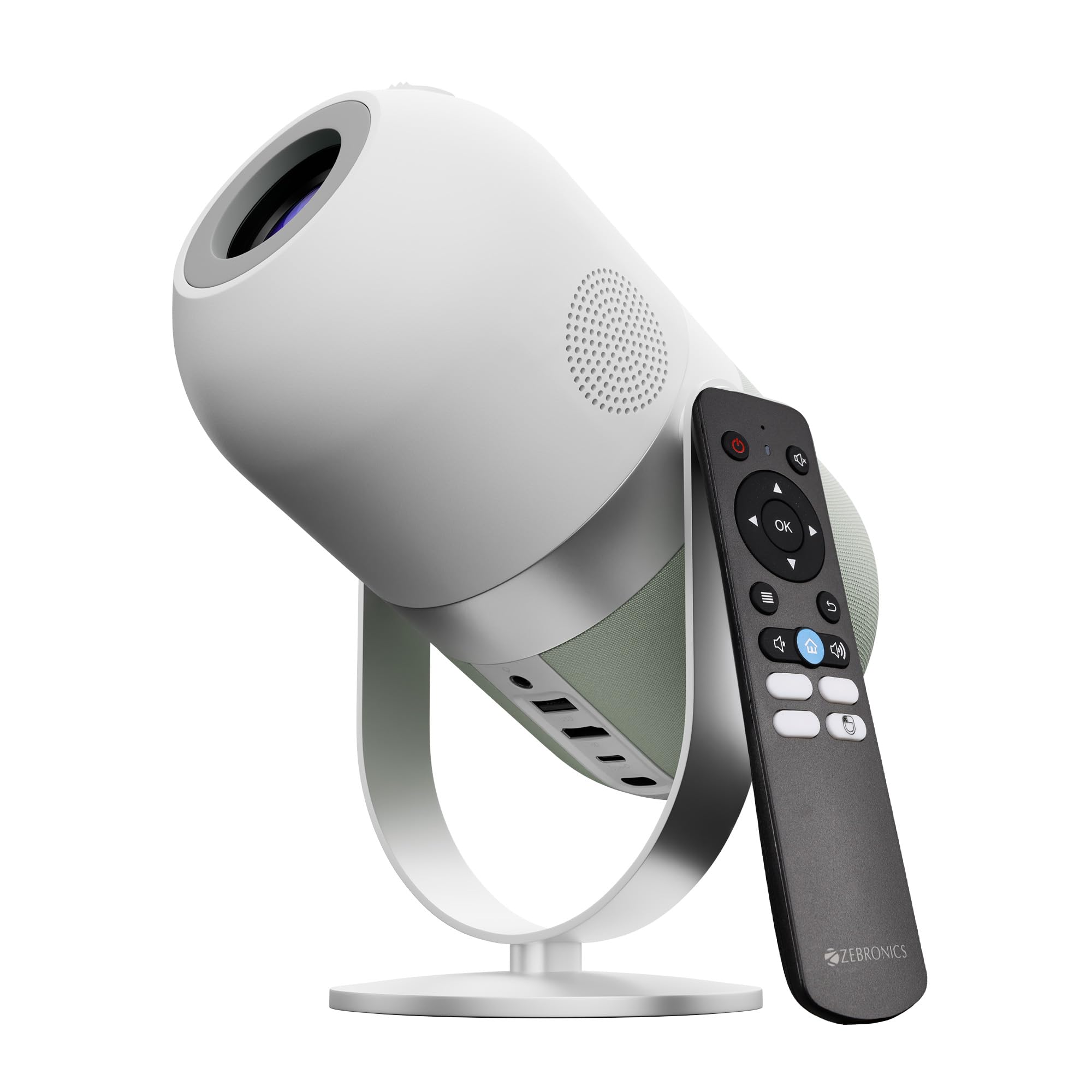
Image 1: The ZEBRONICS PIXAPLAY 54 Smart LED Projector in its upright and tilted positions.
2. Багцын агуулга
Бүх зүйл багцад байгаа эсэхийг шалгана уу:
- ZEBRONICS PIXAPLAY 54 Projector
- Алсын удирдлага
- Эрчим хүчний адаптер
- Хэрэглэгчийн гарын авлага
3. Тохиргоо
3.1 Байршил
Place the projector on a stable, flat surface. Ensure there is adequate ventilation around the device. The projector can project an image up to 140 inches diagonally. Adjust the distance from the projection surface to achieve the desired screen size.
3.2 Эрчим хүчний холболт
Connect the provided power adapter to the projector's Type-C power input and then to a power outlet. The projector is Type-C powered.
3.3 Анхдагч асаалттай
Press the power button on the projector or the remote control to turn on the device. Allow a few moments for the system to boot up.
3.4 Фокусын тохируулга
Use the adjustable lens wheel located on the top of the projector to sharpen the image focus. Rotate the wheel until the projected image appears clear and crisp.

Image 2: The adjustable lens wheel for focus control, along with the remote control and built-in speaker.
3.5 Auto Keystone Adaptation
The projector features automatic keystone adaptation for vertical adjustment. This function automatically corrects the image distortion when the projector is not perfectly perpendicular to the screen, ensuring a rectangular image. Manual adjustments may be available in the settings for fine-tuning.

Image 3: A projected image demonstrating the automatic keystone adaptation feature, correcting vertical distortion.
4. Ашиглалтын заавар
4.1 Алсын удирдлагын ашиглалт
The included remote control allows for convenient operation of the projector. Point the remote directly at the IR remote sensor located on the projector for optimal response.
4.2 Smart Projector Features & App Support
The PIXAPLAY 54 is a smart projector with built-in app support. Navigate through the user interface using the remote control to access pre-installed applications or download new ones from the app store. This allows for direct streaming of content without needing an external device.

Image 4: The projector displaying a smart interface with various streaming and utility applications.
4.3 Multi-Connectivity Options
Проектор нь таны төхөөрөмжүүдийг холбох олон аргыг санал болгодог:
- HDMI: Connect laptops, gaming consoles, Blu-ray players, or other HDMI-enabled devices.
- USB: Медиа тоглуулах fileUSB дискнээс шууд.
- AUX гаралт: Сайжруулсан дууг сонсохын тулд гадаад чанга яригч эсвэл чихэвч холбоно уу.
- Bluetooth v5.1: Wirelessly connect Bluetooth-enabled audio devices like speakers or headphones.
- Wi-Fi (2.4GHz & 5GHz Dual Band): Connect to your home network for internet access, app downloads, and online streaming.
- Миракаст: Wirelessly mirror the screen of compatible smartphones and tablets.
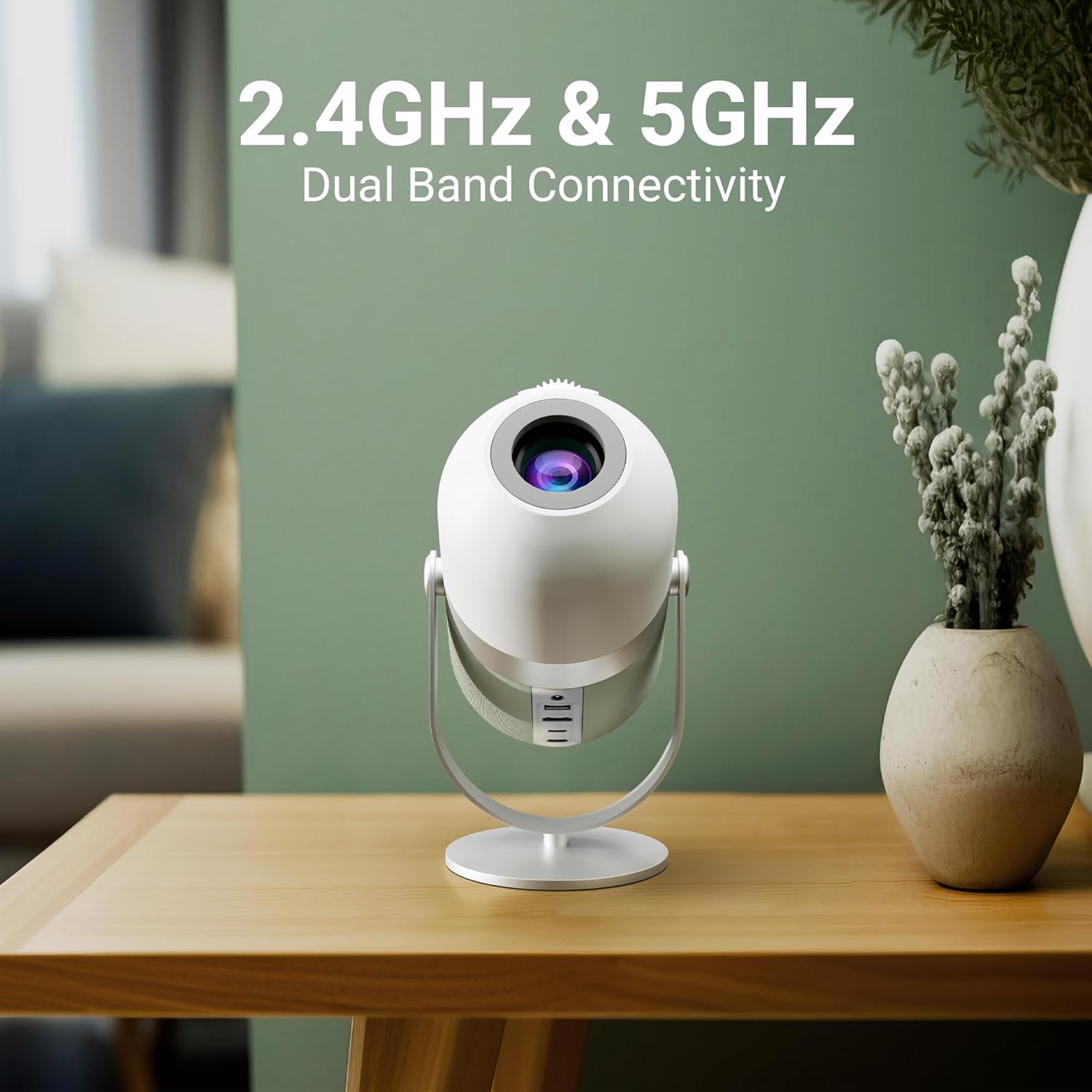
Image 5: The projector highlighting its 2.4GHz & 5GHz Dual Band Wi-Fi connectivity.
5. Засвар үйлчилгээ
5.1 Линзийг цэвэрлэх
Gently wipe the projector lens with a soft, lint-free cloth specifically designed for optical surfaces. Avoid using abrasive materials or harsh chemicals, as these can scratch or damage the lens.
5.2 Ерөнхий арчилгаа
Keep the projector in a clean, dust-free environment. Ensure proper ventilation to prevent overheating. The LED lamp has a lifespan of approximately 50,000 hours, providing long-term usage without frequent lamp солих.
6. Алдаа засах
- Зураг байхгүй: Check power connections. Ensure the correct input source is selected. Verify that the lens cap is removed.
- Бүдэг зураг: Adjust the focus wheel. Ensure the projector is at an appropriate distance from the screen. Use keystone correction if the image is distorted.
- Дуугүй: Проектор болон холбогдсон эх үүсвэрийн төхөөрөмжийн дууны тохиргоог шалгана уу. Хэрэв гадаад чанга яригч ашиглаж байгаа бол зөв холбогдсон эсэхийг шалгаарай.
- Алсын удирдлага хариу өгөхгүй байна: Check the batteries in the remote. Ensure there are no obstructions between the remote and the projector's IR sensor.
- Хэт халалт: Ensure the projector's vents are not blocked. Operate the projector in a well-ventilated area.
For further assistance, refer to the support section.
7. Техникийн үзүүлэлтүүд
| Онцлог | Тодорхойлолт |
|---|---|
| Брэнд | ЗЕБРОНИК |
| Загвар | Zeb-Pixaplay 54 |
| Дэлгэцийн төрөл | LED |
| Гэрэлтүүлэг | 3800 люмен |
| Шийдвэр | 1920 x 1080 Pixels (1080p Support) |
| Зургийн ялгаатай харьцаа | 1000:1 |
| Харьцаа | 16:9 |
| Дэлгэцийн дээд хэмжээ | 356 см (140 инч) хүртэл |
| Процессор | Дөрвөн цөм |
| Lamp Амьдрал | 50,000 цаг |
| Холболт | Bluetooth v5.1, HDMI, USB, AUX Out, Wi-Fi (2.4GHz & 5GHz) |
| Онцлог шинж чанарууд | Built-In Wi-Fi, Portable, Wireless, Auto Keystone Adaptation |
| Бүтээгдэхүүний хэмжээс | 21 x 13.5 x 19.5 см |
| Зүйлийн жин | 1 гр |
8. Баталгаат хугацаа ба дэмжлэг
Your ZEBRONICS PIXAPLAY 54 Projector comes with a standard manufacturer's warranty. Please retain your purchase receipt for warranty claims. For technical queries, support, or service, please use the contact information below.

Image 6: Contact details for technical support.
Холбоо барих мэдээлэл:
- Утас: +91 - 9363453681
- Имэйл: support@zebronics.com


