Танилцуулга
Thank you for choosing the Doubc Q13 Wireless Bluetooth 5.3 Earbuds. These earbuds are designed to provide a high-quality audio experience with advanced features such as HiFi stereo sound, ENC noise-cancelling microphones, and IPX7 waterproofing. This manual will guide you through the setup, operation, and maintenance of your new earbuds.

Image: The Doubc Q13 Wireless Bluetooth 5.3 Earbuds in their open charging case, displaying the digital battery indicator.
Багцын агуулга
Дараах зүйлсийн багцад байгаа эсэхийг шалгана уу.
- Doubc Q13 Wireless Earbuds (Left and Right)
- Цэнэглэх хайрцаг
- USB Type-C цэнэглэх кабель
- Хэрэглэгчийн гарын авлага
- Чихний үзүүр (янз бүрийн хэмжээтэй, ихэвчлэн S/M/L)
Тохиргоо
1. Анхны цэнэглэлт
Before first use, fully charge the earbuds and the charging case. Connect the provided USB Type-C cable to the charging port on the case and a power source. The LED display on the charging case will show the battery percentagд. Бүрэн цэнэглэхэд ойролцоогоор 1.5 цаг зарцуулагдана.
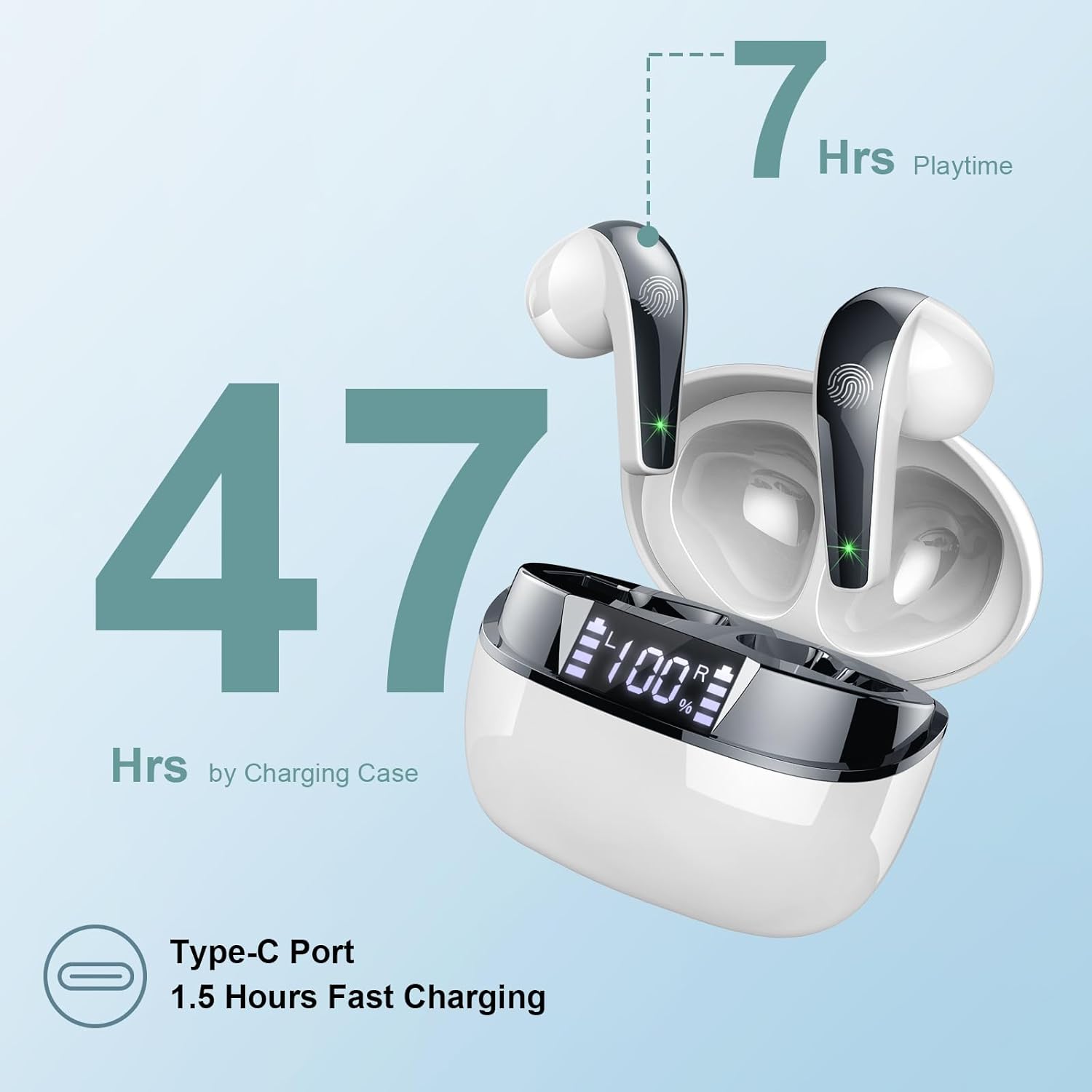
Image: The charging case highlighting 47 hours of total playtime and the Type-C charging port.

Image: A visual representation of the earbuds and charging case, emphasizing 7 hours of music time per charge and 47 hours total with the charging case, along with the dual LED digital display.
2. Төхөөрөмжтэй хослуулах
- Чихэвч цэнэглэгдсэн эсэхийг шалгаарай.
- Цэнэглэх хайрцгийг нээнэ үү. Чихэвч автоматаар хослуулах горимд орно.
- Төхөөрөмж дээрээ (ухаалаг утас, таблет, компьютер) Bluetooth тохиргоо руу очно уу.
- хайх available devices and select "Q13" from the list.
- Холбогдсоны дараа та баталгаажуулах дууг сонсох бөгөөд чихэвч ашиглахад бэлэн болно.
The Doubc Q13 earbuds feature one-step pairing and wide compatibility with iOS, Android, and Windows devices.

Image: The earbuds in their charging case next to a smartphone displaying Bluetooth settings, showing "Q13" as a discoverable device, illustrating the one-step pairing process.
Ашиглалтын заавар
Удирдлагад хүрнэ үү
The Doubc Q13 earbuds feature smart touch controls for easy management of music and calls. The touch sensitive area is located on the outer surface of each earbud.

Image: A user wearing an earbud, with icons indicating various touch control functions such as volume adjustment, call management, music playback, and voice assistant activation.
| Үйлдэл | Чиг үүрэг |
|---|---|
| Нэг товшилт (Л/Б) | Хөгжим тоглуулах/түр зогсоох, Дуудлагад хариулах/ дуусгах |
| Давхар товшилт (баруун) | Дараагийн дуу |
| Давхар товшилт (Зүүн) | Өмнөх зам |
| Гурвалсан товшилт (баруун) | Дууны хэмжээг нэмэгдүүлэх |
| Гурвалсан товшилт (Зүүн) | Дууг багасгах |
| Удаан дарах (2сек) (Зүүн/Баруун) | Дуудлагаас татгалзах, Дуут туслахыг идэвхжүүлэх |
Асаах/унтраах
- Асаах: Open the charging case, and the earbuds will automatically power on. Alternatively, long-press the touch area on both earbuds for 3 seconds.
- Унтраах: Place the earbuds back into the charging case and close the lid. They will automatically power off and begin charging. Alternatively, long-press the touch area on both earbuds for 5 seconds.
Засвар үйлчилгээ
Цэвэрлэгээ
To ensure optimal performance and charging, regularly clean the charging contacts on both the earbuds and the charging case. Use a cotton swab lightly dampened with alcohol to gently wipe the contacts.

Image: A diagram illustrating the location of charging contacts on the earbuds and inside the charging case, with instructions to clean them if charging issues occur.
Усны эсэргүүцэл
The earbuds are IPX7 waterproof, meaning they can withstand immersion in water up to 1 meter for 30 minutes. This makes them suitable for workouts and light rain. However, the charging case is not waterproof. Do not expose the charging case to water.

Image: Two earbuds covered in water droplets, visually representing their IPX7 waterproof capability.
Хадгалах
Чихэвчийг ашиглахгүй үедээ цэнэглэгч хайрцагт нь хийж хамгаалж, цэнэглэж байхаар хадгална уу. Хэт өндөр температур болон нарны шууд тусгалаас зайлсхий.
Алдааг олж засварлах
Чихэвч цэнэглэхгүй байна
- Цэнэглэх кабель нь хайрцаг болон тэжээлийн эх үүсвэрт найдвартай холбогдсон эсэхийг шалгаарай.
- Verify that the charging contacts on both the earbuds and the case are clean and free of debris. Use alcohol to clean them if necessary.
- Check if the charging case itself has sufficient battery charge.
Only One Earbud Has Sound
- Хоёр чихэвчийг цэнэглэх хайрцагт хийж, тагийг нь хаа.
- On your phone's Bluetooth settings, manually "forget" or "unpair" the "Q13" device.
- After approximately 10 seconds, open the charging case. The earbuds should automatically re-enter pairing mode.
- Reconnect the earbuds with your phone via Bluetooth.
Image: A diagram illustrating solutions for common issues: cleaning charging contacts for charging problems and re-pairing steps for when only one earbud produces sound.
Чихэвч холбогдоогүй байна
- Таны төхөөрөмж дээр Bluetooth идэвхжсэн эсэхийг шалгаарай.
- Make sure the earbuds are within the effective range (typically 10 meters) of your device.
- Turn off and then turn on your device's Bluetooth.
- "Тохиргоо" хэсэгт тайлбарласны дагуу холбох үйл явцыг давтана уу.
Үзүүлэлтүүд
| Онцлог | Дэлгэрэнгүй |
|---|---|
| Загварын дугаар | Q13 |
| Bluetooth хувилбар | 5.3 |
| Аудио драйвер | 13mm Graphene Audio Driver |
| Давтамжийн хүрээ | 20 Гц - 20,000 Гц |
| Тоглуулах хугацаа (чихэвч) | 7 цаг хүртэл (нэг цэнэглэлт) |
| Нийт тоглох хугацаа (Тоглоомтой хамт) | 47 цаг хүртэл |
| Цэнэглэх порт | USB Type-C |
| Цэнэглэх хугацаа | Ойролцоогоор 1.5 цаг (тохиолдолд) |
| Усны хамгаалалттай үнэлгээ | IPX7 (зөвхөн чихэвч) |
| Микрофонууд | 4 ENC Noise Cancelling Microphones |
| Чихний жин | Ойролцоогоор 3г (тус бүр) |
| Цэнэглэх хайрцагны жин | Ойролцоогоор 29 гр |
| Бүтээгдэхүүний хэмжээс | 2.13 x 1.81 x 1.34 инч (цэнэглэгчийн хайрцаг) |

Зураг: Нарийвчилсан view of the 13mm Graphene Audio Driver, emphasizing HiFi Stereo Sound and built-in microphones with noise reduction for HD calling.

Image: A diagram illustrating the benefits of Advanced Bluetooth 5.3 technology, including faster transfer, lower power consumption, more stable connection, and lower latency.

Image: A visual showing the comfortable and lightweight design of the earbuds and charging case, including their dimensions and individual weights (3g per earbud, 29g for the case).
Баталгаат болон дэмжлэг
The Doubc Q13 Wireless Bluetooth 5.3 Earbuds come with a 3 жилийн баталгаат хугацаа, бүтээгдэхүүний чанар, гүйцэтгэлийн талаархи сэтгэлийн амар амгаланг хангах.
For technical support, warranty claims, or any inquiries, please refer to the contact information provided on the product packaging or the official Doubc website. Specific support contact details are not available in this manual.
Аюулгүй байдлын чухал мэдээлэл
- Бүтээгдэхүүнийг задлах, өөрчлөхийг хориглоно.
- Хэт их температур, нарны шууд тусгалаас хол байлга.
- Цэнэглэгчийн хайрцгийг усанд оруулахаас зайлсхий.
- Зөвхөн өгсөн цэнэглэгч кабель эсвэл баталгаажуулсан түүнтэй адилтгах төхөөрөмжийг ашиглана уу.
- Орон нутгийн дүрэм журмын дагуу бүтээгдэхүүнийг хариуцлагатайгаар устгана уу.


