Танилцуулга
This manual provides essential information for the setup, operation, maintenance, and troubleshooting of your Pro-Ject Debut EVO 2 Audiophile Turntable. Please read these instructions carefully before using the turntable to ensure proper function and longevity of the product.
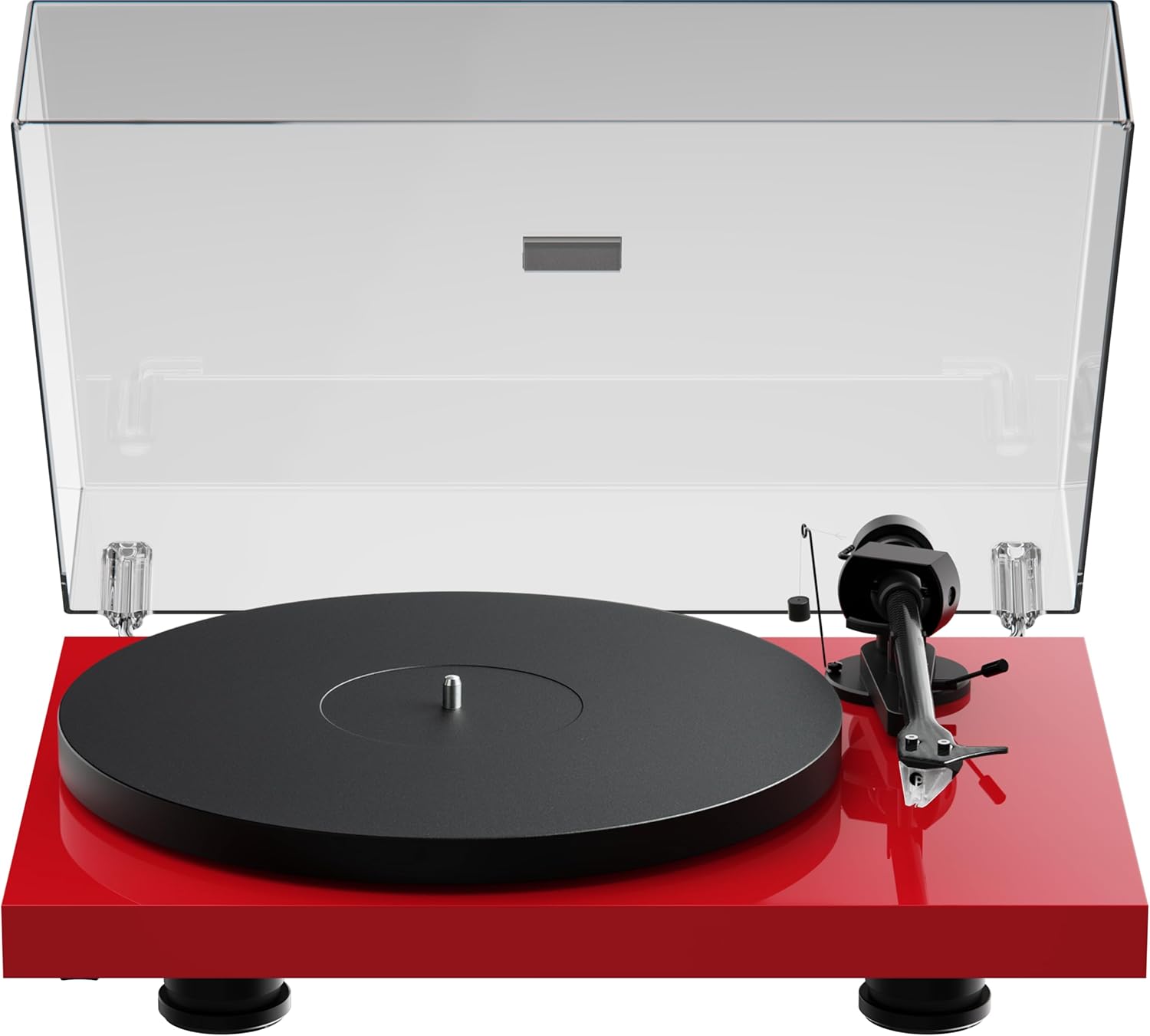
Image: The Pro-Ject Debut EVO 2 turntable in High Gloss Red, featuring a clear dust cover, platter, and tonearm.
Аюулгүй ажиллагааны зааварчилгаа
- Always disconnect the turntable from the power supply before cleaning or maintenance.
- Нойтон гараар цахилгааны кабельд хүрч болохгүй.
- Avoid placing the turntable near water or excessive moisture.
- Ensure the turntable is placed on a stable, level surface to prevent vibrations and ensure proper operation.
- Keep packaging materials, especially plastic bags, away from children.
Хайрцагт юу байна
Carefully unpack all items from the packaging. Please ensure all components listed below are present and undamaged.
- Pro-Ject дебют EVO 2 эргэдэг тавцан
- Transparent Dustcover
- Connection Cable (RCA)
- Эрчим хүчний адаптер
- Alignment Protractor
- Single Adapter (for 45 RPM records with large center holes)
- Плиттер
- Жолоо барих
- Эсрэг жин
- Тэшүүрийн эсрэг жин
- Pick it MM EVO Cartridge (pre-mounted)
Тохиргоо
1. Байрлуулах
Place the turntable on a firm, level surface, away from direct sunlight, heat sources, and excessive vibration. Ensure adequate ventilation around the unit.
2. Хавтан ба бүс суурилуулах
- Place the main platter onto the sub-platter spindle.
- Carefully loop the drive belt around the sub-platter and the motor pulley. Ensure the belt is not twisted.

Зураг: Нарийвчилсан view of the turntable's belt drive system, showing the belt wrapped around the sub-platter and motor pulley.
3. Tonearm Balance and Tracking Force
The Pick it MM EVO cartridge is pre-mounted. Follow these steps to set the tracking force:
- Зүүг хамгаалагчийг ав.
- Place the counterweight onto the rear of the tonearm.
- Adjust the counterweight until the tonearm floats freely and is perfectly balanced horizontally.
- Rotate the tracking force dial (the numbered ring on the counterweight) to '0' without moving the counterweight itself.
- Rotate the entire counterweight counter-clockwise until the desired tracking force is set. Refer to the cartridge specifications for the recommended tracking force (typically 1.8g for the Pick it MM EVO).
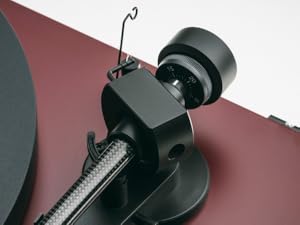
Image: A close-up of the carbon fiber tonearm, illustrating its construction and connection points.
4. Тэшүүрийн эсрэг тохируулга
The anti-skating mechanism counteracts the inward force on the tonearm. Attach the anti-skating weight's thread to the second groove of the anti-skating stub for the recommended tracking force.

Image: The anti-skating weight hanging from its thread, attached to the tonearm's anti-skating stub.
5. Холбогдох нь Ampнастан
Connect the turntable's RCA output cables to the 'Phono' input of your ampөргөгч. Хэрвээ чиний ampөргөгч нь тусгай 'Phono' оролтгүй тул танд гадаад фонон урьдчилсан холболт хэрэгтэй болно.ampнастан.
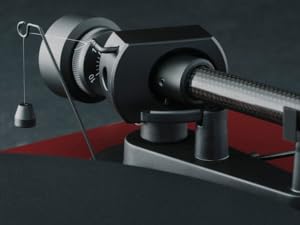
Image: The rear panel of the turntable, displaying the RCA output jacks for audio connection and the power input.
6. Тоосны бүрхүүл суурилуулах
Insert the hinges of the transparent dust cover into the designated slots at the rear of the turntable plinth.
Ажиллаж байна
1. Асаах/унтраах
Connect the power adapter to the turntable and a wall outlet. The turntable is powered on by pressing the power button, usually located on the underside or side of the plinth.
2. Хурдны сонголт
The Debut EVO 2 features electronic speed selection. Use the speed selector switch (often a button on the plinth) to switch between 33 1/3 RPM and 45 RPM. For 78 RPM records, a special belt and stylus may be required (not included).
3. Бичлэг тоглуулах
- Бичлэгийг тавган дээр тавь.
- Зөв тоглуулах хурдыг сонгоно уу.
- Дохио өгөх хөшүүргийг ашиглан тонер гарыг өргө.
- Тонер гарыг пянзны хүссэн эхлэх ховил дээр байрлуулна уу.
- Gently lower the tonearm using the cueing lever. The stylus will begin playing the record.
4. Тоглуулахыг зогсоох
At the end of a record, or when you wish to stop playback:
- Дохио өгөх хөшүүргийг ашиглан тонер гарыг өргө.
- Тонер гарыг хэвийн байдалд нь буцаана уу.
- Дохионы хөшүүргийг доошлуул.
- Turn off the turntable if not playing another record.
Засвар үйлчилгээ
1. Цэвэрлэгээ
- Turntable Plinth and Dust Cover: Use a soft, lint-free cloth to wipe surfaces. For stubborn marks, a slightly damp даавуу хэрэглэж болно, дараа нь хуурай даавуугаар арчина. Зүлгүүрийн цэвэрлэгчээс зайлсхий.
- Таваг: Clean the platter surface with a soft, dry cloth.
2. Үзэгний үзэг арчилгаа
- Regularly clean the stylus using a dedicated stylus cleaning brush, brushing gently from back to front.
- Зүүг хуруугаараа хүрэхээс зайлсхий.
- Replace the stylus when signs of wear are apparent (e.g., distorted sound, increased surface noise). The Pick it MM EVO cartridge is designed for easy stylus replacement.

Зураг: Нарийвчилсан view of the Pick it MM EVO cartridge mounted on the tonearm, highlighting its design.
3. Belt Replacement
The drive belt may stretch or degrade over time. If you notice inconsistent speed or reduced torque, the belt may need replacement. Contact Pro-Ject support or an authorized dealer for a replacement belt.
Алдааг олж засварлах
If you encounter issues with your turntable, consult the following table before contacting support.
| Асуудал | Боломжит шалтгаан | Шийдэл |
|---|---|---|
| Хүч чадалгүй | Цахилгаан кабель холбогдоогүй; Цахилгаан залгуур гэмтэлтэй | Цахилгаан холболтыг шалгана уу; Өөр залгуурыг туршаад үзээрэй |
| Дуугүй эсвэл дуу багатай | Буруу оролтыг сонгосон amplifier; Cables loose; Stylus protector still on; Amplifier not set to 'Phono' input | Select correct input; Check all cable connections; Remove stylus protector; Use a phono preampшаардлагатай бол өргөгч |
| Гажуудсан дуу чимээ | Incorrect tracking force; Damaged stylus; Dirty stylus; Incorrect anti-skating setting | Adjust tracking force; Inspect/clean/replace stylus; Adjust anti-skating |
| Тогтворгүй хурд | Drive belt worn or loose; Motor pulley dirty | Replace drive belt; Clean motor pulley |
| Чимээний чимээ | Ground wire not connected; Interference from other electronics | Ensure ground wire is connected; Move turntable away from other electronics |
Үзүүлэлтүүд
- Загварын нэр: Дебут EVO 2
- Брэнд: Pro-Ject
- Загварын дугаар: 9120129864930
- Бүтээгдэхүүний хэмжээ: 16.4 x 12.6 x 4.5 инч (41.6 x 32 x 11.4 см)
- Барааны жин: 13.2 фунт (6 килограмм)
- Материал: Carbon Fiber (tonearm)
- Моторын төрөл: Туузан хөтөч
- Дохионы формат: Фоно
- Оруулсан бүрэлдэхүүн хэсгүүд: Turntable, transparent dustcover, connection cable, power adapter, alignment protractor, single adapter
- Тохиромжтой төхөөрөмжүүд: Ampөргөгч, Илтгэгч
- Үйлдвэрлэгч: Pro-Ject аудио системүүд
Баталгаат хугацаа
Pro-Ject Audio Systems offers a warranty for this product. Please refer to the warranty card included with your purchase or visit the official Pro-Ject webнарийвчилсан баталгаат нөхцөлийг сайтаас авна уу. Баталгаат нэхэмжлэл гаргахын тулд худалдан авалтаа нотлох баримтаа хадгалаарай.
Key Warranty Feature: 25-year spare parts availability guarantee, ensuring long-term support for your turntable.
Дэмжлэг
For further assistance, technical support, or spare parts, please contact your authorized Pro-Ject dealer or visit the official Pro-Ject Audio Systems webсайт:
- Pro-Ject Store: Visit the Pro-Ject Store on Amazon
- Үйлдвэрлэгч: Pro-Ject аудио системүүд


