Танилцуулга
This manual provides comprehensive instructions for setting up, operating, and maintaining your Aura Walden 15" WiFi Digital Picture Frame. The Aura Walden frame is designed to display your cherished photos and videos with ease, offering a high-definition display and smart features for an enhanced viewing experience. Please read this manual thoroughly before using your device to ensure optimal performance and longevity.

Image: The Aura Walden 15" digital picture frame in white with a mat, shown alongside a smartphone displaying the Aura app interface. This illustrates the frame's design and its connectivity with the mobile application.
Тохируулах гарын авлага
1. Хайрцагнаас задлах, анхны үзлэг
Сав баглаа боодолоос бүх бүрэлдэхүүн хэсгүүдийг болгоомжтой арилгана. Дараахь зүйлс орсон эсэхийг шалгана уу.
- Aura Walden 15" Digital Picture Frame
- Эрчим хүчний адаптер
- Tabletop Frame Stand (pre-attached or separate)
- Хананд холбох хэрэгсэл (хэрэв байгаа бол)
- Түргэн эхлүүлэх гарын авлага
Inspect the frame for any visible damage. If any components are missing or damaged, contact Aura support immediately.
2. Powering On the Frame
Connect the power adapter to the frame's power port and then plug it into a standard electrical outlet. The frame will automatically power on and display the Aura logo.
3. Апп суулгах, бүртгэл үүсгэх
The Aura frame requires the Aura app for setup and photo management.
- Download the free Aura app from the Apple App Store (for iOS devices) or Google Play Store (for Android devices).
- Open the Aura app and follow the on-screen prompts to create a new Aura account or log in if you already have one.
4. Wi-Fi-д холбогдож байна
The Aura app will guide you through connecting your frame to your home Wi-Fi network. Ensure your frame is within range of your Wi-Fi router.
- Select your Wi-Fi network from the list provided in the app.
- Хэрэв асуувал Wi-Fi нууц үгээ оруулна уу.
- The frame will confirm successful connection.
5. Зураг болон видео нэмэх
Once connected, you can begin adding photos and videos to your frame using the Aura app.
- In the Aura app, navigate to the "Photos" or "Add Photos" section.
- Select photos and videos from your device's gallery or cloud services.
- Upload them to your frame. Aura offers free, unlimited storage for your memories.

Image: A family scene showing a person using the Aura app on a smartphone, emphasizing the ability to add unlimited photos and videos to the frame. This highlights the user-friendly nature of the app for content management.
6. Frame Placement (Tabletop or Wall Mount)
The Walden 15" frame can be placed on a tabletop or mounted on a wall.
- Ширээний тавцан: Use the integrated stand to position the frame in either portrait or landscape orientation.
- Ханын бэхэлгээ: Utilize the included wall mounting kit and follow the specific instructions provided with the kit for secure installation. Ensure the frame is level and securely fastened.

Зураг: арын хэсэг view of the Aura Walden 15" frame, highlighting its interactive touchbar, built-in speaker for video playback, and the design that allows for both portrait and landscape orientations. This image demonstrates the frame's versatility in display orientation.
Ашиглалтын заавар
1. Basic Controls: Interactive Touch Bar
The Aura Walden frame features an interactive touch bar located on the top edge (when in landscape) or side edge (when in portrait).
- Зүүн/Баруун тийш шудар: To manually advance or go back through photos.
- Товш: To reveal photo details (e.g., who added it).
- Урт хэвлэл: To delete a photo from the frame (requires confirmation in the app).
2. ViewФото болон видео бичлэг хийх
The frame automatically cycles through your uploaded photos and videos.
- Photos are displayed in full HD resolution.
- Videos will play with sound through the built-in speaker.
- The frame intelligently crops photos to fit the display while preserving key elements.
3. Adjusting Settings via Aura App
All advanced settings and preferences are managed through the Aura app.
- Гэрэлтүүлэг: Adjust screen brightness. The frame also has an ambient light sensor for automatic brightness adjustment.
- Автомат асаах/унтраах: Set schedules for the frame to automatically turn on and off, conserving energy.
- Photo Order: Choose between chronological, shuffled, or other display orders.
- Frame Orientation: The frame automatically detects and adjusts to portrait or landscape orientation.

Image: A close-up of the Aura Walden 15" frame, detailing its anti-glare, matte-finish high-resolution screen, the auto on/off sensor, and the textured white mat. This image emphasizes the quality and smart features of the display.
4. Inviting Others to Share
You can invite family and friends to contribute photos and videos to your frame from anywhere in the world.
- In the Aura app, go to the "Members" or "Invite" section.
- Send an invitation link via text, email, or other messaging services.
- Once accepted, invited members can upload photos directly to your frame.
Засвар үйлчилгээ
1. Хүрээг цэвэрлэх
To maintain the clarity of your display:
- Зөөлөн, хөвөнгүй даавуугаар дэлгэцийг зөөлөн арчина.
- Зөрүүд толбоны хувьд бага зэрэг dampХүчтэй химийн бодис эсвэл зүлгүүрийн цэвэрлэгчээс зайлсхий.
- Clean the frame's body with a dry, soft cloth.
2. Програм хангамжийн шинэчлэлтүүд
Aura regularly releases software updates to improve performance and add new features. Ensure your frame is connected to Wi-Fi for automatic updates. The app will notify you if an update is available or required.
Алдааг олж засварлах
| Асуудал | Боломжит шийдэл |
|---|---|
| Frame not powering on. | Цахилгаан адаптер нь хүрээ болон ажиллаж байгаа цахилгаан залгуурт найдвартай холбогдсон эсэхийг шалгаарай. Өөр залгуурыг туршаад үзээрэй. |
| Wi-Fi-д холбогдох боломжгүй байна. |
|
| Photos not appearing on the frame. |
|
| Frame screen is blank or frozen. | Unplug the power adapter from the frame, wait 10 seconds, then plug it back in to restart the device. |
| Video sound is not playing. | Ensure the frame's volume is not muted or set too low in the Aura app settings. Check the video file itself for sound issues. |
Хүрээг дахин тохируулж байна
If issues persist, a factory reset may be necessary. This will erase all photos from the frame and disconnect it from your Wi-Fi. You will need to set it up again through the Aura app. Refer to the Aura app's help section for specific instructions on performing a factory reset.
Үзүүлэлтүүд
| Онцлог | Дэлгэрэнгүй |
|---|---|
| Загвар | Walden 15" |
| Дэлгэцийн хэмжээ | 15 инч (диагональ) |
| Шийдвэр | Бүтэн HD (1280p) |
| Холболт | Wi-Fi |
| Хадгалах | Free, Unlimited Cloud Storage |
| Хэмжээ (Бүтээгдэхүүн) | 8.13 x 15 x 0.99 инч |
| Зүйлийн жин | 7.72 фунт |
| Тохиромжтой төхөөрөмжүүд | Ухаалаг утаснууд (Apple iOS, Android) |
| Онцлогууд | Anti-glare screen, Auto on/off sensor, Built-in speaker, Interactive touch bar, Portrait/Landscape orientation, Wall mountable. |
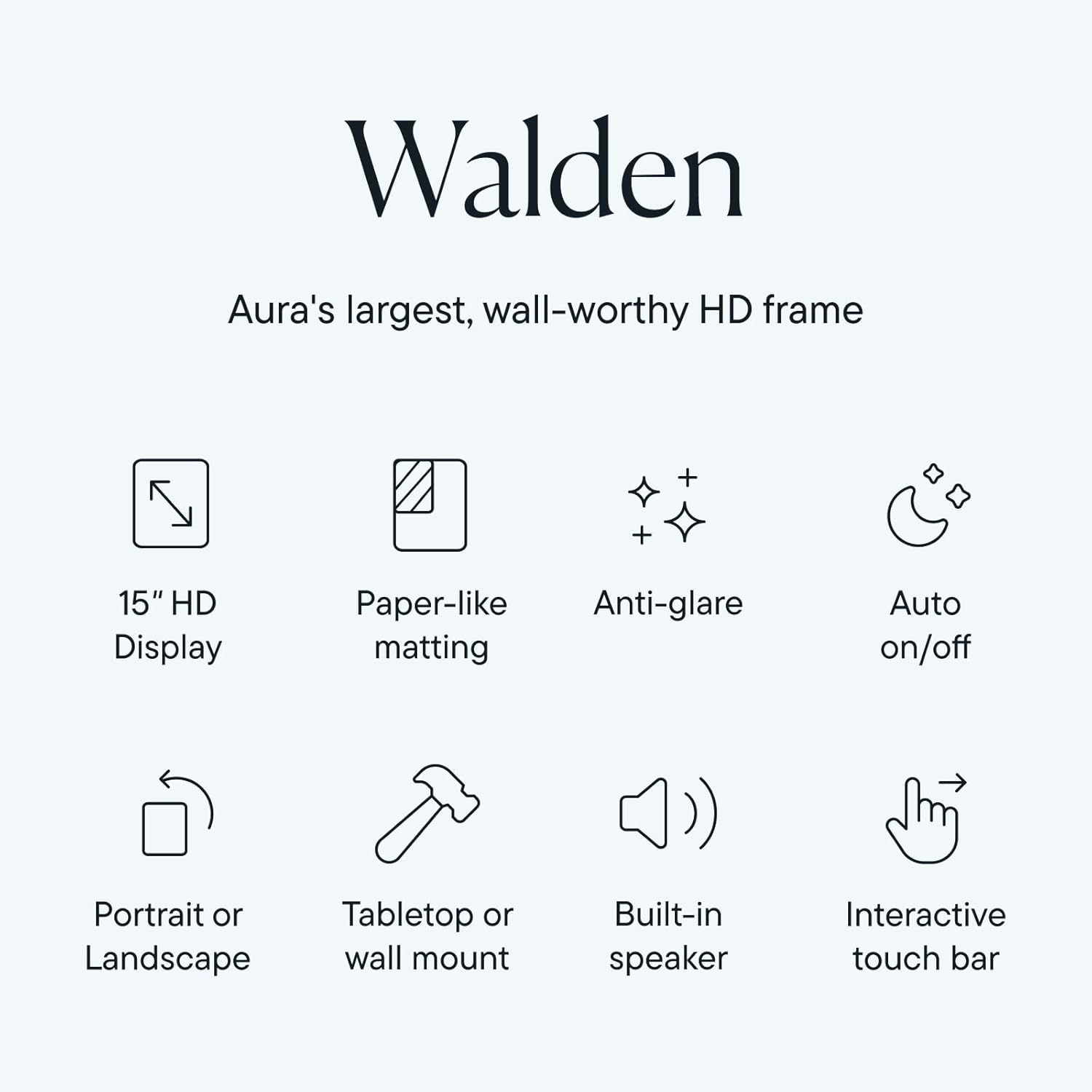
Image: An infographic summarizing the key features of the Aura Walden frame, including its 15" HD display, paper-like matting, anti-glare properties, auto on/off function, dual orientation capability, tabletop/wall mount options, built-in speaker, and interactive touch bar.
Баталгаат болон дэмжлэг
Баталгаат хугацааны мэдээлэл
Your Aura Walden 15" WiFi Digital Picture Frame comes with a standard manufacturer's warranty. For specific details regarding the warranty period and coverage, please refer to the warranty card included in your product packaging or visit the official Aura webсайт. Баталгаат нэхэмжлэл гаргахын тулд худалдан авалтаа нотлох баримтаа хадгалаарай.
Хэрэглэгчийн дэмжлэг
For further assistance, technical support, or warranty inquiries, please contact Aura customer support:
- Онлайн дэмжлэг: Visit the official Aura support webТүгээмэл асуултууд, алдааг олж засварлах гарын авлага, холбоо барих маягтын сайт.
- Aura App: Access support resources directly through the Aura mobile application.
When contacting support, please have your frame's model number (Walden 15") and serial number (found on the back of the frame or in the app settings) ready.


