Танилцуулга
Худалдан авалт хийсэнд баярлалааasing the Boytone BT-63K Bluetooth Party Speaker Karaoke Machine. This all-in-one portable speaker is designed to deliver powerful audio and an immersive entertainment experience with its high-fidelity sound, vibrant LED lights, and versatile connectivity options. This manual provides essential information for setting up, operating, and maintaining your device to ensure optimal performance and longevity.

Image: The Boytone BT-63K speaker, a wired microphone, and a remote control. The speaker features a black casing with a large front grille and multi-colored LED lights around the speaker cone.
Аюулгүй байдлын мэдээлэл
- Бүтээгдэхүүнийг хэрэглэхийн өмнө бүх зааврыг анхааралтай уншина уу.
- Төхөөрөмжийг ус, чийг, хэт өндөр температурт бүү тавь.
- Төхөөрөмжийг нарны шууд тусгал, дулааны эх үүсвэрээс хол байлга.
- Төхөөрөмжийг өөрөө задлах, засах гэж бүү оролдоорой. Бүх үйлчилгээг мэргэшсэн боловсон хүчинд шилжүүлээрэй.
- Use only the specified charging adapter to avoid damage.
- Ашиглалтын явцад чанга яригчийн эргэн тойронд агааржуулалт сайтай байх ёстой.
- Орон нутгийн дүрэм журмын дагуу зайгаа хариуцлагатайгаар устгана уу.
Багцын агуулга
Бүх зүйл багцад байгаа эсэхийг шалгана уу:
- Boytone BT-63K Party Speaker
- Утастай микрофон
- Алсын удирдлага
- Charging Cable (AC/DC adapter not explicitly listed but implied for charging)
- Хэрэглэгчийн гарын авлага (энэ баримт бичиг)
Бүтээгдэхүүн дууссанview
Урд болон арын самбар
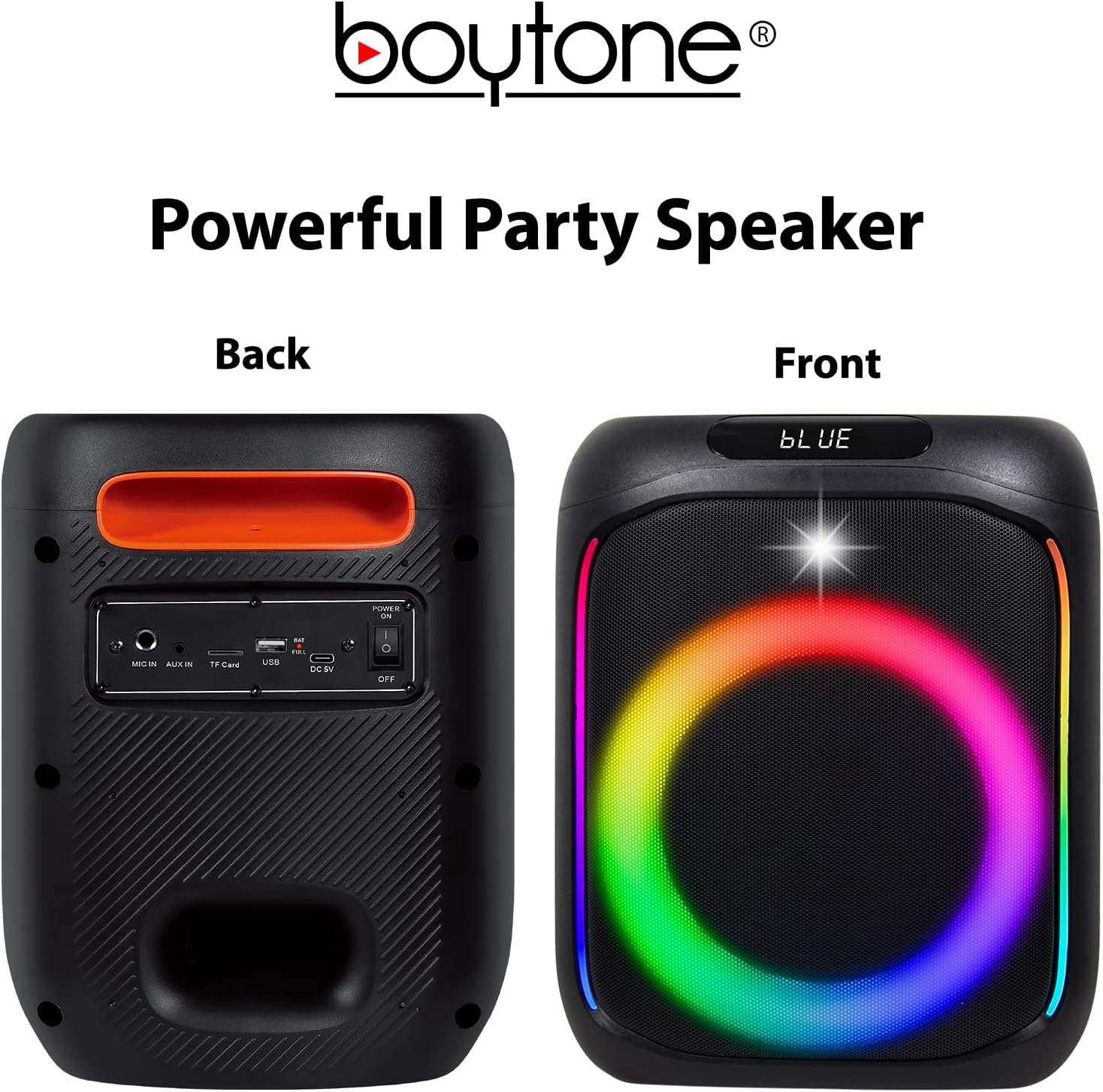
Image: The front of the speaker displays the LED-lit grille. The back panel shows various input ports and controls, including MIC IN, AUX IN, TF Card slot, USB port, DC 5V charging port, and a Power ON/OFF switch.
Топ самбарын удирдлага

Image: The top panel of the speaker features volume controls (- and +), mode selection, track navigation (previous/next), play/pause, LED light control, and a record button.
- MODE/TWS: Press to switch between Bluetooth, FM, AUX, USB, TF Card modes. Long press for TWS pairing.
- ӨМНӨХ/ВОЛ-: Press for previous track. Long press to decrease volume.
- ТОГЛОХ/ЗОГСООХ: Аудио тоглуулах эсвэл түр зогсоохын тулд дарна уу.
- NEXT/VOL+: Press for next track. Long press to increase volume.
- MENU/M.PRI: Menu button, possibly for EQ or other settings.
- LED: Press to cycle through LED light modes or turn off.
- REC: Бичлэгийг эхлүүлэх/зогсоохын тулд дарна уу.
Тохиргоо
Чанга яригчийг цэнэглэж байна
Before first use, fully charge the speaker. Connect the charging cable to the DC 5V port on the back of the speaker and plug the other end into a suitable power source. The charging indicator will illuminate. Once fully charged, the indicator may change color or turn off.
The built-in 3600mAh battery provides approximately 6-10 hours of playback depending on volume level and usage.
Микрофон холболт
Insert the wired microphone's plug into the "MIC IN" port on the back panel of the speaker.
Ашиглалтын заавар
Асаах/унтраах
Locate the Power ON/OFF switch on the back panel of the speaker. Slide the switch to "ON" to power on the device. Slide it to "OFF" to power off.
Bluetooth хослуулах
- Power on the speaker. It will automatically enter Bluetooth pairing mode, indicated by a voice prompt or flashing LED.
- Өөрийн мобайл төхөөрөмж (ухаалаг утас, таблет гэх мэт) дээр Bluetooth-г идэвхжүүлнэ.
- хайх "BT-63K" in the list of available Bluetooth devices.
- Select "BT-63K" to connect. Once paired, you will hear a confirmation sound.
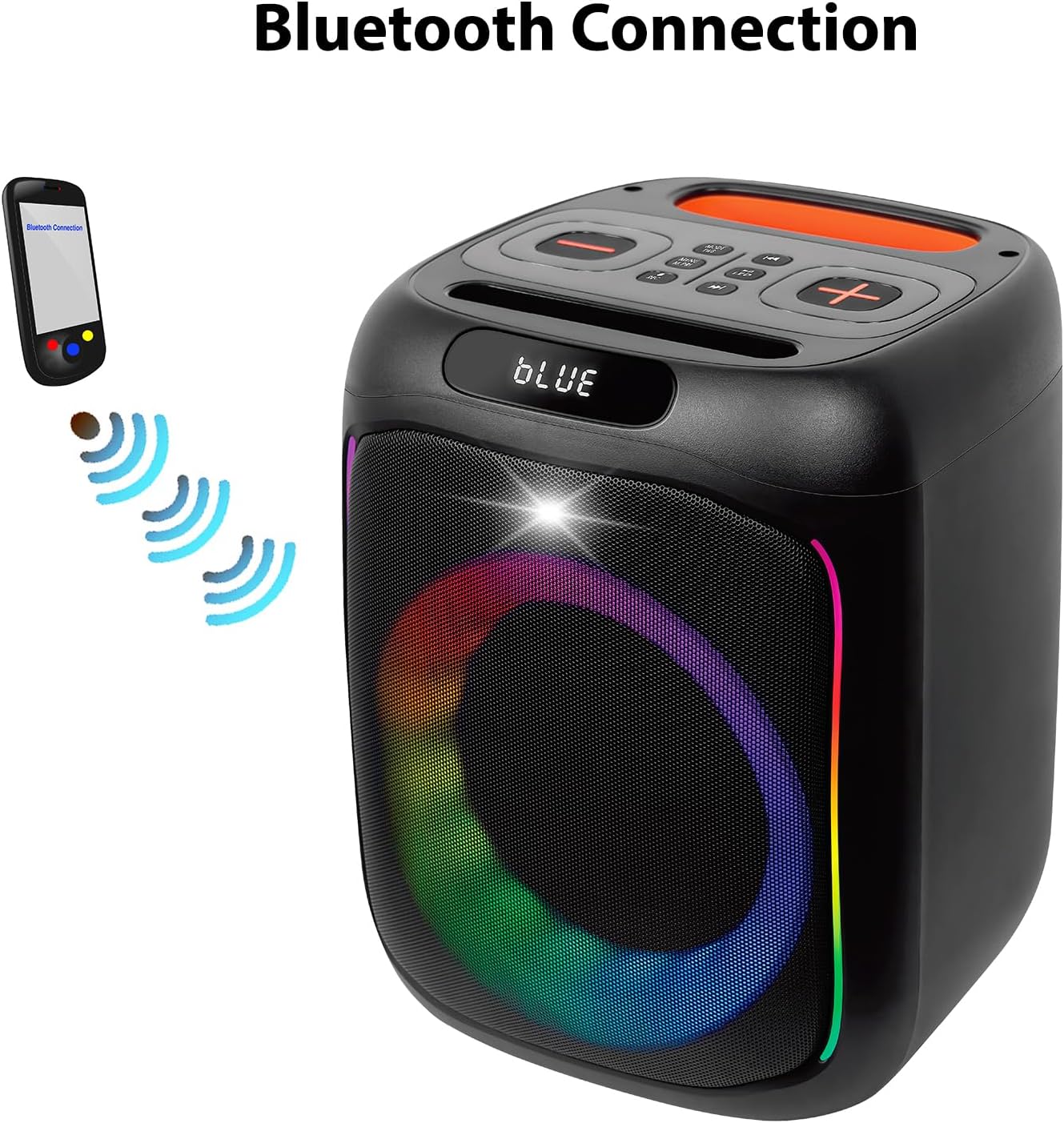
Image: A visual representation of a smartphone wirelessly connecting to the Boytone BT-63K speaker via Bluetooth, indicated by signal waves.
The Bluetooth working distance is up to 100 feet (30 meters) in an open area.
TWS (жинхэнэ утасгүй стерео) функц
The TWS function allows you to pair two BT-63K speakers together for a true stereo sound experience.
- Ensure both BT-63K speakers are powered on and not connected to any Bluetooth device.
- On one of the speakers (this will be the primary speaker), long press the "MODE/TWS" button. You will hear a prompt indicating TWS pairing mode.
- Хоёр чанга яригч автоматаар хоорондоо холбогдоно. Холбогдсоны дараа та баталгаажуулах дууг сонсох болно.
- Now, connect your mobile device to the primary speaker via Bluetooth as described in the "Bluetooth Pairing" section. Both speakers will play audio in stereo.
Image: Two Boytone BT-63K speakers are shown, one from the front and one from the top, demonstrating their ability to pair together for a TWS system.
FM радио
- Press the "MODE" button repeatedly until you enter FM Radio mode.
- Press the "PLAY/PAUSE" button to automatically scan and save available FM stations.
- Use the "PREV" and "NEXT" buttons to navigate between saved stations.
USB/TF карт тоглуулах
Insert a USB flash drive or a TF (microSD) card into the respective port on the back panel. The speaker will automatically detect the storage device and begin playing compatible audio files (жишээ нь, MP3).
- Use "PREV" and "NEXT" buttons to skip tracks.
- Use "PLAY/PAUSE" to pause or resume playback.
AUX оролт
Connect an external audio device (e.g., smartphone, MP3 player) to the "AUX IN" port on the back panel using a 3.5mm audio cable. The speaker will automatically switch to AUX mode or you may need to press the "MODE" button to select AUX.
Бичлэг хийх функц
To record audio (e.g., your voice through the microphone):
- Ensure a USB flash drive or TF card is inserted into the speaker.
- Микрофоныг холбоно уу.
- Press the "REC" button on the top panel to start recording.
- Press "REC" again to stop recording. The recorded file will be saved to the USB drive or TF card.
EQ тохируулга
The speaker features EQ adjustments. Press the "MENU/M.PRI" button to access EQ settings and use the volume buttons to adjust. Refer to the on-screen display for specific options.
LED гэрэл
The speaker features dynamic, multi-colored LED lights. Press the "LED" button on the top panel to cycle through different light modes or to turn the lights off.

Зураг: Нарийвчилсан view of the speaker's internal components, highlighting the subwoofer and the vibrant, multi-colored LED lighting effect around the speaker cone.
Засвар үйлчилгээ
Цэвэрлэгээ
Чанга яригчийн гадна талыг зөөлөн, хуурай даавуугаар арчина. Зүлгүүрийн цэвэрлэгч, лав эсвэл уусгагч бүү хэрэглэ. Чанга яригчийн нүхэнд шингэн орохгүй байхыг анхаарна уу.
Хадгалах
When not in use for extended periods, store the speaker in a cool, dry place away from direct sunlight and extreme temperatures. It is recommended to charge the battery periodically (e.g., every 3 months) to maintain its lifespan.
Алдааг олж засварлах
| Асуудал | Боломжит шалтгаан | Шийдэл |
|---|---|---|
| Хүч чадалгүй | Батерей дууссан; Цахилгаан унтраалга унтарсан байна. | Чанга яригчийг цэнэглэ; Цахилгаан унтраалга "ON" байрлалд байгаа эсэхийг шалгаарай. |
| Дуу алга | Дууны хэмжээ хэт бага; Буруу сонгосон горим; Төхөөрөмж холбогдоогүй байна. | Increase volume; Press MODE button to select correct input; Re-pair Bluetooth device or check AUX/USB connection. |
| Bluetooth холболт амжилтгүй боллоо | Speaker is too far from device; Speaker is connected to another device; Bluetooth not enabled on device. | Move device closer to speaker; Disconnect from other devices; Enable Bluetooth on your device and re-pair. |
| Микрофон ажиллахгүй байна | Microphone not properly plugged in; Microphone volume too low. | Ensure microphone is fully inserted into "MIC IN" port; Check microphone volume settings on the speaker. |
| TWS холболт амжилтгүй боллоо | Илтгэгчид хэт хол зайтай; Нэг чанга яригч аль хэдийн Bluetooth төхөөрөмжид холбогдсон байна. | Ensure speakers are within close proximity; Disconnect any Bluetooth devices from both speakers before attempting TWS pairing. |
Үзүүлэлтүүд
- Бүтээгдэхүүний төрөл: Блютүүт зөөврийн чанга яригч
- Загварын дугаар: BT-63K
- Bluetooth хувилбар: 5.0
- Bluetooth ажиллах зай: 100 фут (30 метр) хүртэл
- Чанга яригчийн гаралтын чадал: 30 Вт
- Чанга яригч: 2 x 6" woofer
- Давтамжийн хариу: 80Гц-20КГц
- Тоглох цаг: Approximately 6-10 hours (depends on playing volume)
- Зайны багтаамж: 3.5V 3600mAh (Lithium Ion)
- Холболт: Bluetooth, USB MP3 music player, TF Card, AUX, USB Port
- Онцлогууд: Microphones (Wired & Wireless), Remote Control, FM Radio, TWS Function, Recorder Function, EQ Adjustment, LED Lights
- Аудио оролт: AUX, Microphone (Wired & Wireless)
- Бүтээгдэхүүний хэмжээс (L x W x H): 8.1 x 7.1 x 17.1 инч
- Барааны жин: 8.2 фунт
- Материал: Металл, хуванцар
- Эрчим хүчний эх үүсвэр: AC/DC
Баталгаат болон дэмжлэг
Boytone products are designed for reliability and performance. For any questions, technical support, or warranty inquiries, please contact Boytone customer service. As a U.S.-based company, Boytone is available to assist you.
While specific warranty terms are not detailed here, please retain your proof of purchase for any warranty claims. Protection plans may be available for extended coverage.
Note: For the most current support information, please refer to the official Boytone website or contact details provided with your product packaging.

Image: An American flag graphic with text emphasizing the company's U.S. base and accessibility for customer support.


