Танилцуулга
Thank you for choosing the OnePlus Nord Buds 3 Pro wireless earbuds. These earbuds are designed to provide an immersive audio experience with features like Hybrid Active Noise Cancellation, deep bass, and extended battery life. This manual provides detailed instructions for setting up, operating, maintaining, and troubleshooting your device to ensure optimal performance.
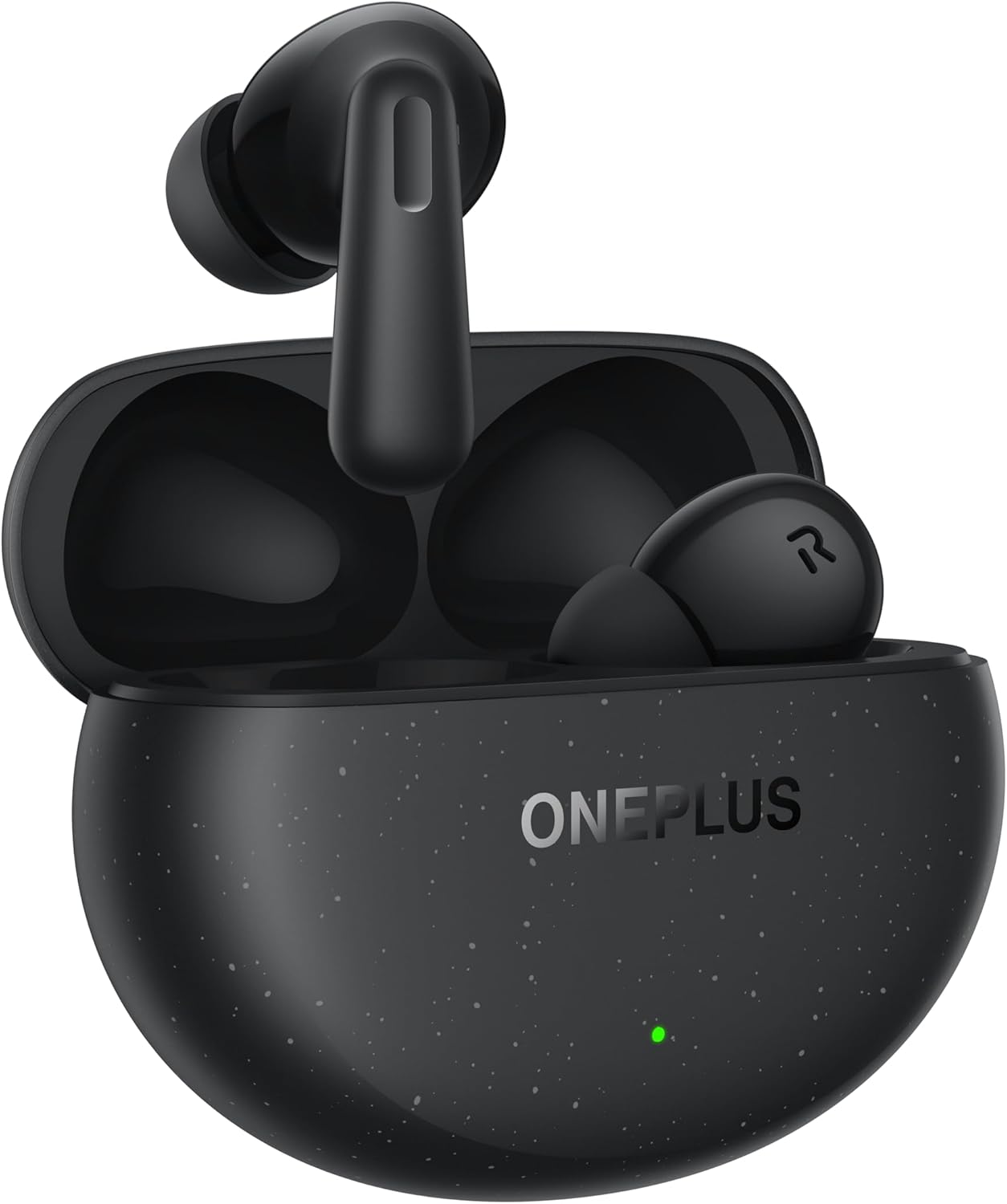
Image: The OnePlus Nord Buds 3 Pro earbuds, in Starry Black, are shown inside their open charging case. The case has a speckled finish and the OnePlus logo. A small green LED indicator is visible on the front of the case.
Хайрцагт юу байна
Carefully unpack your OnePlus Nord Buds 3 Pro and ensure all items are present:
- OnePlus Nord Buds 3 Pro earbuds (1 pair)
- OnePlus Nord Buds 3 Pro charging case (1 unit)
- Silicon eartips (3 pairs: S, M, L)
- USB Type-C charging cable (1 unit)
- User guide (1 unit)
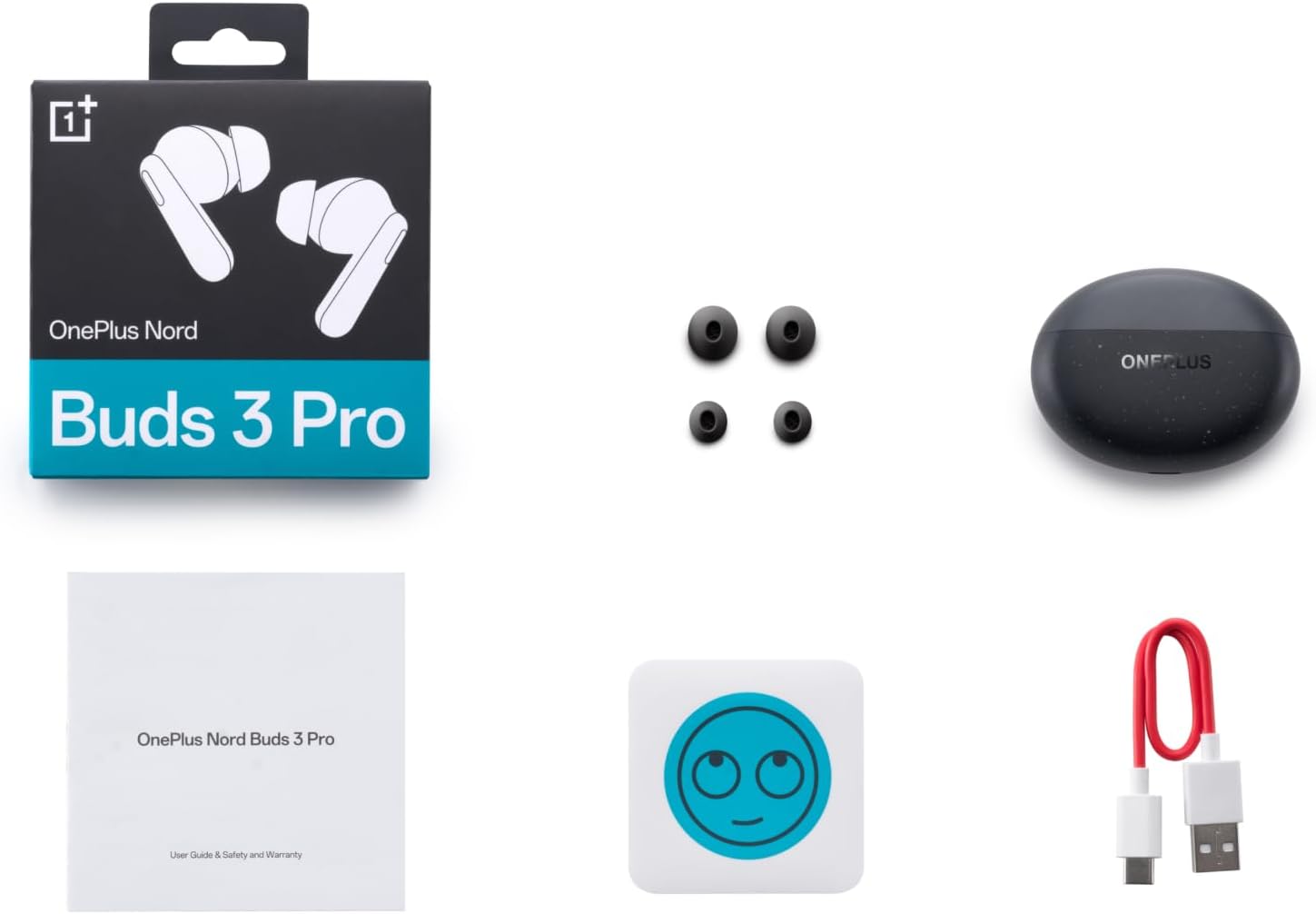
Image: A flat lay of the OnePlus Nord Buds 3 Pro package contents, including the retail box, the charging case, three pairs of silicone eartips, a USB Type-C charging cable, and the user guide.
Тохиргоо
1. Анхны цэнэглэлт
Анх хэрэглэхийн өмнө чихэвч болон цэнэглэгчийг бүрэн цэнэглэ. Өгөгдсөн USB Type-C кабелийг хайрцаг дээрх цэнэглэгч порт болон тэжээлийн эх үүсвэрт холбоно уу. Кейс дээрх заагч гэрэл нь цэнэглэх төлөвийг харуулах болно.
2. Таны төхөөрөмжтэй хослуулах
- Чихэвчийг цэнэглэх хайрцагт хийж, хайрцагны тагийг онгорхой байгаа эсэхийг шалгаарай.
- Press and hold the function button on the charging case for 2 seconds until the indicator light flashes white, indicating pairing mode.
- On your device (smartphone, tablet, etc.), go to Bluetooth settings and select "OnePlus Nord Buds 3 Pro" from the list of available devices.
- For Android devices, the earbuds support Google Fast Pair for quick connection. Simply open the case near your Android device and follow the on-screen prompts.

Image: A person holding a OnePlus Nord Buds 3 Pro charging case and a smartphone. The smartphone screen displays a prompt for Google Fast Pair, showing the earbuds ready to connect, illustrating the pairing process.
3. HeyMelody App
For enhanced features and customization, download the HeyMelody app from your device's app store. The app allows you to manage settings, update firmware, and locate your earbuds.
Ашиглалтын заавар
Удирдлагад хүрнэ үү
The OnePlus Nord Buds 3 Pro feature intuitive touch controls on each earbud. Default controls are as follows, but can often be customized via the HeyMelody app:
- Нэг товшилт: Хөгжим тоглуулах/түр зогсоох, Дуудлагад хариулах/ дуусгах.
- Давхар цорго: Дараагийн дуу, Дуудлагаас татгалзах.
- Гурвалсан товшилт: Өмнөх зам.
- Дарж удаан дарна уу (1 секунд): Switch between Active Noise Cancellation (ANC) and Transparency mode.
Идэвхтэй дуу чимээг арилгах (ANC) ба Ил тод байдлын горим
The earbuds offer Hybrid Active Noise Cancellation up to 49dB to minimize ambient noise. Transparency mode allows you to hear your surroundings without removing the earbuds. Toggle between these modes by pressing and holding the earbud touch area.

Image: An infographic detailing key features of the OnePlus Nord Buds 3 Pro, including up to 44 hours listening time, 49dB Hybrid Active Noise Cancellation, 12.4mm Titanized Diaphragm, and Basswave 2.0 technology.
Дууны чанар
Equipped with a 12.4mm titanium-coated diaphragm and Basswave 2.0 technology, the Nord Buds 3 Pro deliver rich bass, clear vocals, and an immersive sound experience.
Батерей ба цэнэглэх
- Чихэвчний батерейны ашиглалт: Up to 44 hours with ANC off, up to 20 hours with ANC on (including charging case).
- Хурдан цэнэглэх: 10 minutes of charging provides up to 11 hours of playtime.
- Цэнэглэх хайрцаг: Recharge the case using the provided USB Type-C cable.
Засвар үйлчилгээ
- Цэвэрлэгээ: Чихэвч болон цэнэглэгчийн хайрцгийг зөөлөн, хуурай, хөвөнгүй даавуугаар тогтмол цэвэрлэ. Химийн хатуу бодис, зүлгүүрийн материалыг бүү ашигла.
- Чихний үзүүр: Remove and clean the silicone eartips with water and mild soap if necessary. Ensure they are completely dry before reattaching.
- Цэнэглэх харилцагчид: Зөв цэнэглэхийн тулд чихэвч болон гэрний доторх цэнэглэгч контактуудыг цэвэр, хог хаягдлаас цэвэр байлгаарай.
- Хадгалах: Ашиглаагүй үед чихэвчийг хамгаалж, цэнэгтэй байлгахын тулд цэнэглэгчдээ хадгалаарай. Хэт их температураас зайлсхий.
Алдааг олж засварлах
Чихэвчийг холбох эсвэл холбохгүй байна:
- Чихэвч цэнэглэгдсэн эсэхийг шалгаарай.
- Place earbuds in the case, close the lid, then open it again to re-enter pairing mode.
- Төхөөрөмжийнхөө Bluetooth тохиргоог шалгаад Bluetooth асаалттай байгаа эсэхийг шалгана уу.
- Блютүүт тохиргоондоо төхөөрөмжийг мартаж, дахин холбож үзнэ үү.
- Төхөөрөмжөө дахин эхлүүлнэ үү.
Дуу байхгүй эсвэл дууны чанар муу:
- Төхөөрөмж болон чихэвчний дууны түвшинг шалгана уу.
- Ensure the earbuds are properly seated in your ears and the correct size eartips are used.
- Чихэвчний чанга яригч болон цэнэглэгч контактуудаас хог хаягдлыг цэвэрлэ.
- Хөндлөнгөөс зайлсхийхийн тулд холбогдсон төхөөрөмждөө ойртоорой.
Чихэвч цэнэглэхгүй байна:
- Цэнэглэх кабель нь хайрцаг болон тэжээлийн эх үүсвэрт найдвартай холбогдсон эсэхийг шалгаарай.
- Эрчим хүчний эх үүсвэр идэвхтэй байгаа эсэхийг шалгана уу.
- Чихэвч болон гэр доторх цэнэглэх контактуудыг цэвэрлэ.
Үзүүлэлтүүд
| Онцлог | Дэлгэрэнгүй |
|---|---|
| Загварын нэр | Nord Buds 3 Pro (E511A) |
| Брэнд | OnePlus |
| Холболтын технологи | Bluetooth |
| Bluetooth хувилбар | 5.4 |
| Дуу чимээний хяналт | Гибрид идэвхтэй дуу чимээг арилгах (49дБ хүртэл) |
| Жолоочийн хэмжээ | 12.4mm Titanized Diaphragm |
| Давтамжийн хүрээ | 20 Гц - 20,000 Гц |
| Мэдрэмж | 38 дБ |
| Эсэргүүцэл | 32 Ом |
| Батерейны хугацаа (чихэвч + гэр) | 44 хүртэл цаг (ANC унтраалттай), 20 хүртэл цаг (ANC асаалттай) |
| Шуурхай төлбөр | 10 минут цэнэглээд 11 цаг тоглох боломжтой |
| Цэнэглэх интерфейс | USB Type-C |
| Чихний байрлал | Чихэнд |
| Зүйлийн жин | 3.52 унц (0.1 килограмм) |
| Бүтээгдэхүүний хэмжээс | 1.09 x 0.92 x 0.82 инч |
Баталгаат болон дэмжлэг
The OnePlus Nord Buds 3 Pro are covered by a limited warranty. Please refer to the warranty card included in your package for specific terms and conditions, or visit the official OnePlus webбаталгааны дэлгэрэнгүй мэдээллийг авах сайт.
For technical support, troubleshooting assistance, or service inquiries, please visit the OnePlus-ийн дэмжлэг webсайт эсвэл тэдний харилцагчийн үйлчилгээтэй шууд холбогдоно уу.


