Танилцуулга
Thank you for choosing the GGSTOPWATER Open Ear Headphones, Model JM13. These headphones are designed to provide a comfortable listening experience while maintaining awareness of your surroundings. Featuring Bluetooth 5.4 connectivity and an IPX5 waterproof rating, they are suitable for various activities including sports, gaming, and driving.
Please read this manual carefully to ensure proper use and to maximize the performance and lifespan of your device.
Багцын агуулга
Таны багцад бүх зүйл байгаа эсэхийг шалгана уу:
- True Wireless Bluetooth Headphones (2 units)
- Headset Charging Compartment (1 unit)
- Type-C цэнэглэх кабель (1 нэгж)
- Хэрэглэгчийн гарын авлага (1 нэгж)
- Silicone Lanyard (1 unit)

Бүтээгдэхүүн дууссанview
The GGSTOPWATER JM13 headphones feature an open-ear design with ear hooks for a secure and comfortable fit. The charging case is designed for portability and convenience.
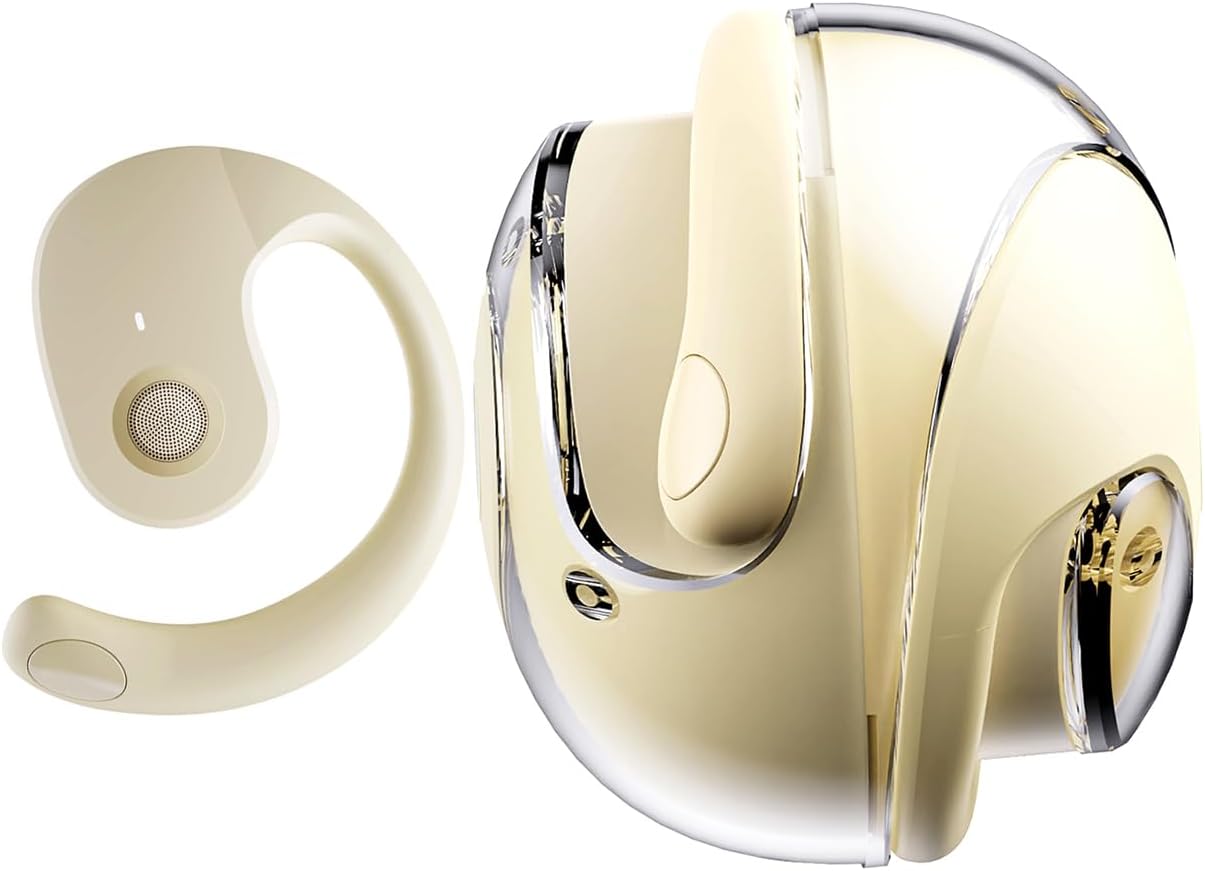
Тохиргоо
1. Чихэвч болон гэрийг цэнэглэх
Before first use, fully charge the headphones and the charging case. Place the headphones into the charging case. Connect the Type-C charging cable to the charging port on the case and plug the other end into a USB power source.
- Цэнэглэх хугацаа: Бүрэн цэнэглэхэд ойролцоогоор 1.5 цаг зарцуулна.
- Headset Usage Time: Нэг цэнэглэлтээр 4 цаг хүртэл ажиллана.
- Хүлээлгийн хугацаа: 120 цаг хүртэл.


2. Чихэвч зүүж байна
The open-ear design with ear hooks ensures a stable and comfortable fit without entering the ear canal.
- Pick up the headset from the charging case.
- Wear it along the back of your ear, positioning the speaker over your ear canal.
- Gently adjust the headphones to a comfortable and secure position.

3. Bluetooth хослол
The headphones utilize Bluetooth 5.4 for a stable and fast connection. They support multi-device linking and are compatible with iOS, Android, and Windows systems.
- Чихэвчийг цэнэглэж, асаалттай байгаа эсэхийг шалгаарай.
- Open the Bluetooth settings on your device (smartphone, tablet, laptop).
- хайх available devices and select "JM13" from the list.
- Once connected, you will hear a confirmation tone, and the device will show as 'Connected'.

Ашиглалтын заавар
Удирдлагад хүрнэ үү
The headphones feature intuitive touch controls for managing calls and music playback.

| Үйлдэл | Function (Telephone Mode) | Функц (Хөгжмийн горим) |
|---|---|---|
| 2s дар | Дуудлагаас татгалзах | Үгүй |
| дарна уу | Ирж буй дуудлагад хариулах | Үгүй |
| Дахин дарна уу | Дуудлагыг таслах | Үгүй |
| Double touch (L) | Үгүй | Өмнөх дууг тоглуулах |
| Double touch (R) | Үгүй | Дараагийн дууг тоглуул |
| Нэг мэдрэгчтэй | Үгүй | Тоглуулах/түр зогсоох |
| 3s дар | Асаах/унтраах | Асаах/унтраах |
| Three touch (L) | Үгүй | Дууг багасгах |
| Three touch (R) | Үгүй | Дууг нэмэгдүүлэх |
Олон цэгийн холболт
The headphones support connecting to multiple devices simultaneously. This allows you to seamlessly switch between, for example, your smartphone and laptop without needing to re-pair each time. Ensure both devices are paired with the headphones. The headphones will prioritize audio from the active device.
Засвар үйлчилгээ
Цэвэрлэгээ
Тогтмол цэвэрлэгээ нь дууны чанар, эрүүл ахуйг хадгалахад тусалдаг:
- Use a soft, dry, lint-free cloth to wipe the headphones and charging case.
- Химийн хатуу бодис, цэвэрлэгээний уусгагч, хүчтэй угаалгын нунтаг хэрэглэж болохгүй.
- Аливаа нүхэнд чийг орохоос зайлсхий.
Хадгалах
Ашиглаагүй үедээ чихэвчийг тоос шороо, гэмтлээс хамгаалахын тулд цэнэглэгч хайрцагт нь хийж хадгална уу. Хэт өндөр температураас хол, сэрүүн, хуурай газар хадгална уу.
Усны эсэргүүцэл (IPX5)
The headphones are rated IPX5 water-resistant, meaning they can withstand splashes of water and sweat. This makes them suitable for workouts and light rain exposure. However, they are not designed for submersion in water or for use during heavy rain or showering. Ensure the charging port is dry before charging.
Алдааг олж засварлах
If you encounter issues with your GGSTOPWATER JM13 headphones, please refer to the following common solutions:
- Эрчим хүчгүй: Чихэвч болон цэнэглэх хайрцаг бүрэн цэнэглэгдсэн эсэхийг шалгаарай.
- Хослох боломжгүй:
- Ensure Bluetooth is enabled on your device and the headphones are within range.
- Turn off and then turn on the headphones.
- Delete "JM13" from your device's Bluetooth list and attempt to re-pair.
- Хэрэв зөвхөн нэг чихэвч холбогдсон бол хоёуланг нь гэрт нь буцааж хийж, хаагаад дахин нээж, дахин тохируулна уу.
- Дуу байхгүй эсвэл дуу багатай:
- Check the volume level on both your connected device and the headphones using the touch controls.
- Ensure the headphones are properly seated on your ears.
- Confirm that the headphones are connected to the correct audio output on your device.
- Хариу өгөхгүй мэдрэгчтэй удирдлага:
- Мэдрэгчтэй удирдлага ашиглахдаа хуруугаа цэвэр, хуурай байлгах хэрэгтэй.
- Restart the headphones by placing them in the charging case and taking them out again.
- Цэнэглэх асуудал:
- Цэнэглэх кабель нь хайрцаг болон тэжээлийн эх үүсвэрт найдвартай холбогдсон эсэхийг шалгана уу.
- Try a different Type-C cable and power adapter.
- Чихэвч болон гэрний доторх цэнэглэгч контактууд цэвэрхэн, хог хаягдалгүй байгаа эсэхийг шалгаарай.
Хэрэв эдгээр алхамууд таны асуудлыг шийдэж чадахгүй бол хэрэглэгчийн дэмжлэгтэй холбогдоно уу.
Үзүүлэлтүүд
| Онцлог | Дэлгэрэнгүй |
|---|---|
| Загварын нэр | JM13 |
| Брэнд | GGSTOPWATER |
| Холболтын технологи | Утасгүй (Bluetooth) |
| Bluetooth хувилбар | 5.4 |
| Чихний байрлал | Нээлттэй чих |
| Чихэвчний хэлбэр | Чихний дэгээ |
| Усны эсэргүүцлийн түвшин | IPX5 (Усны хамгаалалттай, хөлсний хамгаалалттай) |
| Дуу чимээний хяналт | Идэвхтэй дуу чимээг арилгах |
| Аудио драйверын төрөл | Динамик драйвер (16мм) |
| Давтамжийн хүрээ | 20 Гц - 20,000 Гц |
| Эсэргүүцэл | 32 Ом |
| Хяналтын арга | Remote (Touch) |
| Зайны төрөл | Лити полимер |
| Зүйлийн жин | 4.6 унц |
| Материал | Силикон |
| Тохиромжтой төхөөрөмжүүд | Laptops, Tablets, Cellphones (iOS, Android, Windows) |
Баталгаат болон дэмжлэг
GGSTOPWATER products are manufactured to high-quality standards. For information regarding warranty coverage, please refer to the warranty card included in your product packaging or contact your retailer. Keep your purchase receipt as proof of purchase.
Хэрэглэгчийн дэмжлэг
If you have any questions, concerns, or require technical assistance, please contact GGSTOPWATER customer support through the retailer's platform or the official GGSTOPWATER website. Please have your product model (JM13) and purchase details ready when contacting support.


