Танилцуулга
Thank you for choosing the Fockety Webcam. This manual provides essential information for the proper setup, operation, and maintenance of your new webcam. Please read these instructions carefully before use to ensure optimal performance and longevity of the device. Keep this manual for future reference.
Бүтээгдэхүүн дууссанview
The Fockety Webcam is designed for high-quality video communication, featuring a 360-degree rotatable camera, adjustable focus, and an external noise-canceling microphone. It offers universal compatibility and plug-and-play functionality for ease of use.
Гол онцлогууд:
- Нийтэд нийцтэй байдал: Supports mainstream computer systems including Windows Vista, 7, 8, and 10.
- Exceptional Sound Clarity: Equipped with a 3-meter omnidirectional noise-canceling microphone for clear audio.
- Crisp and Detailed Video: Features an adjustable focus lens for sharp and stable video.
- 360 градусын эргэлт: The camera base allows for full rotation to adjust viewөнцөг.
- Plug and Play: Simple USB connection without the need for complex software or driver installations.
Бүрэлдэхүүн хэсгүүд:
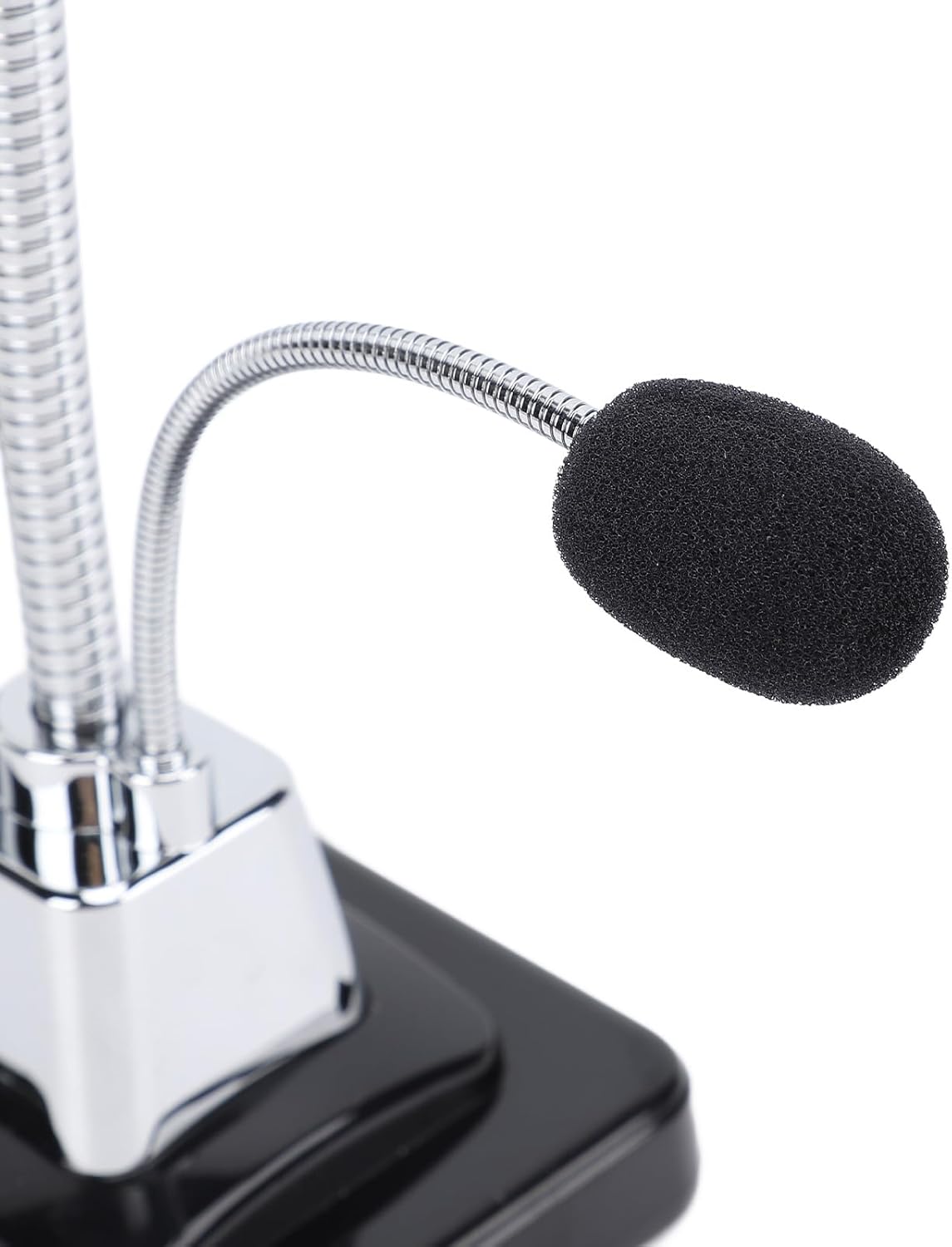
The webcam unit consists of the camera head, a flexible gooseneck stand, a stable base, an integrated USB cable, and an external omnidirectional microphone.

Зураг: Урд view of the Fockety Webcam, showing the camera lens, flexible stand, microphone, and base.

Зураг: Ойролцоогоор view -ийн webcam lens, highlighting its adjustable focus capability.
Зураг: Дэлгэрэнгүй мэдээлэл webcam showing the LED night vision fill light, which assists in low-light conditions.

Image: Close-up of the anti-slip foot pad located on the base of the webcam, designed for stability.
Тохиргоо
Follow these steps to set up your Fockety Webкамер:
- -г холбоно уу Webкамер: Locate an available USB port on your desktop or laptop computer. Plug the USB cable of the webcam firmly into the USB port.
- Автомат драйвер суулгах: Your computer's operating system (Windows Vista, 7, 8, or 10) should automatically detect the new hardware and install the necessary drivers. This process may take a few moments.
- Суулгацыг баталгаажуулах: Once the installation is complete, you can verify the device in your computer's Device Manager (usually found in Control Panel or System Settings). Look for a device under "Imaging devices" or "Sound, video and game controllers."
- хандах Webкамер: ашиглахын тулд webcam, open a video conferencing application (e.g., Zoom, Skype, Microsoft Teams) or a camera application on your computer. Select "USB Video Device" as your camera and microphone input.

Image: A person using the Fockety Webcam with a desktop computer, illustrating its universal compatibility and ease of integration.
Ашиглалтын заавар
Video Calls and Conferencing:
After successful setup, open your preferred video communication software. The webcam should be automatically recognized. If not, select "USB Video Device" from the camera and microphone settings within the application.

Image: A composite image demonstrating various applications of the webcam, including video chat, videoconferencing, office use, and personal communication.
Adjusting the Camera:
- 360 градусын эргэлт: The camera head can be rotated 360 degrees on its base. Gently turn the camera to achieve your desired viewөнцөг.
- Тохируулах боломжтой фокус: To achieve a clear image, manually adjust the focus ring around the camera lens until the picture appears sharp.
- Микрофоны байрлал: The flexible gooseneck microphone can be bent and positioned closer to your mouth for optimal voice capture.
Засвар үйлчилгээ
Таны урт наслалт, оновчтой гүйцэтгэлийг хангахын тулд webcam, эдгээр засвар үйлчилгээний удирдамжийг дагана уу:
- Линз цэвэрлэх: Use a soft, lint-free cloth specifically designed for optical lenses to gently wipe the camera lens. Avoid abrasive materials or harsh cleaning chemicals.
- Биеийг цэвэрлэх: арчих webcam body and stand with a dry or slightly damp soft cloth. Do not use excessive moisture.
- Хадгалах: Ашиглагдаагүй үед хадгална уу webкамерыг цэвэр, хуурай газар, нарны шууд тусгал болон хэт өндөр температураас хол хадгална уу.
- Кабель арчилгаа: Дотоод эвдрэлээс урьдчилан сэргийлэхийн тулд USB кабелийг хэт нугалах, мушгихаас зайлсхий.
Алдааг олж засварлах
Нийтлэг асуудал ба шийдэл:
- Webкамер илрээгүй:
- USB кабелийг ажиллаж байгаа USB порт руу найдвартай залгасан эсэхийг шалгаарай.
- Компьютер дээрээ өөр USB порт ашиглаж үзнэ үү.
- Компьютерээ дахин эхлүүлнэ үү.
- Check Device Manager to see if the device is listed or has any error indicators.
- No image or black screen in application:
- Ensure the correct camera ("USB Video Device") is selected in your application's settings.
- Програмыг хаагаад дахин нээнэ үү.
- For Windows 8, 7, Vista users: If you experience issues with the image not appearing, you may need to download and install third-party webcam software such as Амкап.
- Poor image quality (blurry/unclear):
- Manually adjust the focus ring on the camera lens.
- Линз нь цэвэрхэн, тоос шороо, толбогүй байгаа эсэхийг шалгаарай.
- Check lighting conditions; ensure adequate illumination.
- No sound or poor microphone quality:
- Ensure the correct microphone ("USB Audio Device" or similar) is selected in your application's settings and your computer's sound settings.
- Микрофоны байрлалыг амандаа ойртуулж тохируулна уу.
- Компьютерийн дууны тохиргооноос микрофоны дууны түвшинг шалгана уу.
Үзүүлэлтүүд
| Онцлог | Тодорхойлолт |
|---|---|
| Загварын дугаар | Focketyk78p1wfv5g |
| Пиксел | 640 x 480 |
| Интерфэйс | USB |
| Хүрээний хурдыг харуулах | Up to 30 frames/second |
| Гэрэлтүүлгийн шаардлага | 10 lux.sec and above |
| Зураг хадгалах формат | BMP, JPEG |
| Микрофон | External 3-meter omnidirectional noise-canceling |
| Эргүүлэх | 360 градус |
| Зүйлийн жин | 10.2 унц (ойролцоогоор 289 грамм) |
| Багцын хэмжээ | 10.63 x 3.94 x 3.94 инч |
Баталгаат болон дэмжлэг
For warranty information, technical support, or service inquiries, please refer to the documentation provided at the point of purchase or visit the official Fockety webсайт. Худалдан авалтын баримтаа аливаа баталгаат нэхэмжлэлийг худалдан авсан баримт болгон хадгална уу.