1. Танилцуулга
Thank you for choosing the HOMVILLA Digital Alarm Clock. This device is designed to provide reliable timekeeping and alarm functions with user-friendly features such as a large LED display, adjustable brightness, dual alarms, and a convenient USB charging port. Please read this manual carefully to ensure proper use and to maximize the lifespan of your product.
2. Аюулгүй байдлын мэдээлэл
- Төхөөрөмжийг хэт өндөр температур, нарны шууд тусгал, өндөр чийгшилд бүү тавь.
- Төхөөрөмжийг унагах эсвэл хүчтэй нөлөөнд оруулахаас зайлсхий.
- Use only the provided power adapter and USB cable.
- Төхөөрөмжийг ус болон бусад шингэнээс хол байлга.
- Төхөөрөмжийг өөрөө задлах, засах гэж бүү оролдоорой. Асуудал гарвал хэрэглэгчийн дэмжлэгтэй холбоо барина уу.
- Remove the protective film from the display before first use.
3. Багцын агуулга
Дараах зүйлсийн багцад байгаа эсэхийг шалгана уу.
- HOMVILLA Digital Alarm Clock
- USB цэнэглэгч кабель
- Эрчим хүчний адаптер
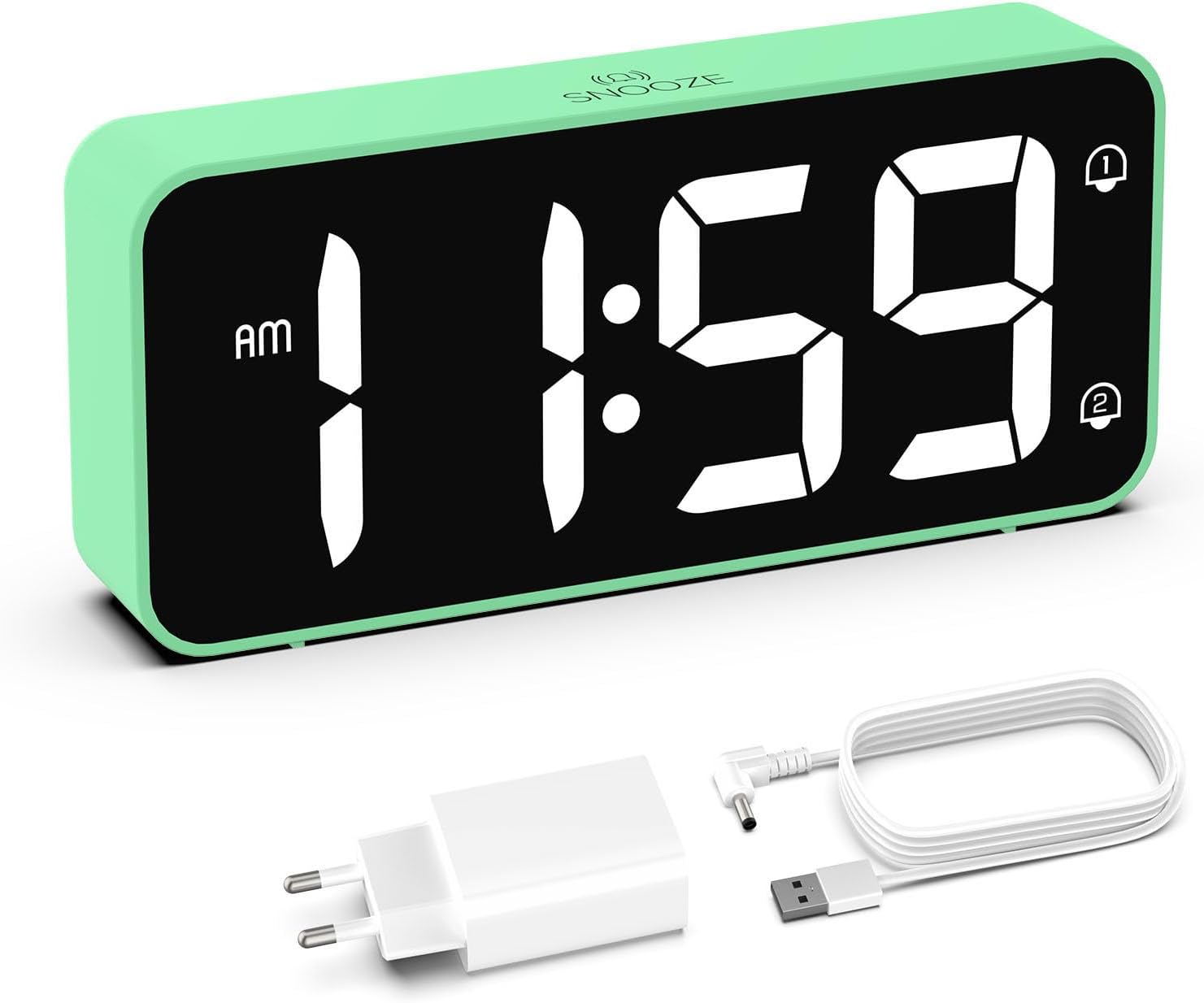
Image: The HOMVILLA Digital Alarm Clock, its USB charging cable, and the power adapter included in the package.
4. Бүтээгдэхүүн дууссанview
The HOMVILLA Digital Alarm Clock features a large LED display and intuitive controls. Familiarize yourself with the various components and buttons:

Image: A detailed diagram illustrating the front display and rear control panel of the alarm clock, with labels for each button, port, and dimension.
Урд дэлгэц:
- Цагийн дэлгэц: Large LED digits for current time.
- AM/PM үзүүлэлт: For 12-hour format.
- Дохиоллын 1-р заалт: Icon to show Alarm 1 is active.
- Дохиоллын 2-р заалт: Icon to show Alarm 2 is active.
- DST үзүүлэлт: Icon to show Daylight Saving Time is active.
- Snooze Indicator: Icon to show snooze is active (top center).
Арын хяналтын самбар:

Image: The back of the alarm clock, highlighting the scroll wheels for volume and dimmer, and the central control buttons.
- Эзлэхүүн гүйлгэх дугуй: Adjusts alarm volume (left side).
- Time Set Button: Цаг тохируулах горимд орно.
- Дээш товчлуур: Increases values during setting.
- Доош товч: Тохиргоо хийх явцад утгыг бууруулдаг.
- Сэрүүлэг тохируулах товчлуур: Сэрүүлгийн тохиргооны горимд орно.
- Асаах/унтраах товч: Turns alarms on or off.
- Dimmer Scroll Wheel: Adjusts display brightness (right side).
- Дахин тохируулах товч: Resets the clock to factory defaults.
- USB порт: Гадны төхөөрөмжийг цэнэглэхэд зориулагдсан.
- DC порт: Эрчим хүчний оролтын хувьд.
- DST Button: Activates/deactivates Daylight Saving Time.
- Зайны тасалгаа: Нөөц батерейны хувьд (2x AAA батерей, багтаагүй).
5. Тохиргоо
5.1 Эрчим хүчний холболт
- Connect the USB charging cable to the DC port on the back of the alarm clock.
- Цахилгаан адаптерийг ердийн цахилгаан залгуурт холбоно уу.
- The display will light up, indicating the clock is powered.

Image: The alarm clock connected to a wall outlet via its power adapter, placed on a bedside table.
5.2 Battery Installation (Memory Function)
To retain time and alarm settings during a power outage, install two AAA batteries (not included) in the battery compartment.
- Цагны арын хэсэгт зайны тасалгааны тагийг нээнэ үү.
- Хоёр AAA батерейг зөв туйлшралыг (+/-) баталгаажуулна уу.
- Зайны тасалгааны тагийг хаа.
Note: Batteries only support the memory function and do not power the display or alarm functions independently. The clock must be connected to mains power for full operation.

Image: A four-panel diagram illustrating the installation of AAA batteries into the alarm clock and demonstrating how the time setting is preserved even when the main power is disconnected and reconnected.
6. Ашиглалтын заавар
6.1 Setting the Time (12/24-Hour Format)
- -г удаан дар Цагийн тохиргоо button on the back of the clock. The hour digits will flash.
- -г ашиглана уу Up or Доош цагийг тохируулах товчлуурууд.
- дээр дарна уу Цагийн тохиргоо Цагийг баталгаажуулж, минутын тохиргоо руу шилжихийн тулд товчийг дахин дарна уу. Минутын цифрүүд анивчих болно.
- -г ашиглана уу Up or Доош минут тохируулах товчлуурууд.
- дээр дарна уу Цагийн тохиргоо button a third time to confirm the minutes and exit time setting mode.
- To switch between 12-hour and 24-hour format, briefly press the Цагийн тохиргоо button while the time is displayed (not in setting mode). The AM/PM indicator will appear for 12-hour format.
6.2 Хос дохиоллыг тохируулах
Цаг нь хоёр бие даасан дохиоллыг дэмждэг (Сэрүүлэг 1 ба Сэрүүлэг 2).
- дээр дарна уу Сэрүүлэг button once to set Alarm 1. The Alarm 1 icon and hour digits will flash.
- -г ашиглана уу Up or Доош Сэрүүлгийн цагийг тохируулах товчлуурууд.
- дарна уу Сэрүүлэг дахин дарж цагийг баталгаажуулж, минутын тохиргоо руу шилжинэ. Минутын тоо анивчих болно.
- -г ашиглана уу Up or Доош Сэрүүлгийн минутыг тохируулах товчлуурууд.
- дарна уу Сэрүүлэг a third time to confirm Alarm 1 settings.
- Сэрүүлэг 2-г тохируулахын тулд товчийг дарна уу Сэрүүлэг button twice. Follow steps 1-5 for Alarm 2.
- Сэрүүлгийг идэвхжүүлэх/идэвхгүй болгохын тулд товчийг дарна уу Асаах/унтраах button. The corresponding alarm icon (1 or 2) will appear/disappear on the display.

Image: Two separate scenarios illustrating the use of dual alarms, with one person waking at 8:20 and another at 14:30, highlighting the clock's ability to manage two distinct alarm times.
6.3 Түр хойшлуулах функц
Сэрүүлэг дуугарах үед том товчлуурыг дар Түр хойшлуулах button on the top of the clock to temporarily silence the alarm for 5 minutes. The alarm will sound again after 5 minutes. To turn off the alarm for the day, press any other button on the back of the clock.
Image: A person reaching to press the 'Snooze' button on the top of the alarm clock, which is placed on a bedside table.
6.4 Дэлгэцийн гэрэлтүүлгийг тохируулах
The display brightness can be adjusted from 5% to 100% to suit your preference, ensuring readability day and night without disturbance.
- -ийг олох Dimmer Scroll Wheel on the right side of the back panel.
- Gently slide the wheel up or down to increase or decrease the display brightness.

Image: A graphic demonstrating the alarm clock's display brightness settings, showing the time '8:20' at 5%, 50%, and 100% illumination, with the clock itself shown below on a desk.
6.5 Дохиоллын дууны түвшинг тохируулах
The alarm volume can be adjusted from 90dB to 120dB.
- -ийг олох Эзлэхүүн гүйлгэх дугуй on the left side of the back panel.
- Gently slide the wheel up or down to increase or decrease the alarm volume.
6.6 Дохиоллын дууг сонгох
The alarm clock offers 8 different alarm melodies to choose from.
- While in alarm setting mode (after setting the alarm time), press the Up or Доош buttons to cycle through the available alarm sounds.
- дээр дарна уу Сэрүүлэг товчлуур дээр дарж сонголтоо баталгаажуулна уу.
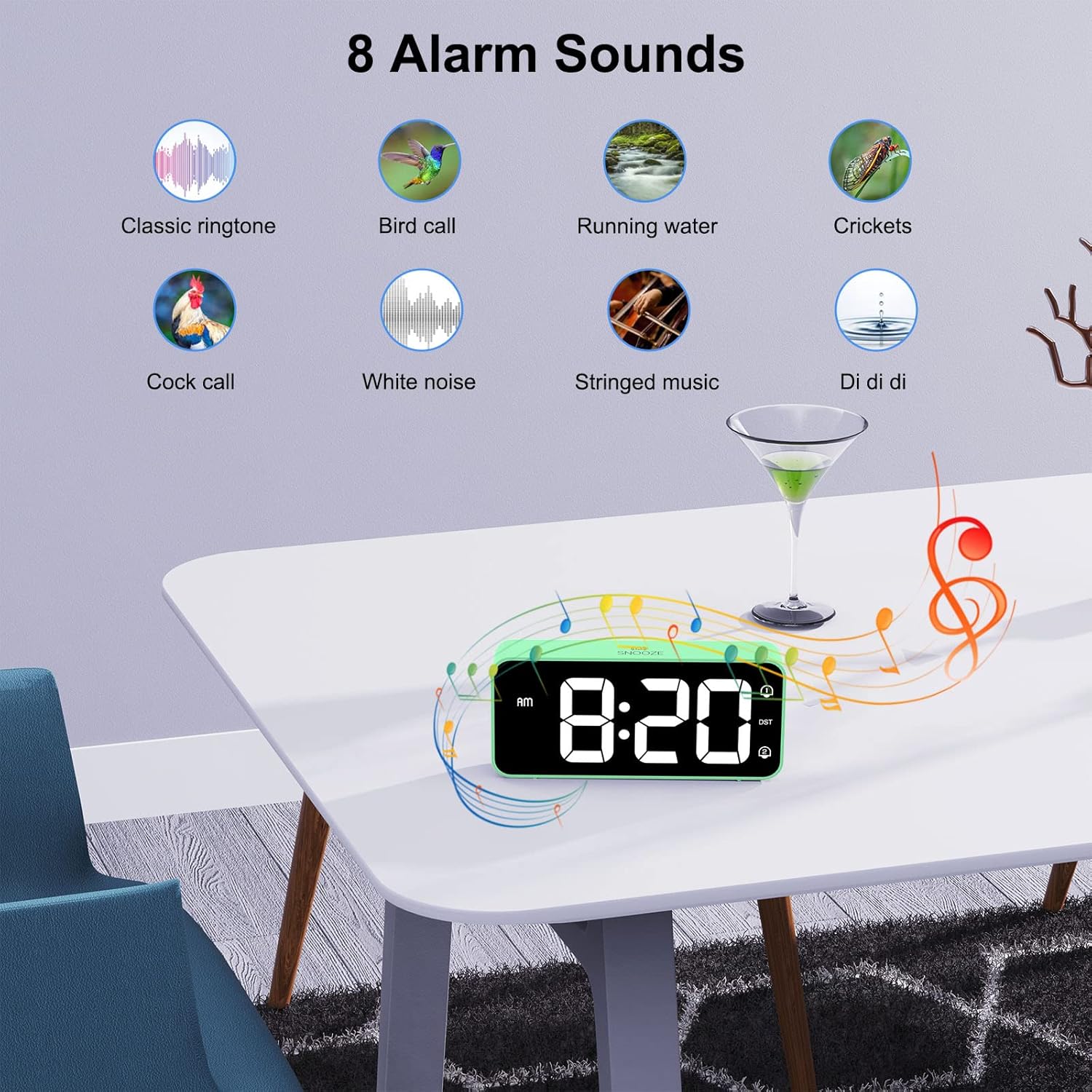
Image: A visual display of eight distinct alarm sound options, including classic ringtone, bird call, running water, crickets, cock call, white noise, stringed music, and a 'Di di di' sound, with the alarm clock shown on a table.
6.7 Зуны цаг (DST)
To activate or deactivate Daylight Saving Time:
- -ийг олох DST арын самбар дээрх товчлуур.
- дээр дарна уу DST button once to toggle DST on or off. The DST icon will appear/disappear on the display.
6.8 USB цэнэглэх порт
The alarm clock includes a USB port on the back for charging mobile phones or other small electronic devices.
- Төхөөрөмжийнхөө USB цэнэглэгч кабелийг сэрүүлгийн USB порт руу холбоно уу.
- Ensure the alarm clock is connected to mains power for the USB charging function to work.
7. Засвар үйлчилгээ
- Цагны гадаргууг зөөлөн, хуурай даавуугаар цэвэрлээрэй. Зүлгүүрийн цэвэрлэгч эсвэл уусгагч хэрэглэж болохгүй.
- Ensure the ventilation openings are free from dust.
- If not in use for an extended period, disconnect the power adapter and remove the backup batteries.
8. Алдаа засах
| Асуудал | Боломжит шалтгаан | Шийдэл |
|---|---|---|
| Дэлгэц хоосон байна. | Цахилгаан холболт байхгүй. | Цахилгаан адаптерийг цаг болон ажиллах залгуурт найдвартай залгасан эсэхийг шалгаарай. |
| Сэрүүлэг дуугарахгүй байна. | Сэрүүлэг идэвхжээгүй эсвэл дууны түвшин хэт бага байна. | Check if the alarm icon (1 or 2) is displayed. If not, activate it using the On/Off button. Adjust the volume using the Volume Scroll Wheel. |
| Цахилгаан унтарсны дараа цаг/тохиргоог дахин тохируулнаtage. | Нөөц батерейнууд суурилуулагдаагүй эсвэл дууссан байна. | Install two fresh AAA batteries in the battery compartment. |
| USB цэнэглэгч ажиллахгүй байна. | Clock not connected to mains power. | Ensure the alarm clock is plugged into a wall outlet. |
| Дэлгэц хэт тод/бүдэг. | Гэрэлтүүлгийн тохиргоог тохируулах шаардлагатай. | Use the Dimmer Scroll Wheel to adjust brightness. |
9. Техникийн үзүүлэлтүүд
- Загварын дугаар: 8813
- Брэнд: ХОМВИЛЛА
- Дэлгэцийн төрөл: Large LED Mirror Display
- Дэлгэцийн хэмжээ: 5.6 инч
- Бүтээгдэхүүний хэмжээ: 14.4 cm (W) x 6.3 cm (H) x 3.81 cm (D) / 5.66 inches (W) x 2.48 inches (H) x 1.5 inches (D)
- Барааны жин: 157 гр
- Эрчим хүчний эх үүсвэр: Mains powered (USB cable and adapter included)
- Нөөц батерей: 2 x AAA batteries (not included, for memory function only)
- Цагийн формат: 12 цаг / 24 цагаар сонгох боломжтой
- Сэрүүлэг: Давхар дохиолол
- Түр хойшлуулах хугацаа: 5 минут
- Гэрэлтүүлгийн тохируулга: 5% - 100% (via scroll wheel)
- Дууны тохируулга: 90dB - 120dB (via scroll wheel)
- Сэрүүлгийн дуу: Сонгох боломжтой 8 аялгуу
- Нэмэлт онцлогууд: USB charging port, Daylight Saving Time (DST) mode
- Материал: Акрилонитрил бутадиен стирол (ABS)
- Өрөөний төрөл: Унтлагын өрөө
- Суурилуулах төрөл: Ширээний тавцан

Image: A graphic summarizing the key features of the alarm clock, including 5-100% dimmer, 90-120dB volume, snooze, dual alarms, 12/24H format, 8 available music options, memory function, USB charging port, DST, and large display.
10. Баталгаат хугацаа ба дэмжлэг
HOMVILLA offers a lifetime warranty for this product. For any questions, technical support, or warranty claims, please contact HOMVILLA customer service through the retailer where you purchased the product or visit the official HOMVILLA webхолбоо барих мэдээлэл авах сайт.


