1. Танилцуулга
Thank you for choosing the OMOTON KB568 Foldable Bluetooth Keyboard with Touchpad. This compact and versatile keyboard is designed to enhance your productivity across various devices. Featuring a foldable design, integrated touchpad, and multi-device Bluetooth connectivity, it is an ideal companion for your iPad, iPhone, Windows PC, Android tablet, or smartphone.
This manual provides detailed instructions for setting up, operating, and maintaining your keyboard to ensure optimal performance.
2. Багцын агуулга
- OMOTON KB568 Foldable Bluetooth Keyboard with Touchpad
- USB-C цэнэглэгч кабель
- Хэрэглэгчийн гарын авлага
3. Бүтээгдэхүүн дууссанview
Гарын бүрэлдэхүүн хэсгүүд болон зохион байгуулалттай танилцаарай.

Image: The OMOTON KB568 keyboard unfolded, showing its dimensions (11.9in width, 3.8in height, 0.7in thickness) and key features like the USB-C port, power switch, Bluetooth indicator, power indicator, and touchpad. The folded size is also shown as 5.9in x 3.8in x 0.7in, comparable to a mobile phone.
Гол бүрэлдэхүүн хэсгүүд:
- Эрчим хүч солих: Located on the side for manual power control.
- USB-C цэнэглэх порт: Дотоод зайг цэнэглэхэд зориулагдсан.
- Bluetooth үзүүлэлт: Lights up during pairing and connection.
- Эрчим хүчний үзүүлэлт: Зайны төлөвийг харуулна.
- Мэдрэгч самбар: Integrated for mouse functionality, with separate left and right click buttons.
- Foldable Hinges: Allows the keyboard to fold for portability and automatically powers off when folded.
4. Тохиргоо
4.1. Гарыг цэнэглэж байна
Before first use, fully charge the keyboard. Use the provided USB-C cable to connect the keyboard to a USB power source (e.g., computer, wall adapter).
- Бүрэн цэнэглэлт ойролцоогоор 2 цаг.
- The keyboard provides up to 60 цаг of continuous use on a single charge.
- The power indicator light will show charging status.
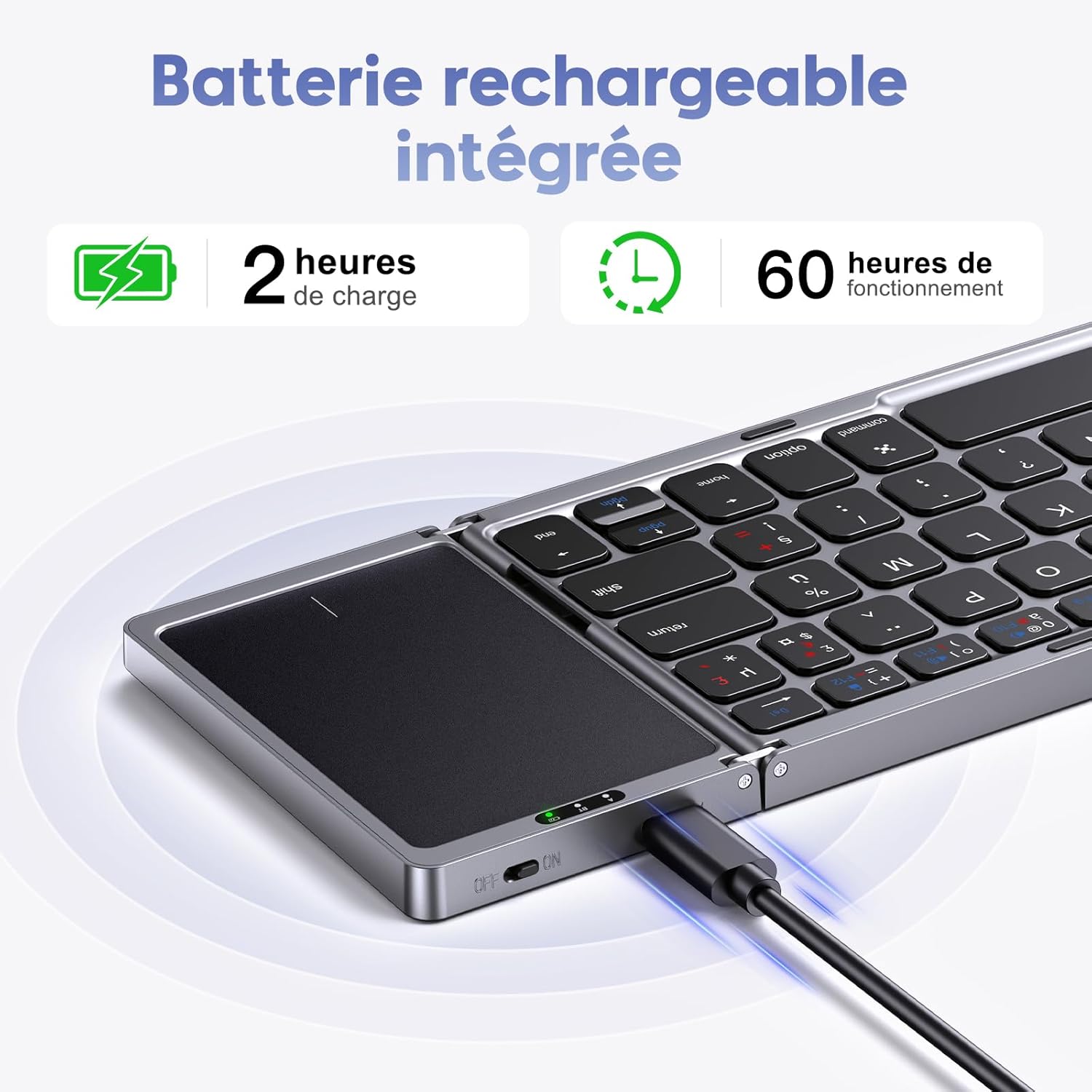
Image: The OMOTON KB568 keyboard being charged via its USB-C port, with icons indicating 2 hours of charge time for 60 hours of operation.
4.2. Асаах/унтраах
- Асаахын тулд: Unfold the keyboard. The keyboard will automatically power on. Alternatively, use the physical ON/OFF switch located on the side.
- Унтраахын тулд: Fold the keyboard. It will automatically power off. Alternatively, use the physical ON/OFF switch.
4.3. Bluetooth хослол
The OMOTON KB568 keyboard supports connecting to two Bluetooth devices simultaneously within a 10-meter range.
Тохиромжтой байдал:
- iPad (iPad OS 13 and above)
- iPhone (iOS 13 and above)
- PC (Windows 7/8/10 and above)
- Android/Tablet/Mobile Phone (Android 4.3 and above)
- Linux-тэй нийцэхгүй байна.
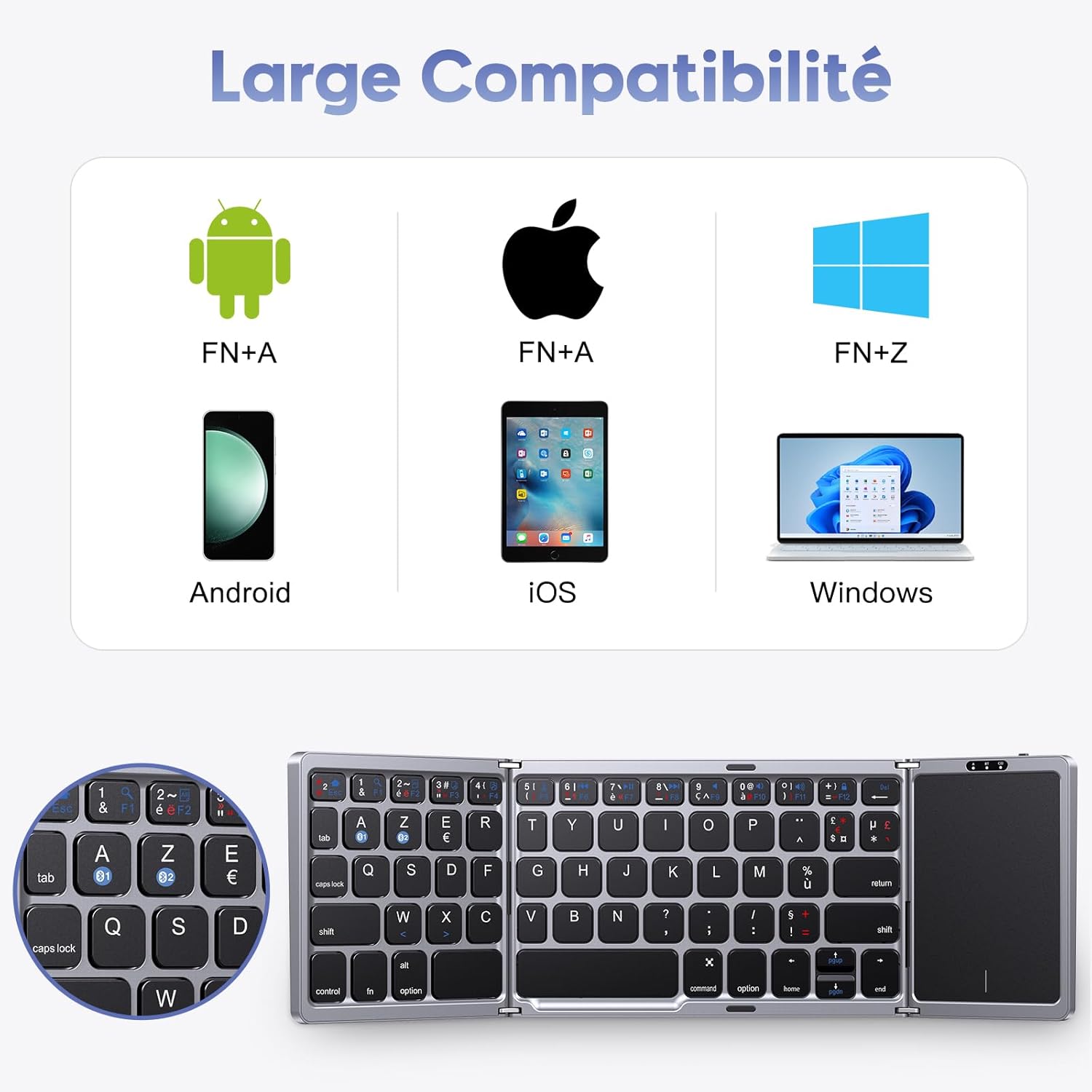
Image: A visual representation of the keyboard's broad compatibility with Android (FN+A), iOS (FN+A), and Windows (FN+Z) operating systems, showing corresponding device types.
Хослуулах алхамууд:
- Гар цэнэглэгдэж, асаалттай байгаа эсэхийг шалгаарай.
- On your device (iPad, PC, Android, etc.), enable Bluetooth.
- дээр дарна уу fn + A keys simultaneously to select the first Bluetooth channel (BT1) for Android/iOS devices, or Fn+Z for Windows devices. The Bluetooth indicator will flash, indicating pairing mode.
- On your device, search for Bluetooth devices. You should see "OMOTON Keyboard" or a similar name. Select it to connect.
- Once connected, the Bluetooth indicator on the keyboard will stop flashing and remain solid for a few seconds, then turn off.
- To pair a second device, repeat steps 3-5, but select the other Bluetooth channel (e.g., if you used BT1, now use BT2).
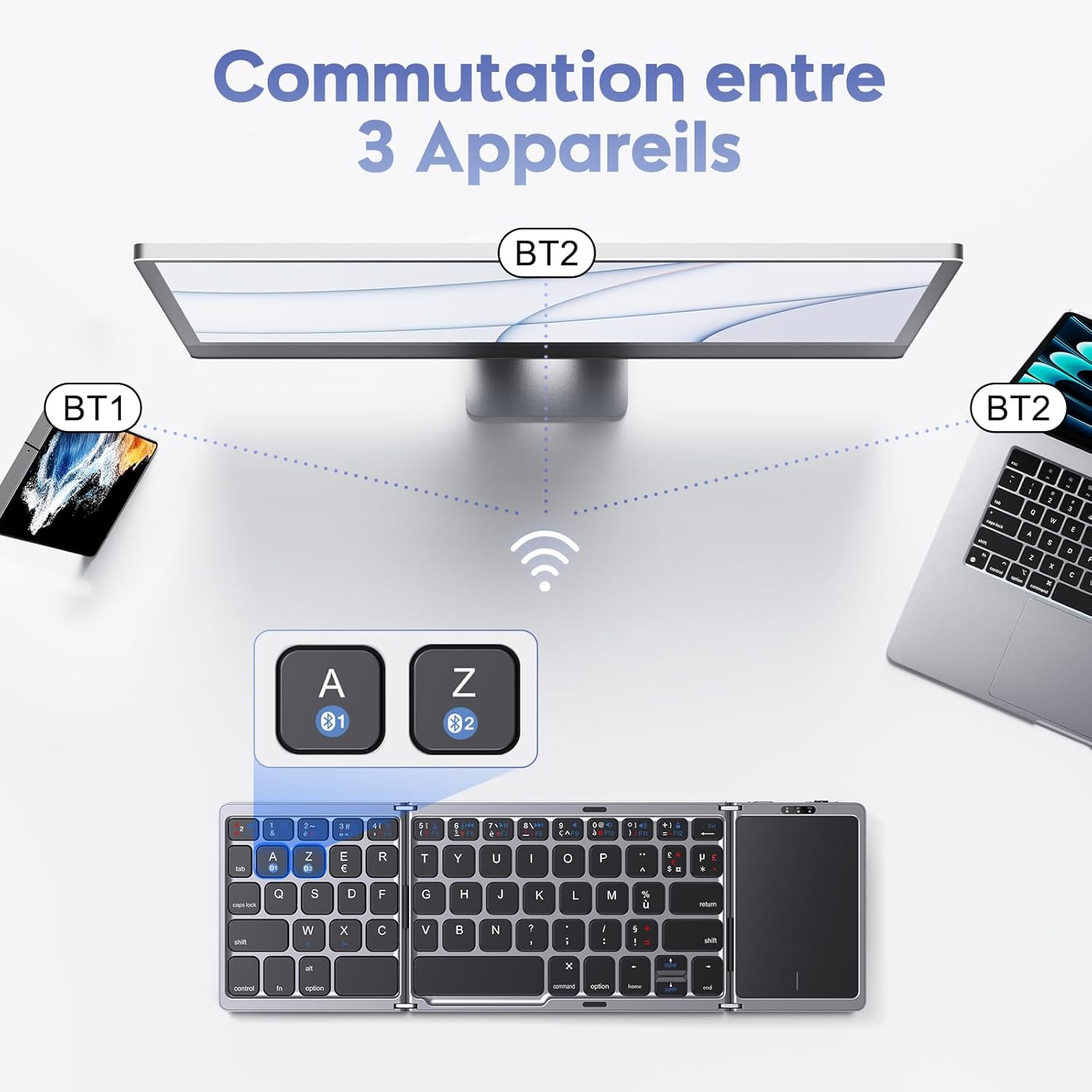
Image: An illustration showing the OMOTON KB568 keyboard connected to a smartphone (BT1) and a laptop (BT2), with the ability to switch between them using the A and Z keys (likely Fn+A and Fn+Z).
5. Ашиглалтын заавар
5.1. Мэдрэгч самбарын хэрэглээ
The integrated touchpad functions as a wireless mouse, offering enhanced navigation and control. It features separate left and right click buttons for convenience.
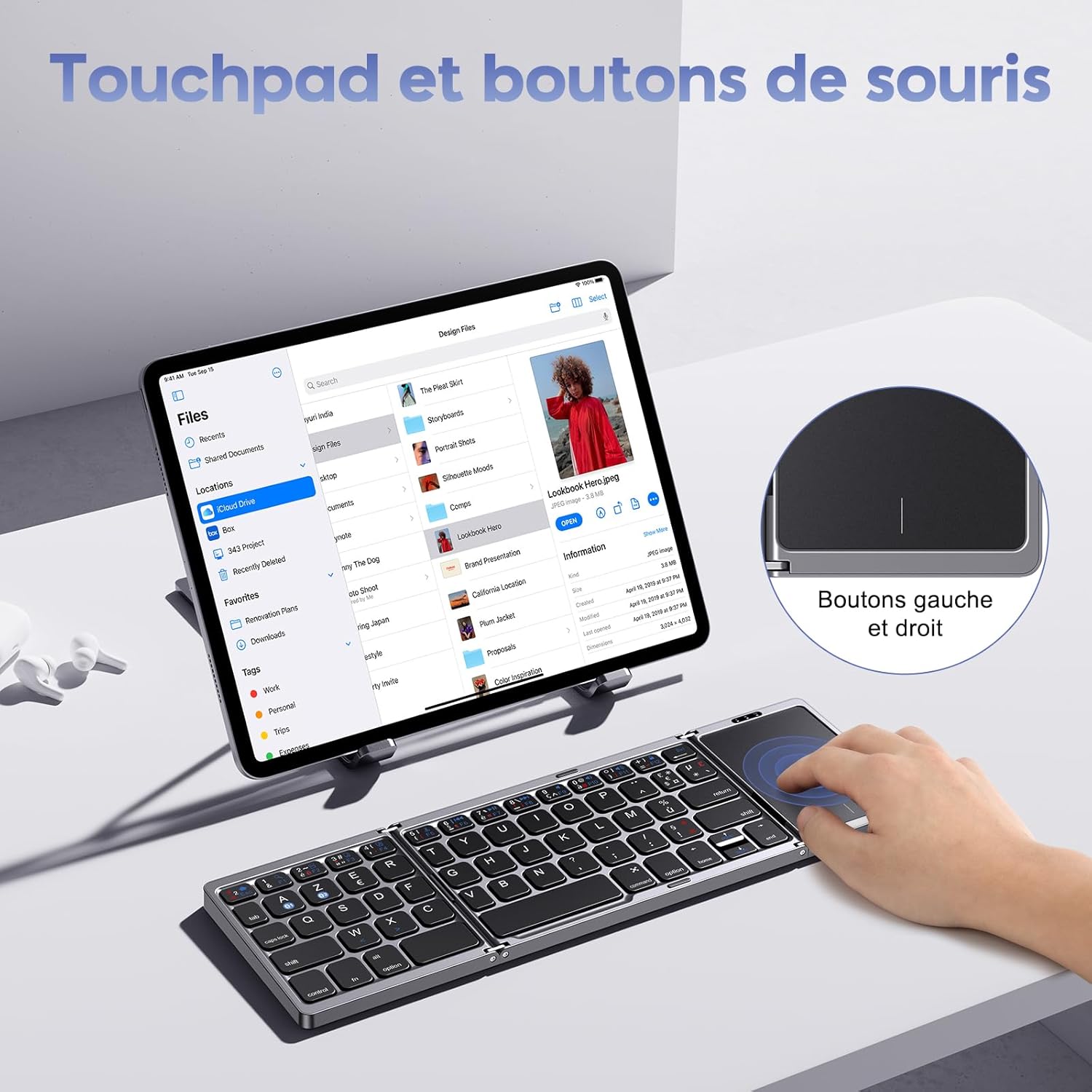
Image: A user interacting with the touchpad of the OMOTON KB568 keyboard, highlighting the dedicated left and right mouse buttons.
- Нэг хуруугаараа товших: Зүүн товш.
- Хоёр хуруугаараа товших: Right click (or use the dedicated right-click button).
- Хоёр хуруугаараа гүйлгэх: Дээш эсвэл доош гүйлгэнэ үү.
- Dedicated Left/Right Buttons: For precise clicking actions.
5.2. Keyboard Layout and Special Keys
The keyboard features an AZERTY layout (FR-Layout) and includes function keys that can be accessed using the Fn түлхүүр.
- Fn + A: Switch to Android/iOS operating system mode.
- Fn + Z: Switch to Windows operating system mode.
- Fn + [Function Key]: Access multimedia controls or system functions (e.g., volume, playback, screen lock). Refer to the keycap legends for specific functions.
5.3. Унтах горим
To conserve battery, the keyboard will automatically enter sleep mode after 10 минут of inactivity. To wake it up, simply press any key.
6. Засвар үйлчилгээ
6.1. Цэвэрлэгээ
- Use a soft, dry, lint-free cloth to clean the keyboard surface.
- Зөрүүд шороонд бага зэрэг dampдаавууг усаар эсвэл зөөлөн, зүлгүүргүй цэвэрлэгчээр угаана.
- Avoid using harsh chemicals, solvents, or abrasive materials, as these can damage the keyboard.
- Ensure no liquid enters the keyboard's internal components.
6.2. Хадгалах
- When not in use, fold the keyboard to protect the keys and touchpad.
- Store the keyboard in a cool, dry place, away from direct sunlight and extreme temperatures.
- If storing for an extended period, ensure the keyboard is fully charged to maintain battery health.
7. Алдаа засах
7.1. Keyboard Not Pairing or Connecting
- Эрчим хүчийг шалгах: Гар асаалттай, хангалттай цэнэгтэй байгаа эсэхийг шалгаарай.
- Bluetooth-г идэвхжүүлэх: Таны төхөөрөмж дээр Bluetooth идэвхжсэн эсэхийг шалгана уу.
- Зай: Make sure the keyboard is within the 10-meter Bluetooth operating range of your device.
- Дахин холбох: Delete the keyboard from your device's Bluetooth list and attempt to pair it again following the steps in Section 4.3.
- Үйлдлийн системийн горим: Ensure you have selected the correct operating system mode (Fn+A for Android/iOS, Fn+Z for Windows).
7.2. Touchpad Not Responding
- Гарны хүч: Confirm the keyboard is powered on and not in sleep mode.
- Мэдрэгч самбарыг цэвэрлэх: Ensure the touchpad surface is clean and free from obstructions.
- Дахин холболт: Bluetooth холболтыг салгаад дахин холбохыг оролдоно уу.
7.3. Түлхүүрүүд хариу өгөхгүй байна
- Батерейны түвшин: Check if the keyboard battery is low and recharge it.
- Bluetooth холболт: Verify the Bluetooth connection is stable.
- Дахин эхлүүлэх: Power off and then power on the keyboard and your device.
8. Техникийн үзүүлэлтүүд
| Брэнд | ОМОТОН |
| Загвар | KB568 |
| Холболтын технологи | Bluetooth |
| Онцлог шинж чанарууд | Foldable, Integrated Touchpad |
| Тохиромжтой төхөөрөмжүүд | Windows, iOS, Android, Tablet, PC, Smartphone, Laptop |
| Гарны зохион байгуулалт | AZERTY (FR-Layout) |
| Өнгө | Хар |
| Зайны ашиглалт | Up to 60 hours (40 hours mentioned in text) |
| Цэнэглэх хугацаа | Ойролцоогоор 2 цаг |
| Үйл ажиллагааны хүрээ | 10 метр (33 фут) хүртэл |
| Эвхэгдсэн хэмжээсүүд | 15.18 x 9.8 x 2 см (5.9 x 3.8 x 0.7 инч) |
| Оруулсан бүрэлдэхүүн хэсгүүд | USB-C кабель |
9. Баталгаат хугацаа ба дэмжлэг
For warranty information or technical support, please refer to the contact details provided with your purchase or visit the official OMOTON webсайт. Аливаа баталгаат нэхэмжлэлийн хувьд худалдан авалтаа нотлох баримтаа хадгалаарай.


