1. Оршил ба түүнээс дээшview
The ATOMSTACK Hurricane 55W CO2 Laser Cutter is a smart desktop engraving and cutting machine designed for precision work on a variety of materials. This manual provides essential information for safe and effective operation, maintenance, and troubleshooting.

Figure 1: ATOMSTACK Hurricane 55W CO2 Laser Cutter, a powerful and precise desktop machine.
Бүтээгдэхүүн дууссанview Видео
Видео 1: Дууслааview of the ATOMSTACK Hurricane 55W CO2 Laser Cutter, showcasing түүний онцлог, чадвар.
2. Гол онцлог, чадварууд
Powerful 55W CO2 Laser
The Hurricane's high-powered 55W CO2 laser is capable of handling a variety of materials, including acrylic, wood, leather, glass, jewelry, and rubber. Its robust output ensures efficient and precise results, even on tougher materials, cutting 20mm clear acrylic and 15mm plywood in one pass.

Figure 2: The 55W CO2 laser demonstrating its cutting power on clear acrylic and plywood.
Autofocus and High-Speed Operation
The Hurricane features advanced autofocus capabilities that greatly enhance precision and reduce setup time. It operates at speeds up to 600mm/s, significantly boosting productivity without compromising quality.
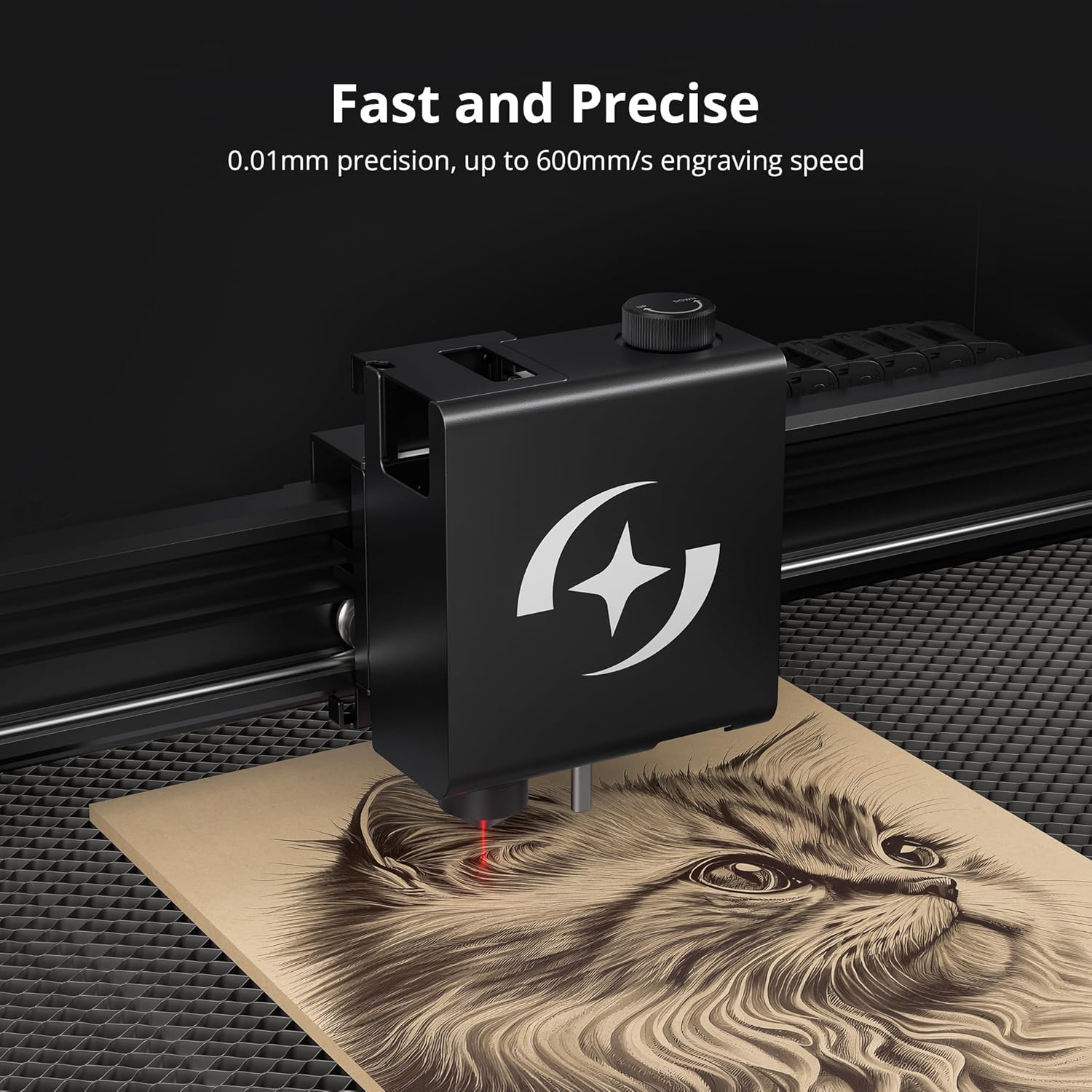
Figure 3: Close-up of the laser head performing high-speed, precise engraving.
Precision & Batch Engraving with 5MP Camera
An integrated 5MP camera provides full visual positioning of the working area, ensuring accuracy. This feature also enables batch processing, allowing multiple objects to be engraved simultaneously, enhancing efficiency.

Figure 4: Visual representation of the 5MP camera's positioning capabilities for precise and batch engraving.
Safety and Enhanced User Experience
Engineered for ease of use and reliability, the Hurricane features IEC60825-4 Class 1 Safety Design. It includes multiple limit switches and an advanced fire detection system that automatically halts operation, triggers an alarm, and activates an auto-extinguishing function linked to a water container in case of fire. A safety lock design makes it suitable for safety-sensitive environments.
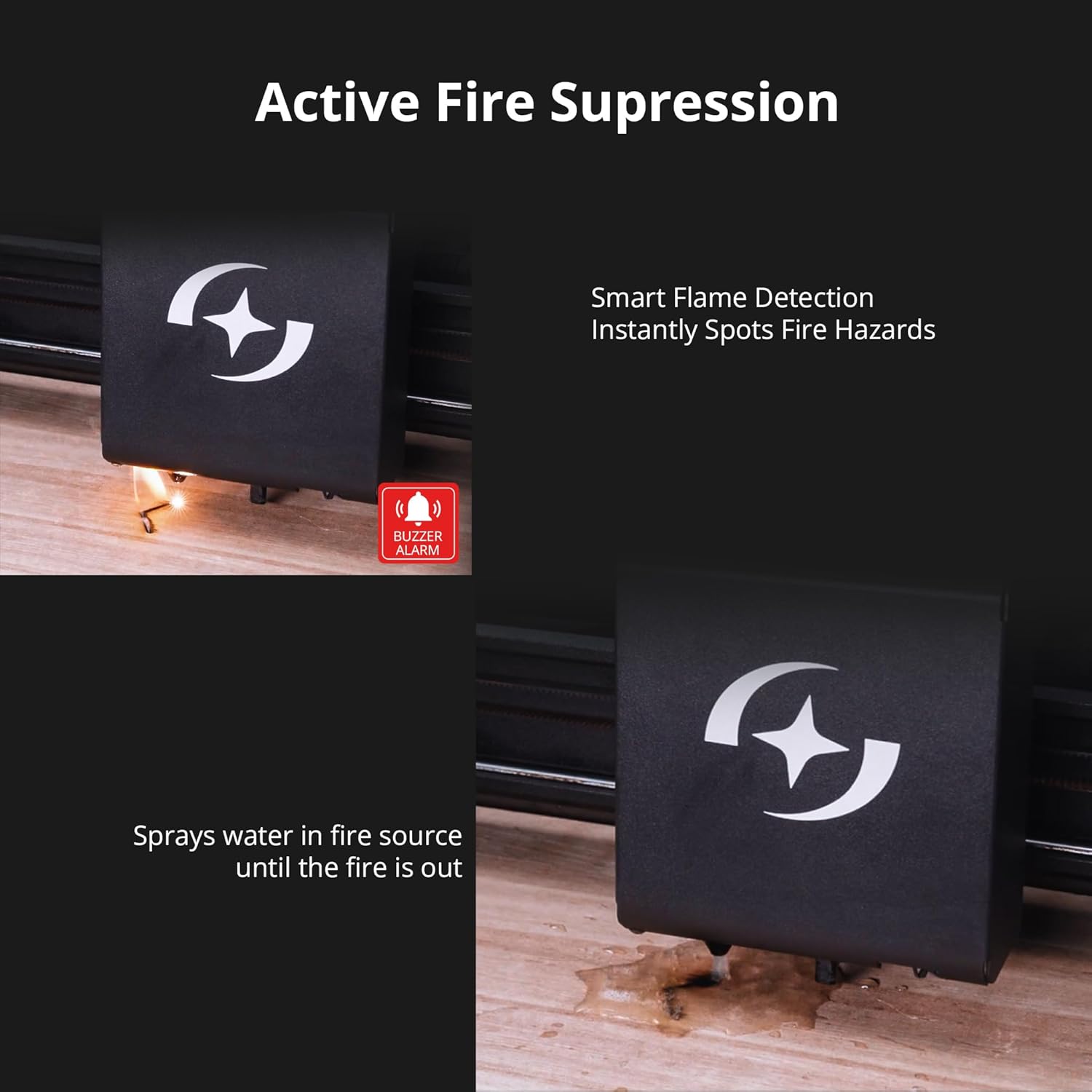
Figure 5: Depiction of the active fire suppression system, showing smart flame detection and water spray.
Wide Software Compatibility and Multi-Platform Support
The Hurricane is fully compatible with LightBurn software for intuitive use. Additionally, AtomStack Studio allows operation across Windows, Mac OS, iOS, and Android platforms, offering advanced features like water temperature display, flame detection, active fire extinguishing, and a resume function.
Easy Setup and Resume Function
Comprehensive tutorials and videos are provided for quick setup, operation, and maintenance. The resume function ensures projects continue seamlessly after a power outage, preventing material waste. The device can connect directly to a computer via Type-C cable, allowing operation without Wi-Fi.

Figure 6: Illustration of the resume function, showing a project continuing from its last position.
Large Working Area and Material Versatility
The Hurricane offers a generous working area of 19.7x11.8 inches (500x300mm). It excels at engraving and cutting clear acrylic, glass, fabric, leather, wood, and metal, providing broad creative possibilities.

Зураг 7: View of the laser cutter's extra large working area, highlighting its capacity.

Figure 8: Various materials and finished products showcasing the versatile compatibility of the Hurricane.
3. Тохиргоо
Proper setup is crucial for optimal performance and safety. Follow these steps to prepare your ATOMSTACK Hurricane for use.
3.1 Initial Assembly and Connections
Refer to the included user manual for detailed instructions on initial assembly. Ensure all components are securely attached and cables are properly connected. The machine connects to your computer via a Type-C cable.
3.2 Камерын тохируулга
The integrated 5MP camera requires calibration for precise visual positioning. This process ensures accurate alignment of your designs with the material on the workbed.
Video 2: Detailed tutorial on how to perform camera calibration for the ATOMSTACK Hurricane using LightBurn software.
3.3 Optical Path Adjustment
Accurate optical path alignment is essential for consistent laser performance and engraving quality. This involves adjusting the internal mirrors to ensure the laser beam travels correctly to the material.
Video 3: Step-by-step guide on adjusting the optical path of the AtomStack Hurricane for optimal laser performance.
4. Ашиглалтын заавар
Once set up, the ATOMSTACK Hurricane is ready for operation. It is compatible with LightBurn and AtomStack Studio software.
4.1 Програм хангамжийн хэрэглээ
Utilize LightBurn or AtomStack Studio to import or create your designs. The 5MP camera allows for precise material placement and batch processing. Adjust laser power, speed, and other parameters within the software based on the material being processed.
4.2 Материалын боловсруулалт
Place your chosen material securely on the workbed. Ensure it is flat and properly positioned to avoid errors during engraving or cutting. The autofocus feature will assist in setting the correct focal distance.
4.3 Ашиглалтын үеийн аюулгүй байдал
Always ensure the safety cover is closed during operation. The machine's built-in safety features, including limit switches and fire detection, are active to prevent accidents. Never leave the machine unattended while operating.
5. Засвар үйлчилгээ
Regular maintenance ensures the longevity and consistent performance of your ATOMSTACK Hurricane.
- Линз цэвэрлэх: Regularly inspect and clean the laser lens to ensure optimal beam quality. Use a soft, lint-free cloth and appropriate lens cleaning solution.
- Mirror Inspection: Check the optical mirrors for dust or damage. Refer to Video 3 for guidance on accessing and adjusting the optical path.
- Ажлын ор цэвэрлэх: Keep the honeycomb workbed clean from debris and residue to prevent interference with laser operations.
- Агааржуулалтын систем: Ensure the exhaust system is clear and functioning properly to remove fumes and smoke.
- Water Container (for Fire Suppression): Regularly check and refill the water container linked to the auto-extinguishing function.
6. Алдаа засах
This section addresses common issues you might encounter during the use of your laser cutter.
- Сийлбэр/зүсэх чанар муу:
- Check optical path alignment (refer to Video 3).
- Ensure the lens is clean and free of debris.
- Verify material thickness and adjust focus if necessary.
- Adjust laser power and speed settings in the software.
- Машин хариу өгөхгүй байна:
- Check all cable connections (power, USB-C).
- Ensure the machine is powered on and the emergency stop button is not engaged.
- Restart the software and the machine.
- Red Light Misalignment:
- Perform camera calibration (refer to Video 2).
- Adjust optical path mirrors as needed (refer to Video 3).
- Fire Alarm Activation:
- Immediately ensure the safety cover is closed.
- Verify the water container for the auto-extinguishing system is filled.
- Inspect the material for actual fire and take appropriate safety measures.
Байнгын асуудал байвал хэрэглэгчийн тусламжтай холбогдоно уу.
7. Техникийн үзүүлэлтүүд
| Атрибут | Үнэ цэнэ |
|---|---|
| Бүтээгдэхүүний хэмжээс | 46 x 31 x 13 инч |
| Загварын дугаар | Хар салхи |
| Зүйлийн жин | 130 фунт |
| Үйлдвэрлэгч | АТОМСТАК |
| Лазер гаралтын хүч | 55 Вт CO2 |
| Ажлын талбай | 19.7 x 11.8 инч (500 x 300 мм) |
| Сийлбэрийн хурд | 600 мм/с хүртэл |
| Carving Precision | 0.01 мм |
| Камер | 5MP Built-in Camera |
| Аюулгүй байдлын дизайн | IEC60825-4 Ангилал 1 |
8. Дэмжлэг
For any questions, technical assistance, or support regarding your ATOMSTACK Hurricane, please refer to the official ATOMSTACK customer support channels.
Additional resources, including comprehensive tutorials and videos, are available to help you quickly set up, operate, and maintain your device.


