Танилцуулга
This manual provides instructions for the GOWENIC BT Cordless Bike Handlebar Remote Phone Controller. This device allows for convenient control of music and calls from your smartphone while cycling, offering a cordless connection up to 15 meters. Its IPX6 water-resistant design ensures durability for outdoor use. The controller features a simple one-step pairing process and a long-lasting rechargeable battery.

Image: The GOWENIC BT Cordless Bike Handlebar Remote shown mounted on a bicycle handlebar, demonstrating its outdoor application and water-resistant design.
Багцын агуулга
Доор жагсаасан бүх зүйл таны багцад байгаа эсэхийг шалгаарай.
- 1 x алсын удирдлага
- 1 x Цэнэглэгч кабель (USB Type-C)
- 1 Set x Fixing Clip
- 1 x Accessory Pack (likely contains screws/pads for mounting)
- 1 х хэрэглэгчийн гарын авлага (энэ баримт бичиг)

Image: All components included in the product package: the remote controller, USB-C charging cable, fixing clip, and accessory pack.
Тохиргоо
1. Хянагчийг цэнэглэж байна
Before first use, fully charge the remote controller. Connect the provided USB Type-C charging cable to the controller's charging port and to a 5V USB power source. The indicator light will display a breathing light pattern during charging. A full charge typically takes approximately 1 hour.

Image: The remote controller on a handlebar, illustrating its compact design and highlighting its long battery life and quick charging feature.
2. Хянагчийг суурилуулах
Use the provided fixing clip and accessory pack to securely attach the remote controller to your bike's handlebar. Ensure the controller is positioned within easy reach for safe operation while riding.
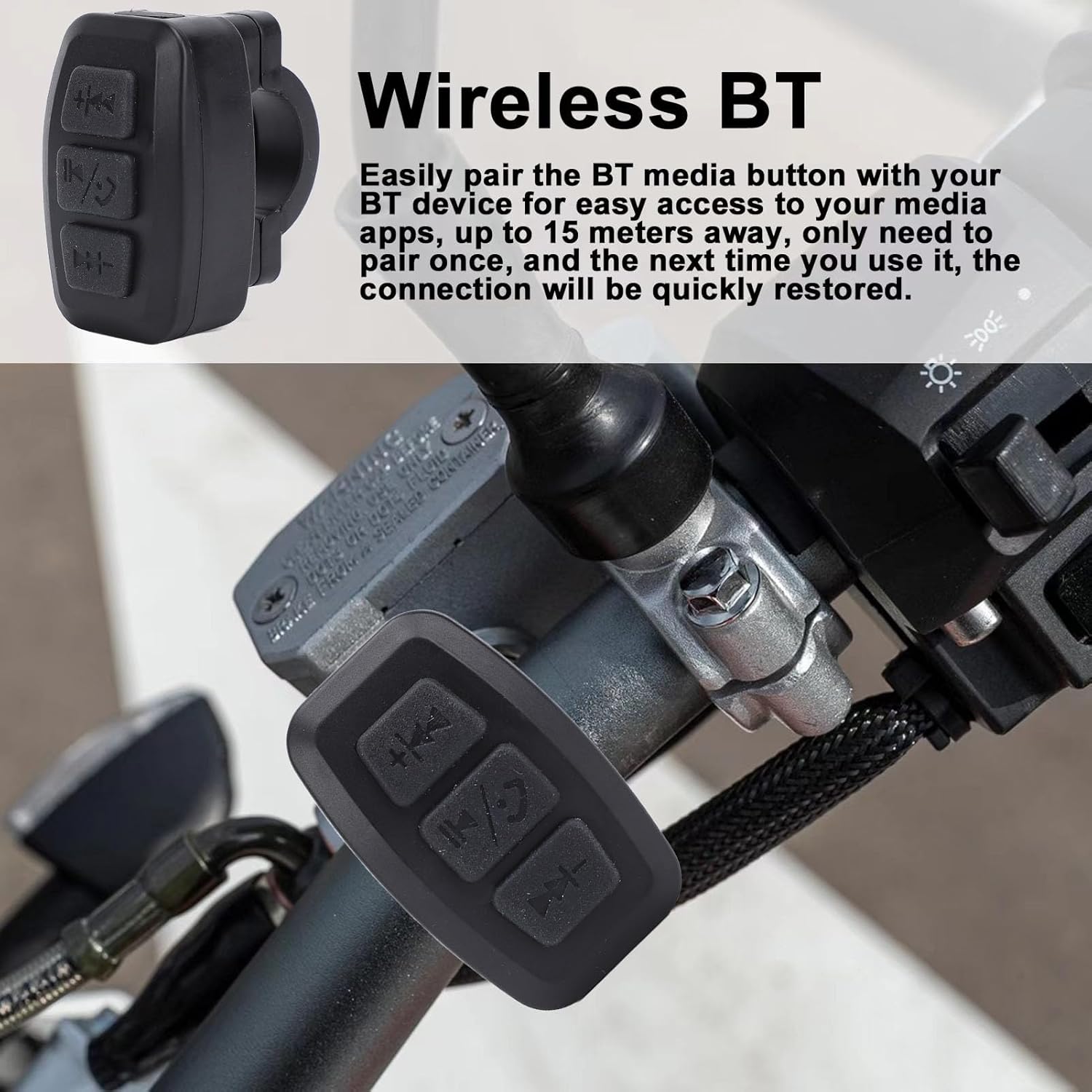
Зураг: Ойрын зураг view of the GOWENIC remote controller securely mounted on a bicycle handlebar, ready for use.
3. Bluetooth хослол
- Ухаалаг утасныхаа Bluetooth идэвхжсэн эсэхийг шалгаарай.
- Power on the GOWENIC remote controller. The blue BT connection indicator light will flash, indicating it is in pairing mode.
- On your smartphone, search for available Bluetooth devices and select the GOWENIC controller from the list.
- Once paired, the blue BT connection indicator light will become solid.
- The controller features one-step pairing, meaning it will automatically connect to the last paired device every time it is powered on.
Ашиглалтын заавар
The GOWENIC remote controller provides convenient access to your phone's media and call functions from your handlebar, with a maximum control distance of approximately 15 meters.

Зураг: Нарийвчилсан view of the remote controller's buttons, showing the previous track/volume down, play/pause/call, and next track/volume up controls.
Товчлуурын функцууд:
- Top Button (Previous Track / Volume Down):
- Short press: Skip to previous track.
- Удаан дарах: Дууны хэмжээг багасгах.
- Middle Button (Play/Pause / Answer/End Call):
- Short press: Play or pause media.
- Short press during incoming call: Answer call.
- Short press during active call: End call.
- Long press: Reject incoming call.
- Bottom Button (Next Track / Volume Up):
- Богино дарах: Дараагийн дуу руу шилжих.
- Удаан дарах: Дууны хэмжээг нэмэгдүүлэх.
Засвар үйлчилгээ
The GOWENIC remote controller features an IPX6 water-resistant design, making it suitable for outdoor use and resistant to strong jets of water. To ensure longevity and optimal performance:
- Төхөөрөмжийг зөөлөн арчиж, damp cloth to clean. Avoid harsh chemicals or abrasive cleaners.
- Ensure the USB Type-C charging port cover (if present) is securely closed when not charging to maintain water resistance.
- Удирдлагыг удаан хугацаагаар ашиглаагүй үед сэрүүн, хуурай газар хадгална уу.
- Төхөөрөмжийг хэт өндөр температурт байлгахаас зайлсхий.
Алдааг олж засварлах
| Асуудал | Боломжит шалтгаан | Шийдэл |
|---|---|---|
| Хянагч асахгүй байна. | Батарей бага эсвэл цэнэггүй болсон. | Charge the controller using the provided USB Type-C cable. |
| Ухаалаг утастай хослуулах боломжгүй байна. | Bluetooth not enabled on phone; controller not in pairing mode; interference. |
|
| Intermittent connection or short range. | Obstructions; distance too great; low battery. |
|
| Товчлуур хариу өгөхгүй байна. | Not connected to phone; app not active; low battery. |
|
Үзүүлэлтүүд
| Загвар | GOWENIC1auvcm9odb-11 |
| Материал | ABS |
| Хамгийн их хяналтын зай | Ойролцоо. 15m / 49.21ft |
| Ажлын цаг | Ойролцоогоор 100 цаг |
| Цэнэглэх хугацаа | Ойролцоогоор 1 цаг |
| Зогсоолын цаг | Ойролцоогоор 18 сар |
| Зайны төрөл | Li Battery (built-in) |
| Зайны багтаамж | 300 мАч |
| Цэнэглэх арга | USB Type-C 5V |
| Заагч гэрэл | Breathing light (charging), Blue (BT connection, key indicator) |
| Тохиромжтой байдал | iOS, Android Phones |
| Усны эсэргүүцэл | IPX6 |
| Хэмжээ (Байрцаг) | 10.8 x 9.9 x 3.4 см |
| Жин (илгээмж) | 60 гр |

Image: Illustration showing the remote controller's universal compatibility with bikes, motorcycles, and electric vehicles.
Баталгаат болон дэмжлэг
Specific warranty details for the GOWENIC BT Cordless Bike Handlebar Remote Phone Controller are typically provided with your purchase documentation or can be found on the official GOWENIC website. For technical support or inquiries, please refer to the contact information provided by your retailer or the manufacturer's official support channels.


