1. Танилцуулга
Welcome to the Haylou Solar Neo Smartwatch user manual. This guide provides essential information for setting up, operating, maintaining, and troubleshooting your new smartwatch. Please read this manual thoroughly to ensure optimal performance and longevity of your device.
2. Бүтээгдэхүүн дууссанview
The Haylou Solar Neo is a feature-rich smartwatch designed to enhance your daily life with health monitoring, fitness tracking, and communication capabilities. It features a vibrant 1.53-inch HD display and a durable design.
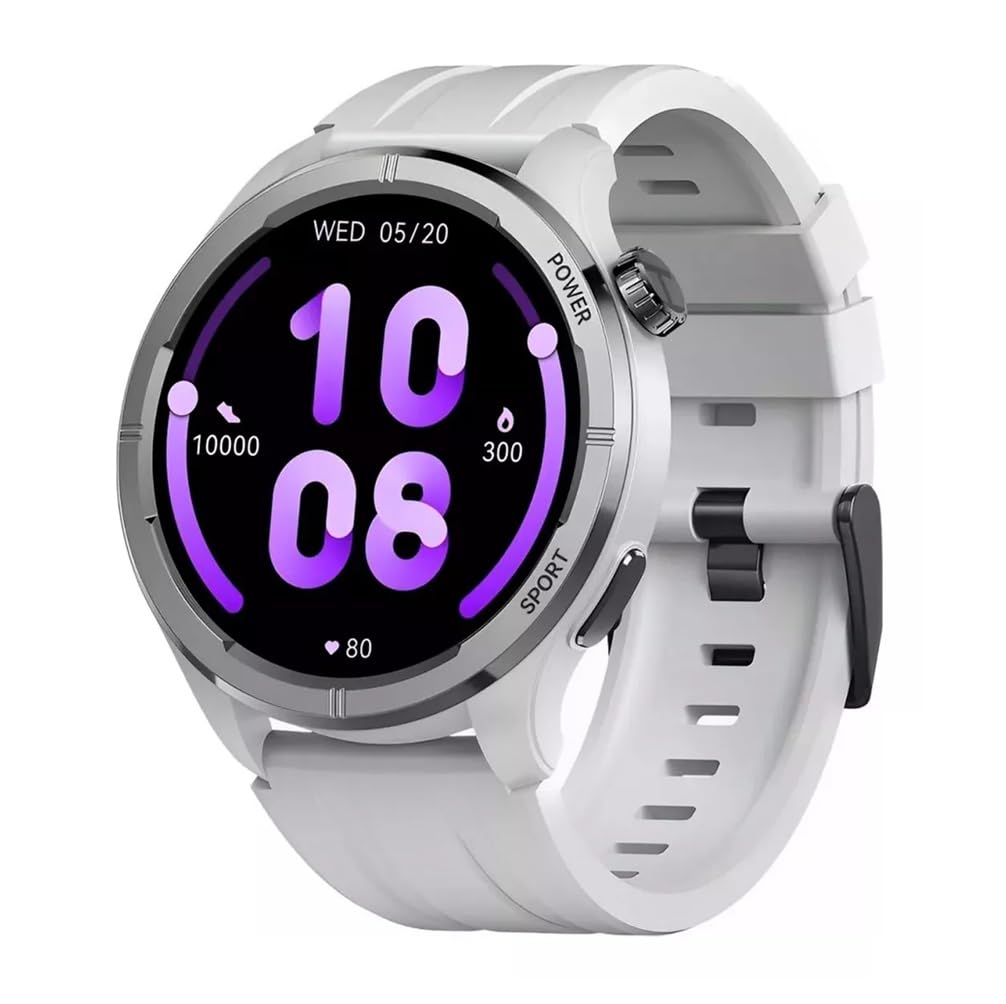
Зураг 2.1: Урд view of the Haylou Solar Neo Smartwatch. This image displays the watch's round face, white strap, and a digital-analog hybrid display with green accents, indicating various metrics.
Гол онцлогууд:
- 1.53-inch HD Display for clear visuals.
- Up to 30 days battery life in basic mode, 7 days in daily use.
- Bluetooth calling functionality.
- Comprehensive health tracking: heart rate, SpO2, sleep, stress, female health, respiratory training.
- Over 100 sports modes for diverse fitness activities.
- Smart message notifications.
- Customizable watch faces.
3. Тохиргоо
3.1 Ухаалаг цагийг цэнэглэх
Before first use, fully charge your Haylou Solar Neo Smartwatch. Connect the magnetic charging cable to the charging contacts on the back of the watch and plug the USB end into a power adapter (5V/1A recommended).
3.2 Програм суулгах, холбох
- Download the official Haylou Fun app from your smartphone's app store (iOS or Android).
- Програмаа нээгээд бүртгэл үүсгэ эсвэл нэвтэрнэ үү.
- Ухаалаг утсан дээрээ Bluetooth идэвхжсэн эсэхийг шалгаарай.
- In the Haylou Fun app, navigate to 'Device' and select 'Add Device'.
- Select 'Haylou Solar Neo' from the list of available devices.
- Follow the on-screen prompts in the app and on your watch to complete the pairing process. Confirm the pairing request on both devices.
4. Ашиглалтын заавар
4.1 Үндсэн навигаци
- Дээш/Доош шудар: Шуурхай тохиргоо эсвэл мэдэгдэлд хандах.
- Зүүн/Баруун тийш шудар: Navigate through widgets (e.g., heart rate, weather, activity data).
- Цахилгаан товчийг дарах: Wake/sleep screen, return to watch face, or access the app list.
- Press Sport Button: Quickly launch workout modes.
Зураг 4.1: Хажуу тал view of the smartwatch highlighting the power button (rotating crown) and the sport shortcut button.
4.2 Цагны нүүрийг өөрчлөх
The Haylou Solar Neo offers hundreds of watch face options. To change the watch face:
- On the watch face screen, long-press the display.
- Swipe left or right to browse through pre-installed watch faces.
- Tap to select your desired watch face.
- More watch faces can be downloaded and customized via the Haylou Fun app.

Зураг 4.2: A selection of customizable watch faces available for the Haylou Solar Neo Smartwatch.
5. Эрүүл мэндийн хяналтын онцлог
The smartwatch provides comprehensive health tracking to help you monitor your well-being.
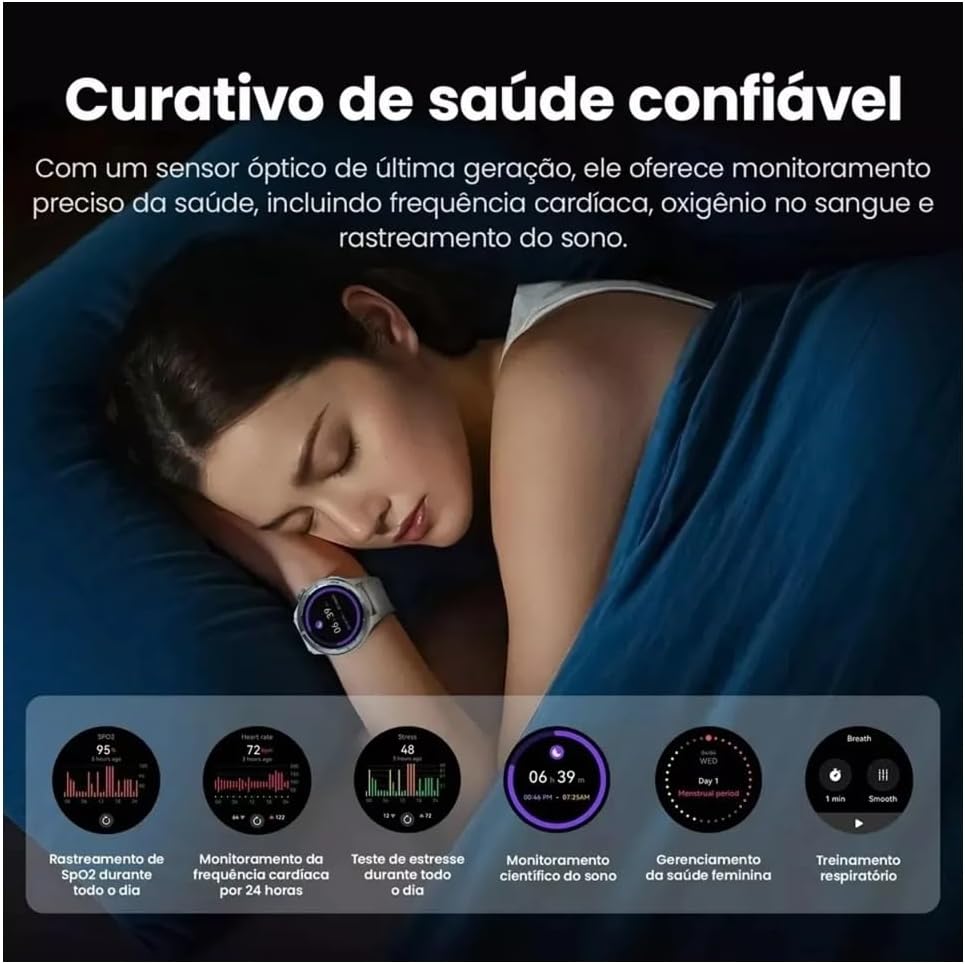
Зураг 5.1: Health monitoring features in action, showing sleep tracking and various health data points.
5.1 Зүрхний цохилтын хяналт
Цаг нь таны зүрхний цохилтыг тасралтгүй хянаж байдаг. View your real-time heart rate on the watch or detailed historical data in the Haylou Fun app.
5.2 Blood Oxygen (SpO2) Tracking
Measure your blood oxygen saturation levels directly from your wrist. For accurate readings, ensure the watch is snug on your wrist and remain still during measurement.
5.3 Нойрны хяналт
Wear the watch to bed to track your sleep patterns, including deep sleep, light sleep, and awake times. Detailed analysis is available in the app.
5.4 Stress Monitoring and Respiratory Training
The watch can estimate your stress levels throughout the day. Utilize the guided respiratory training feature to help manage stress.
5.5 Эмэгтэйчүүдийн эрүүл мэндийн хяналт
For female users, the watch supports tracking of menstrual cycles and provides predictive reminders when configured in the Haylou Fun app.
6. Фитнесс хянах
The Haylou Solar Neo supports over 100 sports modes to accurately track your workouts.
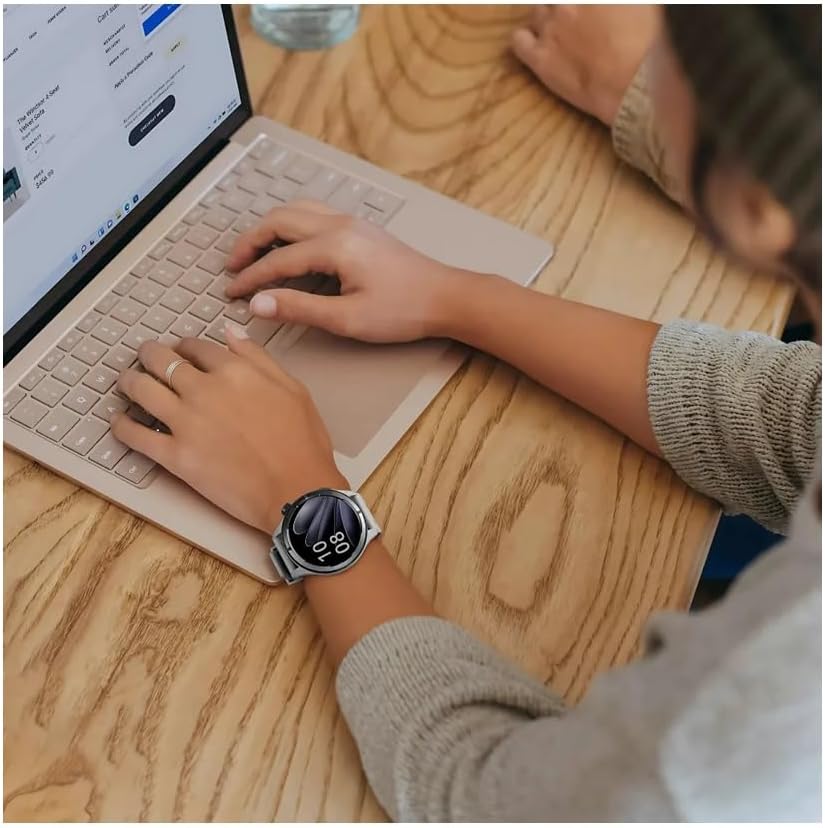
Зураг 6.1: Smartwatch displaying workout data and various sports mode options during physical activity.
6.1 Дасгал эхлүүлэх
- Press the 'Sport' button on the side of the watch to quickly access the sports mode list.
- Alternatively, navigate to the 'Workout' app from the main menu.
- Select your desired activity (e.g., Outdoor Running, Cycling, Walking).
- Tap to start the workout. The watch will begin recording data such as duration, calories burned, and heart rate.
6.2 Ending a Workout
During a workout, swipe right to pause or end the activity. Confirm your choice on the screen.
7. Bluetooth Calling and Notifications
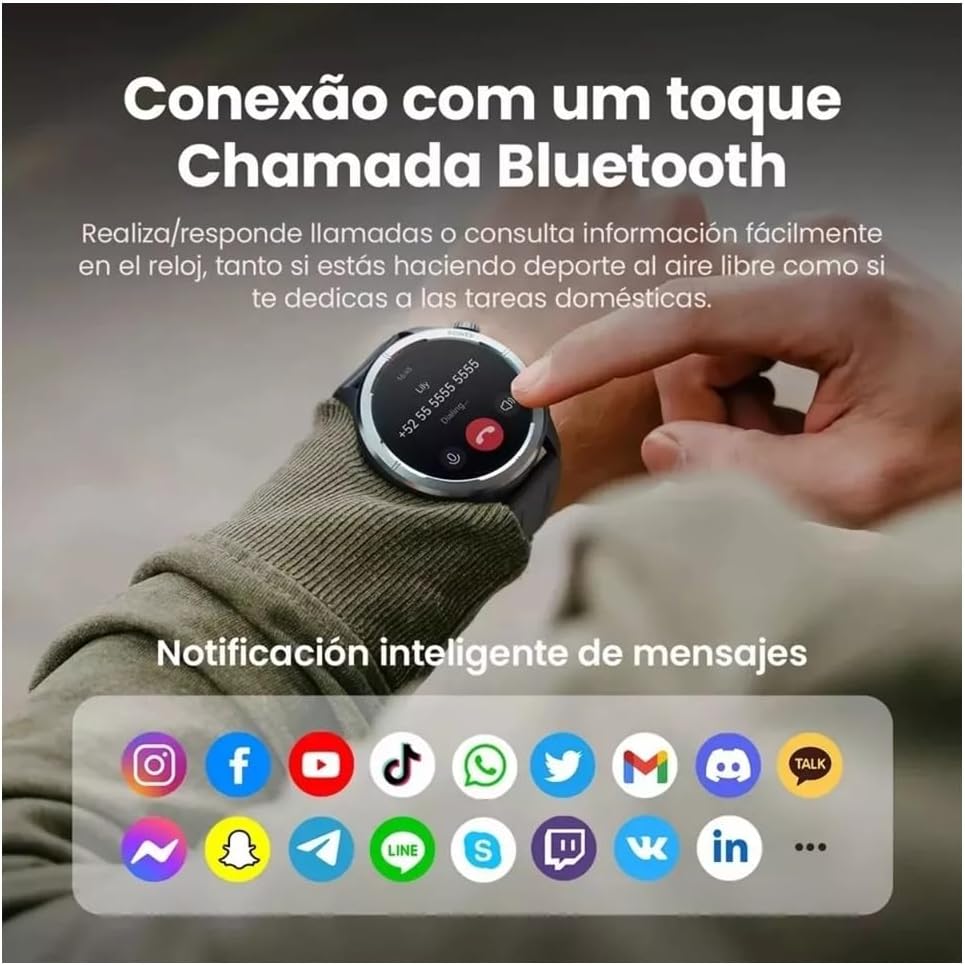
With its built-in microphone and speaker, the Haylou Solar Neo allows you to make and receive calls directly from your wrist when connected to your smartphone.

Зураг 7.1: Smartwatch displaying a Bluetooth call and various app notification icons.
7.1 Дуудлага хийх, хүлээн авах
- Дуудлага хийхийн тулд: Access the 'Phone' app on your watch, dial a number, or select a contact from your synced phonebook.
- Дуудлага хүлээн авахын тулд: Дуудлага ирэхэд цаг нь дуудагчийн ID-г харуулах болно. Хариулах бол ногоон дүрс дээр, татгалзах бол улаан дүрс дээр товшино уу.
7.2 Ухаалаг мэдэгдэл
Once paired with your smartphone, the watch will display notifications from various apps (e.g., messages, social media, emails). Ensure notification permissions are enabled in both your phone's settings and the Haylou Fun app.
8. Засвар үйлчилгээ
8.1 Ухаалаг цагаа цэвэрлэх
Regularly clean your watch and strap to prevent skin irritation and maintain device hygiene. Use a soft, lint-free cloth. For stubborn dirt, dampдаавууг бага зэрэг усаар хийнэ. Химийн хатуу бодис, зүлгүүрийн материал ашиглахаас зайлсхий.
8.2 Усны эсэргүүцэл
The Haylou Solar Neo is designed with a certain level of water resistance. Refer to the specifications for details (e.g., IP68). Avoid prolonged exposure to water, hot water, or steam, and do not press buttons underwater.
8.3 Батерейны арчилгаа
To prolong battery life, avoid extreme temperatures. Charge the watch fully before long periods of inactivity. Do not let the battery completely drain frequently.
9. Алдаа засах
9.1 Цаг асахгүй байна
- Цаг бүрэн цэнэглэгдсэн эсэхийг шалгаарай. Үүнийг дор хаяж 30 минутын турш цэнэглэгчтэй холбоно уу.
- Дахин асаахын тулд асаах товчийг 10-15 секундын турш удаан дар.
9.2 Утастай холбох боломжгүй
- Таны утас болон цаг дээр Bluetooth идэвхжсэн эсэхийг шалгаарай.
- Цаг нь таны утасны хүрээн дотор байгаа эсэхийг шалгаарай.
- Утас болон цагаа дахин эхлүүлнэ үү.
- Clear the Bluetooth cache on your phone (Android) or forget the device and try pairing again.
- Ensure the Haylou Fun app is updated to the latest version.
9.3 Эрүүл мэндийн мэдээлэл буруу
- Бугуйн яснаас нэг хурууны өргөнтэй цагийг бугуйндаа сайн зүүж байгаа эсэхийг шалгаарай.
- Keep the sensor clean and free from sweat or dirt.
- Хэмжилт хийх явцад хэт их хөдөлгөөн хийхээс зайлсхий.
9.4 Мэдэгдэл харагдахгүй байна
- Check if notification permissions are granted for the Haylou Fun app in your phone's settings.
- Ensure the Haylou Fun app is running in the background and not being closed by your phone's power-saving features.
- Verify that 'Do Not Disturb' mode is not active on either your watch or phone.
10. Техникийн үзүүлэлтүүд
| Үйлдвэрлэгч | Хайлоу |
| Загварын дугаар | NEOS |
| Дэлгэцийн хэмжээ | 1.53 инч |
| Холболтын технологи | Bluetooth |
| Утасгүй холбооны стандарт | Bluetooth |
| Онцлог шинж чанарууд | Дуут дуудлага |
| Зайны эсийн найрлага | Лити полимер |
| GPS | Баригдсан GPS |
| Зүйлийн хэлбэр | Дугуй |
| Хадгалах багтаамж | 32 ГБ |
| Хүргэлтийн хэмжээ | 17.5 x 9.9 x 3.2 см |
| Зүйлийн жин | 30 грамм |
11. Аюулгүй байдлын мэдээлэл
- Төхөөрөмжийг задлах, өөрчлөхийг бүү оролд.
- Төхөөрөмжийг хэт өндөр температур, нарны шууд тусгал, ил галаас хол байлга.
- Avoid exposing the device to strong impacts or drops.
- Дасгалын шинэ дэглэмийг эхлүүлэхийн өмнө, ялангуяа эрүүл мэндийн байдал тань өвдсөн бол мэргэжлийн эмчээс зөвлөгөө аваарай.
- If you experience skin irritation or discomfort from wearing the watch, discontinue use and consult a doctor.
12. Баталгаат хугацаа ба дэмжлэг
Your Haylou Solar Neo Smartwatch comes with a standard manufacturer's warranty. For detailed warranty terms and conditions, please refer to the warranty card included in the product packaging or visit the official Haylou website. For technical support or service inquiries, please contact Haylou customer service through their official channels.


