Танилцуулга
Thank you for choosing the Defender ARGA GM-049 Gaming Mouse. This manual provides detailed instructions for setting up, operating, maintaining, and troubleshooting your new gaming mouse. Please read this manual carefully before use to ensure optimal performance and longevity of your device.
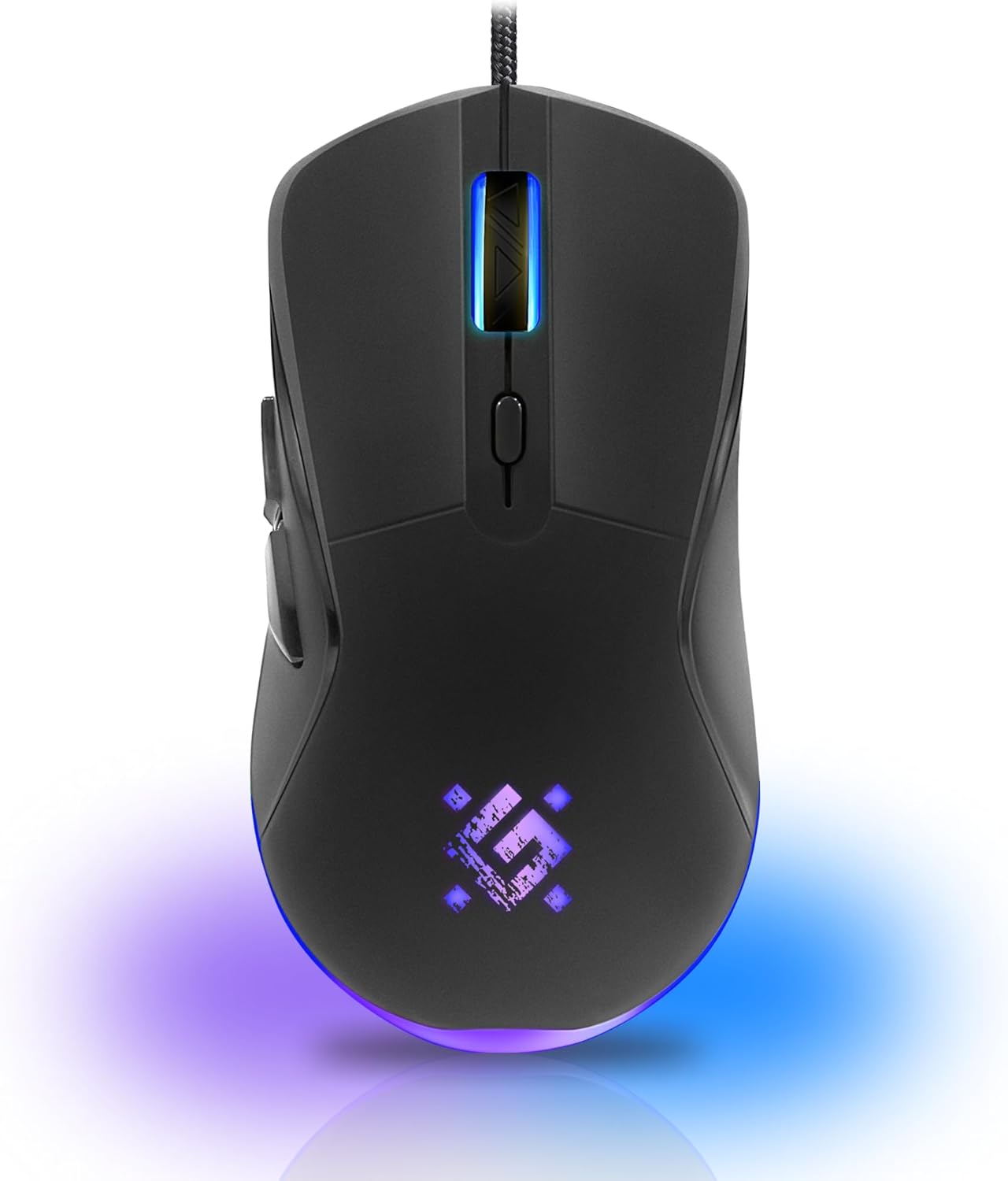
Зураг: Урд view of the Defender ARGA GM-049 Gaming Mouse, showcasing its ergonomic design and customizable RGB lighting.
Тохиргоо
1. Хулгана холбох
- Компьютер дээрээ байгаа USB портыг олоорой.
- Plug the gold-plated USB connector of the Defender ARGA GM-049 mouse into the USB port.
- Үйлдлийн систем нь шаардлагатай драйверуудыг автоматаар илрүүлж суулгана. Энэ процесс хэдэн минут үргэлжилж магадгүй.
2. Програм хангамж суурилуулах (заавал биш)
For advanced customization, including macro programming and button remapping, install the Defender Game Center Software.
- Visit the official Defender website to download the latest version of the Defender Game Center Software.
- Суулгацыг дуусгахын тулд дэлгэцэн дээрх зааврыг дагана уу.
- Once installed, launch the software to configure your mouse settings.

Image: Diagram illustrating the Defender Game Center Software, macro editor, optical sensor, and compatibility with Windows 2000/XP/Vista/7/8/10+ and macOS X10+.
Ашиглалтын заавар
1. Үндсэн функцууд
- Зүүн товшилт: Үндсэн үйлдэл.
- Баруун товшино уу: Хоёрдогч үйлдэл нь ихэвчлэн контекст цэсийг нээдэг.
- Гүйлгэх дугуй: Scroll up/down documents or web хуудаснууд. Гүйлгэх дугуйг дарах нь ихэвчлэн дунд товшилтоор ажилладаг.
2. DPI тохируулга
The Defender ARGA GM-049 features adjustable DPI (Dots Per Inch) settings, allowing you to change mouse sensitivity on the fly. The available DPI levels are 1200, 1800, 2400, and 3600.
- Press the dedicated DPI button (usually located behind the scroll wheel) to cycle through the preset DPI levels.
- Each DPI level may correspond to a different LED lighting color for easy identification (refer to software for customization).
3. Програмчлах боломжтой товчлуурууд
The mouse is equipped with 6 buttons, 5 of which are programmable using the Defender Game Center Software. These include the two main clicks, the scroll wheel click, and two side buttons.
- Launch the Defender Game Center Software.
- Navigate to the button assignment section.
- Select a button and assign a desired function, macro, or key combination.
4. RGB гэрэлтүүлэг
The ARGA GM-049 features customizable RGB lighting. The lighting effects and colors can be configured through the Defender Game Center Software to match your preferences or current DPI setting.

Image: Visual representation of the mouse's features including 10 million clicks lifespan, 5 programmable buttons, RGB lighting, and DPI settings (1200/1800/2400/3600).
Засвар үйлчилгээ
Тохиромжтой засвар үйлчилгээ нь таны тоглоомын хулганы урт наслалт, оновчтой гүйцэтгэлийг баталгаажуулдаг.
1. Цэвэрлэгээ
- Цэвэрлэхийн өмнө хулганаа компьютерээс салга.
- Хулганы гадаргууг зөөлөн, хуурай, хөвөнгүй даавуугаар арчина.
- Зөрүүд шороонд бага зэрэг dampДаавууг ус эсвэл зөөлөн, үрэлтгүй цэвэрлэгчээр арчина. Хүчтэй химийн бодисоос зайлсхий.
- Use a cotton swab or compressed air to clean around the buttons and scroll wheel.
- Хулганад шингэн зүйл оруулахыг бүү зөвшөөр.asing.
2. Ерөнхий тусламж үйлчилгээ
- Хулганаа унагах эсвэл хүчтэй цохилтонд оруулахаас зайлсхий.
- Keep the mouse away from extreme temperatures and direct sunlight.
- Do not attempt to disassemble the mouse, as this may void your warranty.
Алдааг олж засварлах
If you encounter issues with your Defender ARGA GM-049 mouse, refer to the following common solutions:
| Асуудал | Боломжит шийдэл |
|---|---|
| Хулгана хариу өгөхгүй байна |
|
| Курсорын тогтворгүй хөдөлгөөн |
|
| Товчлуур эсвэл гүйлгэх дугуй ажиллахгүй байна |
|
| LED гэрэлтүүлэг ажиллахгүй байна |
|
Үзүүлэлтүүд
| Онцлог | Дэлгэрэнгүй |
|---|---|
| Брэнд | Хамгаалагч |
| Загвар | ARGA GM-049 |
| Холболтын технологи | Wired USB (Gold-plated connector) |
| Хөдөлгөөнийг илрүүлэх технологи | Оптик |
| DPI түвшин | 1200/1800/2400/3600 |
| Товчлуурын тоо | 6 (5 програмчлах боломжтой) |
| Онцлог шинж чанарууд | RGB LED lighting, Programmable buttons, Macro editor, Durable rubberized surface, Teflon feet, Ferrite noise filter |
| Кабелийн урт | 1.5 meters (Braided cable structure) |
| Товчлуурын ашиглалтын хугацаа | 10 сая хүртэл товшилт |
| Тохиромжтой байдал | Windows 2000/XP/Vista/7/8/10+, macOS X10+ |
| Дагалдах хэрэгсэлд багтсан | Mouse Pad (220 x 180 mm) |

Image: Product packaging highlighting key features such as rainbow backlight, 2 thumb buttons, 4 resolution modes up to 3600 DPI, wide rubberized backlit scroll wheel, 5 customizable buttons, durable Teflon feet, ferrite noise filter, gold-plated USB connector, and bonus mouse pad.

Image: The Defender ARGA GM-049 Gaming Mouse shown alongside its included mouse pad, indicating dimensions of 220mm by 180mm.
Баталгаат болон дэмжлэг
Баталгаат хугацааны мэдээлэл
For detailed warranty information regarding your Defender ARGA GM-049 Gaming Mouse, please refer to the warranty card included with your product or consult the retailer from whom you purchased the device. Warranty terms and conditions may vary by region and retailer.
Техникийн дэмжлэг
If you require further assistance or encounter issues not covered in this manual, please visit the official Defender website for support resources, FAQs, and contact information for technical support.


